🛠️ Prerequisites
Make sure the 1-node-farm starter folder is open. If you're currently in the project root, please open that folder instead.
📝 Step 1: Create a New JavaScript File
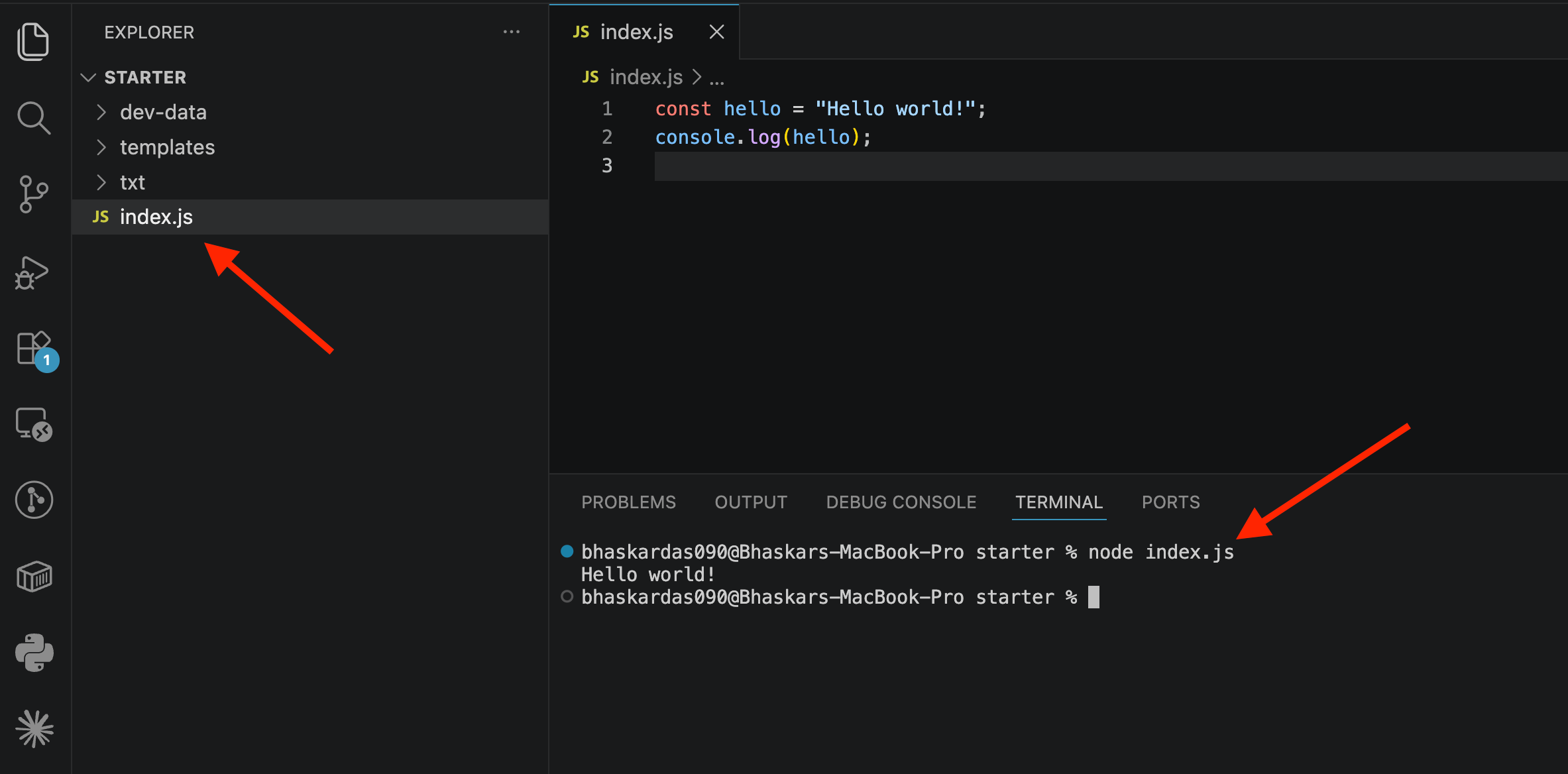
In the root folder of your project, create a new file named:
index.js✍️ Step 2: Write Your First Node Code
Inside index.js, write:
const hello="Hello world!";
console.log(hello);
This creates a variable called
hellostoring the classic "Hello world" text
(traditionally the first thing written when learning any new programming language).console.log()prints the value to the terminal.Save the file.
▶️ Step 3: Run the File Using Node
Unlike browser JavaScript (where you'd link the file inside an HTML page and open it in a browser), Node lets you run JavaScript files directly from the terminal.
In the terminal, type:
node index.jsand press Enter.
Important: don't just type
nodeand press Enter alone — that opens the REPL instead. You must include the filename right afternode.Output:
Hello world!🎉 This means you've successfully run your first Node.js script.
🧐 Understanding Node Modules
Node.js can do things browser JavaScript cannot — like reading and writing files from the computer's file system.
This functionality is not built into plain JavaScript — it comes from Node modules.
For file operations, Node provides a built-in module called FS (File System).
📥 Importing (Requiring) a Module
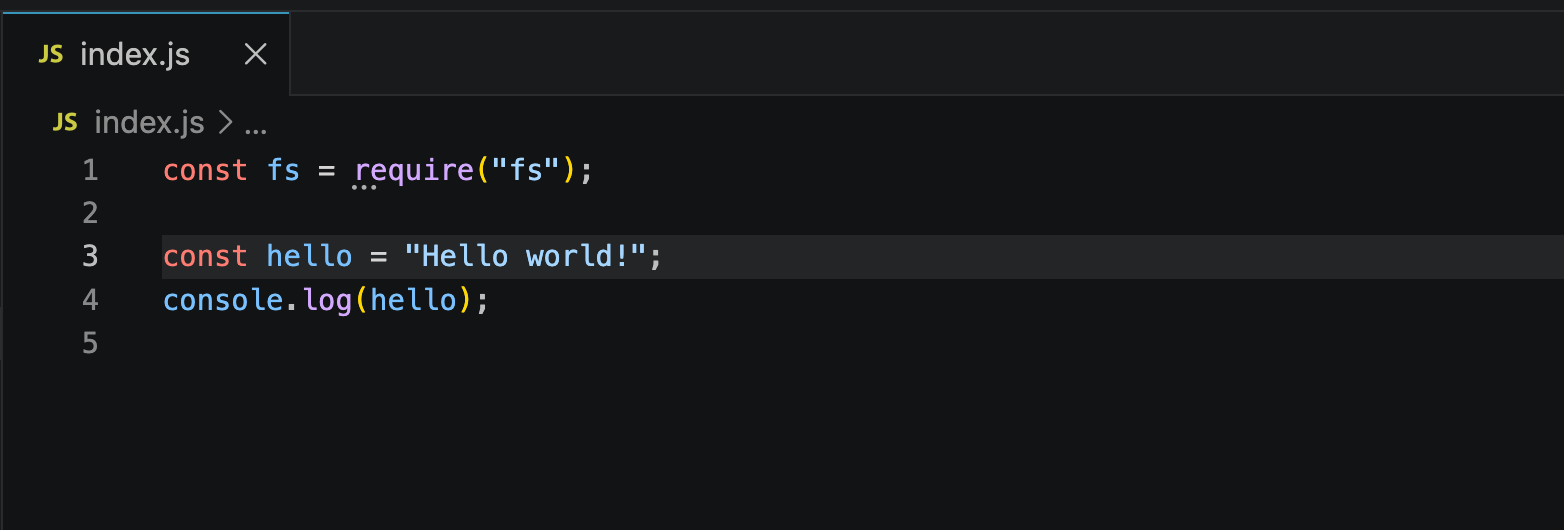
To use a module, you require it and store the result in a variable:
const fs = require('fs');require('fs')loads the File System module.The result (an object containing many useful functions for reading/writing files) is stored in the
fsvariable.This
fsvariable will be used in the next step of the course to actually read files.
📚 Learning to Use the Node Documentation
Whenever you need info about a module or function, refer to the official Node.js documentation:
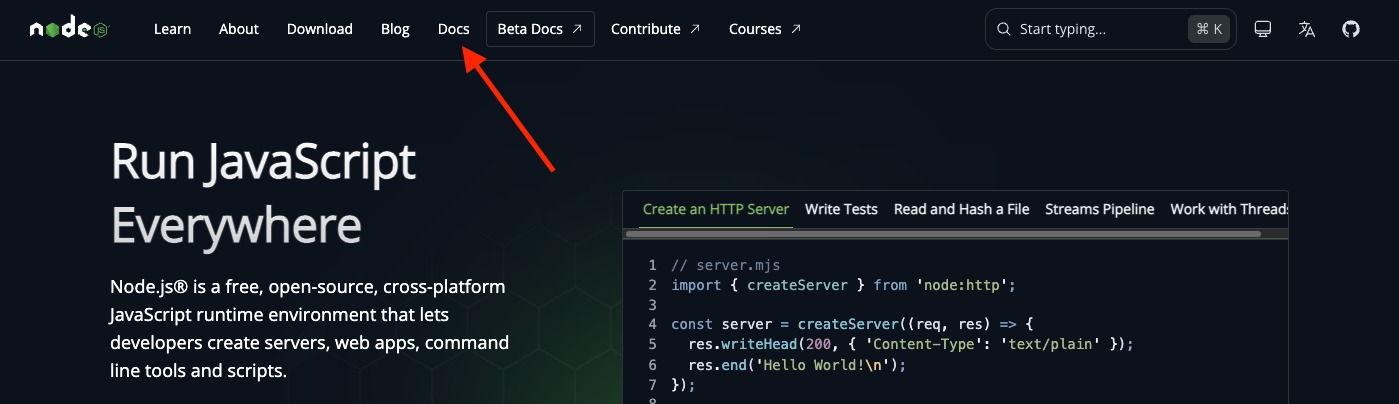
🌐 Go to nodejs.org
📖 Click the Documentation tab.
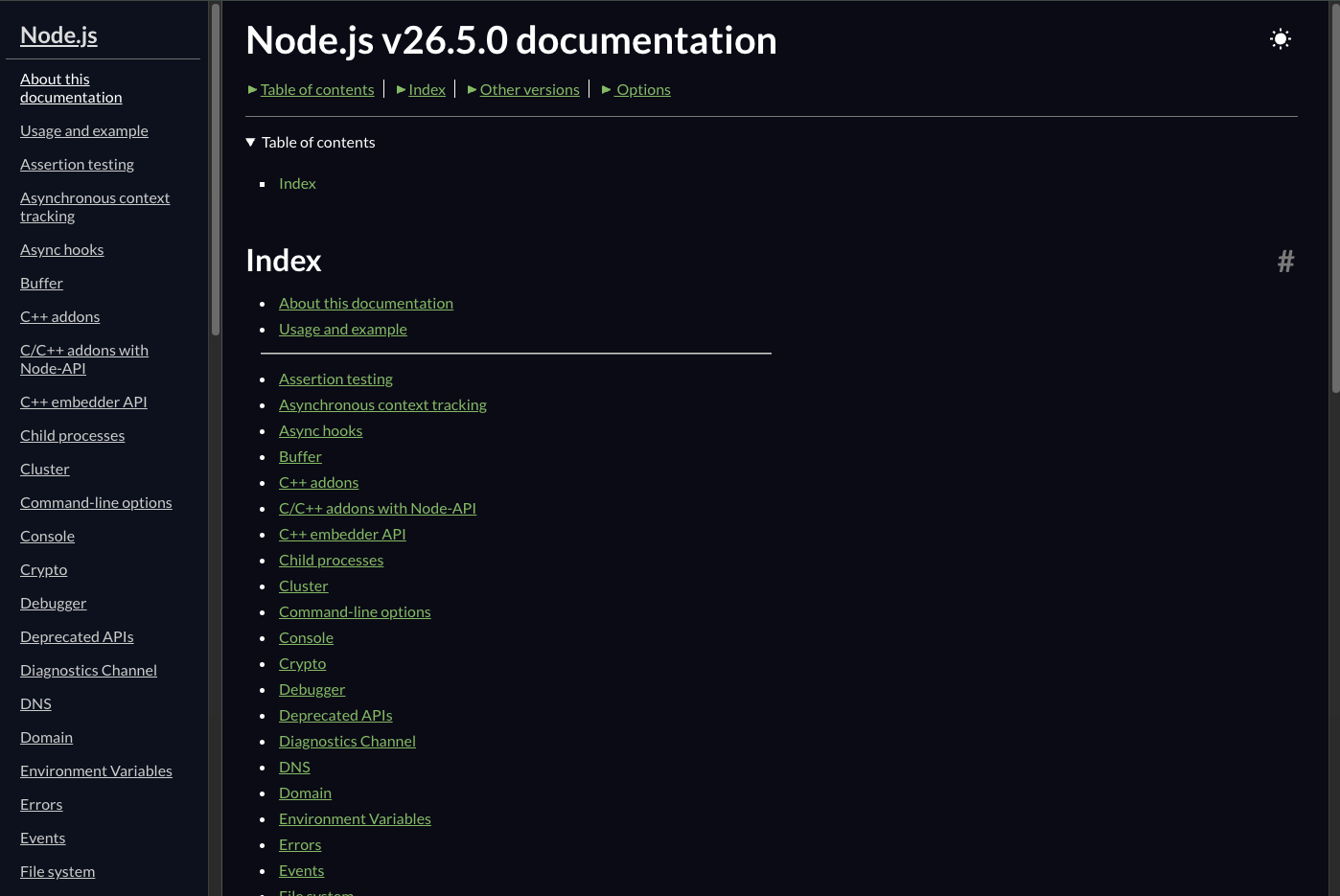
📂 On the left side, you'll see a list of all built-in modules, such as:
🖥️ REPL (used earlier)
📁 File System (fs) (used in this note)
📦 Many others
📖 Reading the Docs
Each module page covers its functions, parameters, and examples.
Example: to read a file, look up
fs.readFileSync()— we'll use this next.It's okay if the docs feel confusing at first; it'll click as you go.
🎯 Key Takeaways
You can write and run standalone
.jsfiles using the command:
node filename.jsNode's extra capabilities (like file handling) come from modules, which you load using
require().The official Node.js documentation is the go-to resource for learning about any built-in module or function.
Next step: Actually use the
fsmodule to read a file from disk usingfs.readFileSync().