🛠️ Prerequisites
✅ Node.js must be installed on your computer before starting.
📂 Step 1: Set Up the Project Folder
Copy the Complete Node Bootcamp folder from the course starter files into your working directory.
e.g.,Desktop/complete-node-bootcamp/If you haven't downloaded the starter files yet, get them from the course's GitHub repository.
💻 Open the folder in your code editor (VS Code is used here, but any editor works).
Open VS Code Terminal
Shortcut:Ctrl+ ```(Backtick key) OR Click Terminal -> New Terminal
💡Note: In this section, you won't work on the actual project yet. You'll first practice using Node.js from the command line.
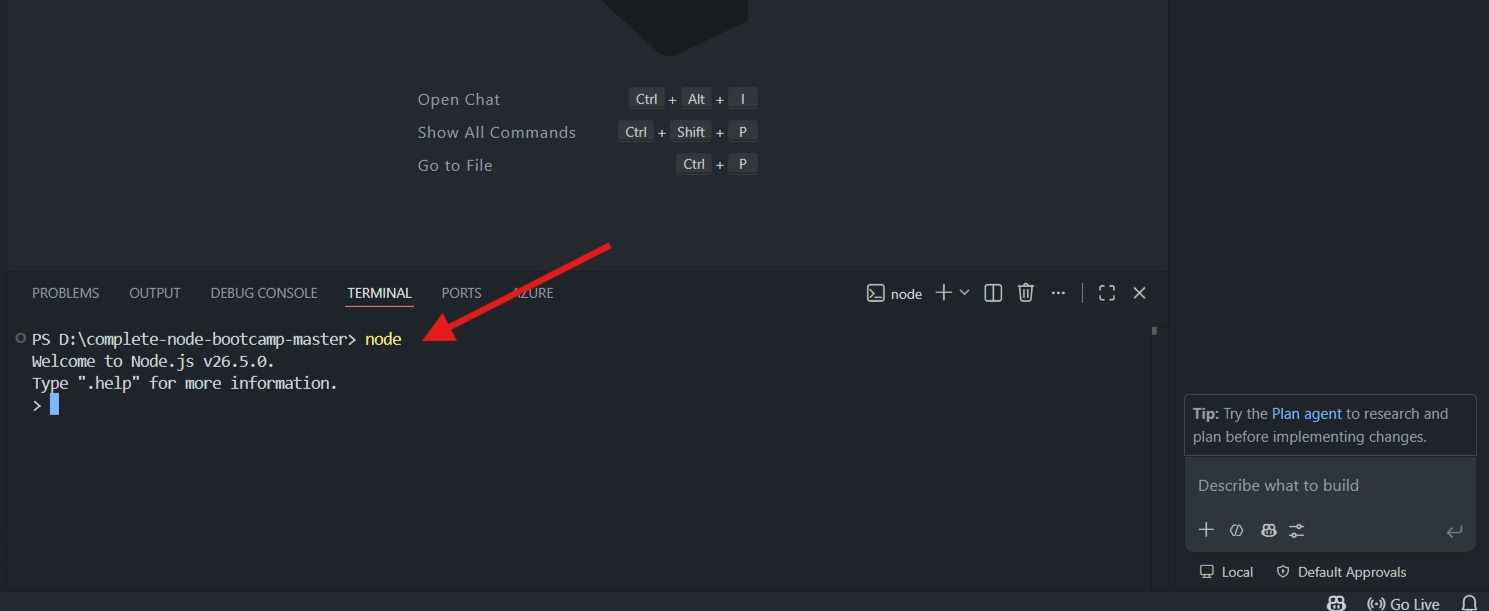
🚀 Step 2: Start the Node REPL
Type:
nodeThen press Enter.
🟢 This opens the Node REPL (Read-Eval-Print Loop).
💻 It's an interactive environment where you can write and execute JavaScript instantly, similar to a browser's Developer Console.
✍️ Step 3: Write JavaScript in the REPL
You can define variables:
const name = "Jonas";✅ Run any valid JavaScript code.
⚡ Node.js supports modern JavaScript (ES6+) features like
const,let, arrow functions, template literals, and more.🌐 Unlike browsers, Node.js executes JavaScript directly on your computer.
🧮 Example
3 * 8
// Output: 24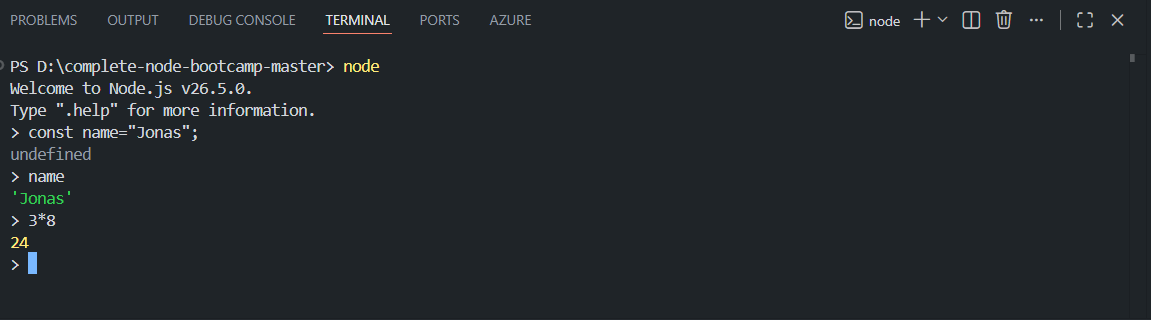
⌨️ Useful REPL Shortcuts
⌨️ Action | ✅ How To Do It |
|---|---|
🚪 Exit the REPL | Type |
🚪 Exit (Alternative) | Press Ctrl + D |
🧹 Clear Terminal | Ctrl + K (Windows) / Cmd + K (Mac) |
🌍 Show Global Variables | Press Tab (sometimes twice) |
🔍 Show Object Methods | Type |
🌍 Explore Global Variables
If you are in REPL Mode then Press Tab twice without typing anything.
OR Else
Type node then Enter and then Tab twice
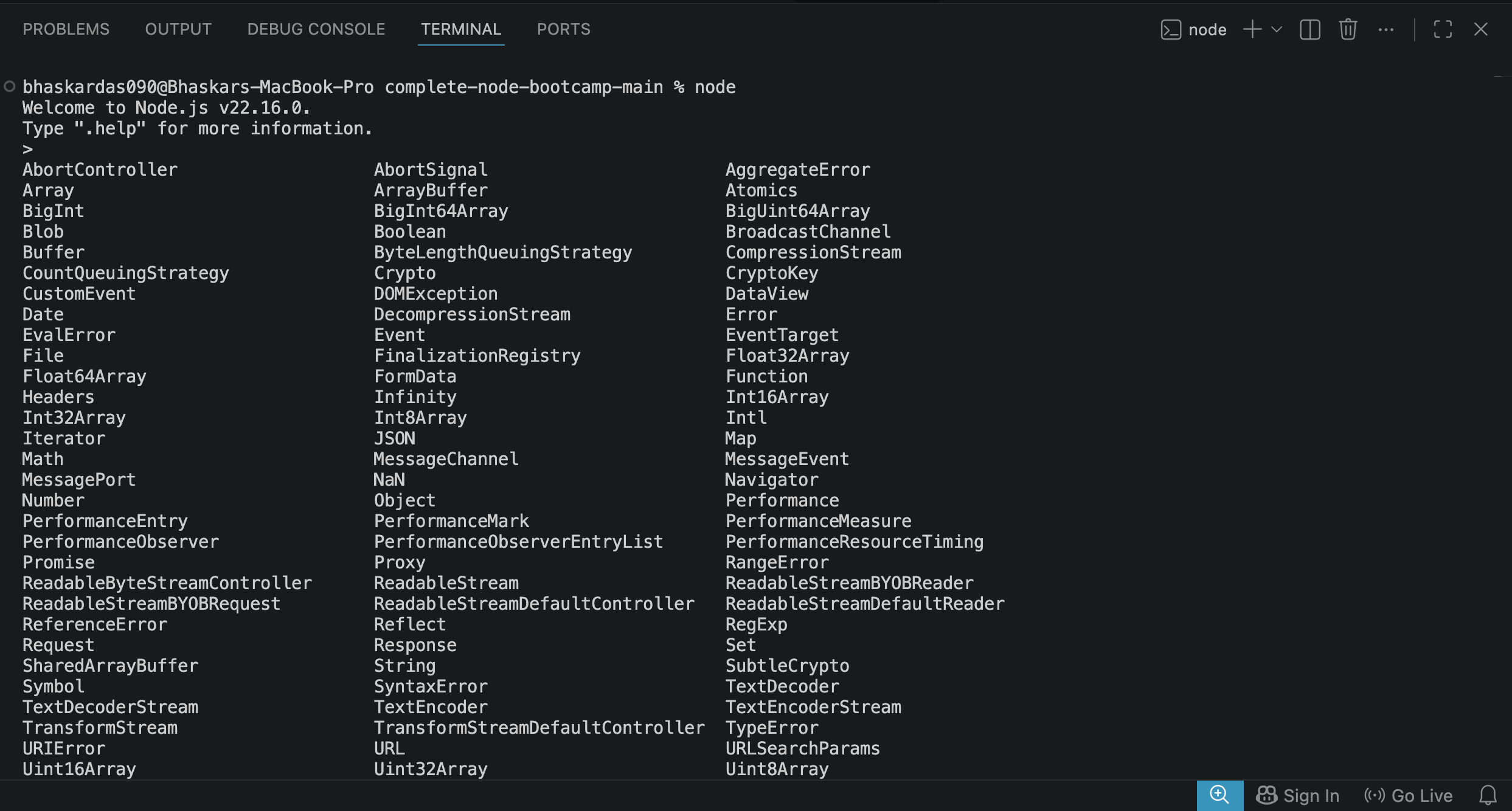
You'll see globally available objects such as:
📦
Array🔤
String➕
Math🔢
Number
You'll also notice Node.js-specific modules like:
🌐
https📂
fs🔐
crypto
💡 These built-in modules will be covered later in the course.
🎯 The Underscore (_) Trick
The underscore (_) automatically stores the result of the last executed expression.
Example
3 * 8
// Output: 24

_ + 6
// Output: 30

_ - 30
// Output: 0
💡 This is useful for quick calculations without retyping previous results.
🚪 Exit Properly
👋 Exit the REPL:
Ctrl + D
or type
.exit
🎯 Key Takeaways
🟢 Node.js allows JavaScript to run outside the browser.
💻 The REPL is an interactive environment for testing JavaScript code quickly.
⚡ It supports modern JavaScript (ES6+) features out of the box.
🧪 Use the REPL to experiment with JavaScript before writing full programs.
🧭 The Tab key helps discover global objects and built-in methods.
🎯 The underscore (
_) stores the last evaluated result, making quick calculations easier.