🤔 What is a VPN? (Basic Idea)
Normally, when you connect to the Internet:
Your data travels through public networks
Anyone in between may see or intercept it
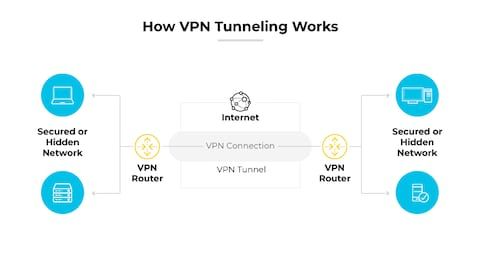
📌 A VPN creates a secure, private path (tunnel) over the public Internet.
👉 Think of VPN as a secret tunnel inside a public road.
🧠 Simple Definition
📌 A Virtual Private Network (VPN) is a technology that creates a secure, encrypted connection over a public network, allowing users to safely access a private network.
🧠 Why Is It Called “Virtual” and “Private”?
Virtual → Uses public Internet, not real private cables
Private → Data is encrypted and hidden
Network → Connects devices securely
📌 Hence the name Virtual Private Network.
🧠 Real-Life Analogy
🚗 Private Tunnel Example
Public road = Internet 🌍
Tunnel = VPN 🔐
Outsiders see traffic but not what’s inside
👉 VPN works the same way.
🎯 Why VPN Is Needed?
VPN is used to:
🔐 Secure data over public Wi-Fi
🏢 Access office network remotely
🕵️ Hide IP address
🌍 Bypass geographic restrictions
🛡️ Protect privacy
📌 Especially important for remote work.
🧭 Where Does VPN Work in OSI Model?
VPN mainly operates at:
Network Layer
Transport Layer
📌 Depends on VPN protocol used.
🧱 How VPN Works (Simple Flow)
1️⃣ User connects to VPN client
2️⃣ VPN client authenticates user
3️⃣ Encrypted tunnel is created
4️⃣ Data travels securely through tunnel
5️⃣ VPN server forwards data to destination
📌 Outsiders see encrypted data only 🔒
🔐 Key Security Features of VPN
VPN provides:
🔒 Encryption (Confidentiality)
🧾 Authentication (User identity)
✍️ Integrity (No data modification)
🛡️ Privacy (IP masking)
🧩 Types of VPN
🧑💻 1. Remote Access VPN
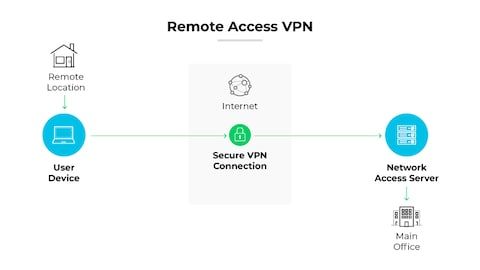
🧠 What is Remote Access VPN?
Allows individual users to connect to private network remotely
📌 Used by:
Employees working from home
Students accessing campus network
✅ Advantages
Flexible
Secure remote login
🏢 2. Site-to-Site VPN
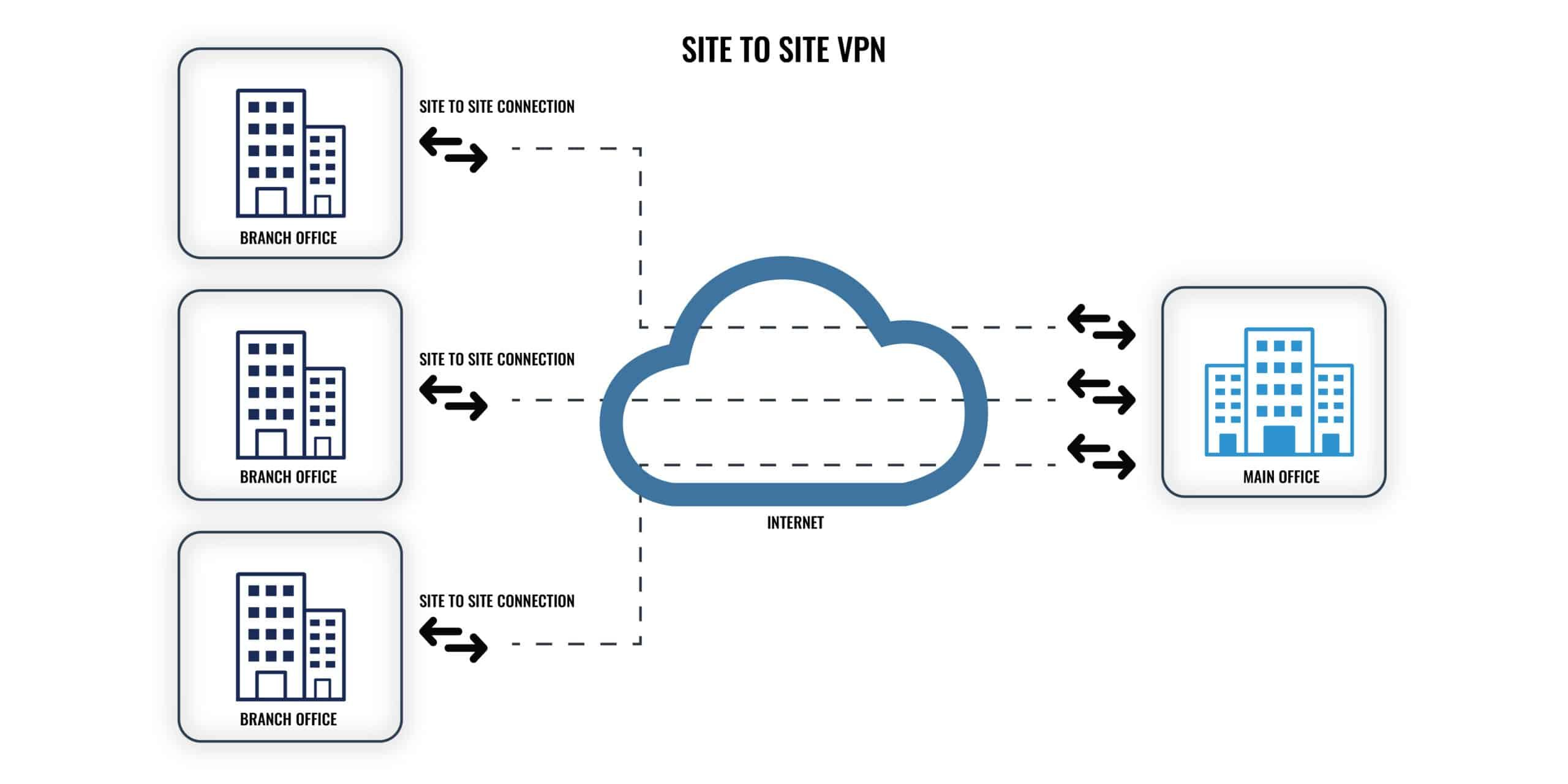
🧠 What is Site-to-Site VPN?
Connects two or more private networks
No individual user login needed
📌 Used by:
Branch offices of companies
✅ Advantages
Always-on connection
Secure inter-branch communication
🌍 VPN Protocols
Protocol | Description |
|---|---|
PPTP | Old, weak security |
L2TP | Combined with IPsec |
IPsec | Strong encryption |
SSL/TLS VPN | Browser-based VPN |
OpenVPN | Secure & flexible |
📌 IPsec and SSL VPNs are most common today.
🔐 IPsec-Based VPN (Concept)
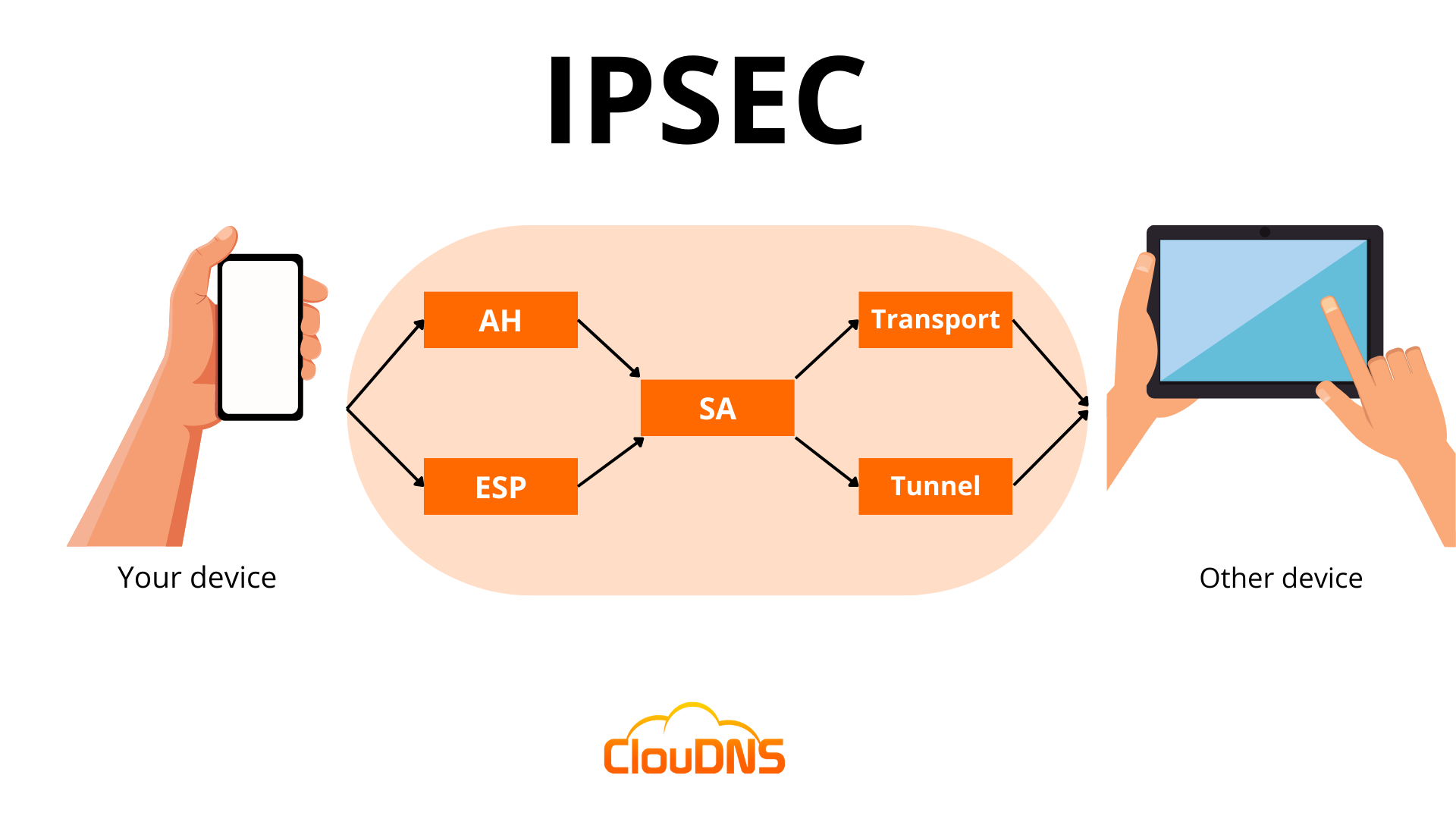
IPsec provides:
Authentication
Encryption
Integrity
📌 Operates at Network Layer.
🧠 VPN Tunneling (Important Concept)
📌 Tunneling means:
Original packet is encapsulated
Encrypted and sent through Internet
Decapsulated at destination
👉 Data travels securely inside tunnel.
⚖️ VPN vs Normal Internet Connection
Feature | Normal Internet | VPN |
|---|---|---|
Encryption | ❌ No | ✅ Yes |
Privacy | Low | High |
IP Address | Visible | Hidden |
Security | Low | High |
🧠 Advantages of VPN
Secure communication 🔐
Privacy protection 🕵️
Remote access 🌍
Cost-effective (no private lines)
❌ Disadvantages of VPN
Reduced speed 🐢 (due to encryption)
Complex setup
VPN server trust required
⚠️ VPN is NOT a Complete Security Solution
VPN:
Secures data in transit ✔️
Does not stop malware ❌
Does not secure endpoint ❌
📌 Must be combined with:
Firewalls
Antivirus
Authentication
🧠 Memory Tricks
VPN = Virtual Private Network
Tunnel = Encrypted path
Remote VPN = User to Network
Site VPN = Network to Network
⭐ One-Line Summary
🔹 A VPN securely connects users or networks over the Internet using encrypted tunnels, ensuring privacy and data protection.