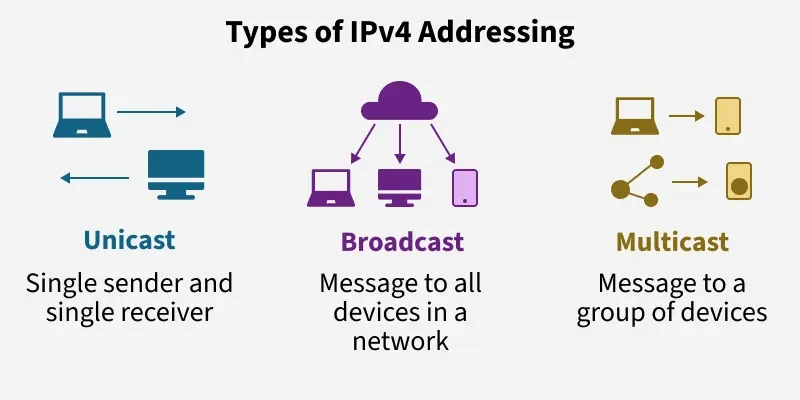
🤔 What is Logical Addressing? (Basic Idea)
In a network, devices must have addresses so that data knows:
📤 Where it comes from
📥 Where it has to go
📌 At the Network Layer, this addressing is called Logical Addressing.
👉 Logical addressing is mainly done using IP addresses.
🧠 Simple Definition
📌 Logical addressing is the method of assigning logical (software-based) addresses to devices so they can be identified and located across different networks.
🧠 Why Is It Called “Logical”?
Because:
It is not hardcoded into hardware
It is assigned by software or network administrator
It can be changed easily
📌 This is different from MAC address, which is physical and fixed.
🆚 Logical Address vs Physical Address
Feature | Logical Address | Physical Address |
|---|---|---|
Layer | Network Layer | Data Link Layer |
Example | IP Address | MAC Address |
Nature | Software-based | Hardware-based |
Changeable | ✅ Yes | ❌ No |
Scope | Across networks | Within LAN |
🌍 Why Logical Addressing Is Needed
Imagine this scenario 🚚:
A courier needs to deliver a package
Just knowing the house color is not enough
It needs:
City
Area
Street
House number
📌 Logical addressing works the same way:
Helps locate devices globally
Works across multiple networks
Enables routing
🧠 Role of Logical Addressing in Network Layer
Logical addressing helps the Network Layer to:
🌐 Identify source and destination devices
🛣️ Route packets across networks
🔁 Support internetworking
📦 Deliver packets correctly
🌐 IP Address – The Logical Address
🔹 What is an IP Address?
An IP (Internet Protocol) Address is a unique logical address assigned to each device in a network.
📌 It identifies:
Network
Host within that network
🧠 Simple Definition
📌 An IP address is a numerical label assigned to a device to identify it uniquely on a network.
🔢 Versions of IP Addressing
There are two versions:
1️⃣ IPv4
2️⃣ IPv6
📌 In this topic, we focus mainly on IPv4 basics.
📘 IPv4 Addressing (Introduction)
🔹 Structure of IPv4 Address
Length: 32 bits
Divided into 4 bytes (octets)
Each byte = 8 bits
📌 Written in dotted decimal format
👉 Example:
192.168.1.1
🧠 How IPv4 Address Is Divided
An IPv4 address has two main parts:
1️⃣ Network ID
2️⃣ Host ID
📌 This division helps routers understand:
Which network the device belongs to
Which device inside that network
🧩 Example
IP Address: 192.168.1.10
Network part →
192.168.1Host part →
10
🏷️ Network ID vs Host ID
Part | Purpose |
|---|---|
Network ID | Identifies the network |
Host ID | Identifies the device |
📌 All devices in the same network share the same Network ID.
🧠 Logical Addressing & Routing
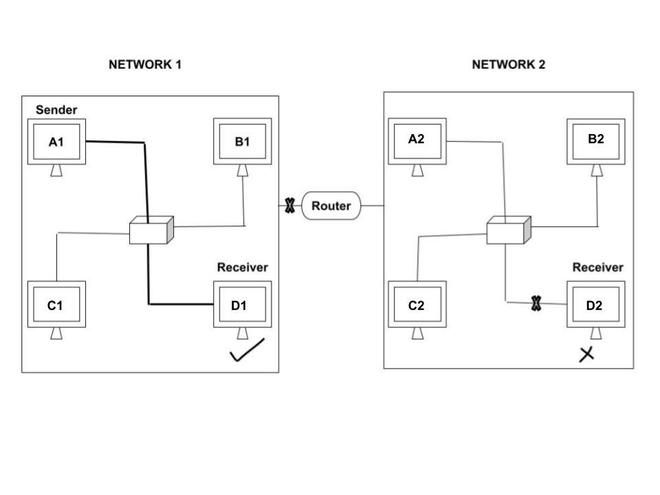
Routers use logical addresses (IP) to:
Decide best path
Forward packets
Connect different networks
📌 Without logical addressing:
Routing is impossible ❌
Internet cannot work ❌
🧠 Static vs Dynamic Logical Addressing
🔹 Static IP Address
Assigned manually
Does not change
📌 Used in:
Servers
Routers
Printers
🔹 Dynamic IP Address
Assigned automatically (using DHCP)
Changes over time
📌 Used in:
Home users
Mobile devices
🧠 Private vs Public IP Address (Basic Idea)
🔒 Private IP Address
Used inside local networks
Not accessible from Internet
Examples:
192.168.x.x
10.x.x.x
🌍 Public IP Address
Used on the Internet
Globally unique
📌 Assigned by ISP.
🧠 Logical Addressing vs Naming
Concept | Example |
|---|---|
Logical Address | 142.250.195.46 |
Name |
📌 DNS converts names into logical addresses.
✍️ Exam-Oriented Definitions
📌 Logical Addressing:
Logical addressing is the Network Layer mechanism of assigning IP addresses to uniquely identify devices across networks.
📌 IP Address:
An IP address is a logical numerical identifier assigned to a device in a network for communication.
⭐ Advantages of Logical Addressing
Supports large networks 🌍
Enables routing
Flexible & changeable
Essential for Internet communication
⭐ One-Line Summary
🔹 Logical addressing uses IP addresses to uniquely identify devices and enable data routing across different networks.