🤔 What is Ethernet?
Ethernet is the most widely used LAN (Local Area Network) technology for connecting computers and devices in a wired network.
📌 In simple words:
Ethernet is a set of rules and technologies that define how computers communicate over wired networks.
Today, almost every office, college, and home network uses Ethernet in some form.
🧠 Why Ethernet is So Popular
Ethernet became popular because it is:
⚡ Fast
💰 Cost-effective
🔧 Easy to install
🔒 Reliable
📈 Scalable
🕰️ Brief History of Ethernet
Developed in the 1970s
Standardized by IEEE
Known as IEEE 802.3
📌 Whenever you see 802.3, think of Ethernet.
🧩 Where Ethernet Works in OSI Model
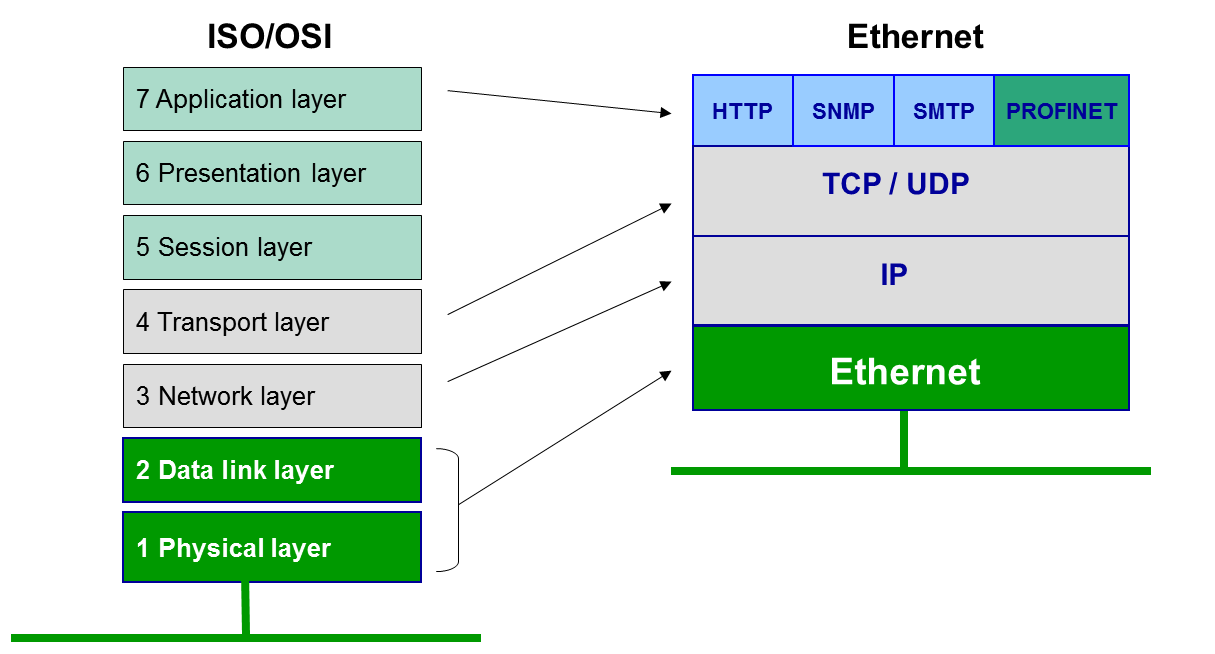
Ethernet mainly works at:
🔹 Data Link Layer (MAC sublayer)
🔹 Physical Layer
🔗 Basic Components of Ethernet
An Ethernet network consists of:
🖥️ End devices (PCs, servers)
🔌 Ethernet cables
🔀 Switches
💳 NIC (Network Interface Card)
📜 Ethernet protocols
🔌 Ethernet Cables (Basic Idea)
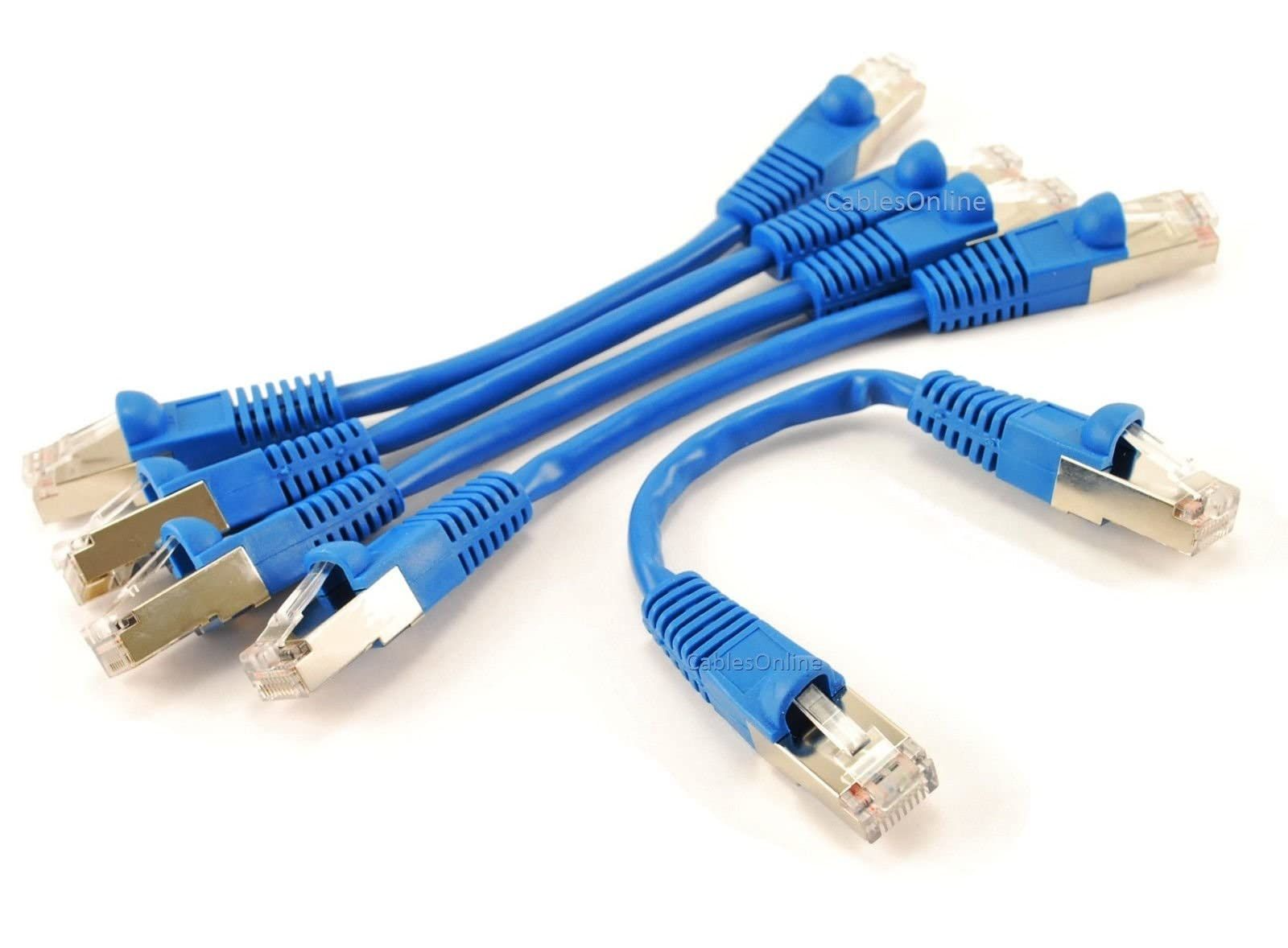
Most Ethernet networks use:
Twisted Pair Cables (UTP/STP)
RJ-45 connectors
📌 Categories:
Cat5
Cat5e
Cat6
Cat6a
📦 Ethernet Frame Format
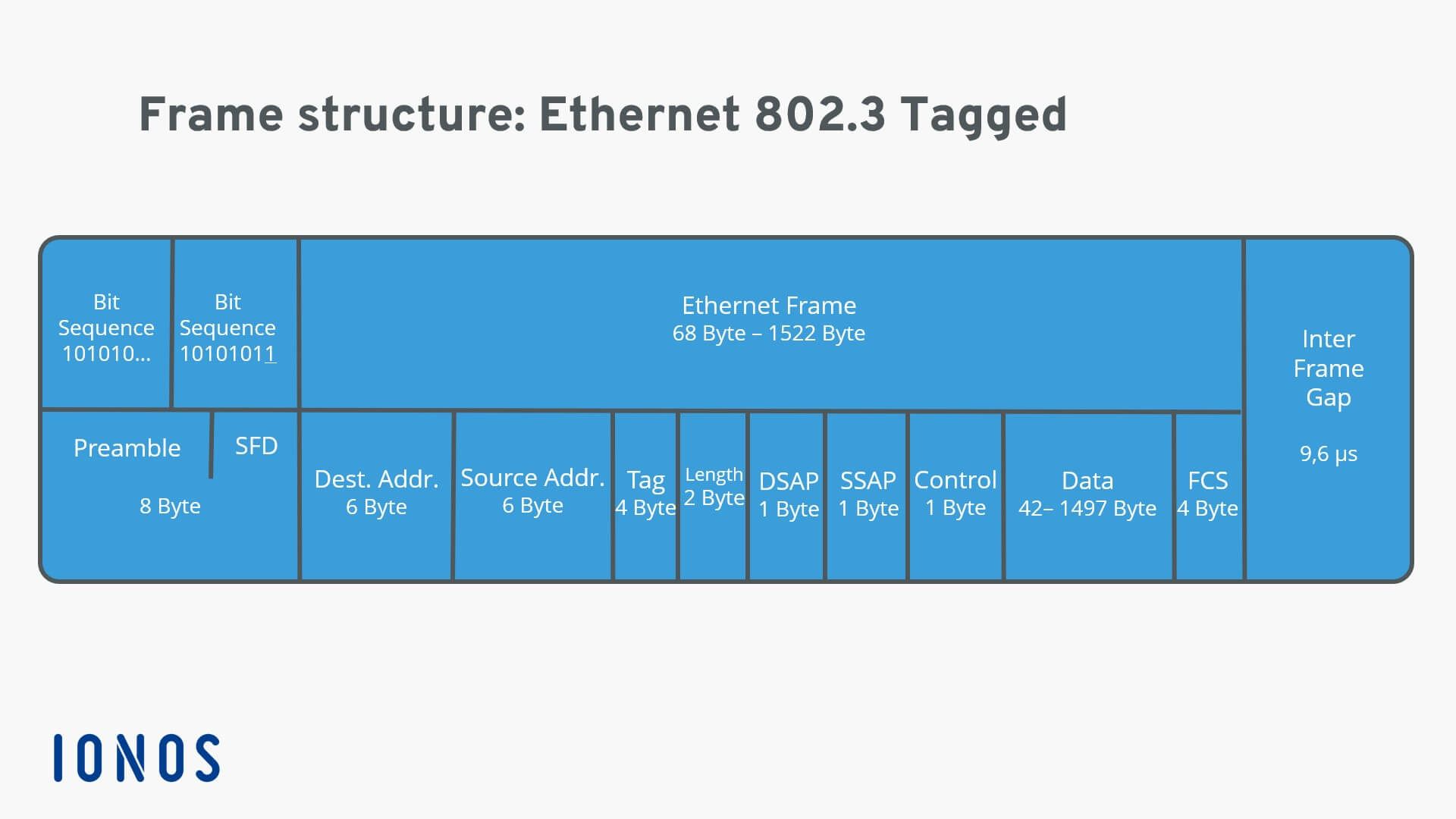
🧱 Ethernet Frame Fields
1️⃣ Preamble – Synchronization
2️⃣ Destination MAC Address
3️⃣ Source MAC Address
4️⃣ Type / Length
5️⃣ Data (Payload)
6️⃣ FCS (Frame Check Sequence)
🧠 Why Frame is Important
Identifies sender & receiver
Detects errors
Maintains data integrity
🏷️ MAC Address in Ethernet
🔹 What is a MAC Address?
A MAC (Media Access Control) Address is a unique physical address assigned to every network device.
📌 Format:
48-bit address
Written in hexadecimal
Example:
00:1A:2B:3C:4D:5E
🧠 Why MAC Address is Important
Identifies devices uniquely
Used in LAN communication
Helps switches forward frames correctly
🔁 Ethernet Communication Types
🔹 1. Unicast
One sender → one receiver
🔹 2. Broadcast
One sender → all devices
Example: ARP request
🔹 3. Multicast
One sender → group of devices
⚔️ Ethernet & CSMA/CD
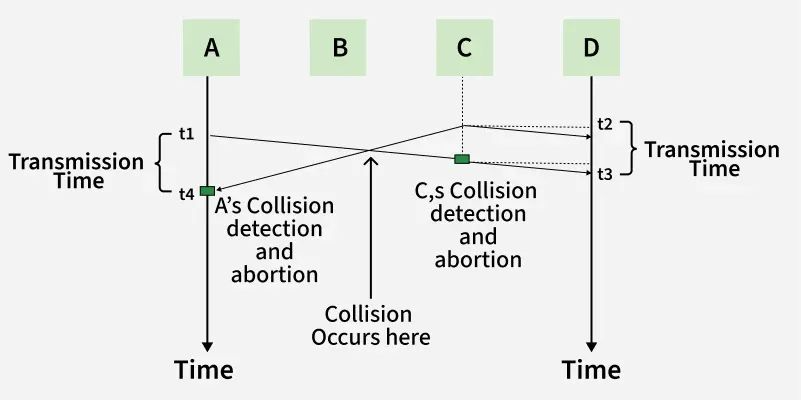
Earlier Ethernet used CSMA/CD:
Carrier Sense
Multiple Access
Collision Detection
📌 Used when hubs were common.
👉 Modern Ethernet with switches:
❌ No collisions
❌ CSMA/CD not required
⚡ Ethernet Speed Standards
Ethernet Type | Speed |
|---|---|
Ethernet | 10 Mbps |
Fast Ethernet | 100 Mbps |
Gigabit Ethernet | 1 Gbps |
10 Gigabit Ethernet | 10 Gbps |
🔄 Half Duplex vs Full Duplex Ethernet
Mode | Description |
|---|---|
Half Duplex | Send or receive (not both) |
Full Duplex | Send & receive simultaneously |
📌 Modern Ethernet uses Full Duplex.
🧠 Ethernet vs Wi-Fi
Feature | Ethernet | Wi-Fi |
|---|---|---|
Medium | Wired | Wireless |
Speed | High | Medium |
Security | More secure | Less secure |
Interference | Very low | High |
Mobility | No | Yes |
⭐ One-Line Summary
🔹 Ethernet is a widely used wired LAN technology that defines how data is framed, addressed, transmitted, and checked for errors.