🤔 What is IoT?
Traditionally:
Internet was used by computers and smartphones only
Today:
Everyday objects are also connected to the Internet
These objects can sense, communicate, and act
📌 This concept is called the Internet of Things (IoT).
🧠 Simple Definition
📌 Internet of Things (IoT) is a network of physical objects (things) embedded with sensors, software, and connectivity that enables them to collect and exchange data over the Internet.
🧠 One-Line Understanding
IoT = Everyday objects + Internet + Smart behavior
🧠 Real-Life Analogy
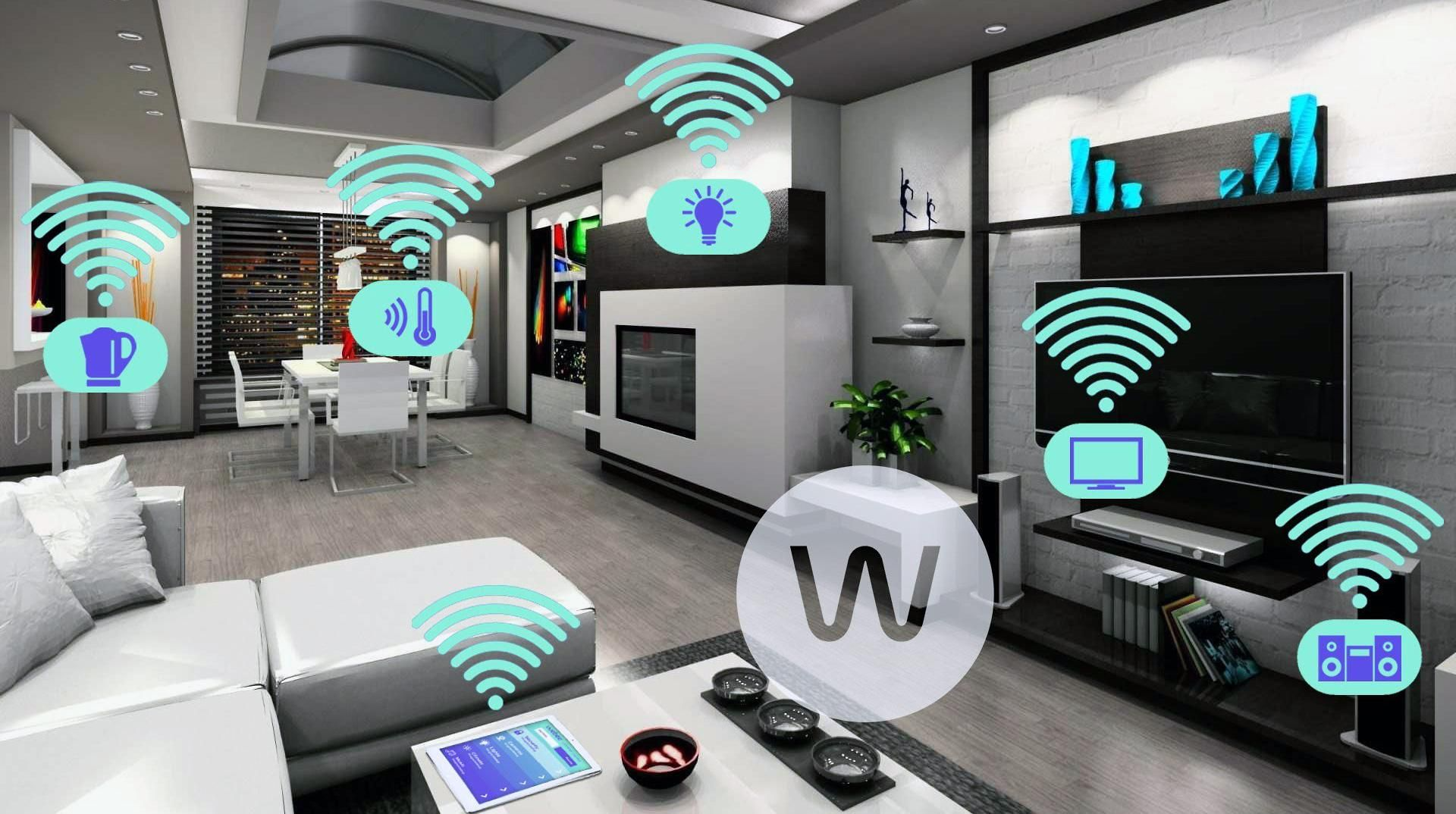
🏠 Smart Home
Smart light 💡 → turns ON automatically
Smart AC ❄️ → adjusts temperature
Smart door 🔐 → remote locking
👉 All these devices:
Sense data
Send data
Receive commands
📌 That entire system = IoT
🌍 Examples of IoT Around Us
Smart watches ⌚
Fitness trackers 🏃
Smart refrigerators 🧊
Smart traffic lights 🚦
Industrial sensors 🏭
📌 IoT is already everywhere.
🎯 Why IoT is Needed
IoT helps to:
📊 Collect real-time data
⚙️ Automate tasks
💡 Improve efficiency
💰 Reduce cost
🧠 Enable smart decisions
📌 Human intervention is reduced.
🧩 Key Components of IoT System
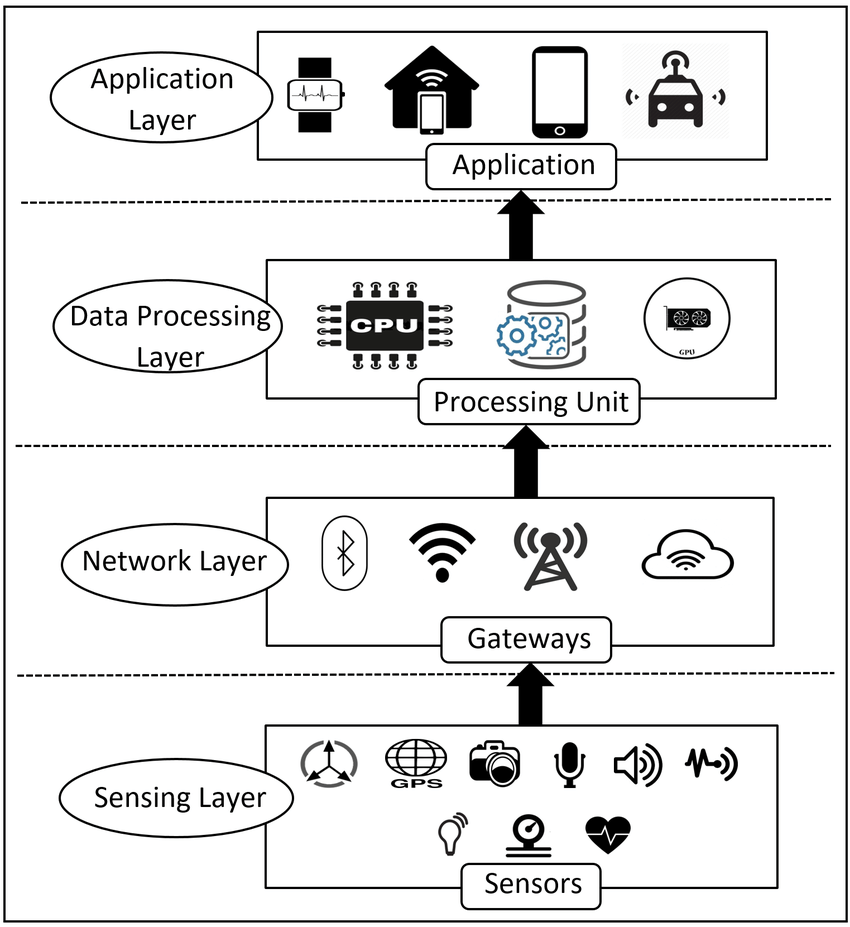
An IoT system has four main components:
1️⃣ Devices (Things)
2️⃣ Connectivity
3️⃣ Data Processing
4️⃣ User Interface
🔌 1. IoT Devices (Things)
📦📡
These are physical objects with:
Sensors (temperature, motion, light)
Actuators (motor, switch)
Microcontrollers
📌 Example:
Temperature sensor 🌡️
Motion detector 🚶
🌐 2. Connectivity
📡🔗
Devices communicate using networks like:
Wi-Fi
Bluetooth
Cellular (4G/5G)
LPWAN (LoRa, NB-IoT)
📌 Choice depends on:
Distance
Power consumption
Data rate
☁️ 3. Data Processing (Cloud / Edge)
🧠☁️
Data sent to servers/cloud
Processed & analyzed
Decisions made
📌 Example:
Sensor detects heat
Cloud decides to trigger alarm
📱 4. User Interface
🖥️📱
Mobile app
Web dashboard
Notifications
📌 Allows humans to:
Monitor
Control
Analyze data
🔄 How IoT Works (Step-by-Step)
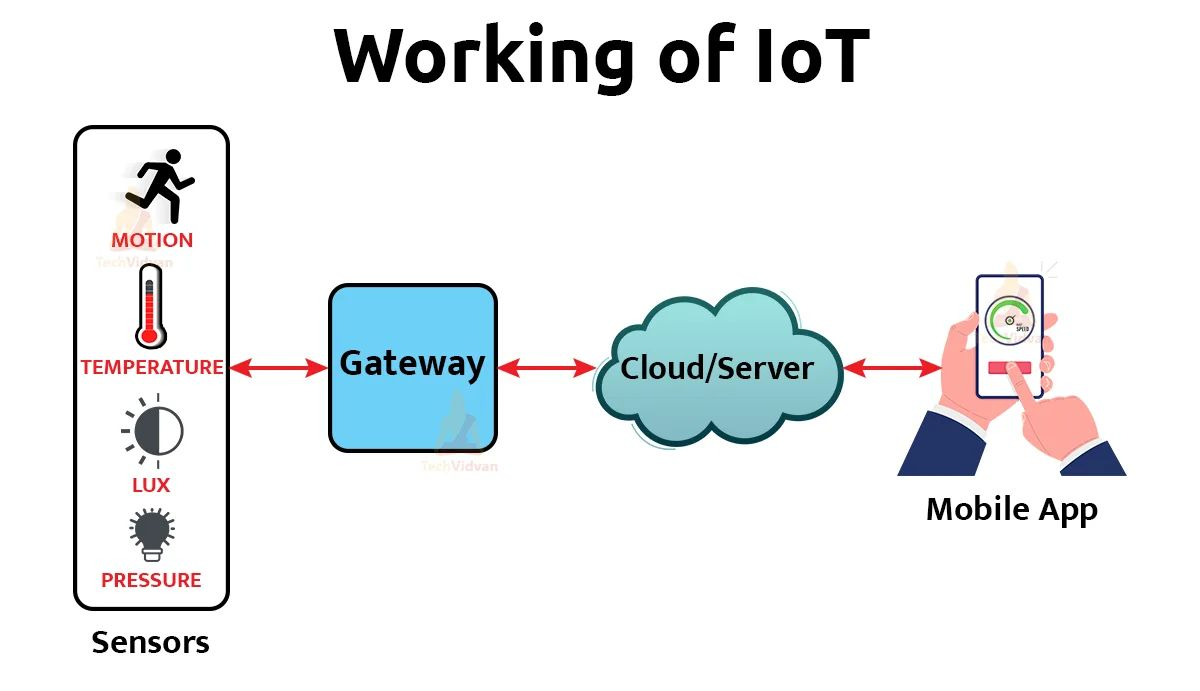
1️⃣ Sensor collects data
2️⃣ Device sends data over network
3️⃣ Cloud processes data
4️⃣ Action triggered
5️⃣ User notified
📌 Continuous feedback loop 🔁
🧱 IoT Architecture
🧩 1. Perception Layer
Sensors & actuators
Data collection
🌐 2. Network Layer
Transfers data
Uses Internet & protocols
🧠 3. Application Layer
User-facing services
Smart apps
📌 Sometimes a Processing Layer is added between Network & Application.
📡 IoT Communication Protocols
Common IoT protocols:
MQTT – Lightweight, publish/subscribe
CoAP – REST-based, UDP
HTTP/HTTPS – Web-based
AMQP – Messaging
📌 MQTT is most popular.
⚡ Characteristics of IoT
Low power consumption 🔋
Large number of devices
Small data packets
Real-time communication
Scalability required
🌍 Applications of IoT
🏠 1. Smart Home
Lighting
Security
Energy management
🏙️ 2. Smart Cities
Traffic control 🚦
Waste management 🗑️
Pollution monitoring 🌫️
🏥 3. Healthcare IoT
Patient monitoring
Wearable devices
🏭 4. Industrial IoT (IIoT)
Predictive maintenance
Automation
🚜 5. Agriculture
Smart irrigation 💧
Soil monitoring 🌱
🛡️ Security Challenges in IoT (VERY IMPORTANT ⭐)
Major challenges:
Weak authentication
Limited device resources
Large attack surface
Data privacy issues
📌 IoT security is critical.
🔐 Basic IoT Security Measures
Device authentication
Data encryption
Secure firmware updates
Network segmentation
⚖️ IoT vs Traditional Internet (Quick Comparison)
Feature | Traditional Internet | IoT |
|---|---|---|
Devices | Computers | Smart objects |
Data size | Large | Small |
Power | Unlimited | Limited |
Scale | Moderate | Massive |
🧠 IoT + Cloud + SDN + NFV (Modern View)
Cloud → Data processing
SDN → Traffic control
NFV → Virtual gateways
IoT → Data generation
📌 Together they form modern smart networks.
🧠 Memory Tricks
IoT = Things + Internet 🌐
Sensor → Data → Cloud → Action
MQTT = Lightweight messaging 📡
⭐ One-Line Summary
🔹 The Internet of Things (IoT) connects everyday physical objects to the Internet, enabling data collection, communication, and intelligent automation.