🤔 What is DNS? (Basic Idea)
Humans prefer names.
Computers understand numbers.
📌 Example:
Human-friendly name 👉
www.google.comComputer-friendly address 👉
142.250.195.46
👉 DNS acts as a translator between names and numbers.
🧠 Simple Definition
📌 DNS (Domain Name System) is a distributed naming system that translates human-readable domain names into IP addresses.
🧠 Why DNS is Needed
Imagine if you had to remember IP addresses like:
❌ 142.250.195.46
❌ 216.58.203.110
Instead of:
✔️ google.com
✔️ youtube.com
👉 That would be impossible 😵
📌 DNS solves this problem by:
Allowing users to use easy names
Converting them into IP addresses
🧠 Real-Life Analogy
📞 Phone Contact List
You save a name → “Mom”
Phone internally stores the number
👉 DNS works the same way:
You type domain name
DNS finds the IP address
🧭 Where Does DNS Belong in OSI Model?
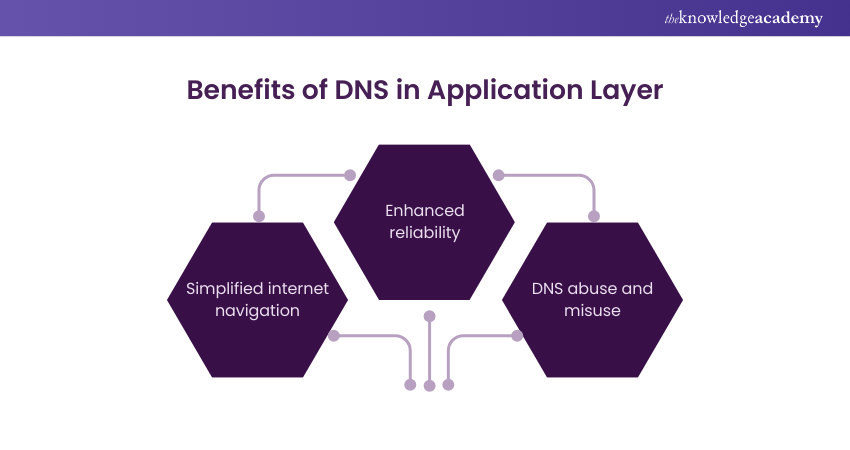
DNS is an Application Layer protocol
Uses:
UDP (port 53) mostly
TCP (port 53) for large responses
📦 What Does DNS Actually Do?
DNS performs:
🌐 Name → IP translation
🔁 IP → Name translation (reverse DNS)
📬 Mail server lookup
🧭 Load distribution
👉 DNS is much more than just name lookup.
🧱 Structure of DNS (Hierarchical System)
DNS follows a hierarchical tree structure:
Root(.)
 └──Top-LevelDomain(TLD)
      └──Second-LevelDomain
           └──Subdomain
🧩 Example: www.google.com
Part | Meaning |
|---|---|
. | Root |
com | Top-Level Domain |
Second-Level Domain | |
www | Subdomain |
🌍 Types of DNS Domains
🔹 Top-Level Domains (TLDs)
Examples:
.com– Commercial.org– Organization.edu– Education.gov– Government.in– India
🔹 Second-Level Domains
Registered by organizations
Example:
google,amazon
🔹 Subdomains
Created by organizations
Example:
mail.google.com
🧠 DNS Server Types
DNS is distributed, not centralized.
🌐 1. Root DNS Server
Top of DNS hierarchy
Knows where TLD servers are
📌 There are 13 logical root servers worldwide.
🌍 2. TLD DNS Server
Manages domains like
.com,.org,.inDirects to authoritative servers
🏢 3. Authoritative DNS Server
Stores actual IP address of domain
Final answer provider
📌 Example:
Google’s DNS server knows IP of
google.com
💻 4. Local DNS Server (Resolver)
Provided by ISP
First DNS contacted by your computer
📌 Acts as a middleman.
🔄 How DNS Works (Step-by-Step)
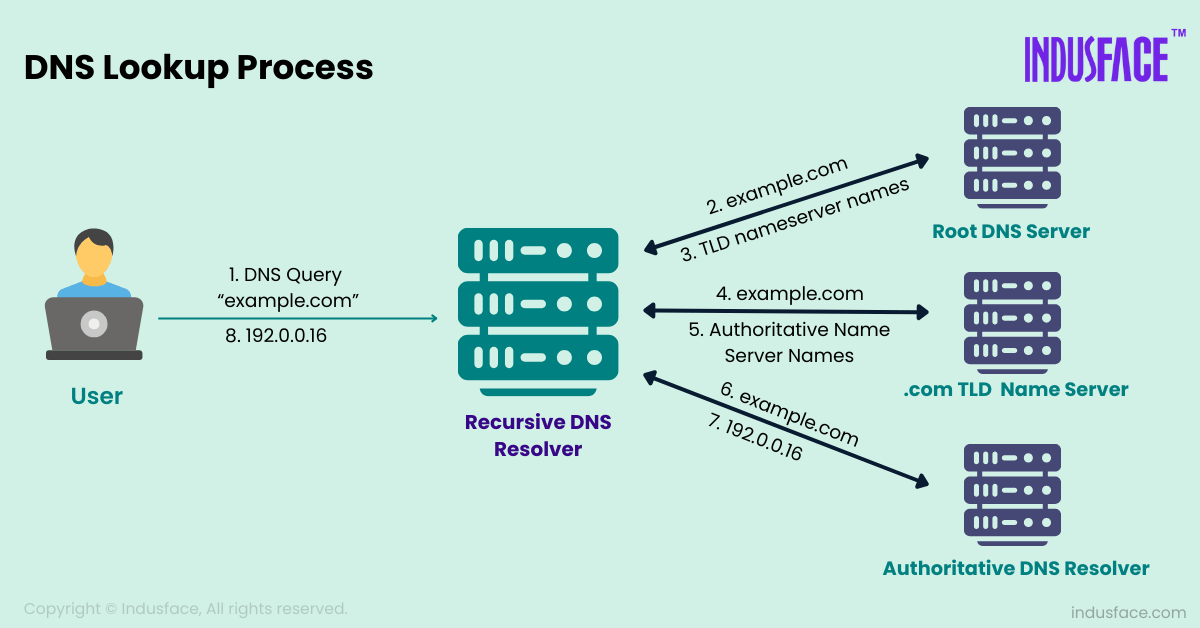
Let’s say you type:
👉 www.google.com
🪜 Step-by-Step DNS Resolution
1️⃣ Browser checks cache
2️⃣ Query sent to Local DNS Server
3️⃣ Local DNS asks Root Server
4️⃣ Root replies with TLD server info
5️⃣ Local DNS asks TLD server
6️⃣ TLD replies with Authoritative server info
7️⃣ Local DNS asks Authoritative server
8️⃣ IP address returned
9️⃣ Browser connects to server using IP
📌 All this happens in milliseconds ⚡
🧠 DNS Caching (Performance Booster)
📌 DNS uses caching to:
Reduce delay
Reduce load on servers
Types of Cache:
Browser cache
OS cache
Local DNS cache
👉 Cached entries have TTL (Time To Live).
🔁 Types of DNS Queries
🔹 Recursive Query
Client wants final answer
DNS server does all the work
📌 Most common type.
🔹 Iterative Query
DNS server gives partial answer
Client continues querying
📌 Used between DNS servers.
📜 Important DNS Record Types
Record | Purpose |
|---|---|
A | Domain → IPv4 address |
AAAA | Domain → IPv6 address |
CNAME | Alias to domain |
MX | Mail server |
NS | Name server |
PTR | IP → Domain (Reverse DNS) |
🧠 Example DNS Records
google.comA142.250.195.46
google.com   MX    mail.google.com
www.google.com CNAME google.com
⚡ DNS over UDP vs TCP
Protocol | Usage |
|---|---|
UDP | Normal queries (fast) |
TCP | Zone transfers, large replies |
📌 Default DNS port: 53
🔐 DNS Security Issues (Basic Idea)
DNS spoofing
DNS cache poisoning
📌 Modern solution:
DNSSEC (adds security)
✍️ Definitions
📌 DNS:
DNS is a distributed naming system that translates domain names into IP addresses.
📌 Authoritative DNS Server:
A DNS server that stores the original IP address for a domain.
⭐ Advantages of DNS
Easy to use Internet 🌍
Scalable system
Fast resolution
Distributed & reliable
❌ Limitations of DNS
Security vulnerabilities
Dependency on caching accuracy
Initial lookup delay
🧠 Memory Tricks
DNS = Internet Phonebook
A = Address record
MX = Mail exchange
⭐ One-Line Summary
🔹 DNS translates human-readable domain names into IP addresses, enabling users to access Internet services easily.