🌐 Learning Cloud with AWS
AWS makes it easy to start learning cloud computing by offering free credits, so beginners can explore services without upfront costs.
To avoid unexpected charges, it’s important to understand:
Account setup
Pricing plans
Billing basics
💸 AWS Free Credits
AWS provides free credits for new users to experiment safely.
Key points:
Around $100 in initial credits
Can increase up to $200 through certain activities
Credits are used automatically as you consume services
If credits run out, your account may be restricted or closed
Use your credits carefully to learn without overspending.
🚀 Creating an AWS Account
To get started with AWS, you need to create an account. Follow the steps below:
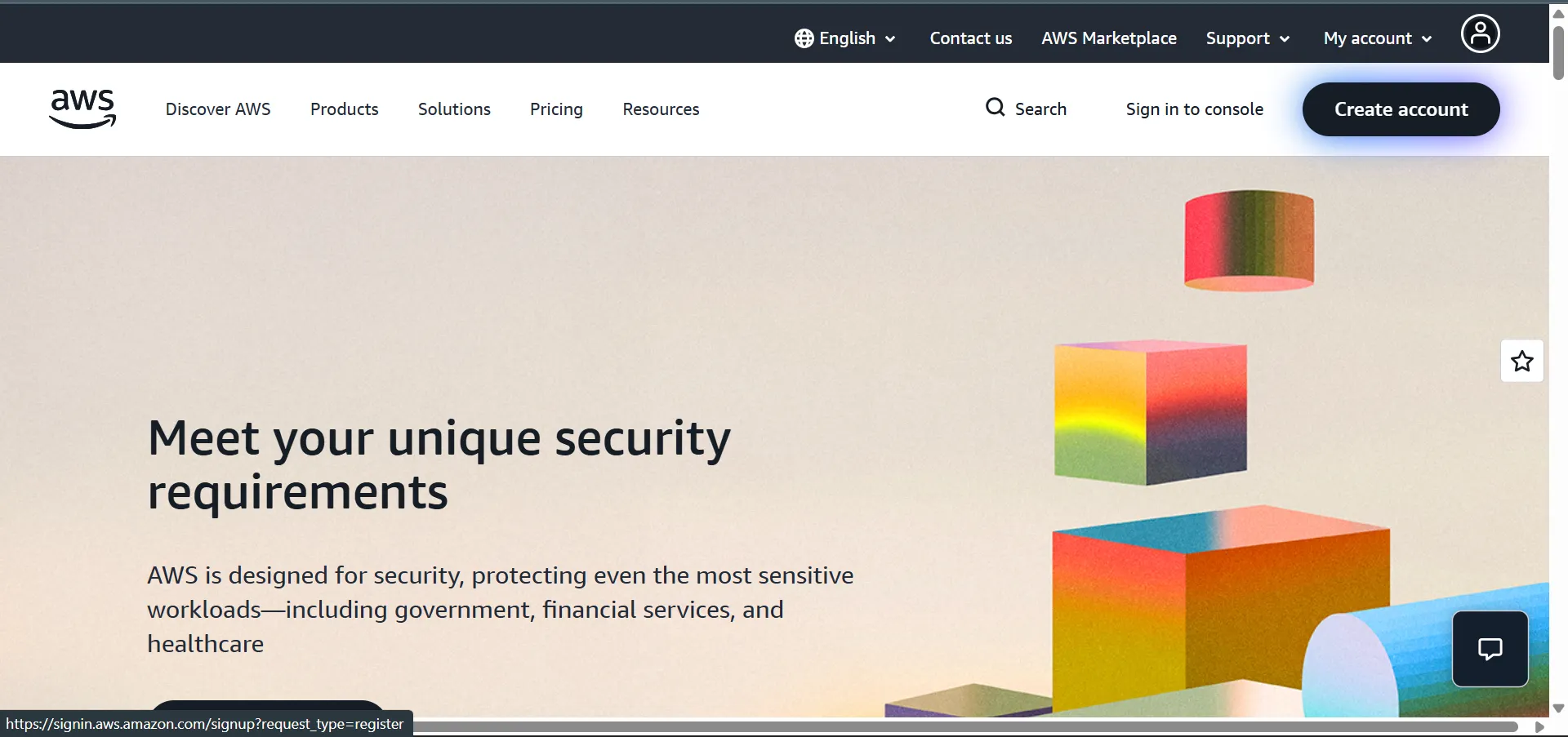
Step 1: Visit AWS Website
Go to https://aws.amazon.com
Click “Create Account” →
Step 2: Enter Account Details
Enter your root user email address
Provide an AWS account name
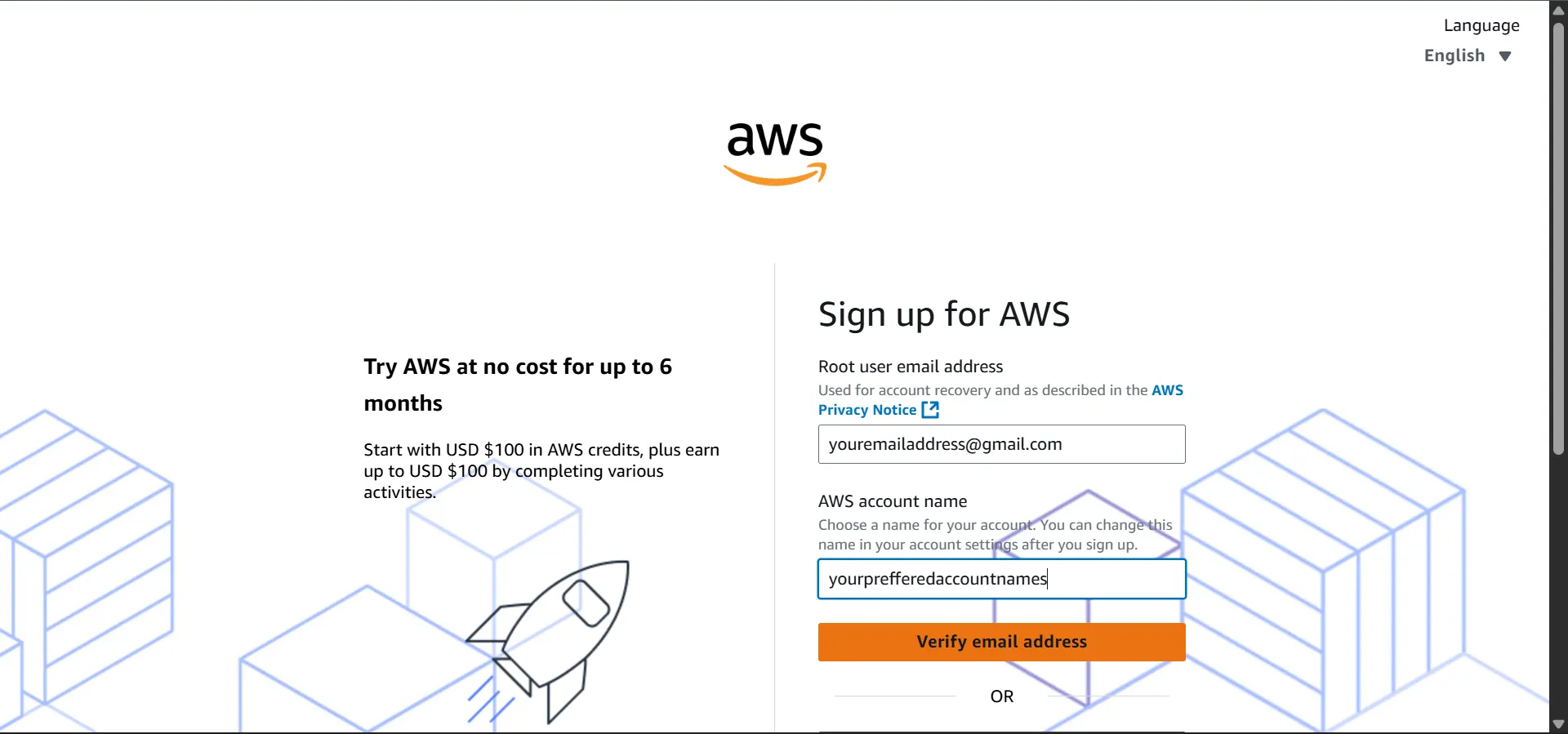
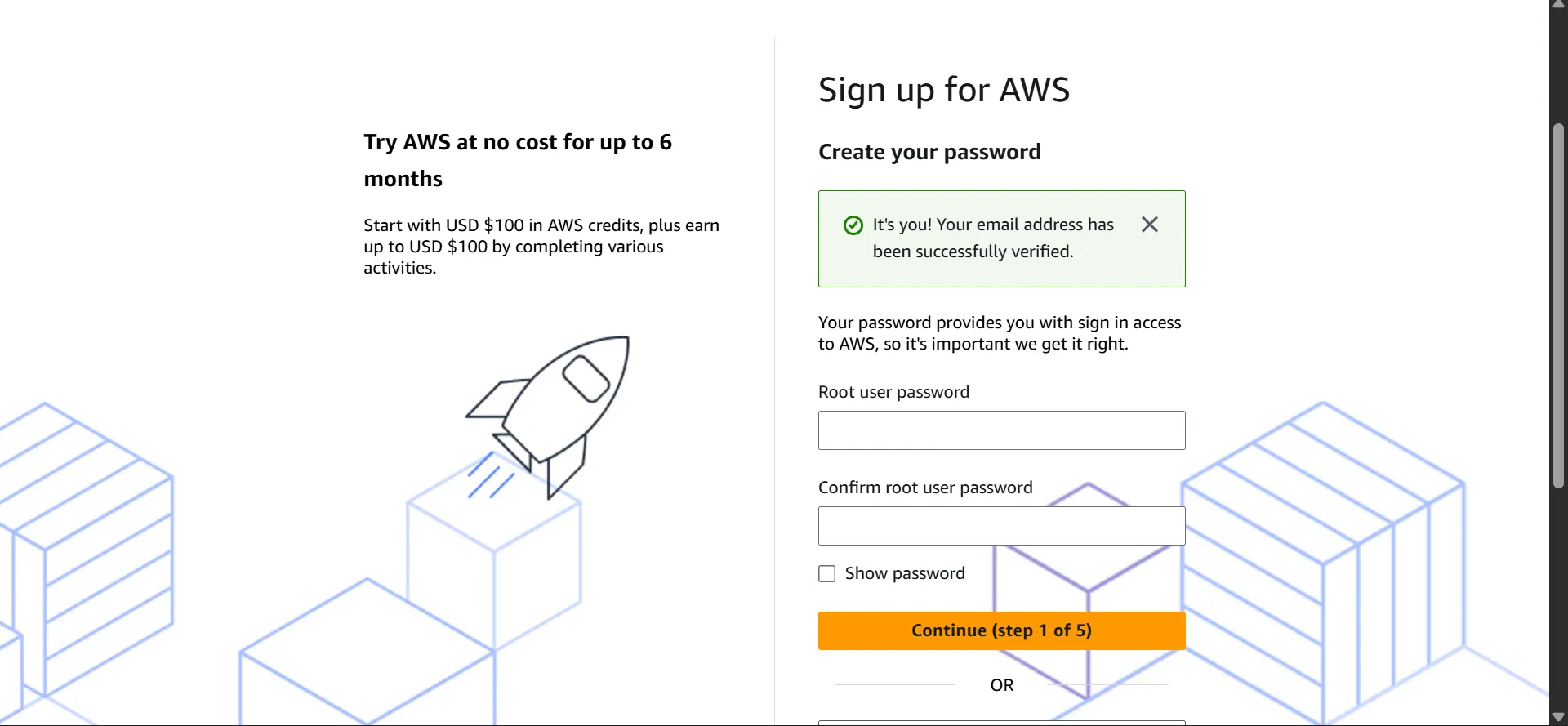
Verify your email address
Create a secure password →
Step 3: Choose Account Type
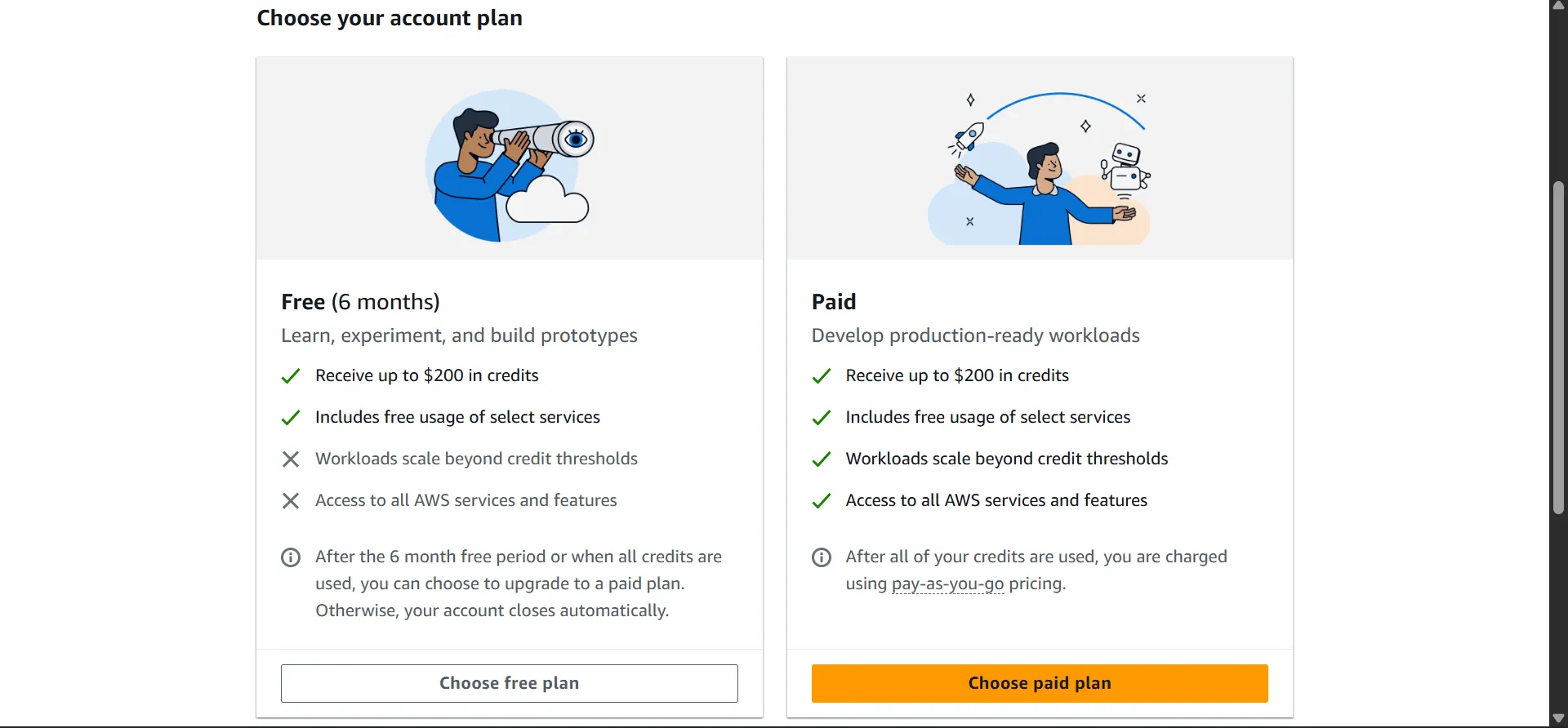
Recommended for: Learning, experimentation, and following along with courses
Credit Card: Optional, usually for verification only
Charges: No automatic charges; account closes when credits expire
Best for: Students, beginners, and hobbyists
Recommended for: Production workloads and real-world projects
Credit Card: Required
Charges: Billed for usage beyond free credits
Best for: Businesses, advanced learners, and professional deployments
Select the Free Plan
Step 4: Enter Contact Information
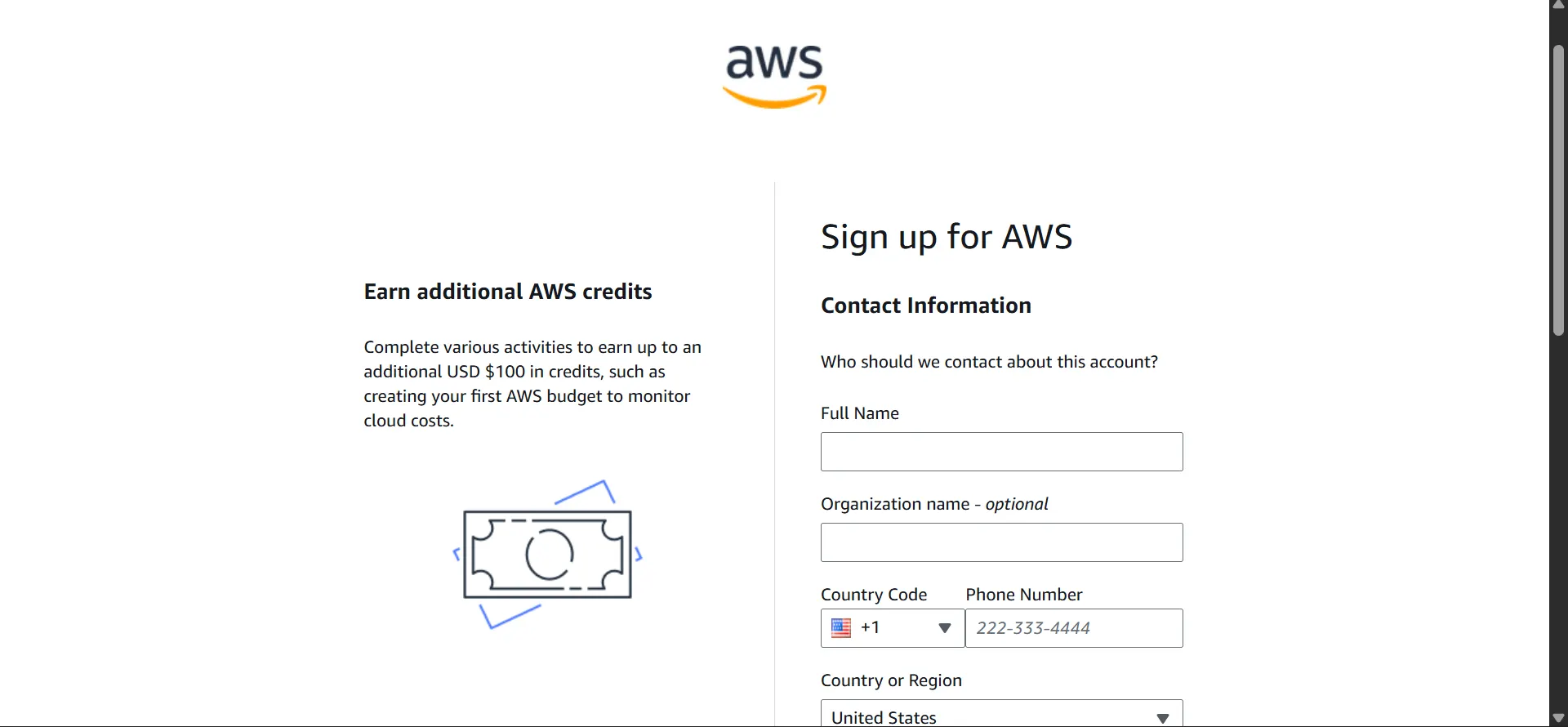
Step 5: Add Payment Information
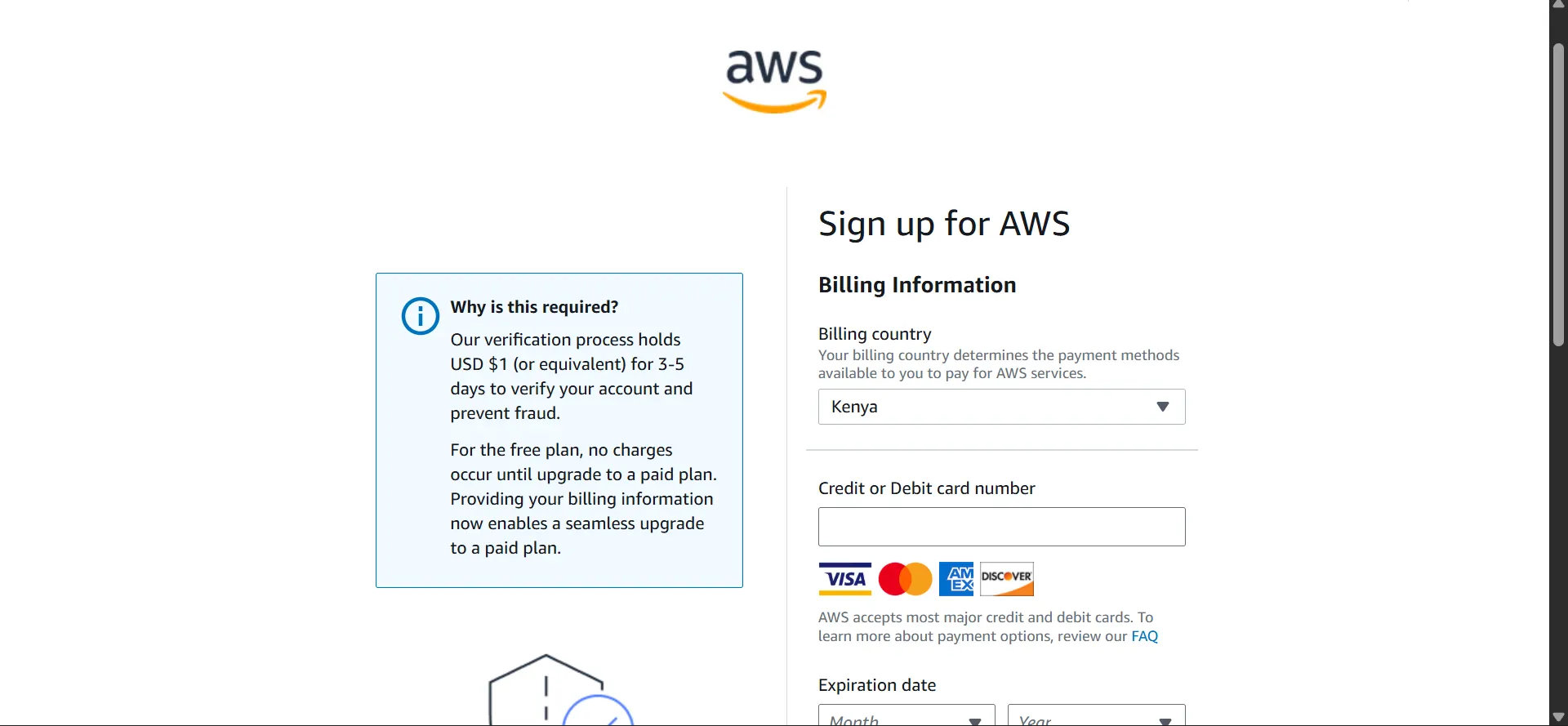
Credit card entry is safe and standard practice
The $1 verification hold is temporary
Step 6: Verify Identity via SMS
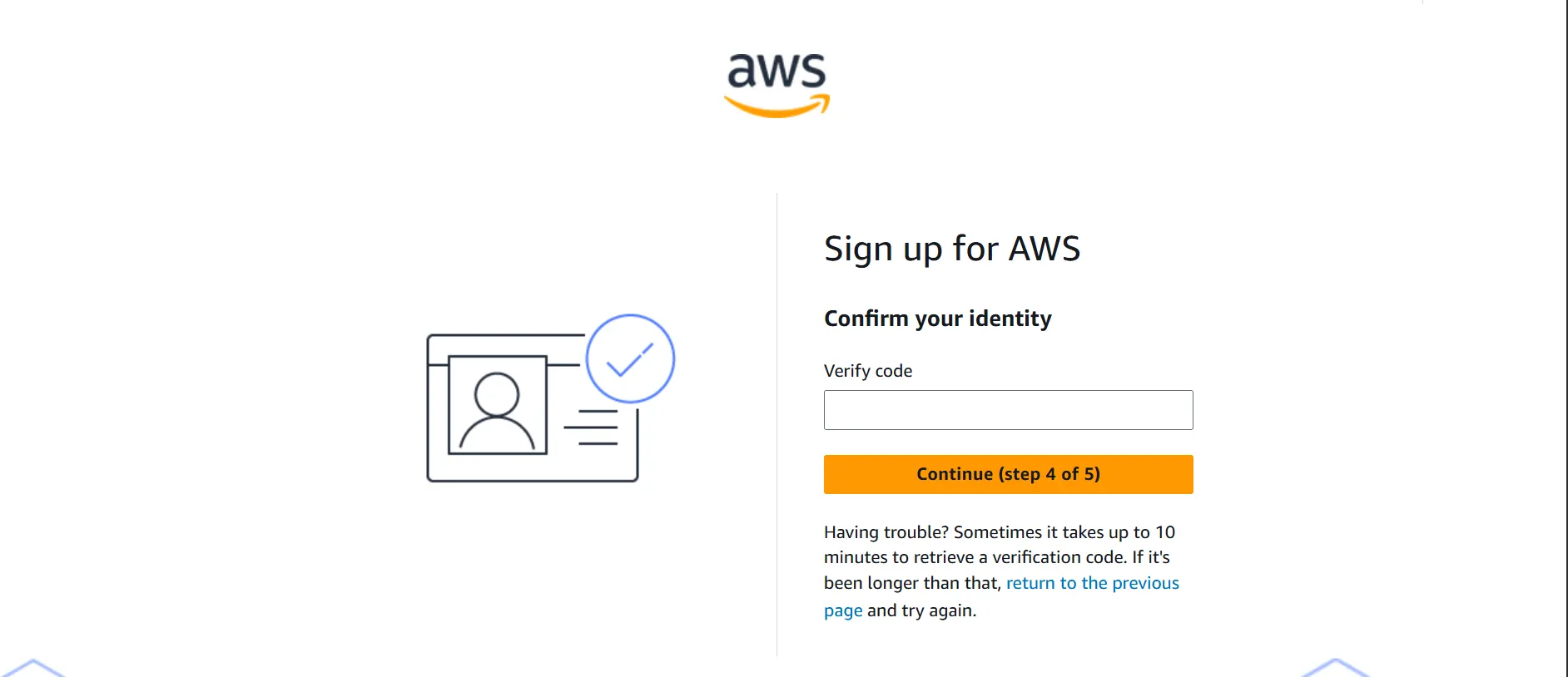
Phone verification enhances account security
Step 7: Select Free Support Plan
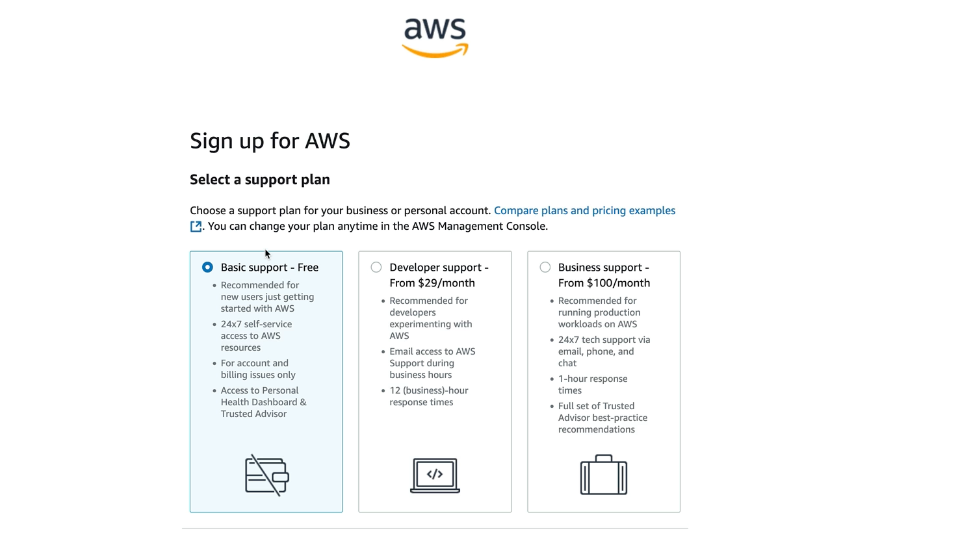
Select Free Support plan and Click Complete the Sign Up Button
You should receive and Activation Email when Completed
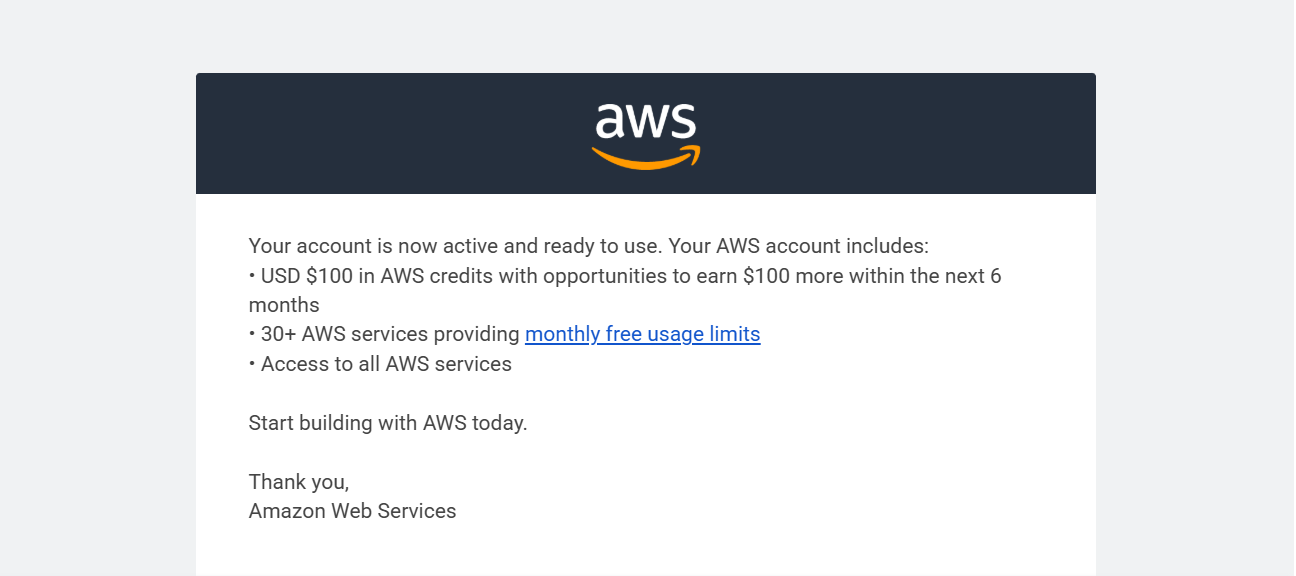
💡 You can now login to your AWS Console as Root User
👉 Summary
AWS provides free credits to help you learn cloud computing without upfront cost
You get around $100–$200 credits, automatically used as you explore services
Understanding billing and pricing basics is important to avoid unexpected charges
Creating an account involves simple steps: email setup, verification, payment, and plan selection
The Free Plan is best for beginners and learning purposes
After setup, you can access the AWS Console and start hands-on practice