⚠️ Troubleshooting Delayed Activation
Resolve activation problems if account isn't ready within 24 hours.
<div class="infographic-awsact">
  <style>
    .infographic-awsact {
      --ink:        #1a1a1a;
      --ink-soft:   #5c5c5c;
      --paper:      #ffffff;
      --paper-alt:  #f0ece4;
      --accent:     #2563eb;
      --accent-soft:#e3ebfd;
      --line:       #ddd6c9;
      --display-font: 'Georgia', 'Iowan Old Style', serif;
      --mono-font: 'SF Mono', 'Menlo', monospace;
    }
    .infographic-awsact[data-theme="dark"] {
      --ink:        #e8e6e1;
      --ink-soft:   #9a968c;
      --paper:      #121212;
      --paper-alt:  #1e1e26;
      --accent:     #5b8def;
      --accent-soft:#202942;
      --line:       #2c313d;
    }

    .infographic-awsact {
      background: var(--paper);
      color: var(--ink);
      font-family: -apple-system, BlinkMacSystemFont, 'Segoe UI', sans-serif;
      padding: 2.5rem 2rem 3rem;
      box-sizing: border-box;
      max-width: 980px;
      margin: 0 auto;
    }
    .infographic-awsact * { box-sizing: border-box; }

    .awsact-head { margin-bottom: 2rem; }
    .awsact-eyebrow {
      font-size: 0.75rem; letter-spacing: 0.12em; text-transform: uppercase;
      color: var(--accent); font-weight: 600; margin-bottom: 0.5rem;
    }
    .awsact-title {
      font-family: var(--display-font); font-size: clamp(1.5rem, 4vw, 2.1rem);
      margin: 0 0 0.4rem; line-height: 1.15;
    }
    .awsact-sub { color: var(--ink-soft); font-size: 0.95rem; max-width: 60ch; }

    .awsact-flow { display: flex; flex-direction: column; gap: 0; border-top: 1px solid var(--line); }

    .awsact-step {
      display: flex; gap: 1.25rem; padding: 1.25rem 0.25rem;
      border-bottom: 1px solid var(--line); cursor: pointer;
      align-items: flex-start; position: relative;
    }
    .awsact-step:hover { background: var(--paper-alt); }
    .awsact-step .num {
      flex: 0 0 auto; width: 2.2rem; height: 2.2rem; border-radius: 50%;
      border: 1.5px solid var(--line); display: flex; align-items: center; justify-content: center;
      font-family: var(--display-font); color: var(--accent); font-size: 1rem;
      transition: background 0.15s, border-color 0.15s, color 0.15s;
    }
    .awsact-step.is-open .num {
      background: var(--accent); border-color: var(--accent); color: var(--paper);
    }
    .awsact-step-body { flex: 1 1 auto; min-width: 0; }
    .awsact-step-title-row {
      display: flex; align-items: center; justify-content: space-between; gap: 1rem;
    }
    .awsact-step-title { font-weight: 600; font-size: 1rem; }
    .awsact-chevron {
      color: var(--ink-soft); font-size: 0.85rem; transition: transform 0.2s; flex: 0 0 auto;
    }
    .awsact-step.is-open .awsact-chevron { transform: rotate(90deg); color: var(--accent); }

    .awsact-detail {
      display: none; margin-top: 0.75rem; padding-left: 0; list-style: none;
    }
    .awsact-step.is-open .awsact-detail { display: block; }
    .awsact-detail li {
      font-size: 0.88rem; color: var(--ink-soft); padding: 0.3rem 0 0.3rem 1rem;
      position: relative; line-height: 1.4;
    }
    .awsact-detail li::before {
      content: "–"; position: absolute; left: 0; color: var(--accent);
    }

    .awsact-note {
      margin-top: 2rem; padding: 1rem 1.1rem; background: var(--accent-soft);
      border-left: 3px solid var(--accent); font-size: 0.85rem; color: var(--ink);
    }
    .awsact-note strong { color: var(--accent); }

    @media (max-width: 560px) {
      .infographic-awsact { padding: 1.75rem 1.25rem 2.25rem; }
      .awsact-step { gap: 0.85rem; }
      .awsact-step .num { width: 1.9rem; height: 1.9rem; font-size: 0.9rem; }
    }
  </style>

  <div class="awsact-head">
    <div class="awsact-eyebrow">AWS Troubleshooting</div>
    <h2 class="awsact-title">Why hasn't my AWS account activated?</h2>
    <p class="awsact-sub">A step-by-step path through the usual causes of delayed activation. Tap a step to see what to check.</p>
  </div>

  <div class="awsact-flow">
    <div class="awsact-step" data-step="1" tabindex="0">
      <div class="num">1</div>
      <div class="awsact-step-body">
        <div class="awsact-step-title-row">
          <div class="awsact-step-title">Complete sign-up</div>
          <div class="awsact-chevron">›</div>
        </div>
        <ul class="awsact-detail">
          <li>Visit the AWS registration page and sign in with your registered email + password</li>
          <li>Make sure you didn't close the window before it finished</li>
        </ul>
      </div>
    </div>

    <div class="awsact-step" data-step="2" tabindex="0">
      <div class="num">2</div>
      <div class="awsact-step-body">
        <div class="awsact-step-title-row">
          <div class="awsact-step-title">Verify payment info</div>
          <div class="awsact-chevron">›</div>
        </div>
        <ul class="awsact-detail">
          <li>Check Payment Methods in the AWS Billing Console</li>
          <li>Correct any typos in card details</li>
          <li>Confirm the card isn't expired or blocked</li>
        </ul>
      </div>
    </div>

    <div class="awsact-step" data-step="3" tabindex="0">
      <div class="num">3</div>
      <div class="awsact-step-body">
        <div class="awsact-step-title-row">
          <div class="awsact-step-title">Contact your bank</div>
          <div class="awsact-chevron">›</div>
        </div>
        <ul class="awsact-detail">
          <li>Some banks block AWS's authorization request by default</li>
          <li>Ask them to approve authorization requests from AWS</li>
          <li>The $1 hold is temporary and gets refunded</li>
        </ul>
      </div>
    </div>

    <div class="awsact-step" data-step="4" tabindex="0">
      <div class="num">4</div>
      <div class="awsact-step-body">
        <div class="awsact-step-title-row">
          <div class="awsact-step-title">Check your email</div>
          <div class="awsact-chevron">›</div>
        </div>
        <ul class="awsact-detail">
          <li>Look for AWS requests for additional information</li>
          <li>Check spam/junk folders</li>
          <li>Respond promptly to any verification requests</li>
        </ul>
      </div>
    </div>

    <div class="awsact-step" data-step="5" tabindex="0">
      <div class="num">5</div>
      <div class="awsact-step-body">
        <div class="awsact-step-title-row">
          <div class="awsact-step-title">Technical troubleshooting</div>
          <div class="awsact-chevron">›</div>
        </div>
        <ul class="awsact-detail">
          <li>Try a different web browser</li>
          <li>Clear browser cache and cookies</li>
          <li>Temporarily disable browser extensions</li>
        </ul>
      </div>
    </div>
  </div>

  <div class="awsact-note">
    <strong>Still stuck?</strong> If all five checks pass and activation still hasn't gone through, contact AWS Support directly — account activation delays beyond 24 hours usually need a manual look from their team.
  </div>
</div>

<script>
(function () {
  const wrapper = document.currentScript.closest('.infographic-awsact')
    || document.querySelector('.infographic-awsact');
  const bodyAttr = document.body.getAttribute('data-darkmode');
  let dark;
  if (bodyAttr === 'true') {
    dark = true;
  } else if (bodyAttr === 'false') {
    dark = false;
  } else {
    const match = document.cookie.match(/(?:^|;\s*)darkMode=([^;]+)/);
    dark = match ? match[1] === 'true' : false;
  }
  if (dark) wrapper.setAttribute('data-theme', 'dark');

  wrapper.querySelectorAll('.awsact-step').forEach(step => {
    function toggle() {
      const wasOpen = step.classList.contains('is-open');
      wrapper.querySelectorAll('.awsact-step').forEach(s => s.classList.remove('is-open'));
      if (!wasOpen) step.classList.add('is-open');
    }
    step.addEventListener('click', toggle);
    step.addEventListener('keydown', (e) => {
      if (e.key === 'Enter' || e.key === ' ') {
        e.preventDefault();
        toggle();
      }
    });
  });
})();
</script>
.demo {
font-family: system-ui, sans-serif;
padding: 16px;
}
.demo h1 {
color: #2563eb;
margin: 0 0 8px;
}
.demo p {
color: #4b5563;
margin: 0;
}document.querySelector('.demo h1')?.addEventListener('click', () => {
alert('Hello from live preview!');
});📞 Contacting AWS Support
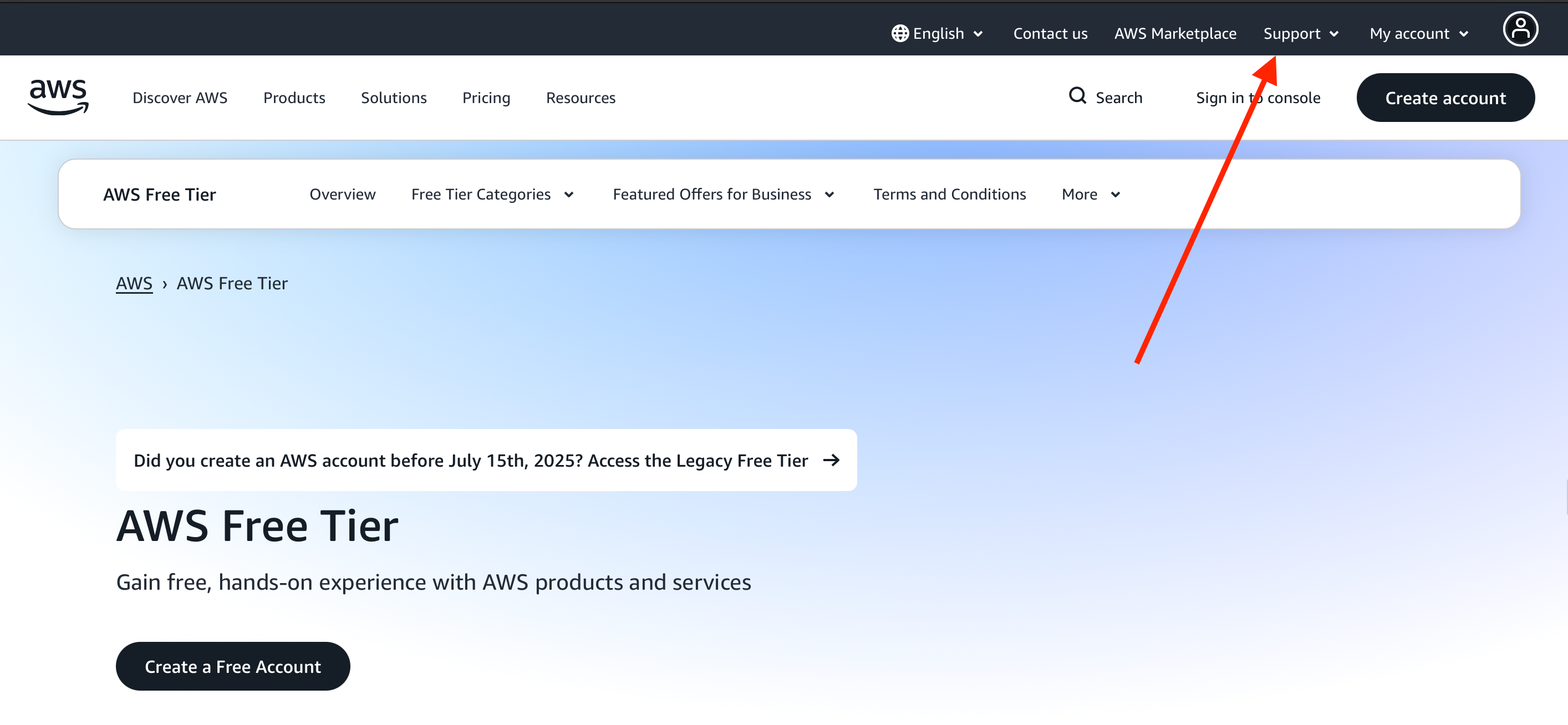
Navigate to Support > Support Center (top-right corner)
Explain your activation issue clearly
Mention all troubleshooting steps already attempted
Be prepared to provide account details
Allow up to 24 hours for resolution
Important Notes:
Support can manually activate your account
Keep your registration email accessible
Have your payment method details ready
Activation delays are normal but should resolve within 24 hours
👉 Why Proper Activation Matters
Prevents Access Issues: Avoid "account not activated" errors
Ensures Full Functionality: Access all AWS services immediately
Enables Learning: Start hands-on exercises without delays
Builds Confidence: Smooth onboarding experience for beginners