🔐 Amazon S3 Security – Overview
Amazon S3 provides multiple layers of security to control who can access your buckets and objects and how objects are protected.
👤 User-Based Security (IAM Policies)
IAM policies define what actions a user or role can perform on S3 resources.
Examples:
✅ Upload objects (
s3:PutObject)✅ Download objects (
s3:GetObject)✅ Delete objects (
s3:DeleteObject)✅ List buckets (
s3:ListBucket)
💡 Best for granting permissions to users, groups, and IAM roles.
🪣 Resource-Based Security
JSON-based resource policy attached to the bucket
Can grant permissions to other AWS accounts, IAM users/roles, or make objects public
Supports fine-grained conditions (IP address, time, HTTPS-only, etc.)
Centralized — one policy document manages all access rules for the bucket
AWS's recommended approach for most access control needs
Grants permissions to individual objects.
Provides fine-grained access control.
Can be disabled (recommended in most cases).
Legacy, simpler XML-based permission system
Grants basic permissions (READ, WRITE, FULL_CONTROL) to specific grantees (AWS accounts or predefined groups like "All Users")
Very limited — no conditions, no fine-grained control
Mostly used now for edge cases like cross-account object ownership scenarios (e.g., a different account uploads objects to your bucket)
💡 AWS recommends disabling ACLs (via "Bucket owner enforced," the default for new buckets) and using bucket + IAM policies instead. ACLs are legacy.
‼️ How Access is Determined
An IAM principal can access an S3 object if all these conditions are met:
IAM permissions allow it, OR resource (bucket) policy allows it
No explicit Deny exists in any policy
IAM principal = any identity that can make an AWS request — a user, role, group, or federated identity. Basically "who is asking."
💡 Another way to secure s3 is encrypt object using encryption keys
🪣 More on S3 Bucket Policies:
❓What a Bucket Policy Looks Like
{
  "Version": "2012-10-17",
  "Statement": [
    {
      "Sid": "PublicRead",
      "Effect": "Allow",
      "Principal": "*",
      "Action": ["s3:GetObject"],
      "Resource": ["arn:aws:s3:::examplebucket/*"]
    }
  ]
}
Breaking it down:
Field | Meaning |
|---|---|
| Which bucket/objects it applies to ( |
|
|
| Who it applies to ( |
| The API(s) allowed/denied (e.g., |
This specific example makes every object in examplebucket publicly readable.
🤝 Common Use Cases
Grant public access
Force encryption on upload (deny unencrypted uploads)
Grant cross-account access
‼️ Access Scenarios ‼️
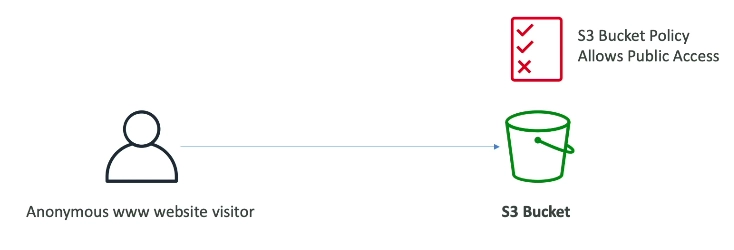
Public Access → Use Bucket Policy
Anonymous website visitor → Bucket policy allows public access → S3 Bucket
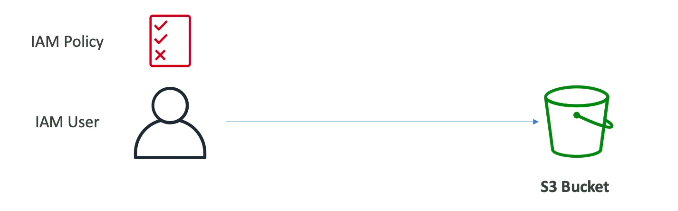
User Access to S3 → Use IAM Permissions
IAM User + IAM Policy (grants S3 access) → S3 Bucket
No bucket policy needed — IAM policy alone is enough.
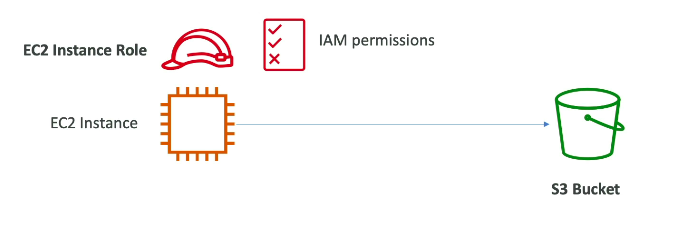
EC2 Instance Access → Use IAM Roles
EC2 Instance + IAM Instance Role (with S3 permissions) → S3 Bucket
IAM users aren't attached to EC2 — use a Role instead.
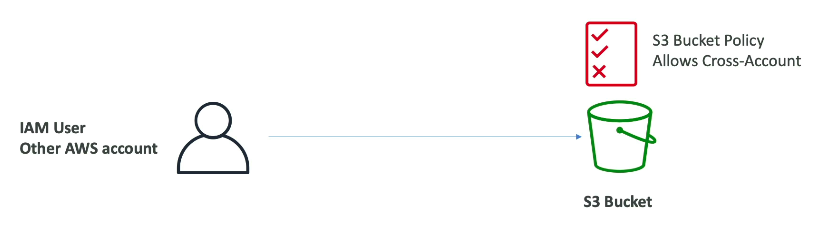
Cross-Account Access → Use Bucket Policy
IAM User (Other AWS Account) → Bucket Policy allows cross-account access → S3 Bucket
The other account's own IAM permissions aren't enough — your bucket policy must explicitly allow them.
🔑 Force Encryption
You can't force S3 to encrypt files directly, but you can deny uploads that aren't encrypted.
{
  "Effect": "Deny",
  "Action": "s3:PutObject",
  "Resource": "arn:aws:s3:::examplebucket/*",
  "Condition": {
    "StringNotEquals": {
      "s3:x-amz-server-side-encryption": "AES256"
    }
  }
}
No encryption header on the upload → request denied
Encryption header present → upload allowed
So it rejects unencrypted uploads instead of encrypting for you.
❌ Block Public Access (Safety Net)
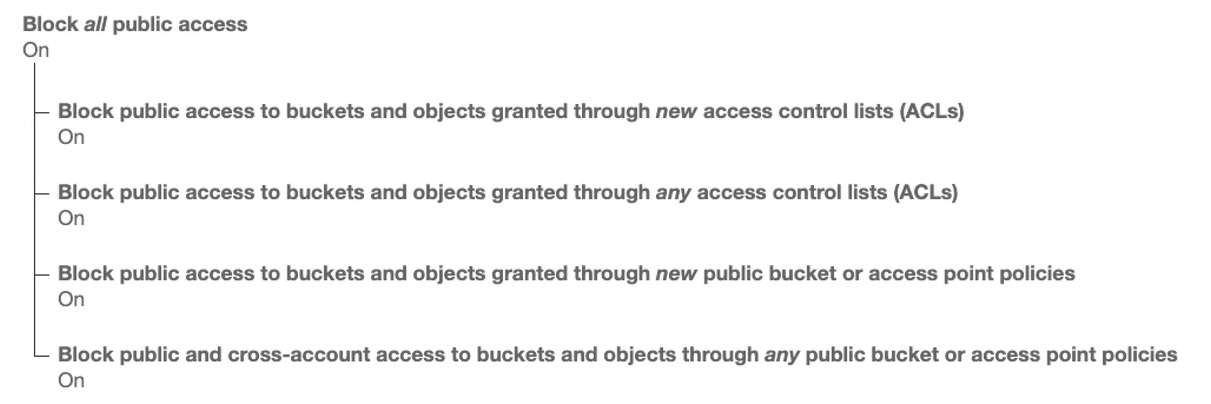
Extra AWS security layer, on by default for new buckets
Overrides bucket policy — even a "public" bucket policy won't work if this is enabled
Can be set at bucket level or account level (account level = good if no bucket should ever be public)
🧮 Summary Table
Security Type | Use Case | Example |
|---|---|---|
IAM Policy | User/Role based | Allow user to list objects |
Bucket Policy | Resource-based | Allow public read, cross-account access |
ACL | Fine-grained object control | Grant read/write on specific objects |
Encryption | Protect data at rest | SSE-S3, SSE-KMS |
Block Public Access | Prevent accidental exposure | Always enabled for sensitive buckets |
👉 Data at rest means : data sitting in storage, not being actively used or moved
💡 Best Practices
Prefer IAM policies + bucket policies over ACLs
Enable encryption by default
Enable Block Public Access unless you intentionally need public objects
Use pre-signed URLs for temporary secure sharing instead of making buckets public