🌐 Making an S3 Object Public Using a Bucket Policy
Objective making the coffee image available to public

1️⃣ Allow Public Access in Bucket Settings
Go to your bucket → Permissions tab.
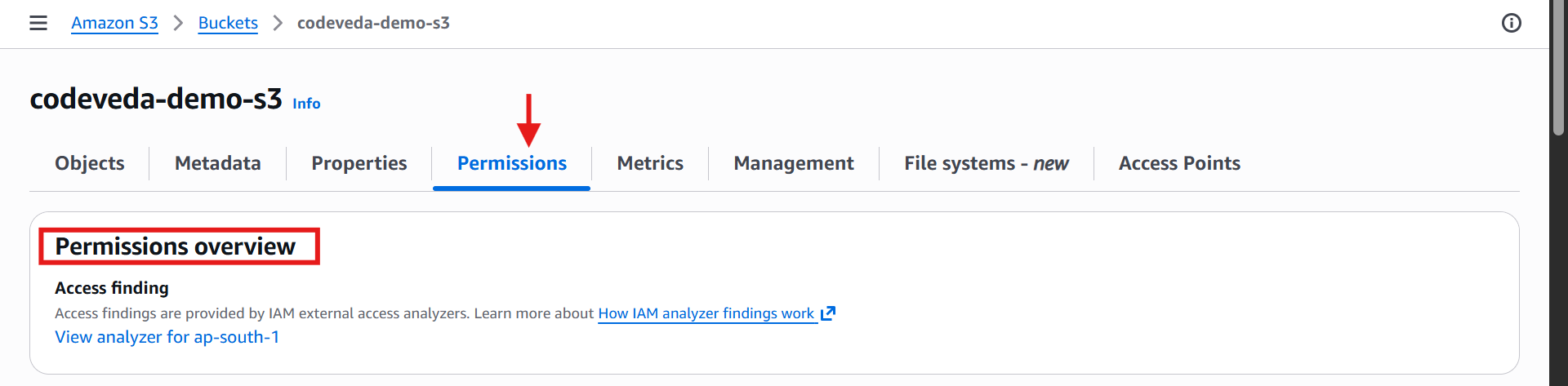
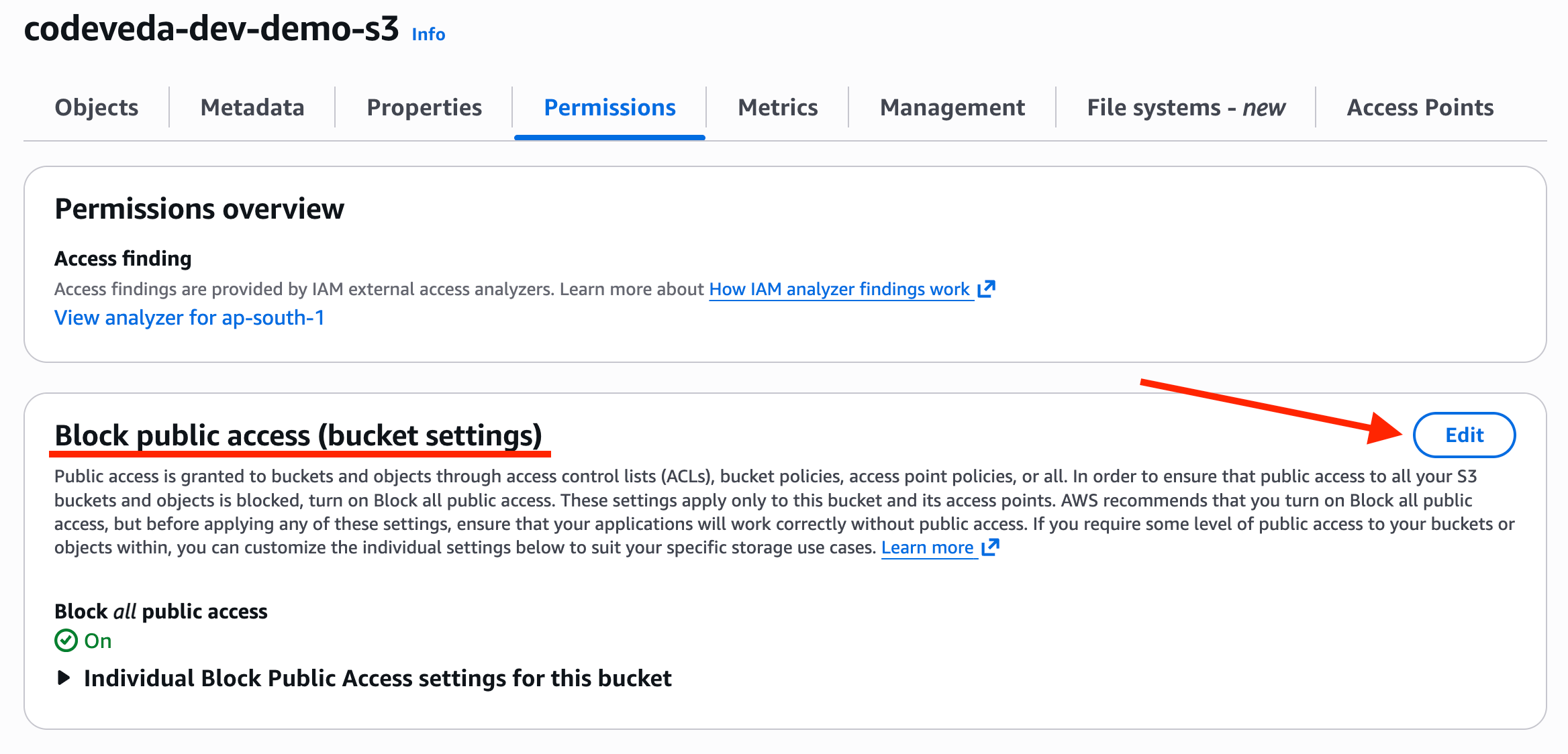
Under Block Public Access, click ✏️ Edit.
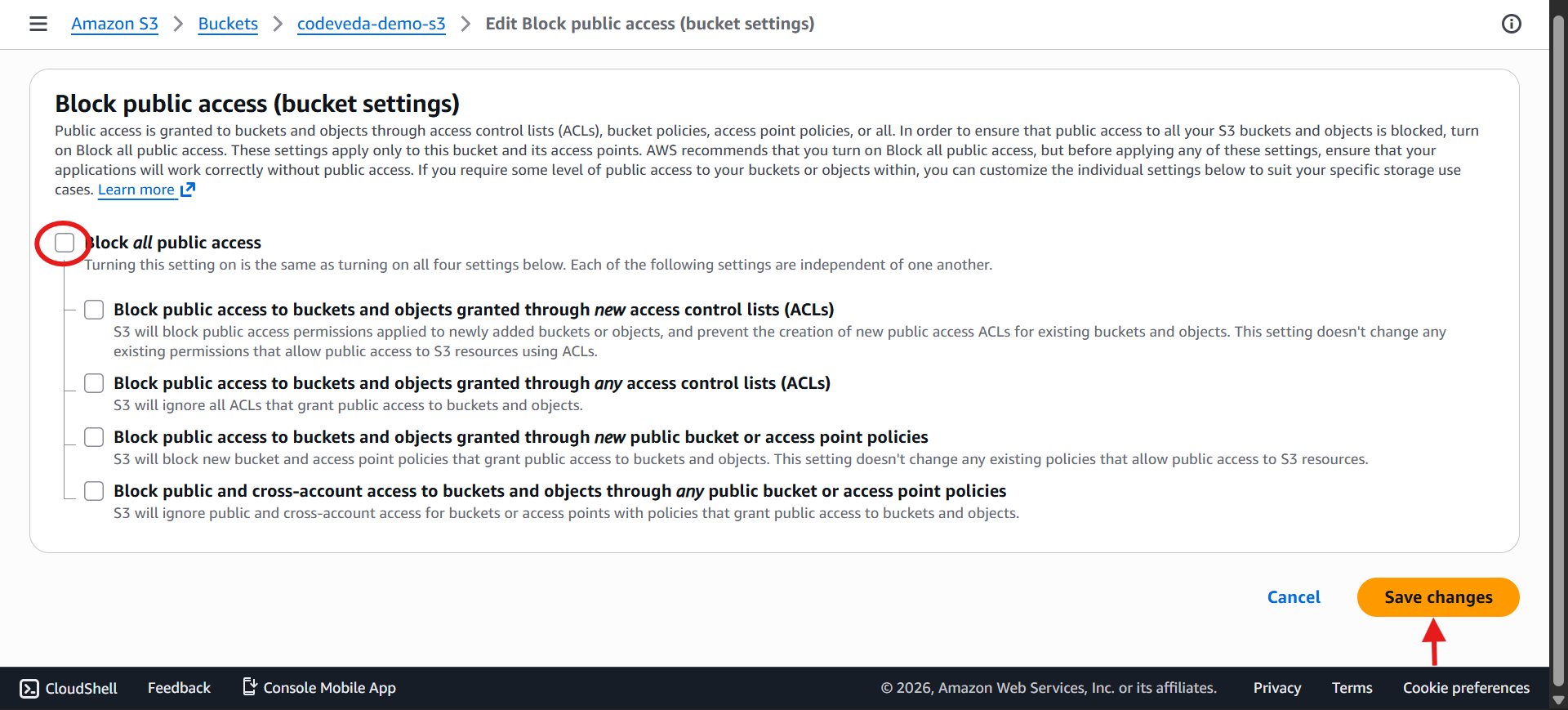
Untick the box Block all public access and click Save Changes
Confirm with ✅ Yes → This allows you to attach a public bucket policy.
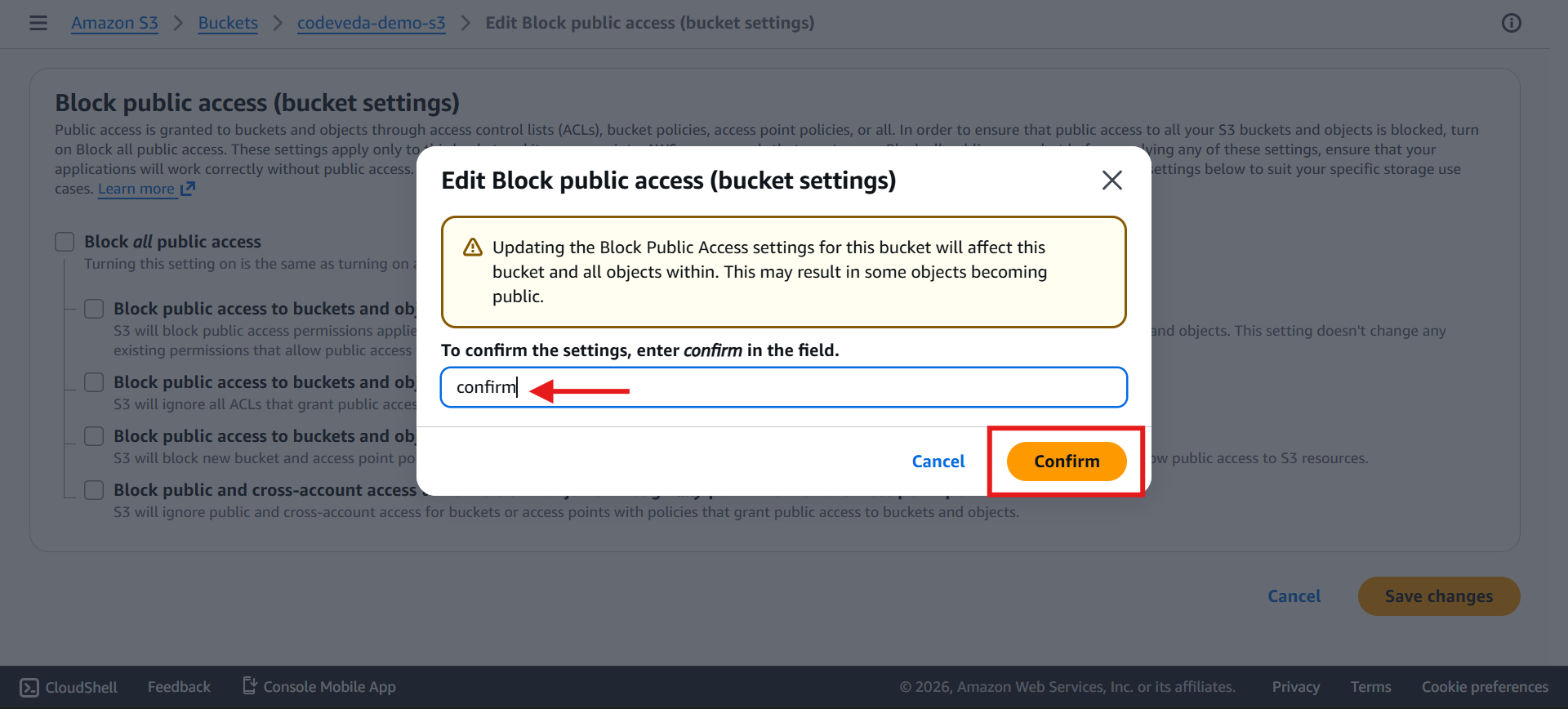

⚠️ Warning: Only do this if you intend for the bucket to be public. Otherwise, this could lead to data leaks.
2️⃣ Open the Bucket Policy Editor
In same page Scroll down to 📜 Bucket Policy → currently empty.
Click Edit Button
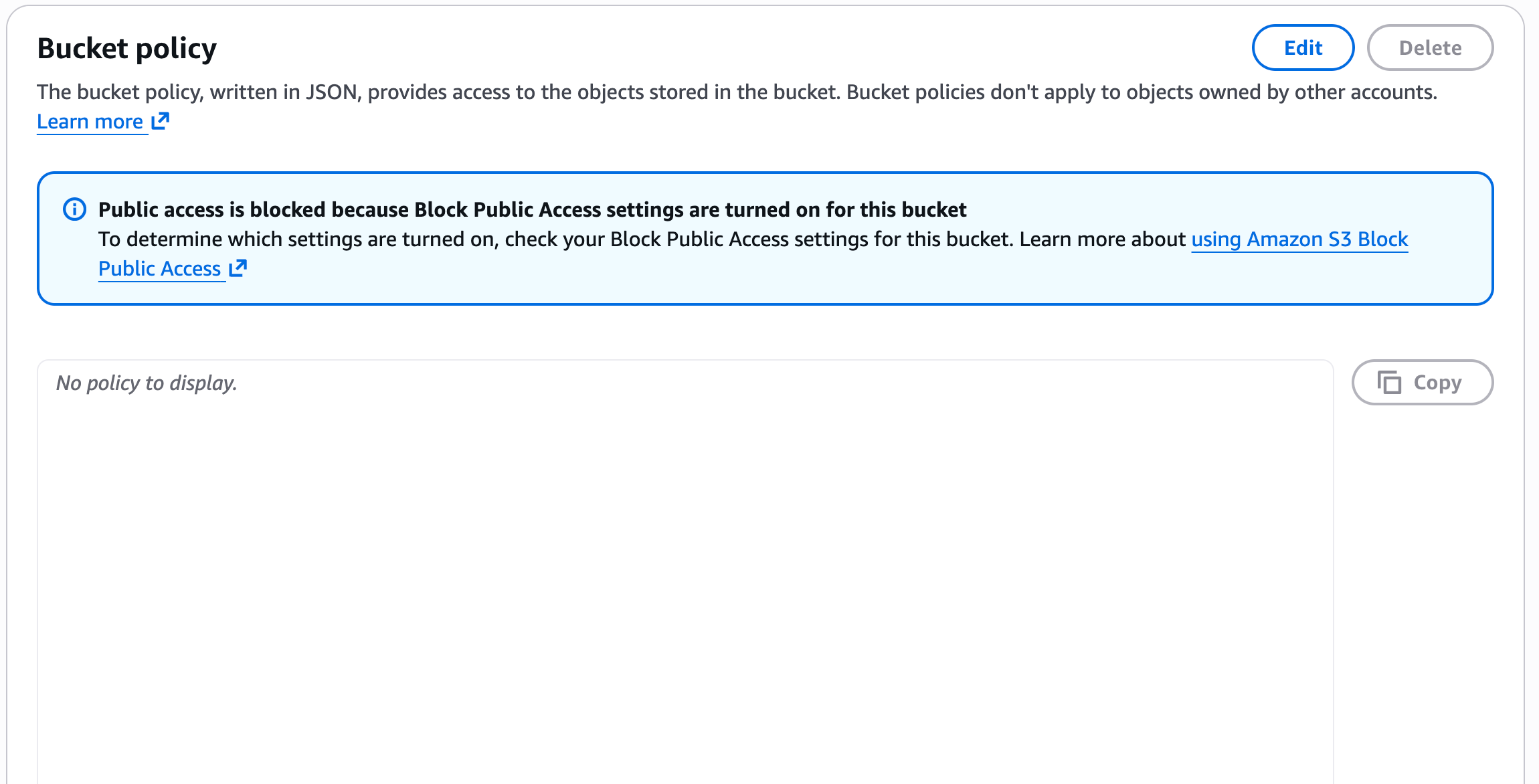
Use the 🛠️ AWS Policy Generator to create a public policy
(Search AWS Policy Generator on Google)
https://awspolicygen.s3.amazonaws.com/policygen.html
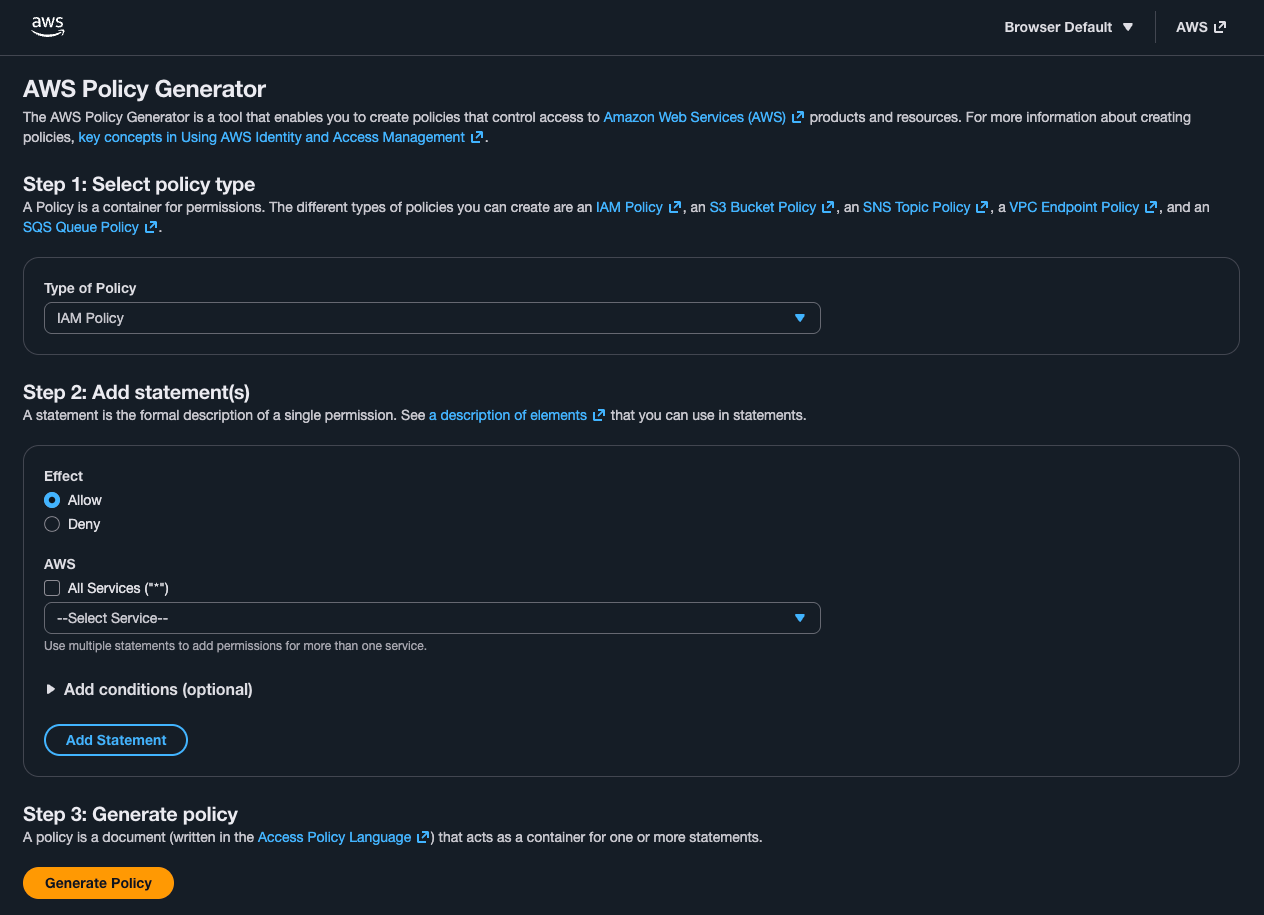
3️⃣ Generate the Public S3 Policy
Go to AWS Policy Generator.
Select:
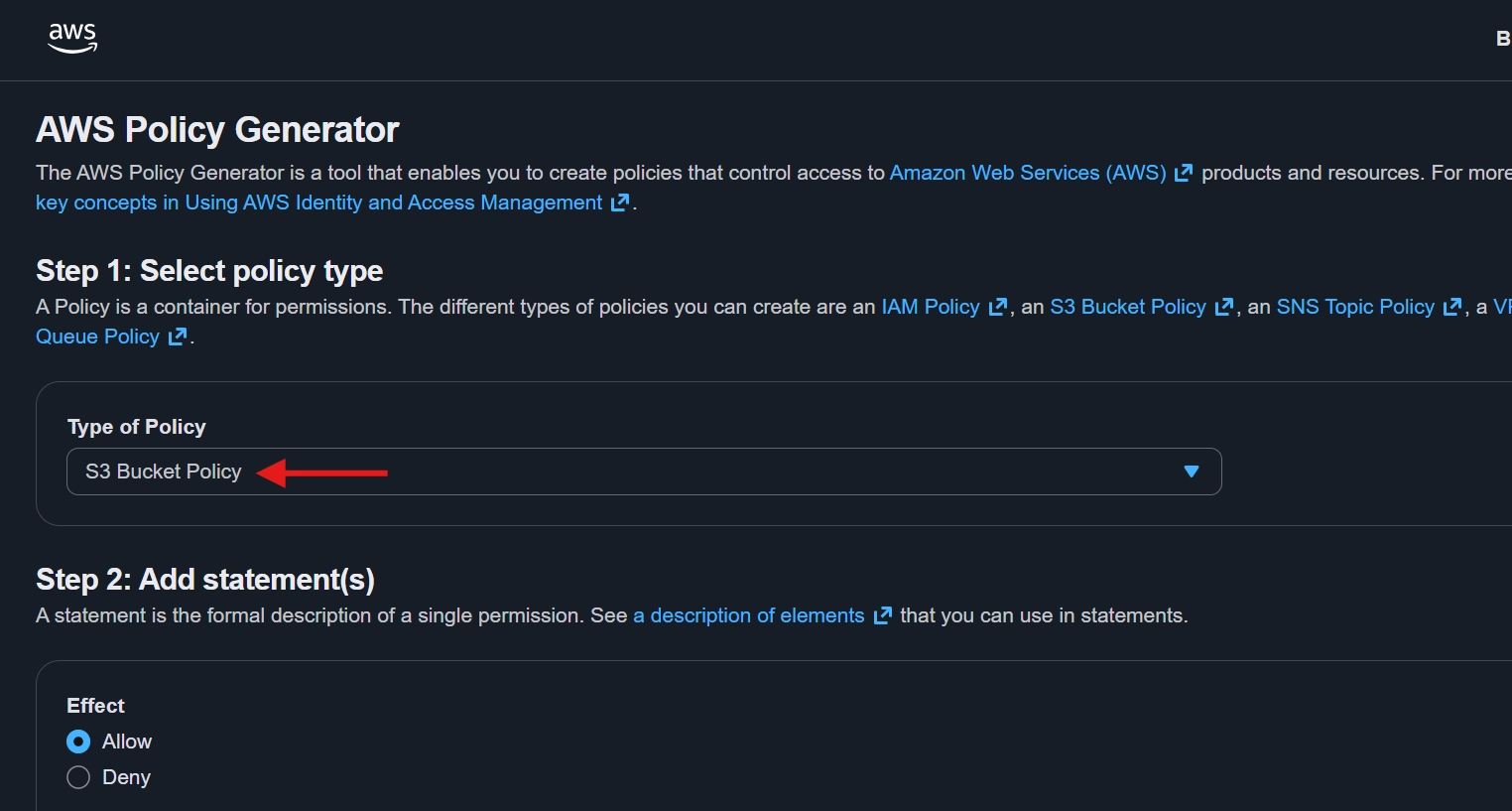
Policy Type: S3 Bucket Policy 📦
Effect: Allow ✅
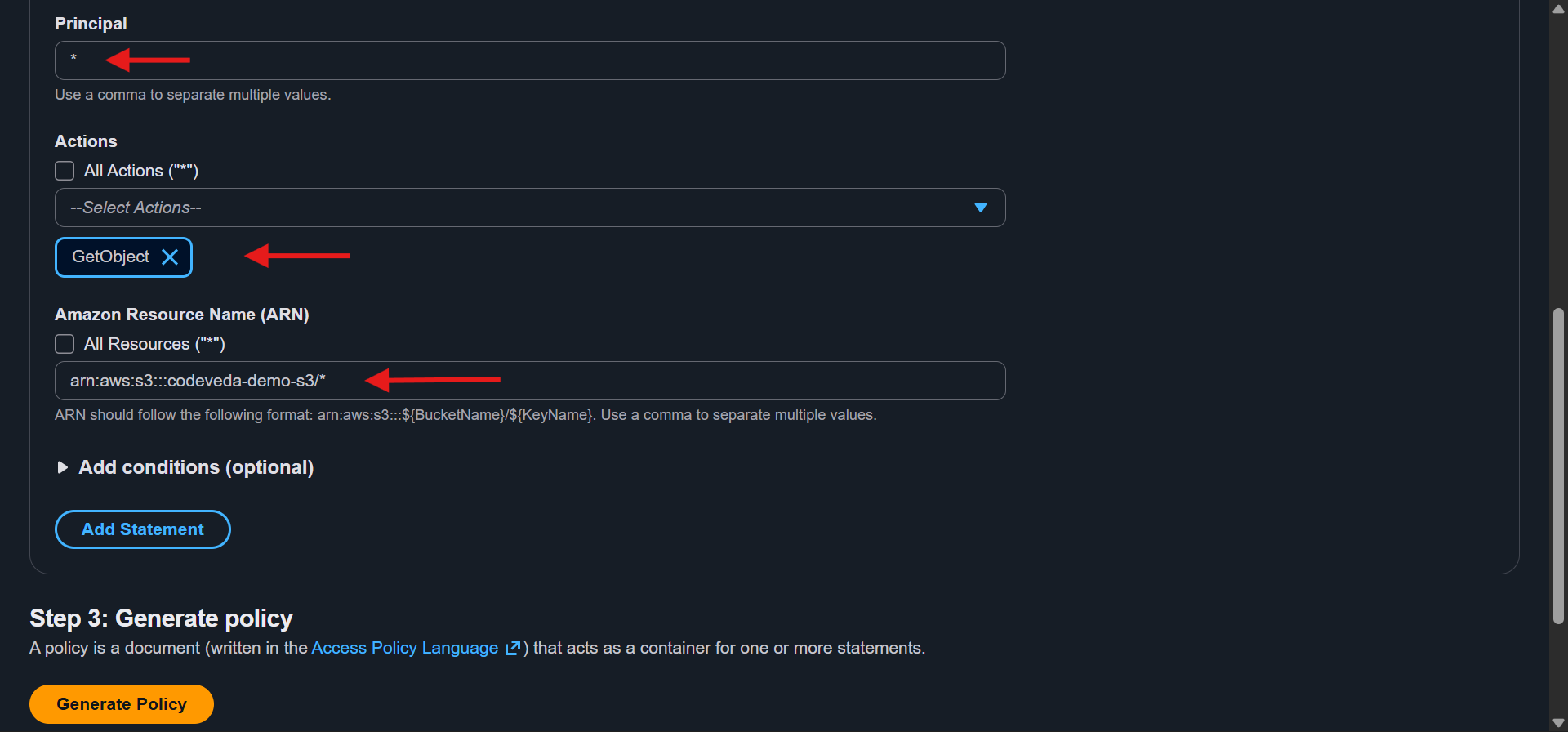
Principal: Input a
*which means (everyone)Action:
GetObject(to allow reading objects)Amazon Resource Name (ARN):
Copy your bucket ARN from the S3 console, add/ *at the end
You can get ARN from Bucket policy section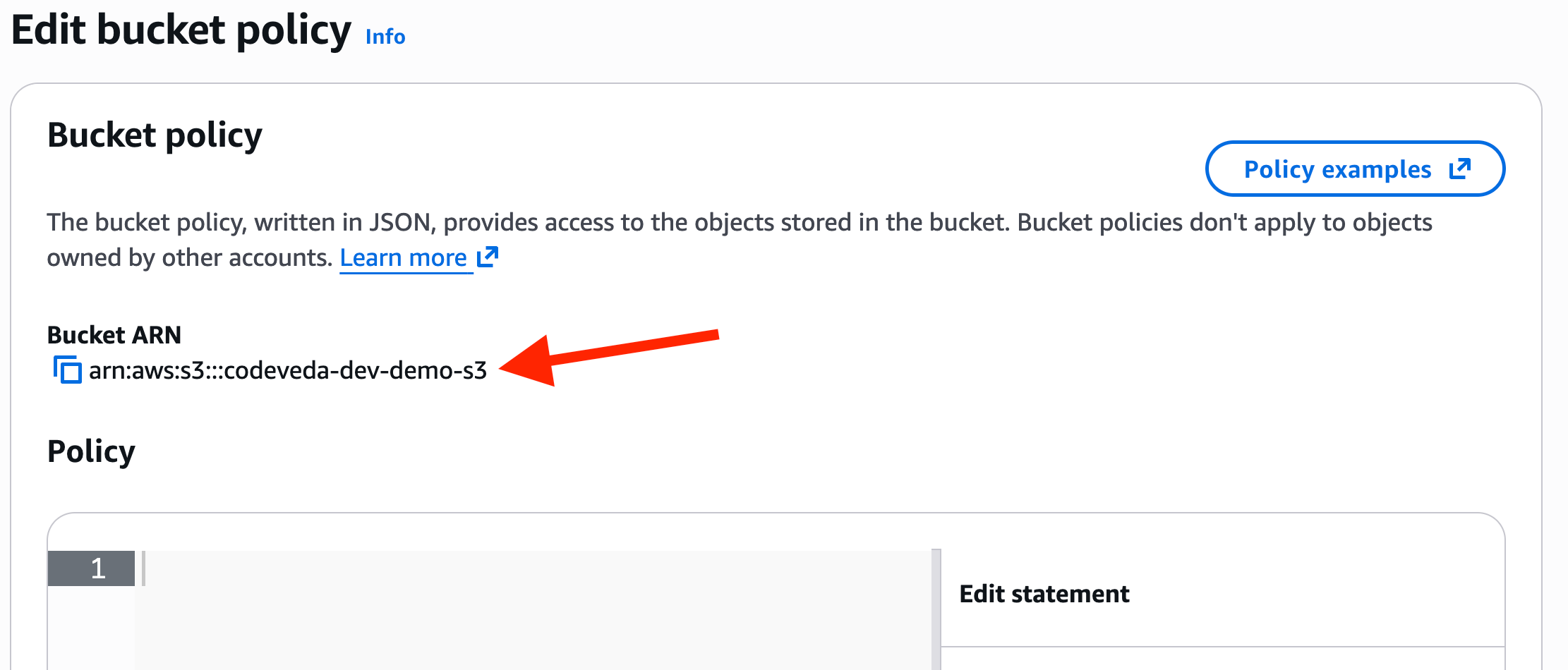
arn:aws:s3:codeveda-dev-demo-s3/*This ensures all objects inside the bucket are included.
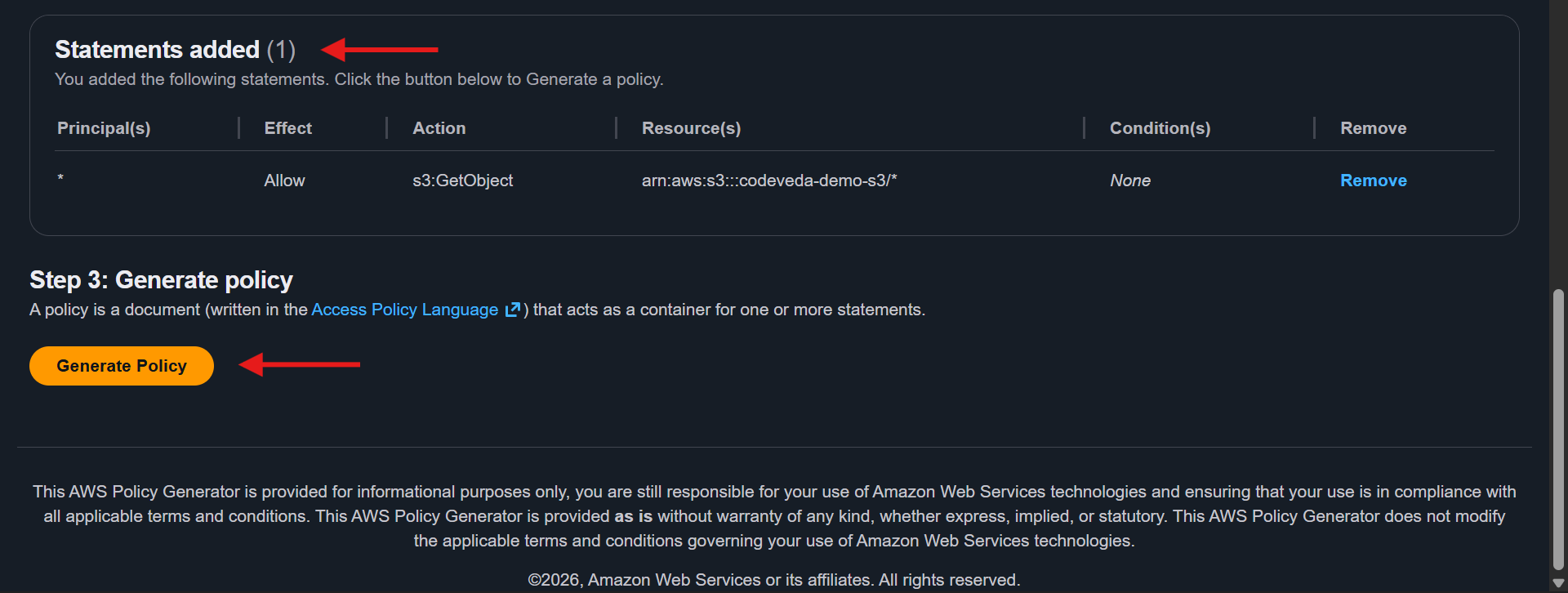
Click Add Statement → then Generate Policy.
4️⃣ Apply the Policy
Copy the generated JSON policy.
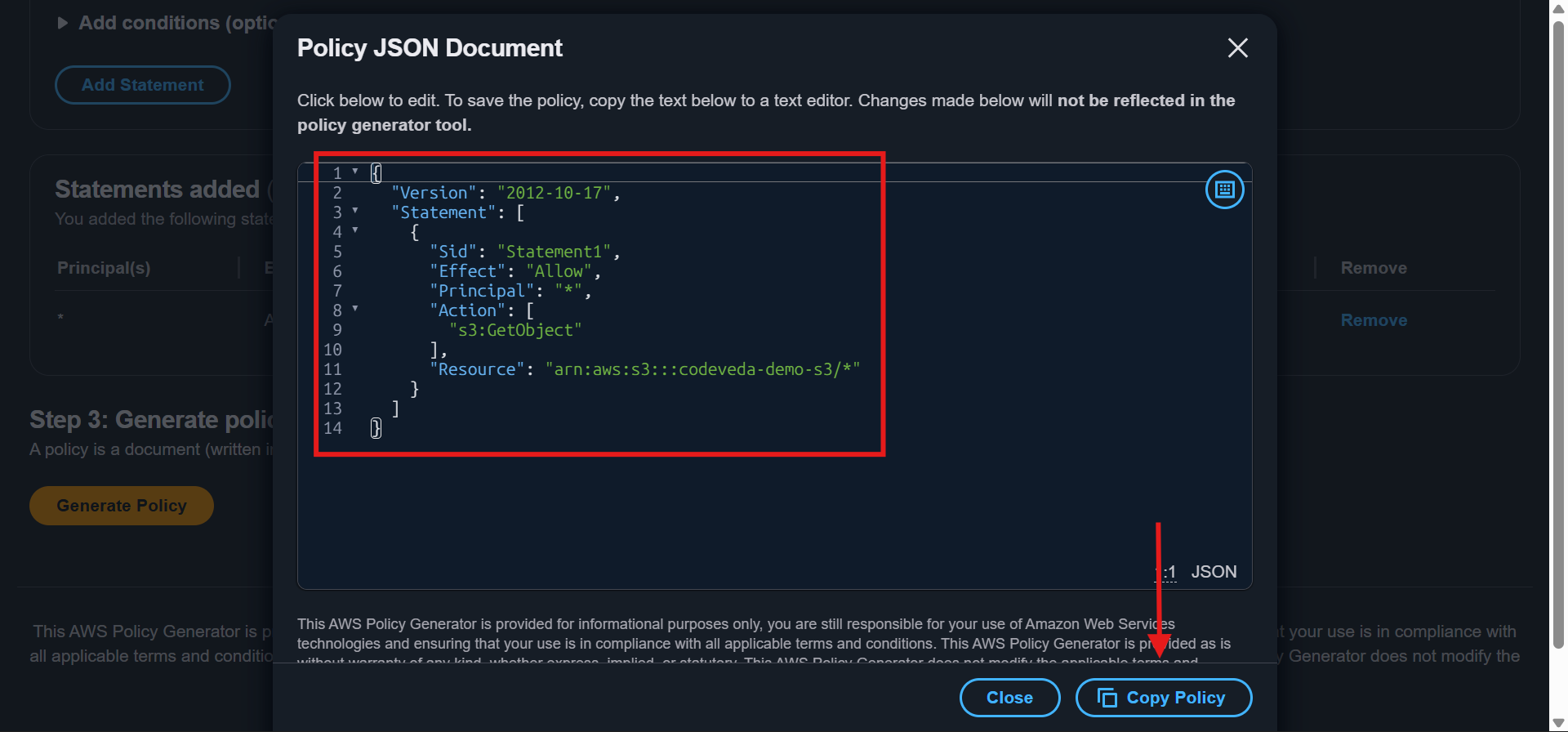
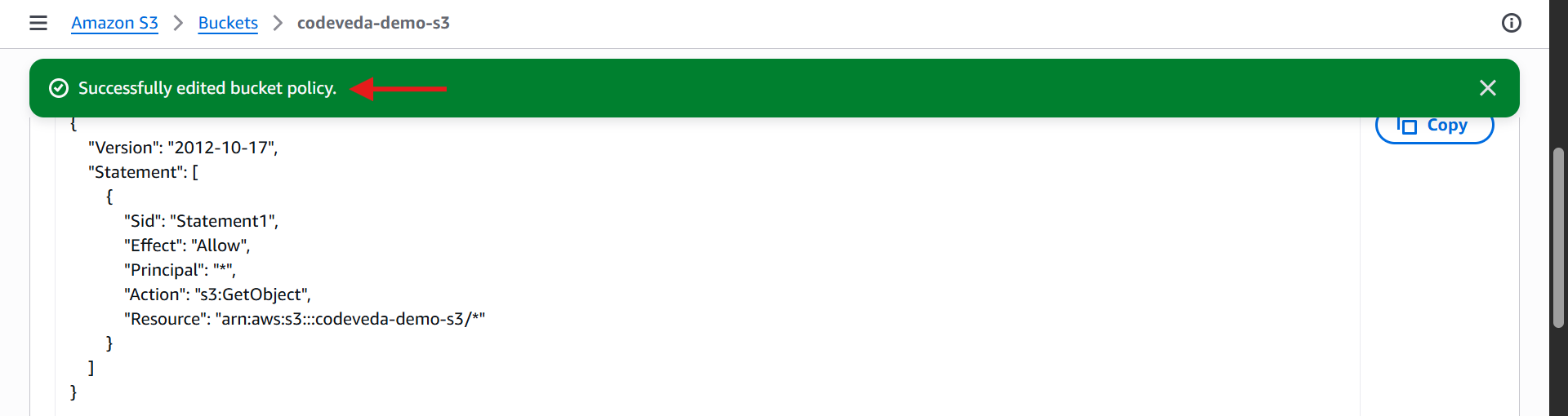
Paste it into your 📜 Bucket Policy editor. Avoid any extra spaces or formatting issues.
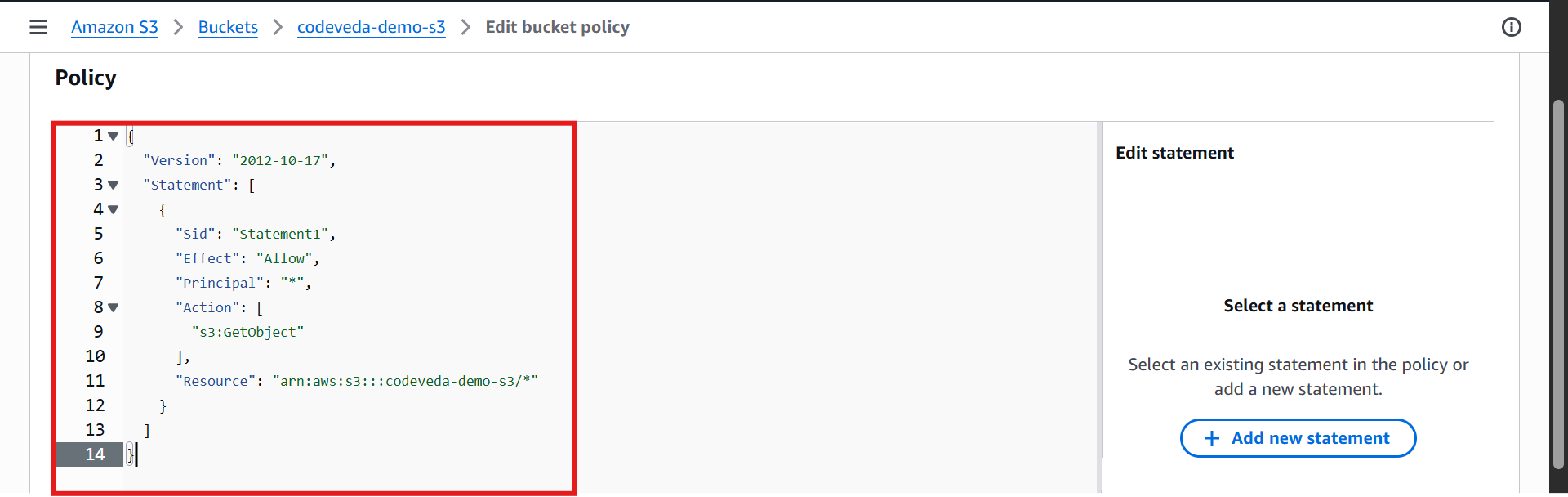
Click 💾 Save changes.
5️⃣ Verify Public Access
Go to an object in your bucket or add one (e.g.,
coffee.jpg) ☕.Copy the 🔗 Object URL.
Paste it in a browser → the image/file should now be publicly visible.
✅ Result: Your S3 bucket now allows anyone on the internet to access the objects inside.

To edit a bucket policy as an IAM user, that user must have the necessary IAM permissions to do so.
💡 Notes
👁️ GetObject action only allows reading. For uploads/deletes, you would need
PutObjectorDeleteObject.📜 Bucket policy is preferred over ACLs for public access.
🔑 Pre-signed URLs are used for temporary access without making the bucket public.
Always double-check that ⚠️ sensitive data is never made public.