🔗 Connecting Models, Database, and FastAPI
At this point, we have already created our models.py file and our database.py file.
However, we still do not have an actual database or database table created.
Creating a database and tables using FastAPI and SQLAlchemy is extremely simple.
🗄️ What We Already Have
We already created the database.py file, which defines where our database will be stored.
In our case, this file specifies a SQLite database named todos.db.
We also created a model inside models.py, which represents the table structure we want to store in the database.
Now, we just need to bring everything together.
📁 Creating the main.py File
Next, create a new Python file and name it main.py.
The main.py file will serve as the entry point (root file) of our FastAPI application.
This is where we initialize FastAPI and connect it to our database.
Being able to create a table in SQLAlchemy is very easy.
🚀 Creating a Basic FastAPI Application
Let’s start by creating a simple FastAPI application.
from fastapi import FastAPI

app = FastAPI()
At this point, we have successfully created a FastAPI app instance.
🔄 Importing Models and Database Engine
Next, we need to:
Import our models
Import the SQLAlchemy engine from
database.py
This allows FastAPI and SQLAlchemy to know what tables exist and where to create them.
from fastapi import FastAPI
import models
from database import engine

app = FastAPI()
🧱 Creating Database Tables Automatically
Now comes the key line of code that creates our database tables.
from fastapi import FastAPI
import models
from database import engine

app = FastAPI()

models.Base.metadata.create_all(bind=engine)
This line tells SQLAlchemy to:
Read all models that inherit from
BaseCreate the corresponding tables in the database
Use the engine defined in
database.py
🧠 How the Database Gets Created
Inside our database.py file, we defined the database URL as:
SQLALCHEMY_DATABASE_URL = "sqlite:///./todos.db"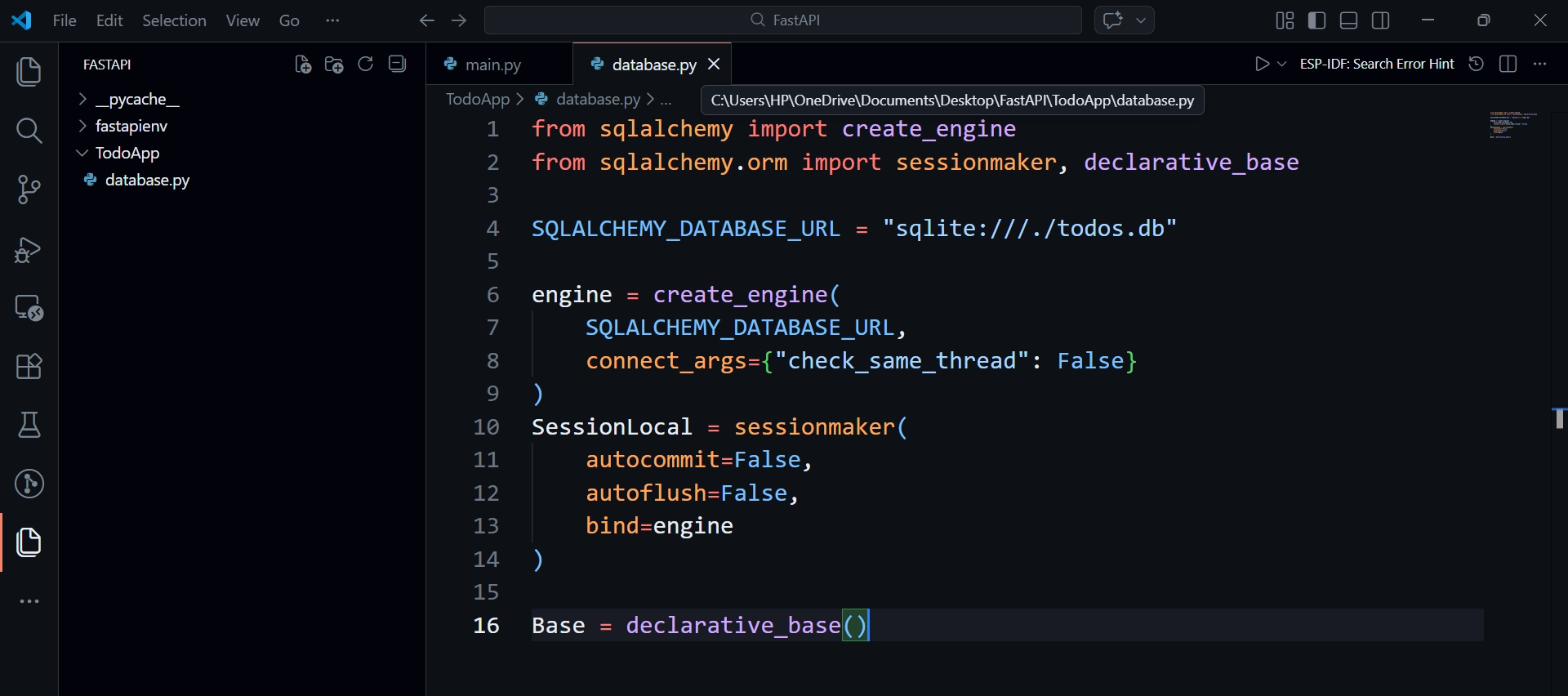
This configuration tells SQLAlchemy to:
Create a SQLite database
Name it
todos.dbStore it in the root of our Todo application
When the application runs, SQLAlchemy automatically:
Creates the database file (if it doesn’t exist)
Creates all tables defined in
models.py
🖥️ Running the Application
Now let’s start the application.
Open your terminal and navigate into your Todo project directory.
cd TodoAppThen run:
uvicorn main:app --reloadOnce the application starts:
A new file named
todos.dbwill appear in your project folder belowmain.pyfile.This file contains the
todostable with all defined columns.
❓ How Did This Happen?
This line is responsible for everything:
models.Base.metadata.create_all(bind=engine)It combines:
The database configuration from
database.pyThe table definitions from
models.py
This allows SQLAlchemy to create the database and tables without writing a single SQL query.
📌 What’s Next?
Now that our Todos database exists, the next step is to:
Install SQLite tools
Query the database directly
Store and retrieve todo records from our FastAPI application