🔄 Reverting a Column with Alembic Downgrade
In the previous session, we successfully added a phone_number column to our users table using Alembic.
In this session, we’ll learn how to revert that change if needed—removing a column safely from the database using Alembic’s downgrade functionality.
⚡ Step 1: Open the Revision File
Navigate to the
alembic/versions/directory.Open the revision file you created for the phone number column. Example:
"""create phone_number col on users table

Revision ID: 4297e826229f
Revises: 85d264a3f618
Create Date: 2026-03-13 20:46:27.165628

"""
from typing import Sequence, Union

from alembic import op
import sqlalchemy as sa

# revision identifiers, used by Alembic.
revision: str = '4297e826229f'
down_revision: Union[str, Sequence[str], None] = '85d264a3f618'
branch_labels: Union[str, Sequence[str], None] = None
depends_on: Union[str, Sequence[str], None] = None

def upgrade() -> None:
    op.add_column(
        'users',
        sa.Column('phone_number', sa.String(), nullable=True)
    )

def downgrade() -> None:
    """Downgrade schema."""
    pass
🛠️ Step 2: Add the Downgrade Function
Locate the
downgrade()function in the file.Modify it to drop the column:
def downgrade() -> None:
    op.drop_column('users', 'phone_number')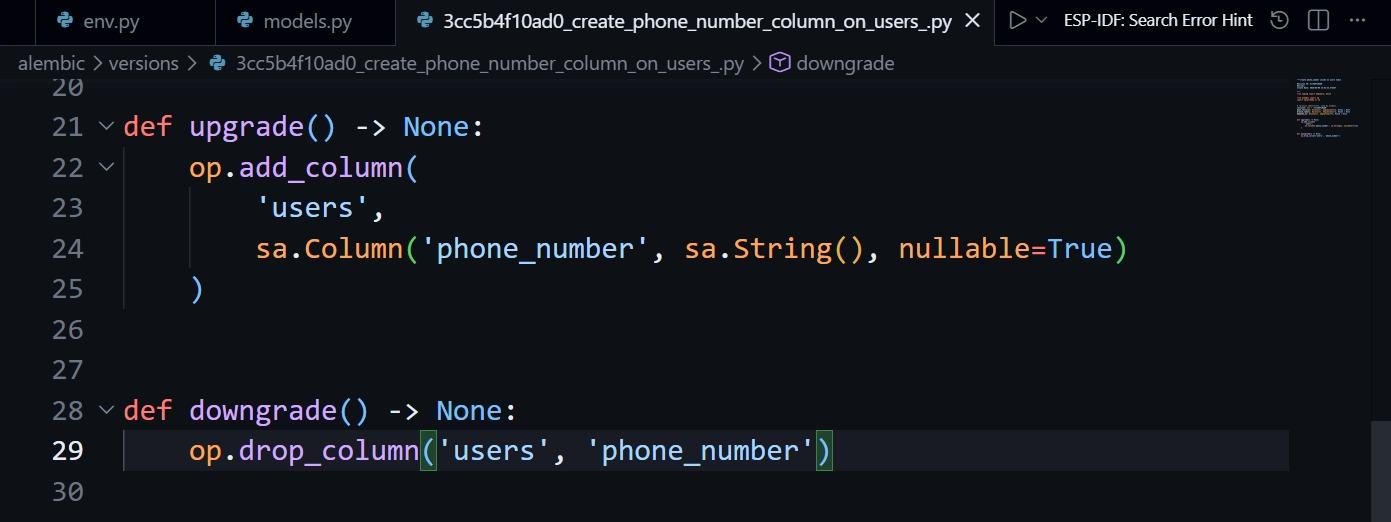
users→ name of the table.'phone_number'→ name of the column to remove.This will safely revert the last migration without affecting other columns or data.
🏁 Step 3: Run the Downgrade
Execute the following command in your terminal:
alembic downgrade -1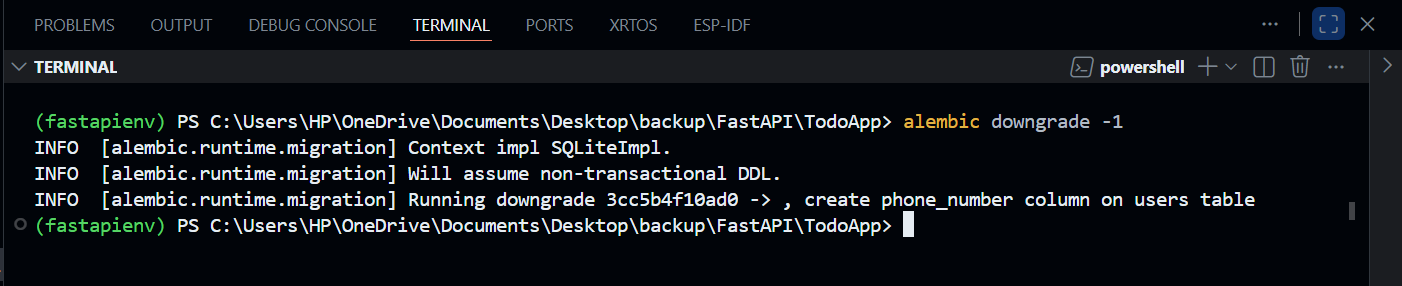
downgrade→ tells Alembic to run the downgrade function.1→ reverts the last applied migration.
✅ Once run, the phone_number column is removed from the users table.
⚠️ Step 4: Update Your Models
After running a downgrade, your SQLAlchemy model should reflect the changes.
Remove the
phone_numbercolumn frommodels.pyif you no longer plan to use it:
class Users(Base):
    __tablename__ = 'users'

    id = Column(Integer, primary_key=True, index=True)
    email = Column(String, unique=True)
    username = Column(String, unique=True)
    first_name = Column(String)
    last_name = Column(String)
    hashed_password = Column(String)
    is_active = Column(Boolean, default=True)
    role = Column(String)
# phone_number = Column(String) <-- Remove or comment outIf you leave it in the model, FastAPI queries for this column will fail since it no longer exists in the database.
⚡ Step 5: Test the Application
Start the FastAPI application:
uvicorn main:app --reloadYou should now see the phone column has been removed, confirming the downgrade was successful.
ezgif-53256f5f157e4443.mp4
❓When to Use Alembic vs SQLAlchemy
Alembic → Enhances existing tables without affecting current data. Use for adding/removing columns, modifying constraints.
SQLAlchemy → Creates new tables automatically if they don’t exist yet.
Alembic is mainly for database evolution, while SQLAlchemy handles initial table creation.