📚 Enhancing FastAPI to Return a List of Books
Let’s update our FastAPI application so that it returns a list of books instead of a simple text message.
In this example, we have added six books as sample data.
🗂️ books.py
from fastapi import FastAPI

app = FastAPI()

# Sample data: list of books
BOOKS = [
    {"title": "Title One", "author": "Author One", "category": "science"},
    {"title": "Title Two", "author": "Author Two", "category": "science"},
    {"title": "Title Three", "author": "Author Three", "category": "history"},
    {"title": "Title Four", "author": "Author Four", "category": "math"},
    {"title": "Title Five", "author": "Author Five", "category": "math"},
    {"title": "Title Six", "author": "Author Two", "category": "math"}
]

# Endpoint to get all books
@app.get("/api-endpoint")
def first_api():
    return BOOKS
✅ What changed?
Added a list called
BOOKScontaining book detailsThe API now returns the entire list instead of a message
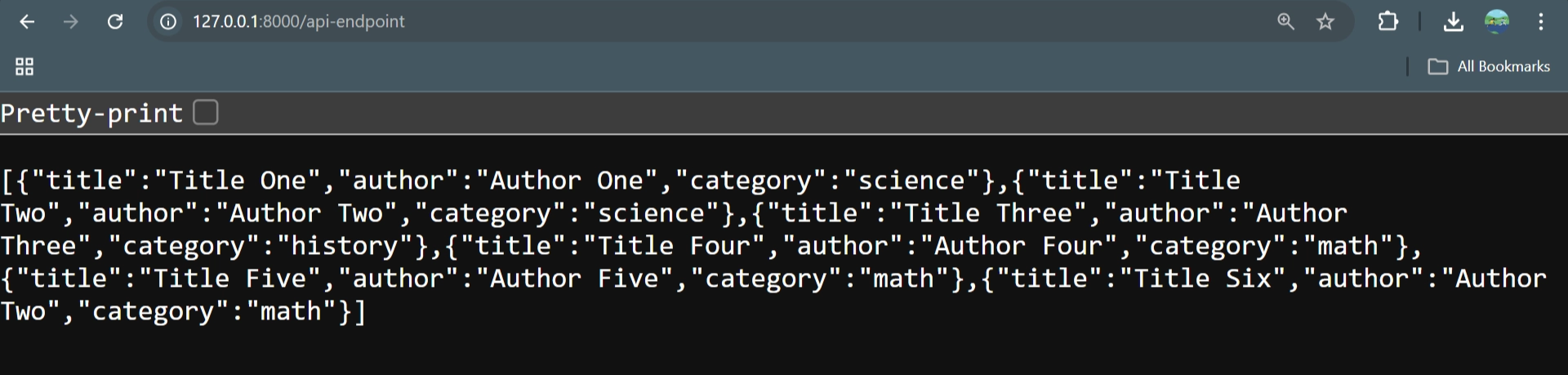
Visiting the endpoint will display all books in JSON format
▶️ Starting the Application
To start the FastAPI application, run one of the following commands in the terminal
uvicorn book:app --reload🌐 Accessing the Application in the Browser
Once the server is running, follow the URL provided in the terminal or open your default browser manually.
If you access only:
❌ 127.0.0.1:8000
You will see an error. This happens because the root endpoint (/) is not defined.

✅ Accessing the Correct Endpoint
To receive a valid response, navigate to the defined endpoint:
127.0.0.1:8000/api-endpoint
This URL works correctly and returns the expected response. However, viewing raw JSON directly in the browser is not always convenient for testing and exploration
📘 Viewing Your API in Swagger UI
Open the documentation page:
🔗 127.0.0.1:8000/docs
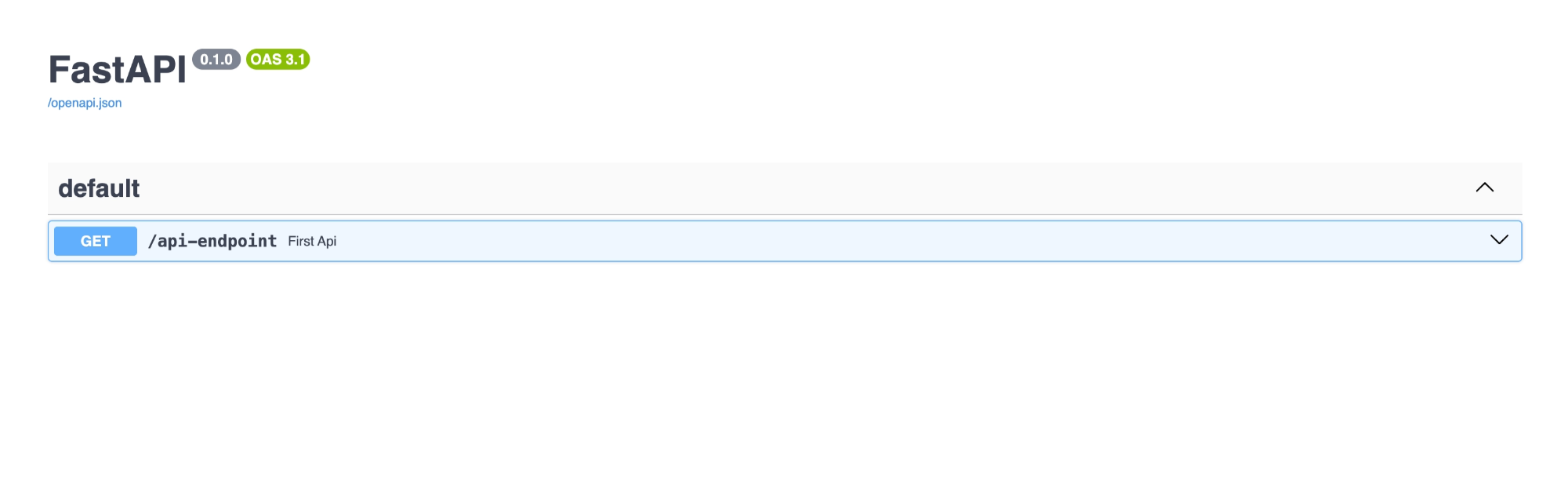
Here, Swagger UI displays all the endpoints available in your application — currently, there is only one. Swagger UI allows you to explore, test, and view responses from your API directly in the browser.
📌 In this example, first_api is a GET request endpoint.
You can click Try it out, then Execute, to call the API without writing any code.
🧪 What You Will See in Swagger UI
After opening the docs page, you will find:
▶️ GET /api-endpoint listed as the available endpoint
📝 An auto-generated description
🔘 Try it out button to enable testing
🔗 The request URL
▶️ Execute button to send the request
📥 Response body showing the books in JSON format
📊 Status code (typically
200 OK)🧾 Response headers
Swagger UI makes it easy to test and understand your API while developing.
👀 Use a More Relevant API Endpoint
Update the route to something meaningful, such as /books:
from fastapi import FastAPI

app = FastAPI()

BOOKS = ...

@app.get("/books")
def read_all_books():
    return BOOKS
🔄 No Need to Restart the Server
Since the app is running with auto-reload enabled:
uvicorn books:app --reloadthe server automatically restarts whenever you change the code.
📌 The --reload flag watches for file changes and reloads the application for you.
📘 Check the Updated Docs
Now open Swagger UI again:
🔗 127.0.0.1:8000/docs
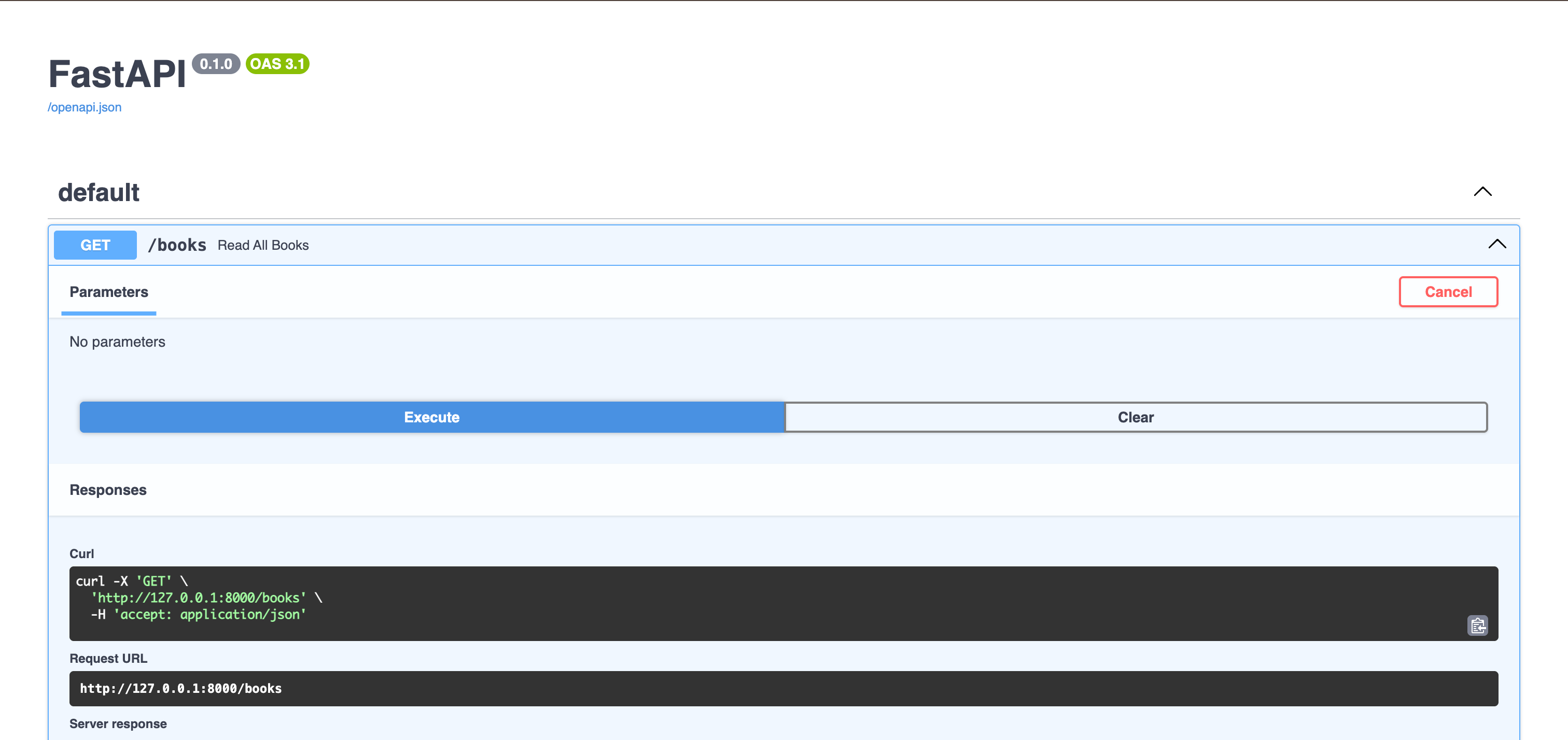
You will see the updated endpoint GET /books listed there.
📘 Changes You Will See
▶️ Endpoint name changes from GET /api-endpoint → GET /books
🧠 Function name shown may update to read_all_books
🔗 The request URL becomes 127.0.0.1:8000/books
📥 Response body still shows the list of books (no change in data)
🔘 Try it out and ▶️ Execute buttons remain the same
📊 Status code remains 200 OK (on success)
✅ In short: Only the endpoint path changes — everything else works the same.
📝 Summary:
This section demonstrates how to return structured data from FastAPI and use Swagger UI to test and explore API endpoints efficiently.
Updated the FastAPI app to return a list of books instead of a simple message.
Created a
BOOKSlist containing sample book data (title, author, category).Modified the endpoint to return the entire list in JSON format.
Key Improvements
✅ API now returns structured data (list of dictionaries)
✅ Endpoint changed to a more meaningful route (
/books)✅ Improved clarity and real-world relevance
Running and Accessing the App
Start the server using
uvicorn books:app --reloadAccessing
127.0.0.1:8000returns an error (no root endpoint defined)Accessing
127.0.0.1:8000/booksreturns the list of books
Using Swagger UI
Open
127.0.0.1:8000/docsView available endpoints (e.g., GET /books)
Use Try it out → Execute to test the API
See:
📥 JSON response body
📊 Status code (
200 OK)🧾 Response details
Important Note
The
-reloadflag enables automatic server restarts when code changes.Changing the endpoint path updates the route but does not change the returned data.