🚀 Introduction to HTTP Request Methods in FastAPI
In this section, we will explore the core HTTP request methods and learn how to use them effectively in a FastAPI application.
Understanding these methods is essential because they define how clients (such as web pages or mobile apps) communicate with a server.
📘 Project Overview — Books API
To understand FastAPI fundamentals, we will build and progressively enhance a simple Books Project.
This project manages a collection of books stored as Python dictionaries inside a list.
BOOKS = [
    {"title":"Title One","author":"Author One","category":"science"},
    {"title":"Title Two","author":"Author Two","category":"science"},
    {"title":"Title Three","author":"Author Three","category":"history"},
    {"title":"Title Four","author":"Author Four","category":"math"},
    {"title":"Title Five","author":"Author Five","category":"math"}
]
📚 Understanding the Data Structure
Each book is represented as a dictionary containing three key attributes:
🏷️ Title — Name of the book (e.g., Title One)
✍️ Author — Name of the author (e.g., Author One)
🗂️ Category — Subject classification (e.g., science, history, math)
All books are stored together in a list, which acts as our temporary database.
✏️ CRUD Operations
To manage the book collection, we will perform CRUD operations, which form the backbone of most backend systems.
CRUD stands for:
C — Create → Add new books
R — Read → Retrieve existing books
U — Update → Modify book information
D — Delete → Remove books from the collection
These operations allow applications to fully manage data throughout its lifecycle.
🔗 Client–Server Communication (Request & Response)
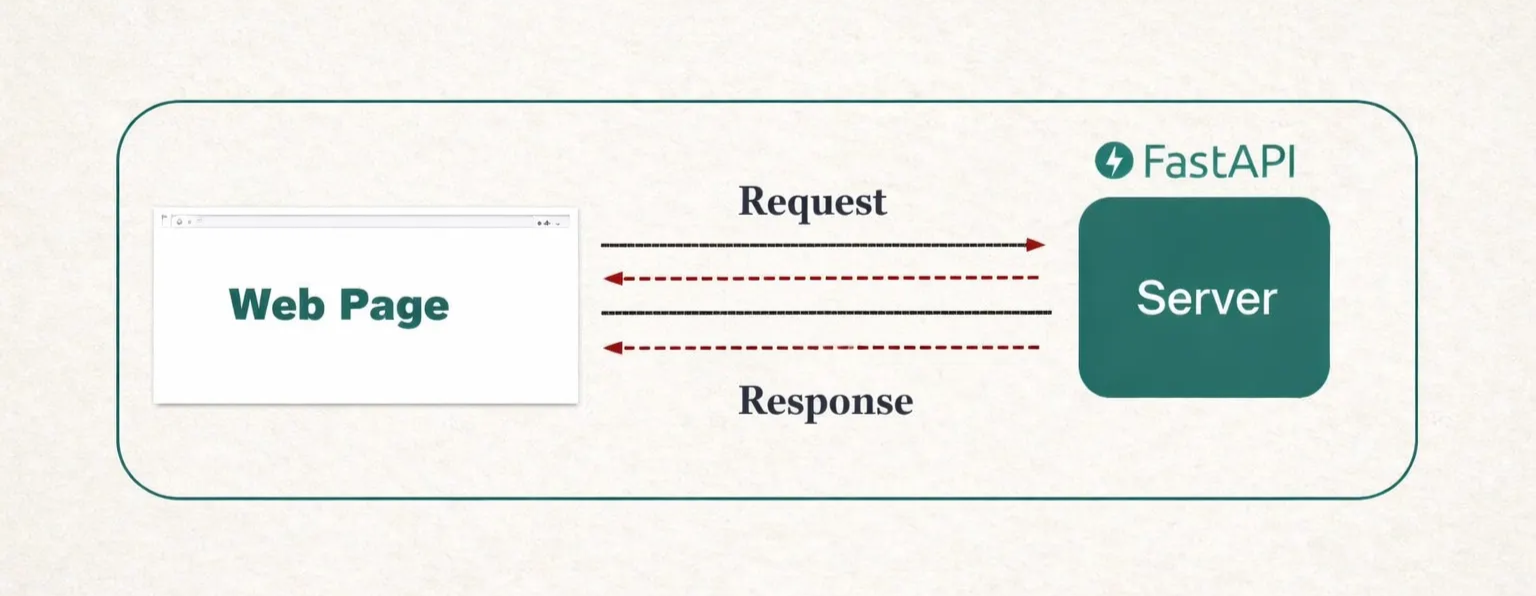
In a real-world application, a web page (client) communicates with a FastAPI application (server).
🌐 How the interaction works:
The client sends a request to the server
👉 Example: “Send me Book 2 and Book 4.”
The server processes the request
The server returns a response
✅ Example: “Here are the requested books.”
This exchange happens over the internet using HTTP request methods.
Each request method tells the server what action the client wants to perform.
🟢 What is Swagger UI in FastAPI
FastAPI automatically provides interactive API documentation called Swagger UI.
🔍 Key Features
📄 Automatically generated documentation
🧪 Interactive interface to test endpoints
📐 Based on OpenAPI standards
⚡ No configuration required
🌐 Accessing Swagger UI
When your FastAPI server is running, open the following URL in your browser:
<http://127.0.0.1:8000/docs>You will see:
All available API endpoints
Supported HTTP methods
Request parameters
Response formats
Built-in testing interface
🌐 HTTP Request Methods
HTTP request methods define how a client interacts with the server.
Each method corresponds to a specific CRUD operation.
CRUD Operation | Purpose | HTTP Method |
|---|---|---|
Create | Add new data | POST |
Read | Retrieve data | GET |
Update | Modify existing data | PUT |
Delete | Remove data | DELETE |
These methods are applied to specific URLs known as endpoints.
👉 Example:
amazon.com/delete-userThis endpoint would use the DELETE method to remove a user.
📌 Summary
CRUD represents the four essential operations used to manage data in any application: Create, Read, Update, and Delete.
In the Books Project, these operations allow us to:
Add new books
Retrieve existing books
Modify book details
Remove books when necessary
Web applications communicate with FastAPI by sending HTTP requests, and FastAPI responds with data or confirmation messages.
FastAPI also provides Swagger UI, an interactive documentation tool that enables developers to:
Explore available endpoints
Understand request and response structures
Test API calls directly from the browser
Each feature of the application is exposed through an endpoint, which defines how clients interact with the server using HTTP request methods.