🔐 Implementing JWT Authentication
In the previous session, we built a Token API endpoint that accepts a username and password, validates the user against the database, and determines whether authentication is successful or not.
In this session, we will enhance that functionality by:
Returning a JWT (JSON Web Token) when authentication is successful
Returning a failure response when authentication is invalid
By the end of this lesson, your FastAPI application will generate and return secure JWT access tokens.
📦 Step 1: Install the Required JWT Library
To generate and manage JWTs, we need the python-jose library.
Open your terminal and run:
pip install "python-jose[cryptography]"This package enables us to:
Encode JWTs
Add cryptographic signatures
Secure tokens using industry-standard algorithms
📥 Step 2: Import JWT from JOSE
After installation, import jwt from jose:
🗂️ routers/auth.py
from jose import jwt
This module will allow us to encode and sign our access tokens.
🔑 Step 3: Configure the Secret Key and Algorithm
Every JWT requires:
A Secret Key (used to sign the token)
An Algorithm (used for encryption)
Generate a Secure Secret Key
Use Python to generate a secure key since you are already in a virtual environment.
Run this in your terminal:
terminal
python -c "import secrets; print(secrets.token_hex(32))"This will generate a secure 64-character hexadecimal string like:
a55efe4491130a5e54b53fd9bed28d0ae82faeb88667281cafc05380f39477e6
Then copy that value that you will use as your SECRET_KEY.
🗂️ routers/auth.py
SECRET_KEY="your_generated_string_here"Then define your configuration:
🗂️ routers/auth.py
SECRET_KEY = "your_generated_secret_key"
ALGORITHM = "HS256"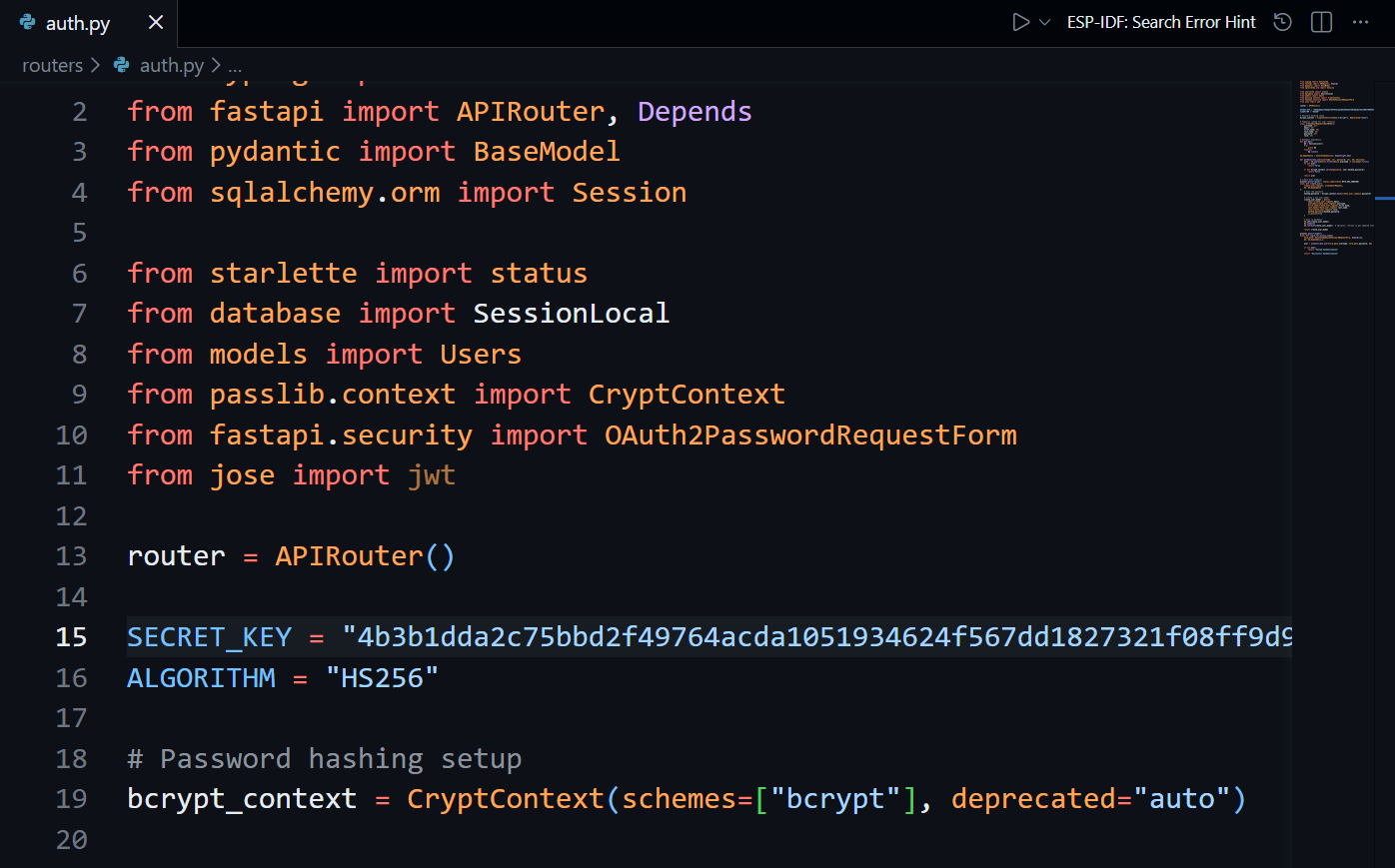
Why This Matters
The secret key ensures tokens cannot be forged.
The algorithm (HS256) signs the token securely.
Together, they create a verifiable digital signature.
👤 Step 4: Create the Access Token Function
Now we create a helper function responsible for generating the JWT.
Place this function below authenticate_user():
🗂️ routes/auth.py
from datetime import datetime, timedelta, timezone

def create_access_token(username: str, user_id: int, expires_delta: timedelta):
    encode = {
        "sub": username,
        "id": user_id
    }

    expires = datetime.now(timezone.utc) + expires_delta
    encode.update({"exp": expires})

    return jwt.encode(encode, SECRET_KEY, algorithm=ALGORITHM)
🔍 What This Function Does
sub→ Stores the username (subject)id→ Stores the user IDexp→ Sets token expiration timejwt.encode()→ Signs and returns the JWT
This ensures every token:
Contains user identity data
Expires after a defined time
Is securely signed
🔐 Step 5: Generate Token on Successful Login
Now update your /token endpoint:
🗂️ routes/auth.py
@router.post("/token")
async def login_for_access_token(
    form_data: Annotated[OAuth2PasswordRequestForm, Depends()],
    db: db_dependency
):
    user = authenticate_user(form_data.username, form_data.password, db)

    if not user:
        return "Failed Authentication"

    token = create_access_token(
        user.username,
        user.id,
        timedelta(minutes=20)
    )

    return token
At this point:
If authentication fails → returns failure message
If successful → returns the JWT
🧾 Step 6: Return a Proper Token Response Model
Instead of returning a raw string token, we should return a structured response using a Pydantic model.
Create a Token Model
class Token(BaseModel):
    access_token: str
    token_type: str
Update the Endpoint
@router.post("/token", response_model=Token)
async def login_for_access_token(
    form_data: Annotated[OAuth2PasswordRequestForm, Depends()],
    db: db_dependency):
    user = authenticate_user(form_data.username, form_data.password, db)

    if not user:
        return "Failed Authentication"

    token = create_access_token(
        user.username,
        user.id,
        timedelta(minutes=20)
    )

    return {
        "access_token": token,
        "token_type": "bearer"
    }
💡
response_modelis a fixed FastAPI parameter used to define the structure and validation of the API response using a Pydantic model.
✅ Why This Is Better
Returns a structured JSON response
Clearly identifies the token type as
"bearer"Aligns with OAuth2 standards
Improves API documentation in Swagger UI
🚀 Step 7: Run the Application
Start your server:
uvicorn main:app --reloadThen:
Open your browser
Navigate to
/docsTest the
/tokenendpointEnter your username and password
If successful, you will receive:
{
  "access_token": "eyJhbGciOiJIUzI1NiIsInR5cCI6IkpXVCJ9...",
  "token_type": "bearer"
}🔍 Step 8: Inspect the Token
You can copy your token and paste it into:
If you see an invalid signature error, paste your secret key into the secret panel on the bottom-right side of the jwt.io website to verify the token.
This allows you to:
View the header
See the algorithm (
HS256)Inspect the payload (
sub,id,exp)Confirm expiration time
🗂️ routes/auth.py
from typing import Annotated
from fastapi import APIRouter, Depends
from datetime import datetime, timedelta, timezone
from pydantic import BaseModel
from sqlalchemy.orm import Session
from starlette import status
from database import SessionLocal
from models import Users
from passlib.context import CryptContext
from fastapi.security import OAuth2PasswordRequestForm
from jose import jwt

router = APIRouter()

SECRET_KEY = "735d62ded4a5f73eec7de13a6fa3dd309a575d8feaccb644cf34e4841a88317a"
ALGORITHM = "HS256"

# Password hashing setup
bcrypt_context = CryptContext(schemes=["bcrypt"], deprecated="auto")

# Pydantic schema for user creation
class CreateUserRequest(BaseModel):
    username: str
    email: str
    first_name: str
    last_name: str
    password: str
    role: str

class Token(BaseModel):
    access_token: str
    token_type: str

# Database dependency
def get_db():
    db = SessionLocal()
    try:
        yield db
    finally:
        db.close()

db_dependency = Annotated[Session, Depends(get_db)]

def authenticate_user(username: str, password: str, db: Session):
    user = db.query(Users).filter(Users.username == username).first()

    if not user:
        return False

    if not bcrypt_context.verify(password, user.hashed_password):
        return False

    return user

def create_access_token(username: str, user_id: int, expires_delta: timedelta):
    encode = {
        "sub": username,
        "id": user_id
    }

    expires = datetime.now(timezone.utc) + expires_delta
    encode.update({"exp": expires})

    return jwt.encode(encode, SECRET_KEY, algorithm=ALGORITHM)

# Create user endpoint
@router.post("/auth/", status_code=status.HTTP_201_CREATED)
async def create_user(
    create_user_request: CreateUserRequest,
    db: db_dependency
		):

    # Create a new user model
    create_user_model = Users(
        email=create_user_request.email,
        username=create_user_request.username,
        first_name=create_user_request.first_name,
        last_name=create_user_request.last_name,
        role=create_user_request.role,
        hashed_password=bcrypt_context.hash(create_user_request.password),
        is_active=True
    )

    # Save to database
    db.add(create_user_model)
    db.commit()

@router.post("/token", response_model=Token)
async def login_for_access_token(
    form_data: Annotated[OAuth2PasswordRequestForm, Depends()],
    db: db_dependency):
    user = authenticate_user(form_data.username, form_data.password, db)

    if not user:
        return "Failed Authentication"

    token = create_access_token(
        user.username,
        user.id,
        timedelta(minutes=20)
    )

    return {
        "access_token": token,
        "token_type": "bearer"
    }
No change in other files