📖 Context
Before moving to MongoDB, this lecture covers setting up ESLint together with Prettier to improve code quality. This is optional if not using VS Code or if another linter is already part of the workflow — otherwise, it's a worthwhile step.
💡 What ESLint does
🔍 Constantly scans code to find potential errors or bad coding practices.
⚙️ It's highly configurable to match personal coding habits and standards.
🤝 How ESLint and Prettier Work Together
🎨 Prettier remains the main code formatter (already set up in an earlier section).
🚨 ESLint will be configured to only highlight errors/bad practices, based on a defined set of rules — not to handle formatting itself.
🔹 Step 1: Install the ESLint Extension in VS Code
🧩 Go to the Extensions panel.
🔍 Search for ESLint and install it.
🔄 Reload the window if prompted.
✅ Confirm the Prettier extension is also installed
🔹 Step 2: Install ESLint-Related Dev Dependencies
Install all required packages with one command:
npm install eslint prettier eslint-config-prettier eslint-plugin-prettier eslint-config-airbnb eslint-plugin-node eslint-plugin-import eslint-plugin-jsx-a11y eslint-plugin-react --save-dev📦 What each package does
📦 Package | 🎯 Purpose |
|---|---|
| 🛠️ The core linter |
| 🎨 The code formatter |
| 🚫 Disables ESLint's own formatting rules, since Prettier handles formatting |
| ⚠️ Lets ESLint show Prettier formatting issues as actual lint errors while typing |
| 📏 A popular, widely-used JavaScript style guide to base the rules on |
| 🟢 Adds rules specific to catching common Node.js mistakes |
| 📚 Required dependencies of the Airbnb style guide, even though this isn't a React project |
💡 Important Notes
🧪
-save-dev— these are all dev dependencies, since they're only needed during development, not in production.📁 All packages must be installed locally to the project — installing them globally would not work correctly.
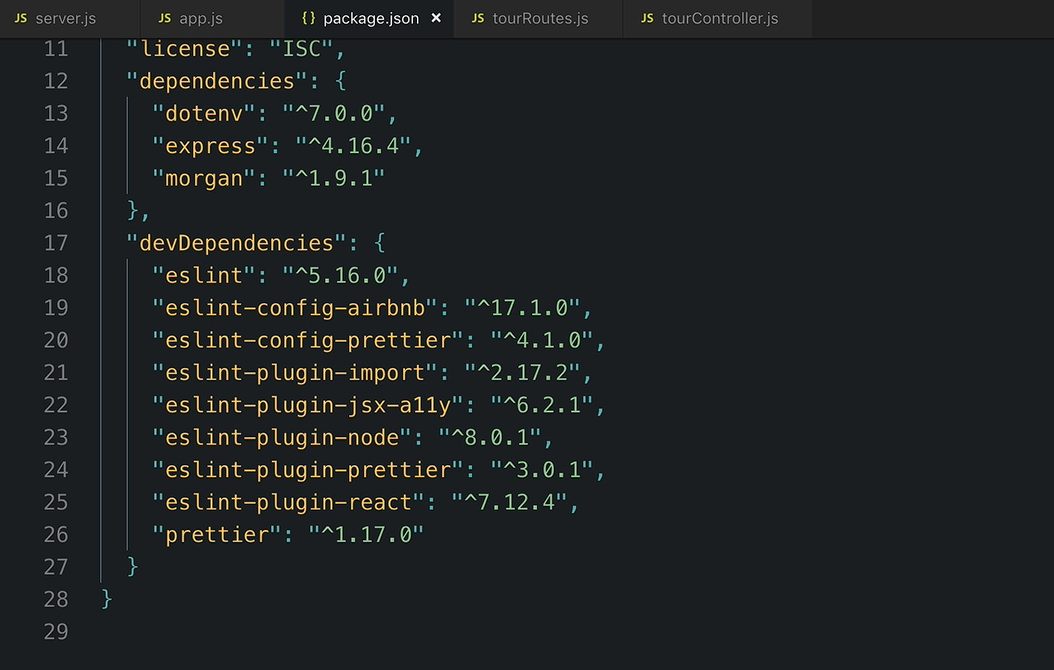
🍳 This entire setup is described as a "recipe" to follow rather than something requiring deep understanding — the same
package.jsondependency list can simply be copied into future projects and reinstalled.
🔹 Step 3: Configuration Files
Two configuration files are needed — both already provided as starter files in this project.
📄 .prettierrc
Defines Prettier's formatting preferences (e.g. always using single quotes).
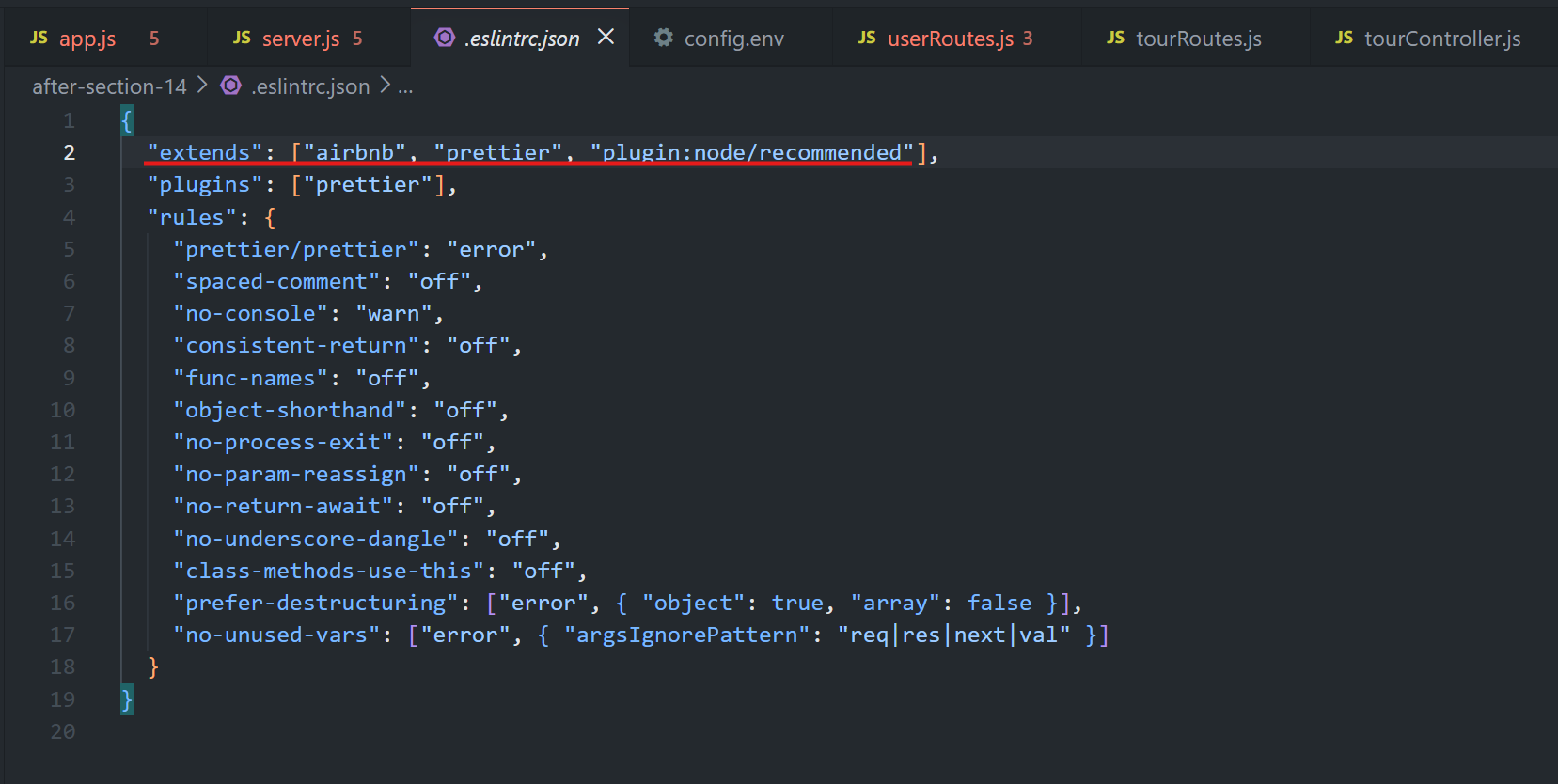
📄 .eslintrc.json
{
  "extends": ["airbnb", "prettier", "plugin:node/recommended"]
}
💡 How this works
📏 Uses the Airbnb JavaScript style guide.
🎨 Enables Prettier compatibility.
🟢 Adds the Node.js recommended ESLint rules.
🔹 Step 4: Customizing Individual ESLint Rules
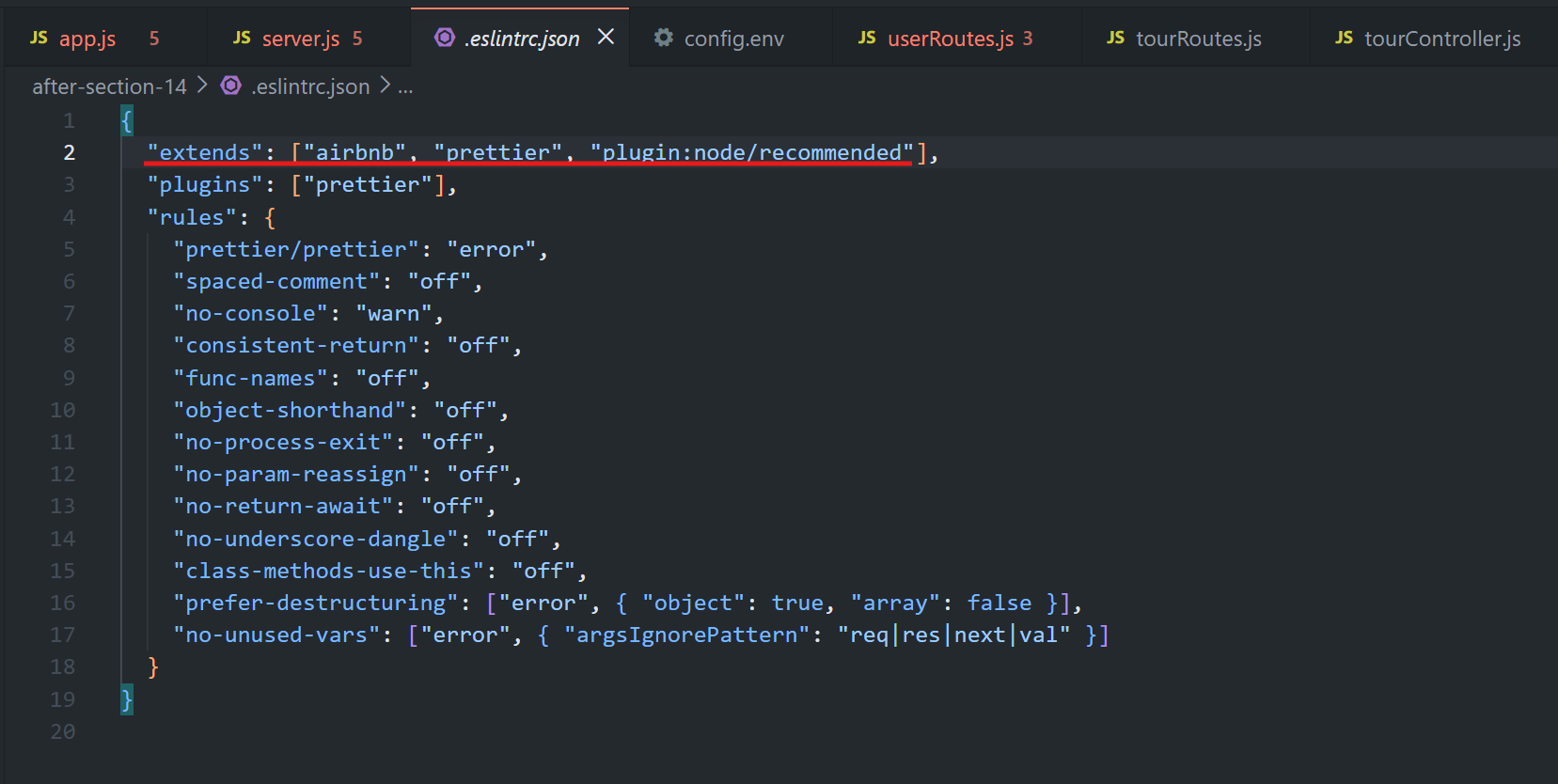
ESLint enforces many rules by default, but each can be individually turned off, set to warn, or left as an error.
📝 Examples of Customized Rules
⚠️
no-console→ set towarnsoconsole.log()is allowed during development.🚫
consistent-return→ disabled since functions like Express middleware don't always return a value.❌
no-unused-vars→ kept as an error, with exceptions for common Express parameters (req,res,next, etc.).
📚 Where to Explore More Rules
🌐 The official ESLint documentation lists every configurable rule.
💡 Rather than reading everything upfront, it's usually easier to adjust rules as they come up during development.
🔹 Step 5: Seeing ESLint in Action
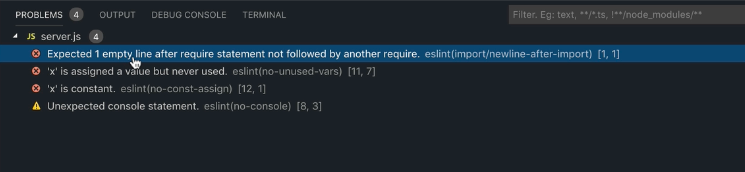
A few intentional issues are introduced into server.js to demonstrate live linting.
🧪 Example 1 — Missing Blank Line
📄 Missing a blank line after the
requirestatements.🚨 ESLint flags it until the blank line is added.
🧪 Example 2 — Reassigning a const
const x = 23;
x = 66;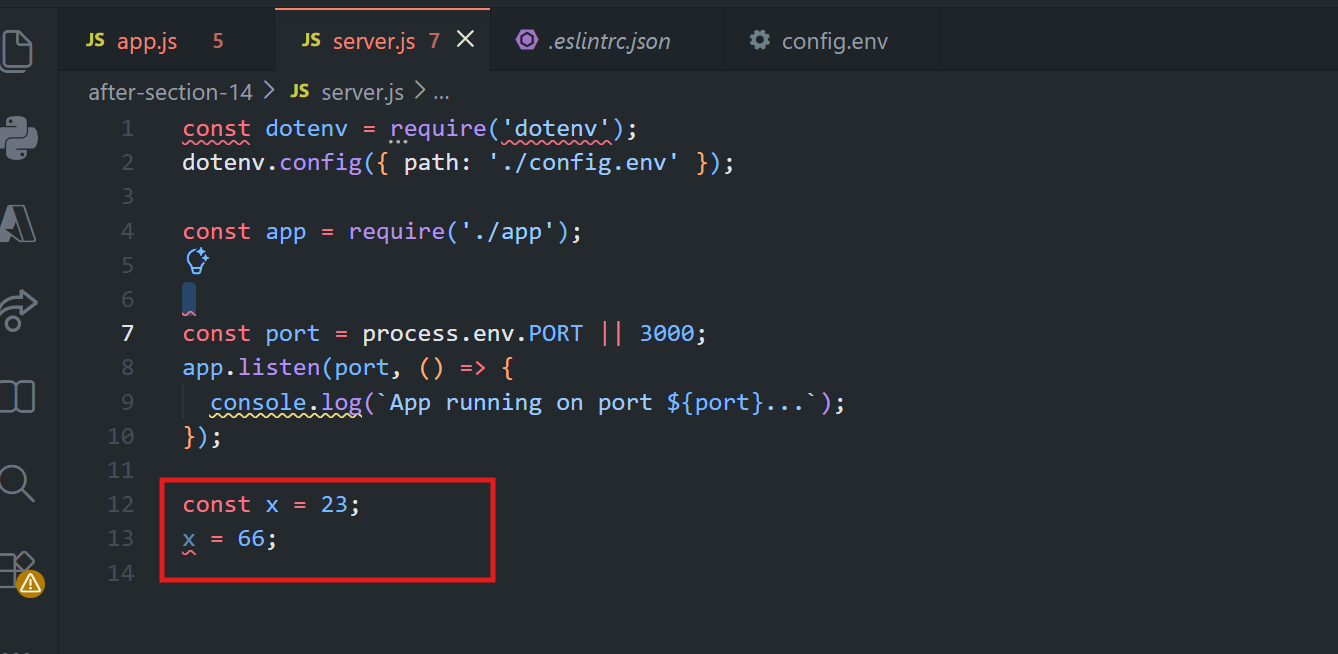
❌ ESLint reports an error because constants cannot be reassigned.
Now remove this:
const x = 23;
x = 66;
🔹 Step 6: Reusing This Setup in Future Projects
To use the same setup again:
📋 Copy the ESLint-related dependencies from
package.json.📦 Run the install command with
-save-dev.
📌 Installing a Specific Version
npm install eslint@5.16.0✅ Key Takeaways
🛠️ ESLint finds code issues, while 🎨 Prettier handles formatting.
📏 Airbnb provides a popular base ESLint configuration.
⚙️ ESLint rules can be configured as
off,warn, orerror.🚨
no-unused-varscatches unused variables, with exceptions for Express parameters likereq,res, andnext.📋 This ESLint/Prettier setup can be reused across future Node.js projects.
➡️ Note
You can also see all the eslint related issues in the problems tab
🍃 Moving on to MongoDB — one of the biggest and most important sections of the course.