📖 What Is Postman?
A tool used for API testing.
Works a bit like a browser, but instead of rendering HTML/webpages, it lets you send all kinds of requests and view the raw response (usually as text/JSON) to work with.
The standard tool used by developers for testing APIs.
It simplifies API development — beyond just testing, it has many other useful features covered later in the course.
💻 Installing Postman
🌍 Go to postman.com
📂 Navigate to Product → Postman.
⬇️ Click Download the app.
⚙️ How Postman Works
Similar to a browser's URL bar — you enter a URL and send a request.
🔑 Key difference from a browser:
In a browser's address bar, every request is automatically a GET request. In Postman, you can freely choose the HTTP method: GET, POST, PUT, PATCH, etc.
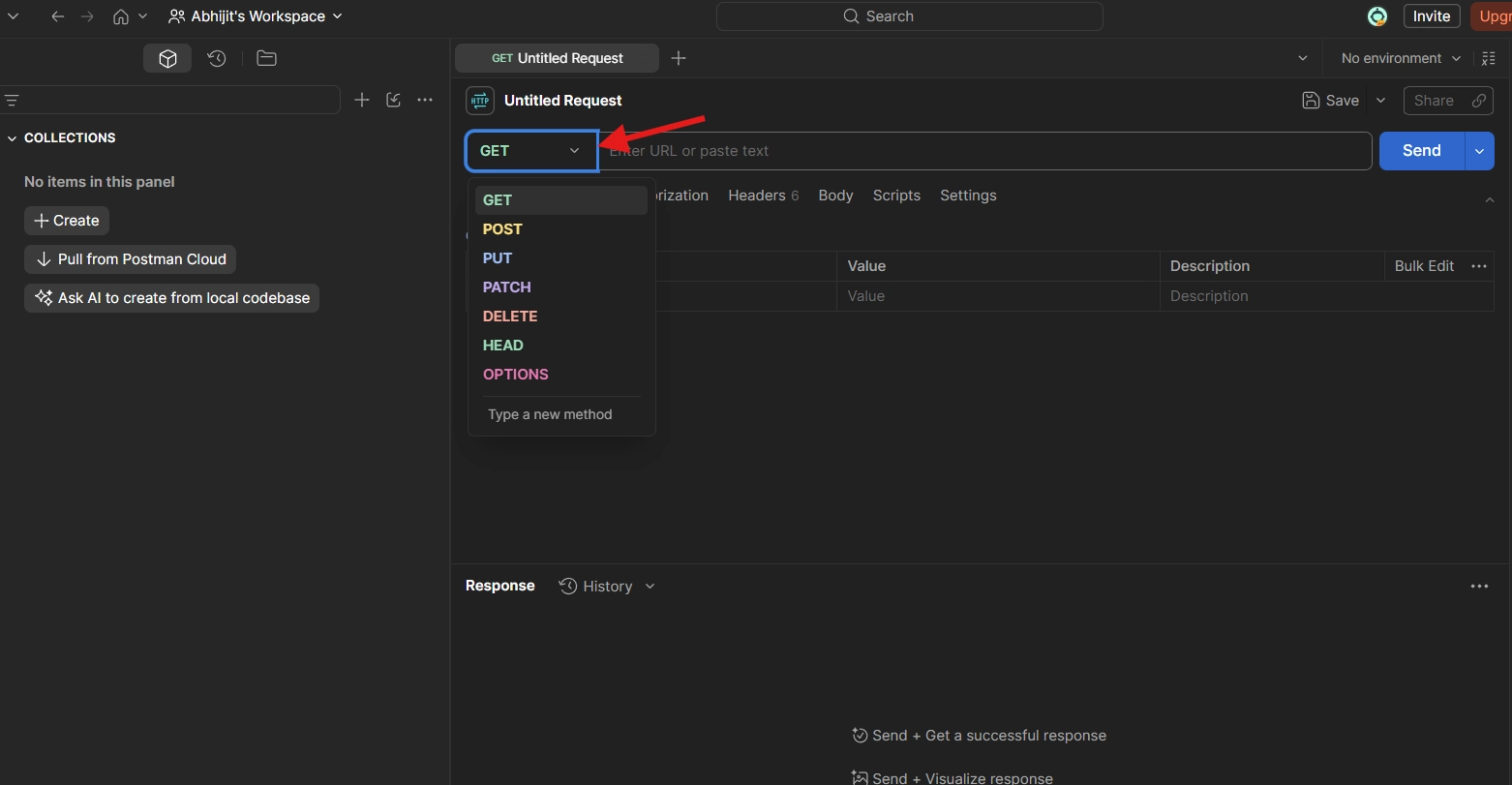
🧪 Quick Test Example
Set the method to
GET.Enter a URL — e.g. the Dog API endpoint dog.ceo
Click Send.
The JSON response appears below — matching what the same request would return in a browser.
🛠️ Other Postman Features (used throughout the course)
💾 Save requests and organize them into collections and folders.
✅ Run automated tests against APIs.
🌍 Set up environments — e.g. separate development vs. production configs.
📦 Send data in the request body — useful for
POST/PATCHrequests.🏷️ Set custom headers.
🚀 General all-purpose tooling for building and testing APIs.
✅ Key Takeaway
📮 From this point in the course onward, Postman will be the go-to tool for sending requests to and testing the custom API being built with Express.