🤔 What is RIP? (Basic Idea)
In a network with many routers:
Routers must decide which path to use
They need to share routing information
📌 RIP helps routers learn routes automatically.
🧠 Simple Definition
📌 RIP (Routing Information Protocol) is a distance-vector routing protocol that uses hop count as a metric to determine the best path to a destination.
🧠 Why RIP is Needed?
Without a routing protocol:
Routes must be added manually
Network becomes hard to manage
Errors increase ❌
👉 RIP allows routers to:
Share routes automatically
Adapt when network changes
🧠 Real-Life Analogy
🗺️ City Navigation
Each junction tells you:
“Destination X is 3 roads away”
You choose the route with fewer roads
👉 Roads = hops
👉 RIP works the same way.
🧭 Where Does RIP Work?
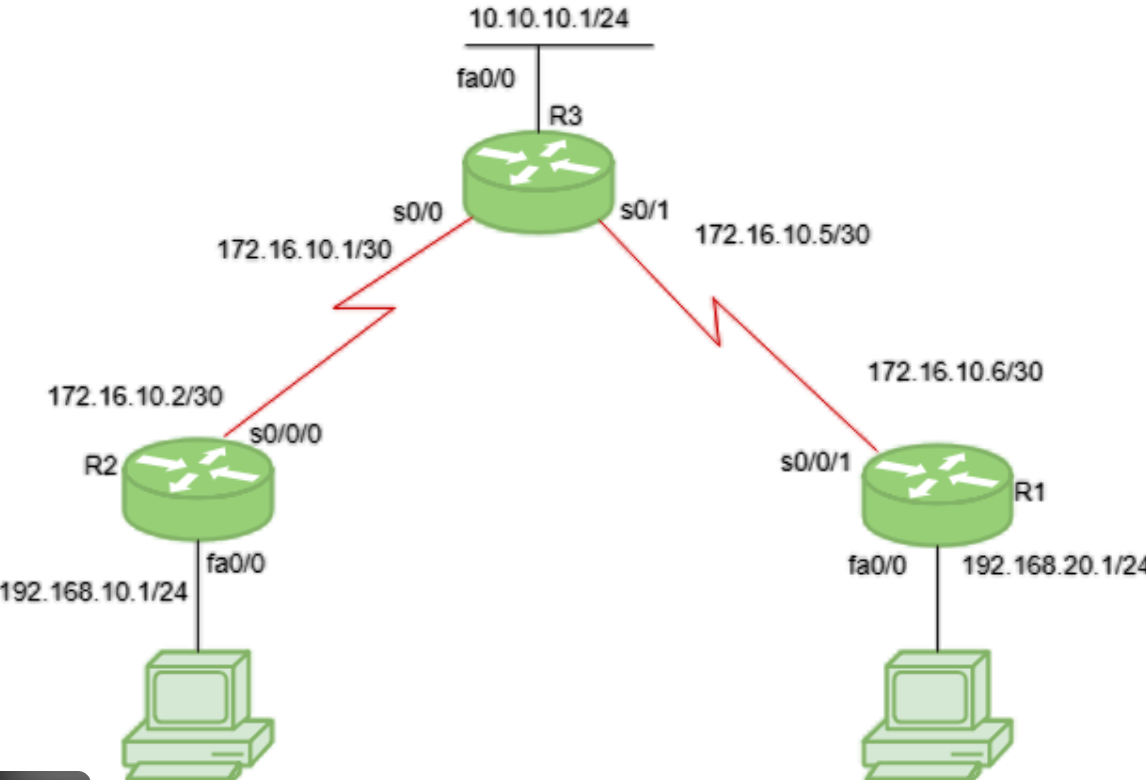
RIP is a Network Layer protocol
Runs on top of UDP
Uses port 520
📏 Routing Metric Used by RIP
📌 Hop count = Number of routers a packet must pass through
Hop Count | Meaning |
|---|---|
1 | Directly connected |
2 | One intermediate router |
15 | Maximum allowed |
16 | Unreachable (infinity) |
👉 Lowest hop count = Best path
🚫 Maximum Hop Count Limitation
📌 RIP supports maximum 15 hops only.
❌ Not suitable for:
Large networks
Complex topologies
🔄 How RIP Works (Step-by-Step)
1️⃣ Router starts and knows only directly connected networks
2️⃣ Router sends routing table to neighbors
3️⃣ Neighbors update their tables
4️⃣ Tables exchanged every 30 seconds
5️⃣ Network converges
📌 This periodic update keeps routes fresh.
📦 What Information Does RIP Share?
Each routing entry contains:
Destination network
Hop count
Next hop
📌 RIP does not share bandwidth or delay info.
🔁 Distance Vector Routing
RIP follows distance-vector routing:
Distance → Hop count
Vector → Direction (next router)
📌 Routers only know:
Distance to destination
Next hop
🧠 Problems with RIP
Takes time to update changes
Network may route incorrectly temporarily
Routers keep increasing hop count
Leads to routing loops
🛡️ Techniques Used to Reduce RIP Problems
🔕 Split Horizon
Do not advertise route back to where it came from
🔄 Route Poisoning
Mark failed route as unreachable (16 hops)
⏱️ Hold-Down Timer
Ignore unstable updates temporarily
🧠 Versions of RIP
🟢 RIP Version 1 (RIPv1)
Classful routing ❌
No subnet mask support
Broadcast updates
🔵 RIP Version 2 (RIPv2)
Classless routing ✔️
Supports CIDR
Multicast updates (224.0.0.9)
Authentication support
⚖️ RIPv1 vs RIPv2
Feature | RIPv1 | RIPv2 |
|---|---|---|
Routing Type | Classful | Classless |
Subnet Mask | ❌ No | ✅ Yes |
Updates | Broadcast | Multicast |
Security | ❌ No | ✅ Yes |
Usage | Obsolete | Limited use |
🔐 Security in RIP
RIPv1 → No security
RIPv2 → Supports simple authentication
📌 Still weaker than modern protocols.
🧠 Advantages of RIP
Simple to understand
Easy configuration
Low resource usage
❌ Disadvantages of RIP
Limited to 15 hops
Slow convergence
Not scalable
Outdated protocol
🧠 RIP vs Modern Routing Protocols
Feature | RIP | OSPF |
|---|---|---|
Metric | Hop count | Cost |
Convergence | Slow | Fast |
Scalability | Low | High |
Usage | Small networks | Large networks |
🧠 Memory Tricks
RIP = Router Information Protocol
Hop count = Distance
15 = Max hops
16 = Dead route ☠️
⭐ One-Line Summary
🔹 RIP is a distance-vector routing protocol that selects routes based on minimum hop count, suitable only for small networks.