🐳 Docker at a Glance
Docker packages an app with everything it needs to run — code, libraries, dependencies, config — into a lightweight container.
That means the app behaves the same no matter where it runs.
📦 Traditional Deployment vs. Docker
🤯 Installing apps directly on a server:
Different OS versions behaved differently
Missing libraries broke things
Teams lost time fixing compatibility issues
🤗 Docker bundles dependencies:
A laptop
An on-prem server
An EC2 instance
Any other cloud
🚀 Why Docker Wins
Consistent behavior across environments
Starts in seconds
Multiple apps run independently on one server
Easy to deploy, update, scale
Works with almost any language or stack
🖥️ Docker on One EC2 Instance
A single EC2 instance can run several containers at once — say, a Java app, a Node.js app, a MySQL database, and another Java app — each isolated but sharing the same host OS.
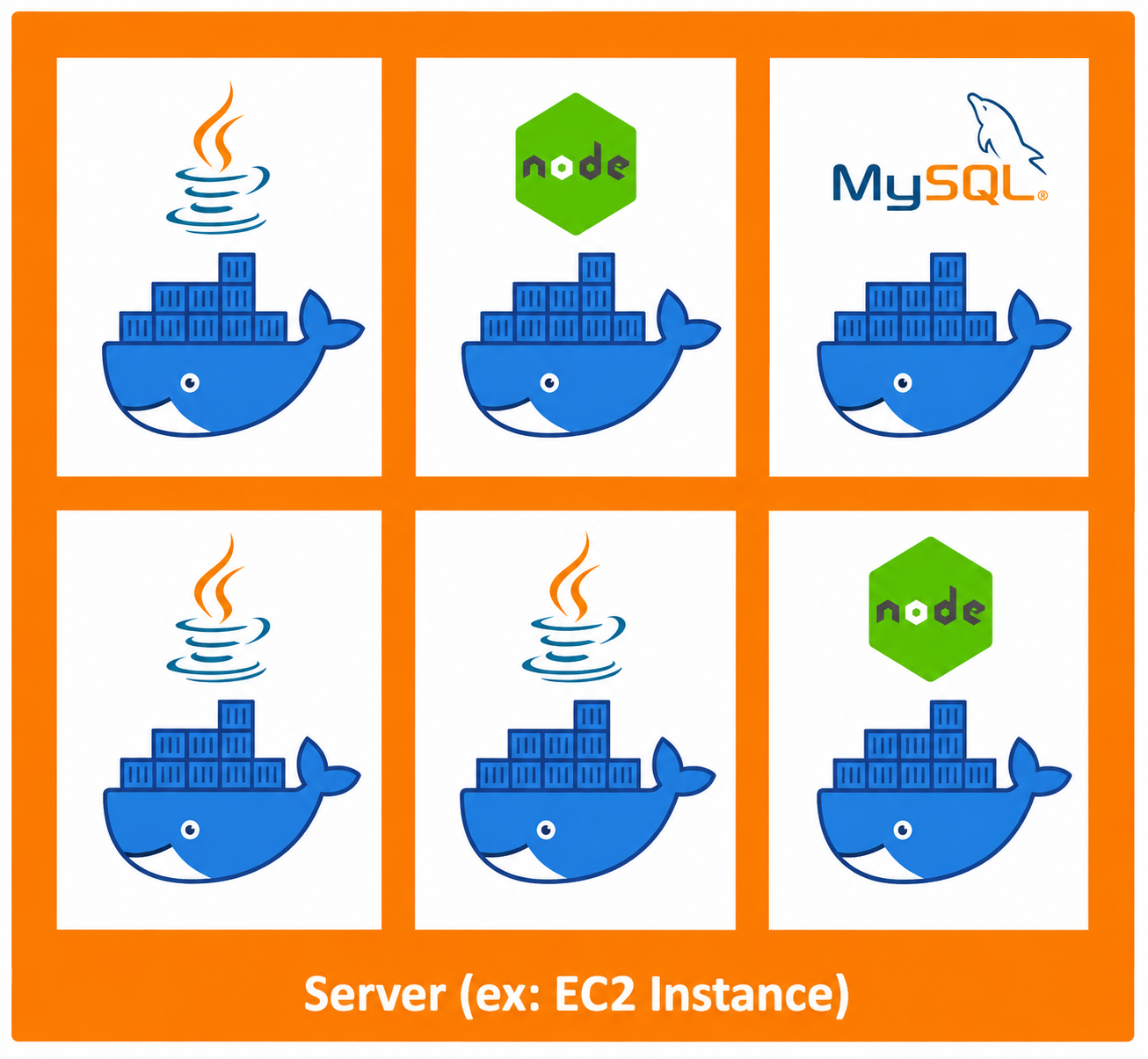
That's far more efficient than spinning up a separate VM for each one.
🖼️ Docker Images
A container is launched from a Docker image — a read-only blueprint containing:
App code
Runtime
Libraries
Dependencies
Config files
Run the image → get a container.
📚 Docker Repositories
Images live in repositories:
🌐 Docker Hub — public, thousands of ready-made images (Ubuntu, MySQL, Node.js, Python, NGINX, Redis, etc.)
🔒 Amazon ECR — AWS's private repository for storing your own images before deploying via ECS
⚖️ Docker vs. Virtual Machines (EC2)
🔹 | 🖥️ EC2 / VM | 🐳 Docker |
|---|---|---|
OS | Full guest OS per instance | Shares host OS |
Resources | Heavy | Lightweight |
Startup | Minutes | Seconds |
Portability | OS-dependent | Runs anywhere Docker runs |
Scaling | Add full instances | Add containers |
🖥️ Virtual Machines
Each EC2 instance packs its own:
Guest operating system
Application software
System libraries
A full OS per instance means more storage, memory, and CPU used up — and slower creation/scaling.
🐳 Docker Containers
Containers skip the guest OS entirely, sharing the host OS through the Docker Engine (Docker Daemon). They package only the app and its dependencies, which makes them:
Smaller
Faster to start
Easier to scale
More resource-efficient
Result: dozens, even hundreds, of containers can run on a single server, depending on available resources.
☁️ Why This Matters for AWS
Amazon ECS is built on Docker. Understanding containers, images, and repositories now makes ECS click much faster later.
🧠 Key Takeaways
Docker = app + dependencies in a lightweight, portable container
Containers run consistently across environments
Containers share the host OS — more efficient than VMs
Images are the blueprint; containers are the running instance
Docker Hub = public images, ECR = private AWS images
ECS is built on Docker
You don't need deep Docker knowledge for the Cloud Practitioner exam — just the basics