🎉 Theory Done — Let's Code!
Alright, that's enough theory for now — and trust me, it was absolutely worth knowing! 🧠
Time to ditch the slides and jump straight into the code editor to see everything in action!
👶 Before we begin with Coding, let’s do the setup:
Create a new file named
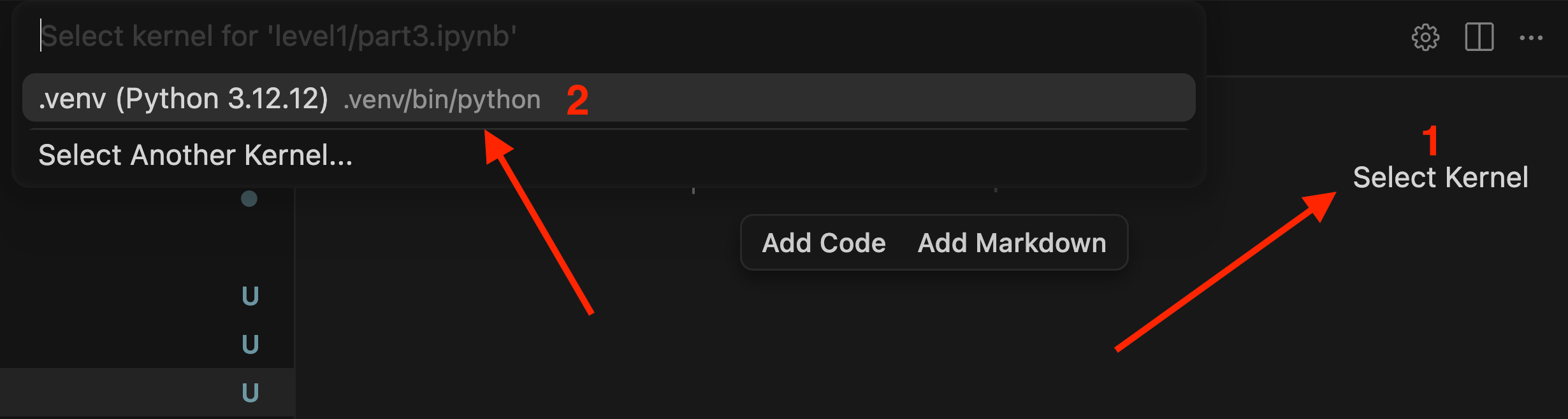
part3.ipynbinside thelevel1folder.Open the file and make sure a Python kernel is selected. If no kernel is selected, choose the appropriate one before proceeding.
🛠️ Tokenization Using tiktoken
Import the Package and Encode Text Into Tokens
▶️ Create a new code cell and run it:
import tiktoken

encoding = tiktoken.encoding_for_model("gpt-4.1-mini")

tokens = encoding.encode("Hi my name is Bd and I like Biryani")
Imports the
tiktokenlibrary, OpenAI's official tokenizer tool.Loads the tokenizer specifically built for the
gpt-4.1-minimodel.Takes the sentence and encodes it into tokens, storing the result as a list of Token IDs.
Prints Tokens
▶️ Create a new code cell and run it:
tokens

## Exampole: [12194, 11, 856, 1308, 374, 6117]
Decoding Tokens Back to Text & Checking Their IDs
▶️ Create a new code cell and run it:
for token_id in tokens:
    token_text = encoding.decode([token_id])
    print(f"{token_id} = {token_text}")

# Example Output
# 12194 = Hi
# 922 =  my
# 1308 =  name
# 382 =  is