Event handling in React is how you detect user interactions (like clicks, key presses, form submissions, etc.) and define what should happen when those interactions occur.
🔍 How React Handles Events
React uses something called Synthetic Events – a cross-browser wrapper around the native browser events (like click, change, keydown, etc.). This means:
It works the same across all browsers.
It mimics native events but also gives you a consistent API.
✅ Why Use Event Handling?
To trigger functions when users interact with your UI.
To update state or perform actions dynamically.
To create interactive applications.
🛠️ Basic Syntax in React
In React (especially JSX), event handlers:
Are written in camelCase.
Are passed as functions, not strings.
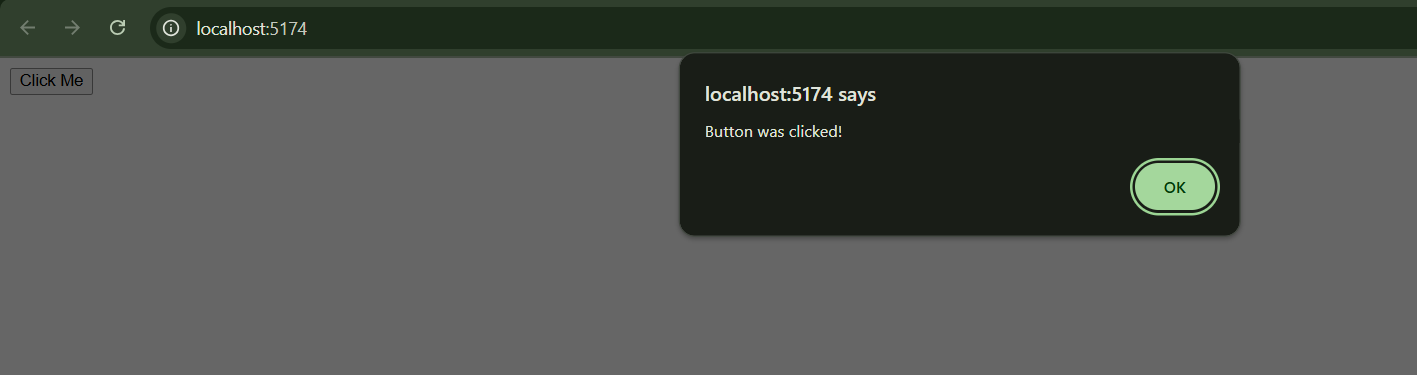
✅ Example: Button Click
import React from 'react';

function App() {
  // handler function to handle the click
  function handleClick() {
    alert('Button was clicked!');
  }

  return (
    <button onClick={handleClick}>
      Click Me
    </button>
  );
}
function App() { ... }
This is a functional component called
App.Components are like building blocks of your app.
This function returns some JSX (HTML-like code) that tells React what to display.
function handleClick() { alert('Button was clicked!'); }
This is a function inside the component.
It defines what happens when the button is clicked.
Here, it shows a popup alert message saying “Button was clicked!”.
onClick={handleClick} means:
➤ "When the user clicks this button, call the
handleClickfunction.""Click Me"is just the text shown on the button.
⚠️ JSX vs HTML Differences
HTML | React (JSX) |
|---|---|
|
|
Lowercase ( | CamelCase ( |
🧪 Common Events in React
Event | What it does |
|---|---|
| User clicks an element |
| Input field value changes |
| A form is submitted |
| Mouse hovers over an element |
| A key is pressed |
🧠 Pro Tip
Always pass the function without () in JSX unless you're using an inline arrow function.
// ✅ Correct
onClick={handleClick}

// ✅ Also correct (inline)
onClick={() => handleClick()}

// ❌ Incorrect — this calls the function immediately!
onClick={handleClick()}