🧪 Part 1: Proving the Wrapper Function Exists
📄Create a File modules.js
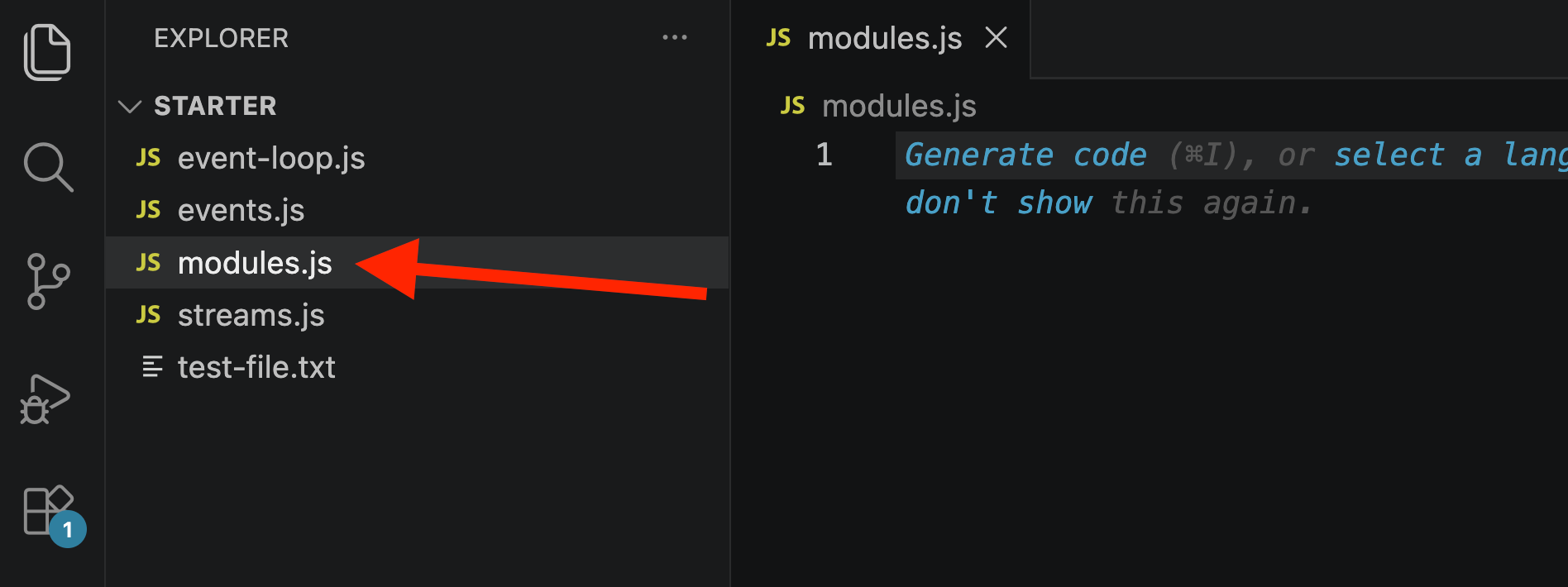
🔹 Step 1: Log the arguments object
console.log(arguments);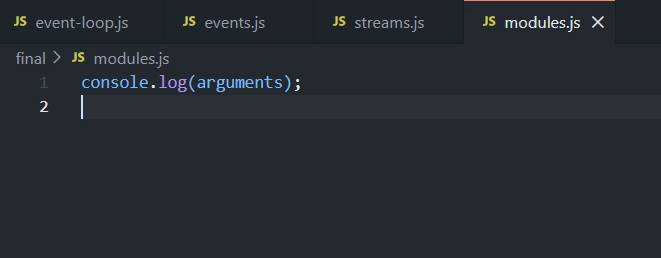
argumentsis a special array-like object available inside any regular function — it contains all values passed into that function.If logging
argumentsat the top level of a module shows real values, it proves the module's code is actually running inside a function.
▶️ Run: node modules.js
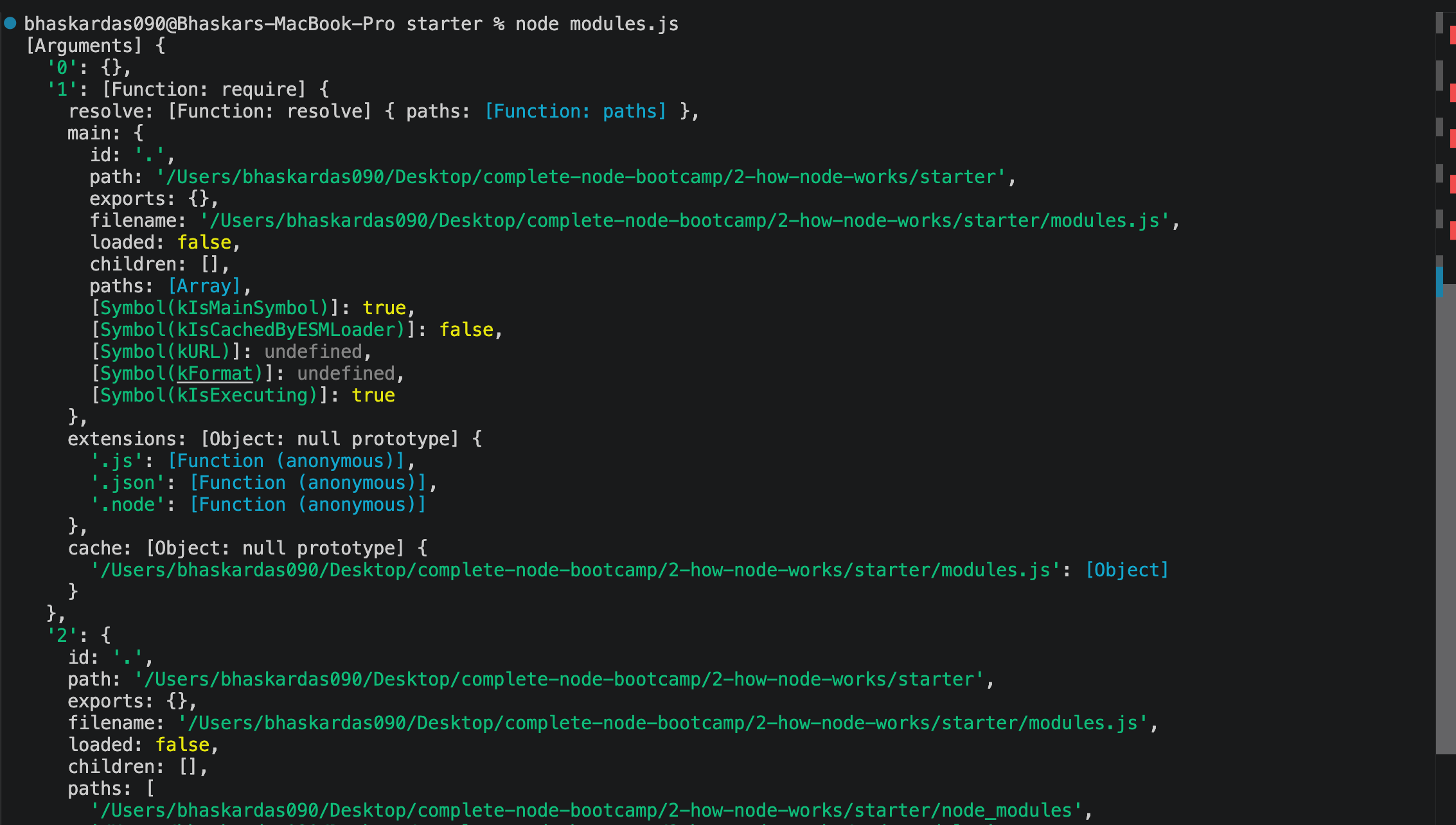
Result: The logged arguments array contains 5 values — matching the wrapper function's 5 parameters:
📤
exports— empty object (nothing exported yet)📥
require— the require function📦
module— containsmodule.exports📄
__filename— full path tomodules.js📁
__dirname— full path to the containing directory
✅ This confirms: all module code really is wrapped inside a function behind the scenes.
🔹 Step 2: View the Actual Wrapper Function Template
Node has an internal module literally called module that exposes the wrapper template:
console.log(require('module').wrapper);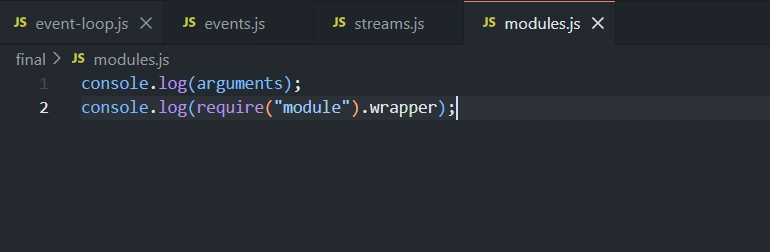
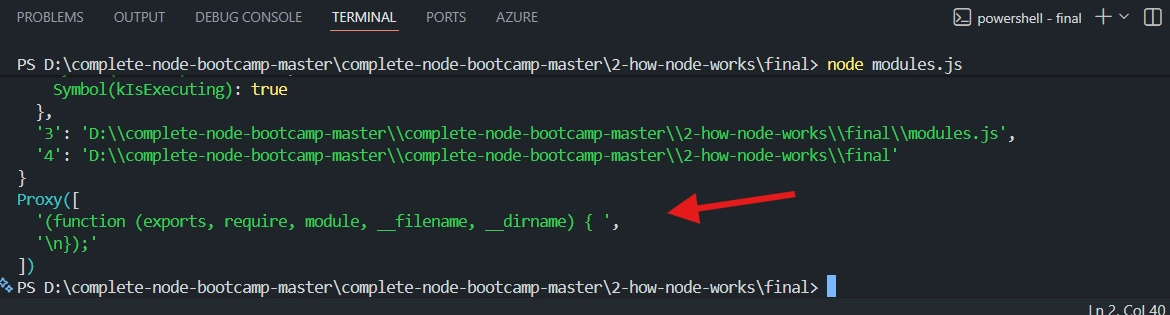
This prints Node's actual wrapper function template — showing
exports, require, module, __filename, __dirnameas parameters, with a body where your module's code gets inserted.✅ Confirms exactly what was explained conceptually in the previous lecture.
📤 Part 2: Exporting with module.exports (Single Export)
📄 Create a File test-module-1.js
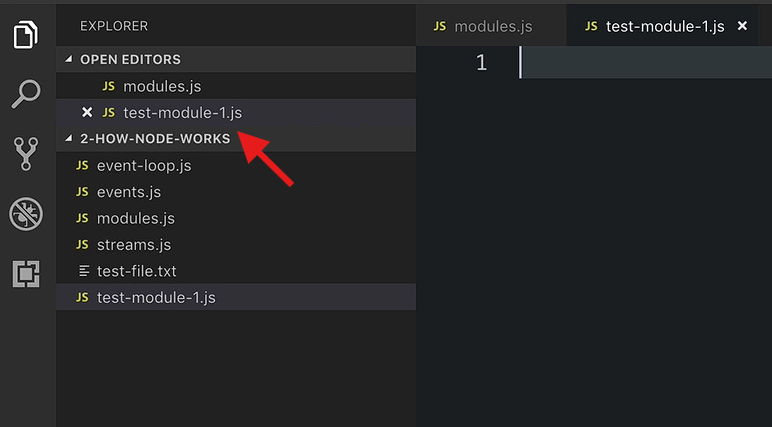
🔹 Step 1: Create a class
class Calculator {
  add(a, b) {
    return a + b;
  }
  multiply(a, b) {
    return a * b;
  }
  divide(a, b) {
    return a / b;
  }
}
🔹 Step 2: Export it
module.exports = Calculator;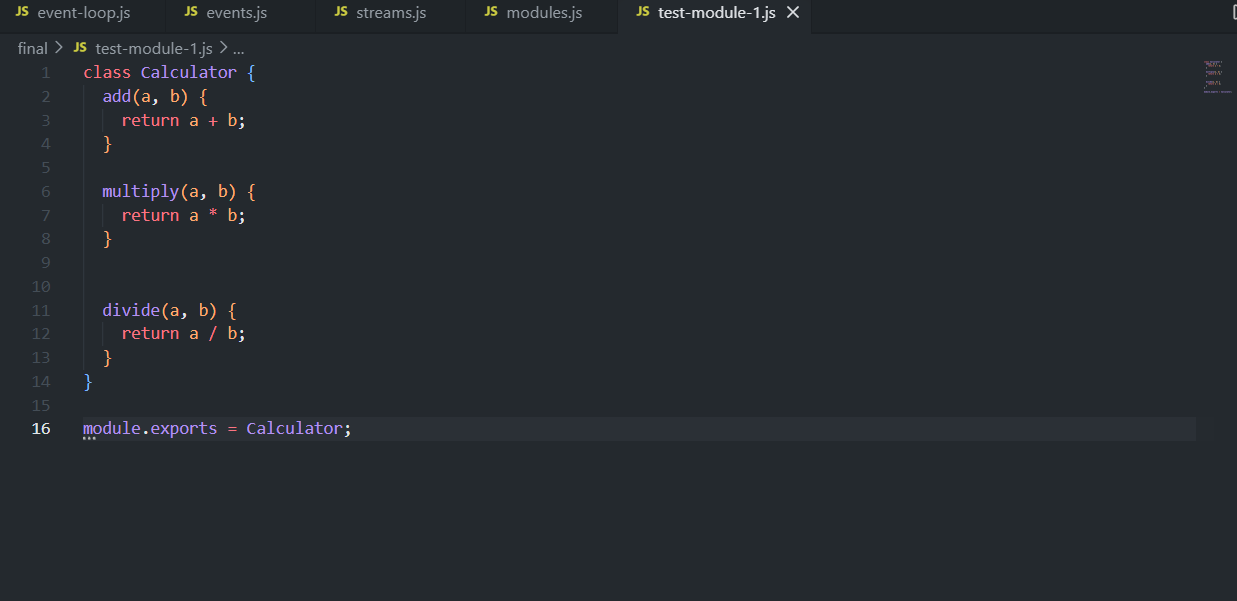
📦 module.exports is used when exporting one single value — here, the whole Calculator class.
📄 File: modules.js — Import and Use It
const C = require('./test-module-1');

const calc1 = new C();
console.log(calc1.add(2, 5));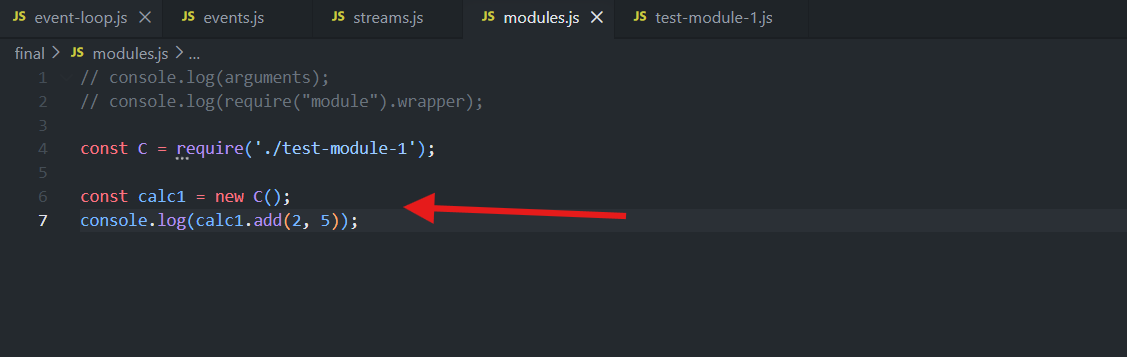
Run: node modules.js and see the output

Since it's your own module (not core, not npm), use a relative path starting with
./..jsextension can be dropped.You can name the imported variable anything (
Chere) — the name on the exporting side doesn't have to match.✅ Result:
7(2 + 5) ✔
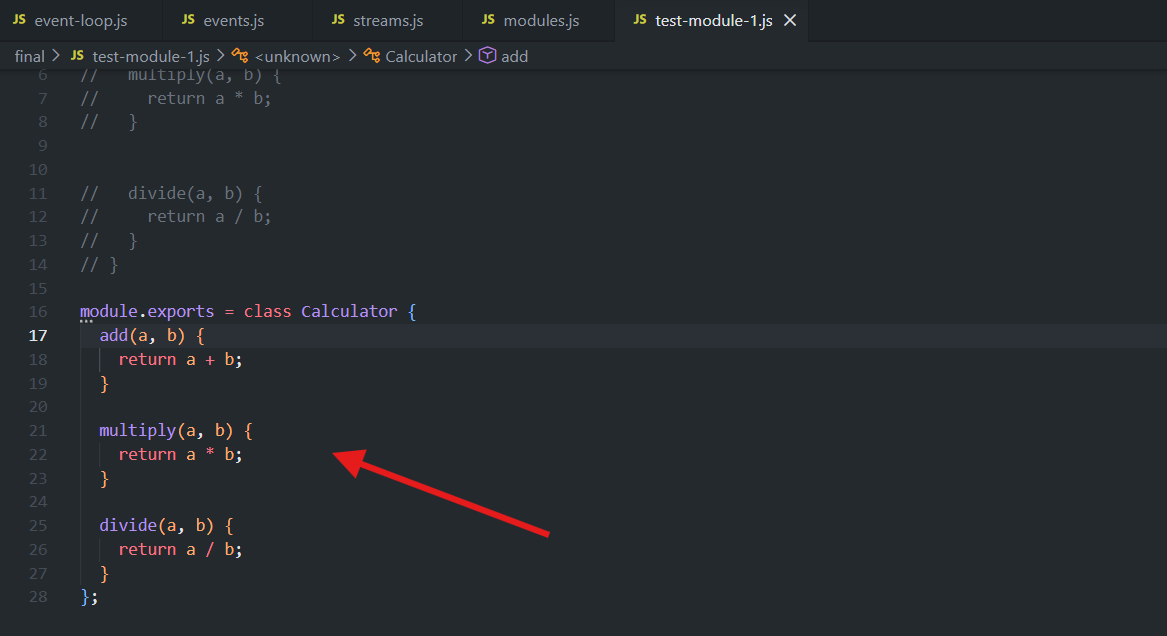
✨ Shorthand: Class Expression Directly in module.exports
Instead of declaring a named class then exporting it separately, assign the class expression directly:
module.exports = class {
  add(a, b) {
    return a + b;
  }
  multiply(a, b) {
    return a * b;
  }
  divide(a, b) {
    return a / b;
  }
};
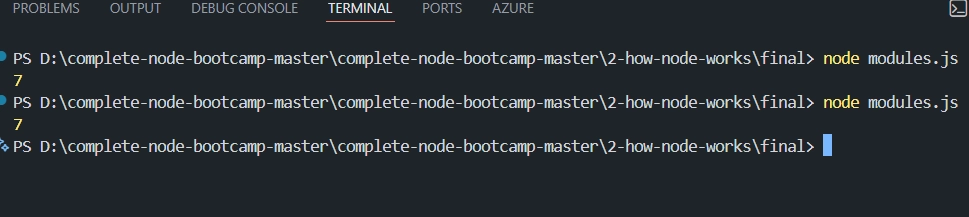
✅ Same result, fewer lines — no need to name the class at all since you're exporting it immediately.
📚 Part 3: Exporting with exports Shorthand (Multiple Named Exports)
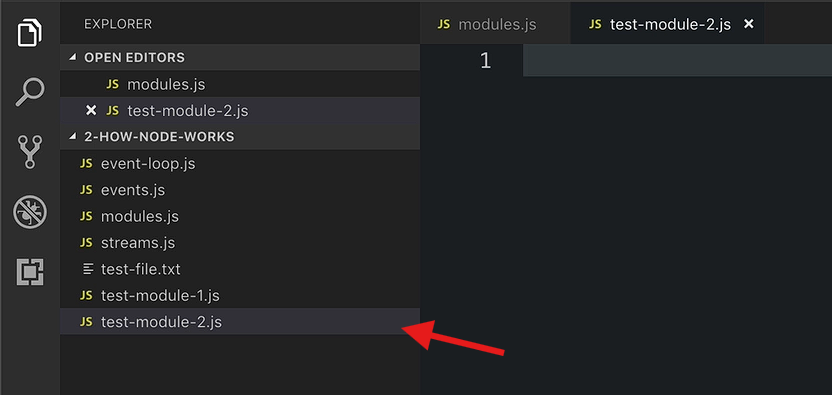
📄 Create a File: test-module-2.js
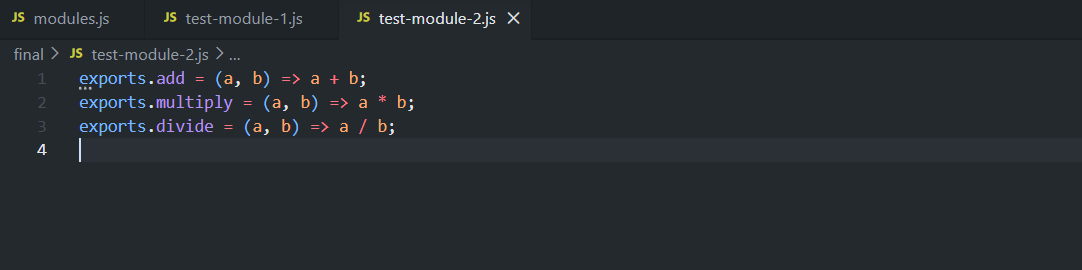
exports.add = (a, b) => a + b;
exports.multiply = (a, b) => a * b;
exports.divide = (a, b) => a / b;
📤 Instead of module.exports = ... (one value), add properties directly onto the exports object — useful for exporting multiple named things (here, three separate functions).
📄 File: modules.js — Import and Use It
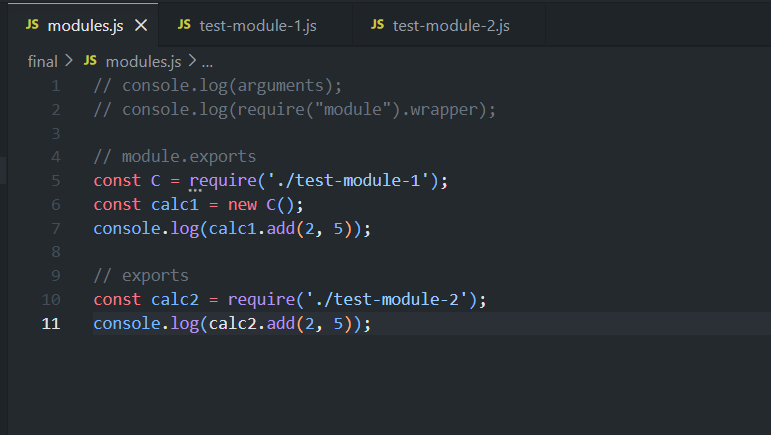
const calc2 = require('./test-module-2');

console.log(calc2.add(2, 5));       // 7
console.log(calc2.multiply(2, 5));  // 10
📦 calc2 becomes an object containing all the properties added to exports (add, multiply, divide).
🔓 Using Destructuring on the Import
Since require() returns an object here, ES6 destructuring can pull out only the pieces you need:
const { add, multiply, divide } = require('./test-module-2');

console.log(add(2, 5));       // 7
console.log(multiply(2, 5));  // 10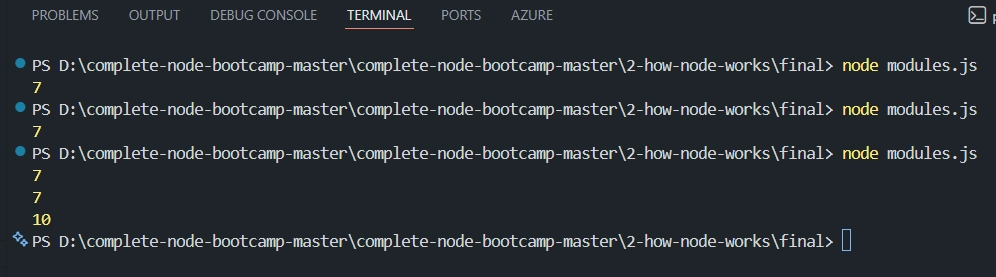
Variable names inside
{ }must exactly match the property names on the exports object.You can also import only what you need:
const { add, multiply } = require('./test-module-2');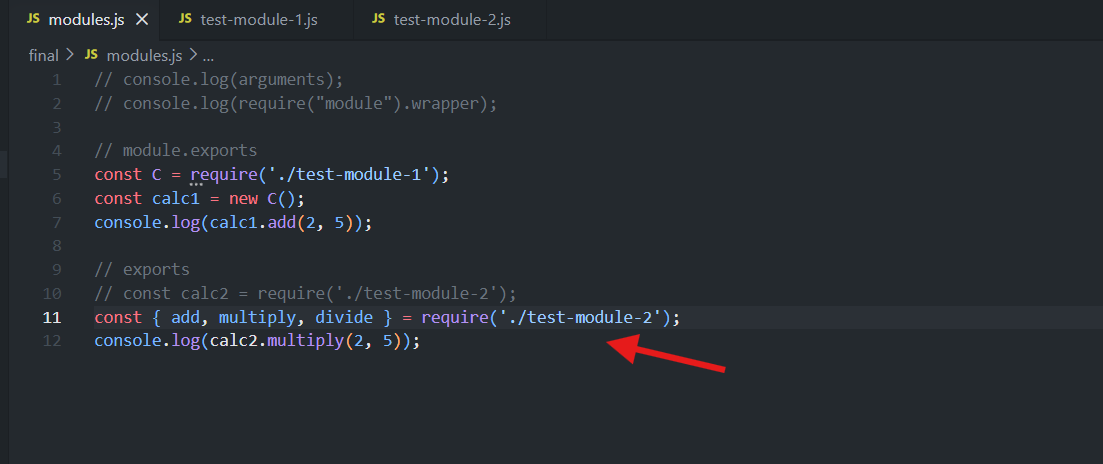
✅ This destructuring-on-import pattern is very common in Node and will be used throughout the course.
💾 Part 4: Module Caching in Practice
📄 Create a File test-module-3.js
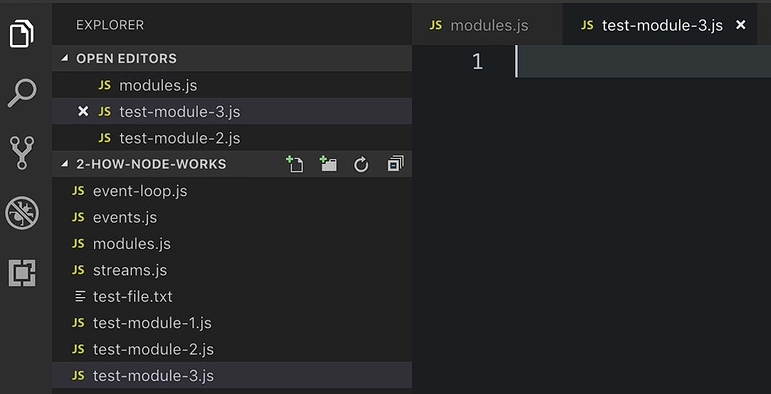
console.log("Hello from the module");

module.exports = () => console.log("Log this beautiful text 😍")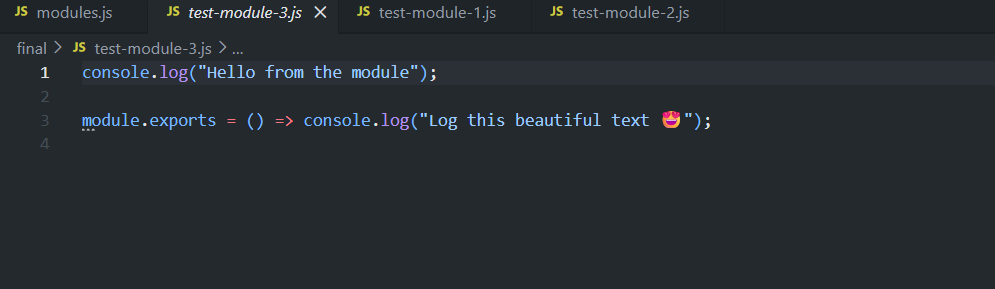
The
console.log('Hello from the module')is top-level code — it runs immediately when the module is first loaded.module.exportshere is a single function (not called yet, just defined).
📄 File: modules.js — Require and Call It 3 Times
require('./test-module-3')();
require('./test-module-3')();
require('./test-module-3')();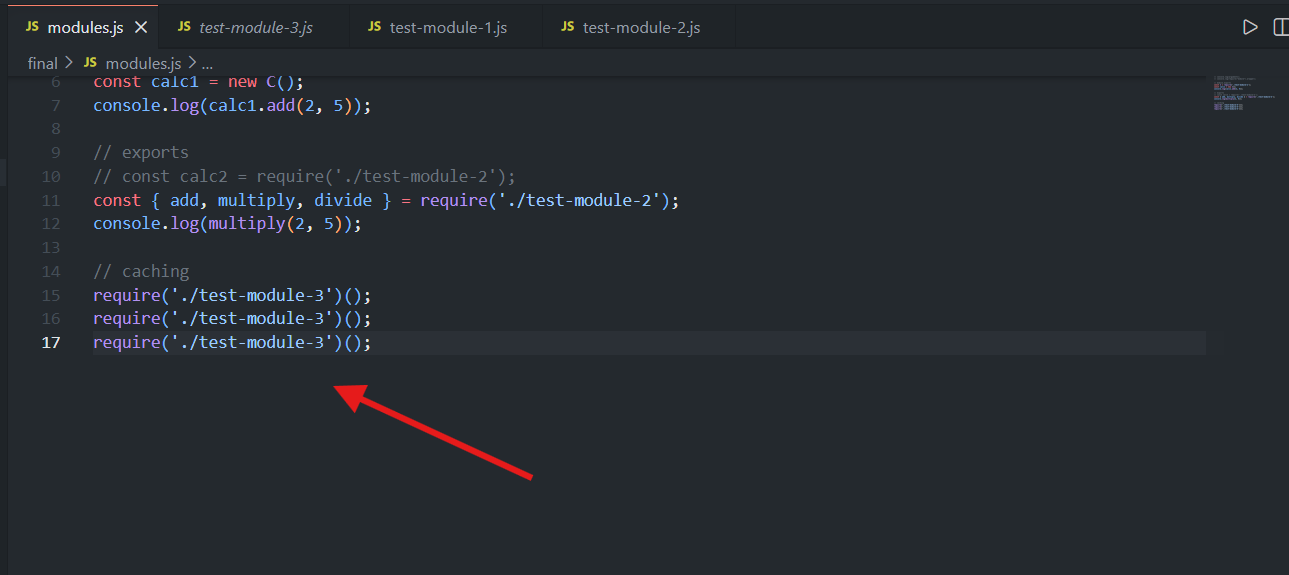
⚡ Each line requires the module (which returns the exported function) and immediately calls it (
()), all in one line — equivalent to saving it to a variable first and calling it separately.
🖥️ Result when run:
Hello from the module
Log this beautiful text 😍
Log this beautiful text 😍
Log this beautiful text 😍
'Log this beautiful text'prints 3 times — because the exported function itself was genuinely called 3 times.'Hello from the module'prints only once — because of caching:The module's top-level code only executes on the first
require()call.On the 2nd and 3rd
require()calls, Node just returns the cached exports (the function) — it does not re-run the module's code.
✅ Key Takeaways
🎁 Every module's code genuinely runs inside a hidden wrapper function — provable by logging
argumentsor inspectingrequire('module').wrapper.📦
module.exports = value→ for exporting a single value (class, function, object).📤
exports.name = value→ for exporting multiple named values as properties of an object.🔓 Imports of multi-property exports can be destructured to pull out only what's needed.
💾 Modules are cached after their first load — top-level code runs once only; later
require()calls reuse the cached exports instead of re-executing the module.
<!DOCTYPE html>
<html lang="en">
<head>
<meta charset="UTF-8">
<meta name="viewport" content="width=device-width, initial-scale=1.0">
<title>require() and Caching</title>
</head>
<body>
<!DOCTYPE html>
<html lang="en">
<head>
<meta charset="UTF-8">
<meta name="viewport" content="width=device-width, initial-scale=1.0">
<title>Node.js Globals — VS Code Mockup</title>
</head>
<body>
<div class="infographic-vscodeterm" id="vt">
<style>
.infographic-vscodeterm {
  --ink: #1a1a1a;
  --ink-soft: #5c5c5c;
  --paper: #ffffff;
  --paper-alt: #f0ece4;
  --accent: #2563eb;
  --accent-deep: #1942a8;
  --accent-soft: #e3ebfd;
  --line: #ddd6c9;
  --radius: 8px;
  --display-font: 'Fraunces', Georgia, serif;
  --body-font: 'Inter', system-ui, sans-serif;
  --mono-font: 'IBM Plex Mono', monospace;

  max-width: 820px;
  margin: 0 auto;
  box-sizing: border-box;
  background: transparent;
  color: var(--ink);
  font-family: var(--body-font);
}
.infographic-vscodeterm[data-theme="dark"] {
  --ink: #e8e6e1;
  --ink-soft: #9a968c;
  --paper: #13171f;
  --paper-alt: #1c212b;
  --accent: #5b8def;
  --accent-deep: #8fb4ff;
  --accent-soft: #20293f;
  --line: #2c313d;
}
.infographic-vscodeterm * { box-sizing: border-box; min-width: 0; }

.vt-eyebrow {
  font-family: var(--mono-font); font-size: 0.72rem; letter-spacing: 0.1em;
  text-transform: uppercase; color: var(--accent); margin: 0 0 0.45rem;
  display: flex; align-items: center; justify-content: center; gap: 0.4rem;
}
.vt-eyebrow::before { content: ""; width: 14px; height: 2px; background: var(--accent); display: inline-block; }
.vt-title {
  font-family: var(--display-font); font-size: clamp(1.5rem, 4vw, 2.2rem); text-align: center;
  margin: 0 0 0.5rem; line-height: 1.16; letter-spacing: -0.01em;
}
.infographic-vscodeterm[data-theme="dark"] .vt-title { color: #ffffff; }
.vt-sub { color: var(--ink-soft); font-size: 0.95rem; text-align: center; margin: 0 0 1.7rem; }

/* ===== VS Code window ===== */
.vt-window { border-radius: 8px; overflow: hidden; box-shadow: 0 16px 40px -14px rgba(0,0,0,0.45); border: 1px solid #1e1e1e; font-family: var(--mono-font); }
.vt-titlebar { background: #323233; display: flex; align-items: center; padding: 0.5rem 0.8rem; position: relative; }
.vt-dots { display: flex; gap: 0.4rem; }
.vt-dots span { width: 10px; height: 10px; border-radius: 50%; display: block; }
.vt-dots span:nth-child(1) { background: #ff5f56; }
.vt-dots span:nth-child(2) { background: #ffbd2e; }
.vt-dots span:nth-child(3) { background: #27c93f; }
.vt-titlebar-text { position: absolute; left: 50%; transform: translateX(-50%); font-size: 0.72rem; color: #cccccc; }

.vt-body { display: flex; height: 340px; }
.vt-resize-h { width: 5px; cursor: col-resize; background: transparent; flex-shrink: 0; transition: background 0.15s; touch-action: none; }
.vt-resize-h:hover, .vt-resize-h.is-dragging { background: #0078d4; }
.vt-resize-v { height: 5px; cursor: row-resize; background: transparent; flex-shrink: 0; transition: background 0.15s; touch-action: none; }
.vt-resize-v:hover, .vt-resize-v.is-dragging { background: #0078d4; }
.vt-window-resize {
  height: 9px; background: #252526; cursor: row-resize; display: flex; align-items: center;
  justify-content: center; border-top: 1px solid #1e1e1e; touch-action: none;
}
.vt-window-resize span { width: 30px; height: 3px; border-radius: 2px; background: #4a4a52; }
.vt-window-resize:hover span, .vt-window-resize.is-dragging span { background: #0078d4; }
.vt-toggle-btn {
  background: none; border: none; color: #9a9a9a; cursor: pointer; display: flex; align-items: center;
  padding: 0.3rem; border-radius: 3px; flex-shrink: 0;
}
.vt-toggle-btn:hover { background: #2a2d2e; color: #fff; }
.vt-toggle-btn svg { width: 13px; height: 13px; }
.vt-sidebar.is-hidden { width: 0 !important; overflow: hidden; border-right: none; }
.vt-terminal.is-collapsed { height: auto !important; }
.vt-terminal.is-collapsed .vt-term-body { display: none; }
.vt-terminal.is-collapsed .vt-term-toggle svg { transform: rotate(-90deg); }
.vt-activitybar { width: 40px; background: #333333; display: flex; flex-direction: column; align-items: center; padding-top: 0.7rem; gap: 1.1rem; flex-shrink: 0; }
.vt-activitybar svg { width: 18px; height: 18px; opacity: 0.55; }
.vt-activitybar svg.is-on { opacity: 1; }

.vt-sidebar { width: 190px; background: #252526; flex-shrink: 0; overflow-y: auto; border-right: 1px solid #1e1e1e; }
.vt-sidebar-head { font-size: 0.65rem; font-weight: 700; letter-spacing: 0.06em; color: #bbbbbb; padding: 0.6rem 0.8rem 0.3rem; }
.vt-sidebar-root { font-size: 0.74rem; color: #cccccc; padding: 0.2rem 0.7rem; display: flex; align-items: center; gap: 0.3rem; }
.vt-row {
  display: flex; align-items: center; gap: 0.35rem; width: 100%; background: none; border: none;
  color: #cccccc; font: inherit; font-size: 0.74rem; padding: 0.28rem 0.7rem 0.28rem 1.4rem;
  cursor: pointer; text-align: left; border-left: 2px solid transparent;
}
.vt-row:hover { background: #2a2d2e; }
.vt-row.is-selected { background: #37373d; border-left-color: #0078d4; }
.vt-badge { width: 15px; height: 15px; border-radius: 3px; flex-shrink: 0; display: flex; align-items: center; justify-content: center; font-size: 0.46rem; font-weight: 700; color: #1a1a1a; background: #f0db4f; }

.vt-main { flex: 1; display: flex; flex-direction: column; min-width: 0; }
.vt-tabbar { display: flex; background: #252526; border-bottom: 1px solid #1e1e1e; overflow-x: auto; }
.vt-tab {
  display: flex; align-items: center; gap: 0.35rem; background: #1e1e1e; color: #808080; font: inherit;
  font-size: 0.72rem; padding: 0.45rem 0.8rem; border: none; border-right: 1px solid #1e1e1e;
  border-top: 2px solid transparent; cursor: pointer; white-space: nowrap;
}
.vt-tab.is-active { color: #d4d4d4; border-top-color: #0078d4; background: #1e1e1e; }
.vt-tab .vt-badge { width: 13px; height: 13px; font-size: 0.42rem; }

.vt-code-wrap { flex: 1; background: #1e1e1e; overflow: auto; padding: 0.85rem 1rem; }
.vt-code-wrap pre { margin: 0; }
.vt-code-wrap code { font-family: var(--mono-font); font-size: 0.78rem; line-height: 1.75; color: #d4d4d8; white-space: pre; }

.tok-kw     { color: #c678dd; }
.tok-fn     { color: #61afef; }
.tok-str    { color: #98c379; }
.tok-punc   { color: #6b7280; }
.tok-global { color: #d19a66; font-weight: 600; }
.tok-expr   { color: #56b6c2; }
.tok-comment{ color: #6a9955; font-style: italic; }

/* ===== terminal ===== */
.vt-terminal { background: #181818; border-top: 1px solid #2c2c2c; display: flex; flex-direction: column; height: 190px; flex-shrink: 0; }
.vt-term-head { display: flex; align-items: center; gap: 0.4rem; font-size: 0.62rem; letter-spacing: 0.05em; color: #9a9a9a; padding: 0.35rem 0.8rem; border-bottom: 1px solid #262626; text-transform: uppercase; }
.vt-term-body { flex: 1; overflow-y: auto; padding: 0.5rem 0.9rem; font-size: 0.75rem; line-height: 1.65; }
.vt-term-line { color: #d4d4d4; white-space: pre-wrap; word-break: break-word; opacity: 0; transform: translateY(2px); animation: vt-line-in 0.25s ease forwards; }
@keyframes vt-line-in { to { opacity: 1; transform: none; } }
.vt-term-line.is-cmd  { color: #7ee787; }
.vt-term-line.is-out  { color: #d4d4d4; }
.vt-term-line.is-err  { color: #ff6b6b; }
.vt-term-line.is-warn { color: #e5c07b; }
.vt-term-line.is-note { color: #6b7280; font-style: italic; }
.vt-term-prompt { color: #7ee787; }
.vt-run-row { display: flex; align-items: center; gap: 0.5rem; margin-top: 0.2rem; }
.vt-run-btn {
  font: inherit; font-size: 0.7rem; font-weight: 600; color: #1a1a1a; background: #7ee787;
  border: none; border-radius: 4px; padding: 0.32rem 0.75rem; cursor: pointer; display: flex; align-items: center; gap: 0.3rem;
}
.vt-run-btn:disabled { opacity: 0.5; cursor: default; }
.vt-run-btn svg { width: 9px; height: 9px; }
.vt-run-hint { color: #6b7280; font-size: 0.68rem; }

@media (max-width: 620px) {
  .vt-sidebar { width: 140px; }
  .vt-body { height: 360px; }
}
@media (max-width: 480px) { .vt-activitybar { display: none; } }

.vt-takeaway {
  margin-top: 1.7rem; padding: 0.95rem 1.2rem; background: var(--accent-soft); border-left: 3px solid var(--accent);
  border-radius: 4px; font-size: 0.9rem; color: var(--ink); line-height: 1.5; max-width: 660px; margin-left: auto; margin-right: auto;
}
.vt-takeaway b { color: var(--accent-deep); }

@media (prefers-reduced-motion: reduce) {
  .infographic-vscodeterm *, .infographic-vscodeterm *::before, .infographic-vscodeterm *::after {
    transition-duration: 0.001ms !important; animation-duration: 0.001ms !important;
  }
}
</style>

<div class="vt-eyebrow">Node.js Modules</div>
<p class="vt-sub">Four real files. Run modules.js and watch what actually prints.</p>

<div class="vt-window">
  <div class="vt-titlebar">
    <div class="vt-dots"><span></span><span></span><span></span></div>
    <div class="vt-titlebar-text">node-modules-demo — Visual Studio Code</div>
  </div>
  <div class="vt-body">
    <div class="vt-activitybar">
      <svg class="is-on" viewBox="0 0 24 24" fill="none" aria-hidden="true"><rect x="3" y="4" width="7" height="7" rx="1" stroke="#fff" stroke-width="1.6"/><rect x="14" y="4" width="7" height="7" rx="1" stroke="#fff" stroke-width="1.6"/><rect x="3" y="15" width="7" height="7" rx="1" stroke="#fff" stroke-width="1.6"/><rect x="14" y="15" width="7" height="7" rx="1" stroke="#fff" stroke-width="1.6"/></svg>
      <svg viewBox="0 0 24 24" fill="none" aria-hidden="true"><circle cx="10" cy="10" r="6.5" stroke="#fff" stroke-width="1.6"/><line x1="15" y1="15" x2="20" y2="20" stroke="#fff" stroke-width="1.6" stroke-linecap="round"/></svg>
    </div>

    <div class="vt-sidebar">
      <div class="vt-sidebar-head">EXPLORER</div>
      <div class="vt-sidebar-root">▾ NODE-MODULES-DEMO</div>
      <button class="vt-row is-selected" data-file="modules" type="button"><span class="vt-badge">JS</span><span>modules.js</span></button>
      <button class="vt-row" data-file="tm1" type="button"><span class="vt-badge">JS</span><span>test-module-1.js</span></button>
      <button class="vt-row" data-file="tm2" type="button"><span class="vt-badge">JS</span><span>test-module-2.js</span></button>
      <button class="vt-row" data-file="tm3" type="button"><span class="vt-badge">JS</span><span>test-module-3.js</span></button>
    </div>
    <div class="vt-resize-h" id="vtSidebarHandle" title="Drag to resize sidebar"></div>

    <div class="vt-main">
      <div class="vt-tabbar">
        <button class="vt-toggle-btn" id="vtToggleSidebar" type="button" aria-label="Toggle sidebar" title="Toggle sidebar">
          <svg viewBox="0 0 16 16" fill="none" aria-hidden="true"><rect x="1.5" y="2" width="13" height="12" rx="1.5" stroke="currentColor" stroke-width="1.3"/><line x1="6" y1="2" x2="6" y2="14" stroke="currentColor" stroke-width="1.3"/></svg>
        </button>
        <button class="vt-tab is-active" data-file="modules" type="button"><span class="vt-badge">JS</span><span>modules.js</span></button>
        <button class="vt-tab" data-file="tm1" type="button"><span class="vt-badge">JS</span><span>test-module-1.js</span></button>
        <button class="vt-tab" data-file="tm2" type="button"><span class="vt-badge">JS</span><span>test-module-2.js</span></button>
        <button class="vt-tab" data-file="tm3" type="button"><span class="vt-badge">JS</span><span>test-module-3.js</span></button>
      </div>

      <div class="vt-code-wrap">
        <pre><code id="vtCode"></code></pre>
      </div>

      <div class="vt-resize-v" id="vtTerminalHandle" title="Drag to resize terminal"></div>
      <div class="vt-terminal">
        <div class="vt-term-head">
          <button class="vt-toggle-btn vt-term-toggle" id="vtToggleTerminal" type="button" aria-label="Toggle terminal" title="Toggle terminal">
            <svg viewBox="0 0 16 16" fill="none" aria-hidden="true"><path d="M4 6l4 4 4-4" stroke="currentColor" stroke-width="1.6" stroke-linecap="round" stroke-linejoin="round"/></svg>
          </button>
          <span>Terminal</span>
        </div>
        <div class="vt-term-body">
          <div id="vtTermLines"><div class="vt-term-line" style="animation-delay:0s;"><span class="vt-term-prompt">$</span> </div></div>
          <div class="vt-run-row">
            <button class="vt-run-btn" id="vtRunBtn" type="button">
              <svg viewBox="0 0 12 12" aria-hidden="true"><path d="M2.5 1.5v9l7-4.5z" fill="currentColor"/></svg>
              <span id="vtRunLabel">node modules.js</span>
            </button>
            <span class="vt-run-hint" id="vtRunHint">runs the file</span>
          </div>
        </div>
      </div>
    </div>
  </div>
  <div class="vt-window-resize" id="vtWindowHandle" title="Drag to resize window"><span></span></div>
</div>
</div>

<link rel="preconnect" href="https://fonts.googleapis.com">
<link href="https://fonts.googleapis.com/css2?family=Fraunces:wght@500;600&family=Inter:wght@400;500;600;700&family=IBM+Plex+Mono:wght@400;500&display=swap" rel="stylesheet">

<script>
(function () {
  var root = document.getElementById('vt');
  if (!root) return;

  /* --- dark mode detection --- */
  function applyDark(dark) {
    if (dark) root.setAttribute('data-theme', 'dark');
    else root.removeAttribute('data-theme');
  }
  var bodyAttr = document.body.getAttribute('data-darkmode');
  var dark;
  if (bodyAttr === 'true') dark = true;
  else if (bodyAttr === 'false') dark = false;
  else {
    var match = document.cookie.match(/(?:^|;\s*)darkMode=([^;]+)/);
    dark = match ? match[1] === 'true' : false;
  }
  applyDark(dark);
  window.addEventListener('message', function (e) {
    if (e.data && e.data.type === 'darkMode') applyDark(!!e.data.value);
  });

  /* --- file contents --- */
  var files = {
    modules:
      "<span class=\"tok-comment\">// console.log(arguments);</span>\n" +
      "<span class=\"tok-comment\">// console.log(require(\"module\").wrapper);</span>\n\n" +
      "<span class=\"tok-comment\">// module.exports</span>\n" +
      "<span class=\"tok-kw\">const</span> C = <span class=\"tok-fn\">require</span><span class=\"tok-punc\">(</span><span class=\"tok-str\">'./test-module-1'</span><span class=\"tok-punc\">);</span>\n" +
      "<span class=\"tok-kw\">const</span> calc1 = <span class=\"tok-kw\">new</span> C<span class=\"tok-punc\">();</span>\n" +
      "console.<span class=\"tok-fn\">log</span><span class=\"tok-punc\">(</span>calc1.<span class=\"tok-fn\">add</span><span class=\"tok-punc\">(</span><span class=\"tok-expr\">2</span><span class=\"tok-punc\">,</span> <span class=\"tok-expr\">5</span><span class=\"tok-punc\">));</span>\n\n" +
      "<span class=\"tok-comment\">// exports</span>\n" +
      "<span class=\"tok-comment\">// const calc2 = require('./test-module-2');</span>\n" +
      "<span class=\"tok-kw\">const</span> <span class=\"tok-punc\">{</span> add, multiply, divide <span class=\"tok-punc\">}</span> = <span class=\"tok-fn\">require</span><span class=\"tok-punc\">(</span><span class=\"tok-str\">'./test-module-2'</span><span class=\"tok-punc\">);</span>\n" +
      "console.<span class=\"tok-fn\">log</span><span class=\"tok-punc\">(</span><span class=\"tok-fn\">multiply</span><span class=\"tok-punc\">(</span><span class=\"tok-expr\">2</span><span class=\"tok-punc\">,</span> <span class=\"tok-expr\">5</span><span class=\"tok-punc\">));</span>\n\n" +
      "<span class=\"tok-comment\">// caching</span>\n" +
      "<span class=\"tok-fn\">require</span><span class=\"tok-punc\">(</span><span class=\"tok-str\">'./test-module-3'</span><span class=\"tok-punc\">)();</span>\n" +
      "<span class=\"tok-fn\">require</span><span class=\"tok-punc\">(</span><span class=\"tok-str\">'./test-module-3'</span><span class=\"tok-punc\">)();</span>\n" +
      "<span class=\"tok-fn\">require</span><span class=\"tok-punc\">(</span><span class=\"tok-str\">'./test-module-3'</span><span class=\"tok-punc\">)();</span>",
    tm1:
      "<span class=\"tok-comment\">// class Calculator {</span>\n" +
      "<span class=\"tok-comment\">//   add(a, b) {</span>\n" +
      "<span class=\"tok-comment\">//     return a + b;</span>\n" +
      "<span class=\"tok-comment\">//   }</span>\n" +
      "<span class=\"tok-comment\">//</span>\n" +
      "<span class=\"tok-comment\">//   multiply(a, b) {</span>\n" +
      "<span class=\"tok-comment\">//     return a * b;</span>\n" +
      "<span class=\"tok-comment\">//   }</span>\n" +
      "<span class=\"tok-comment\">//</span>\n" +
      "<span class=\"tok-comment\">//   divide(a, b) {</span>\n" +
      "<span class=\"tok-comment\">//     return a / b;</span>\n" +
      "<span class=\"tok-comment\">//   }</span>\n" +
      "<span class=\"tok-comment\">// }</span>\n\n" +
      "module.<span class=\"tok-fn\">exports</span> = <span class=\"tok-kw\">class</span> Calculator <span class=\"tok-punc\">{</span>\n" +
      "  <span class=\"tok-fn\">add</span><span class=\"tok-punc\">(a, b)</span> <span class=\"tok-punc\">{</span>\n" +
      "    <span class=\"tok-kw\">return</span> a + b;\n" +
      "  <span class=\"tok-punc\">}</span>\n\n" +
      "  <span class=\"tok-fn\">multiply</span><span class=\"tok-punc\">(a, b)</span> <span class=\"tok-punc\">{</span>\n" +
      "    <span class=\"tok-kw\">return</span> a * b;\n" +
      "  <span class=\"tok-punc\">}</span>\n\n" +
      "  <span class=\"tok-fn\">divide</span><span class=\"tok-punc\">(a, b)</span> <span class=\"tok-punc\">{</span>\n" +
      "    <span class=\"tok-kw\">return</span> a / b;\n" +
      "  <span class=\"tok-punc\">}</span>\n" +
      "<span class=\"tok-punc\">};</span>",
    tm2:
      "exports.<span class=\"tok-fn\">add</span> = <span class=\"tok-punc\">(a, b) =></span> a + b;\n" +
      "exports.<span class=\"tok-fn\">multiply</span> = <span class=\"tok-punc\">(a, b) =></span> a * b;\n" +
      "exports.<span class=\"tok-fn\">divide</span> = <span class=\"tok-punc\">(a, b) =></span> a / b;",
    tm3:
      "console.<span class=\"tok-fn\">log</span><span class=\"tok-punc\">(</span><span class=\"tok-str\">\"Hello from the module\"</span><span class=\"tok-punc\">);</span>\n\n" +
      "module.<span class=\"tok-fn\">exports</span> = <span class=\"tok-punc\">() =></span> console.<span class=\"tok-fn\">log</span><span class=\"tok-punc\">(</span><span class=\"tok-str\">\"Log this beautiful text \uD83D\uDE0D\"</span><span class=\"tok-punc\">);</span>"
  };

  /* --- per-file simulated terminal runs --- */
  var runs = {
    modules: {
      hint: 'runs the whole program',
      lines: [
        { text: '$ node modules.js', cls: 'is-cmd', delay: 0 },
        { text: '7', cls: 'is-out', delay: 350 },
        { text: '10', cls: 'is-out', delay: 550 },
        { text: 'Hello from the module', cls: 'is-out', delay: 850 },
        { text: 'Log this beautiful text \uD83D\uDE0D', cls: 'is-out', delay: 1000 },
        { text: 'Log this beautiful text \uD83D\uDE0D', cls: 'is-out', delay: 1250 },
        { text: 'Log this beautiful text \uD83D\uDE0D', cls: 'is-out', delay: 1500 }
      ]
    },
    tm1: {
      hint: 'this file only exports a class \u2014 nothing to run directly',
      lines: [
        { text: '$ node test-module-1.js', cls: 'is-cmd', delay: 0 },
        { text: '(no output \u2014 module.exports just defines Calculator)', cls: 'is-note', delay: 350 }
      ]
    },
    tm2: {
      hint: 'this file only exports functions \u2014 nothing to run directly',
      lines: [
        { text: '$ node test-module-2.js', cls: 'is-cmd', delay: 0 },
        { text: '(no output \u2014 exports.add / multiply / divide are just assigned)', cls: 'is-note', delay: 350 }
      ]
    },
    tm3: {
      hint: 'top-level code runs once per process, on first require',
      lines: [
        { text: '$ node test-module-3.js', cls: 'is-cmd', delay: 0 },
        { text: 'Hello from the module', cls: 'is-out', delay: 350 }
      ]
    }
  };

  var codeEl = root.querySelector('#vtCode');
  var rows = root.querySelectorAll('.vt-row');
  var tabs = root.querySelectorAll('.vt-tab');
  var runBtn = root.querySelector('#vtRunBtn');
  var runLabel = root.querySelector('#vtRunLabel');
  var runHint = root.querySelector('#vtRunHint');
  var termLines = root.querySelector('#vtTermLines');
  var running = false;
  var currentFile = 'modules';
  var fileNames = { modules: 'modules.js', tm1: 'test-module-1.js', tm2: 'test-module-2.js', tm3: 'test-module-3.js' };

  function selectFile(id) {
    if (running) return;
    currentFile = id;
    codeEl.innerHTML = files[id];
    rows.forEach(function (r) { r.classList.toggle('is-selected', r.getAttribute('data-file') === id); });
    tabs.forEach(function (t) { t.classList.toggle('is-active', t.getAttribute('data-file') === id); });
    runLabel.textContent = 'node ' + fileNames[id];
    runHint.textContent = runs[id].hint;
  }
  rows.forEach(function (r) { r.addEventListener('click', function () { selectFile(r.getAttribute('data-file')); }); });
  tabs.forEach(function (t) { t.addEventListener('click', function () { selectFile(t.getAttribute('data-file')); }); });
  selectFile('modules');

  /* --- terminal run simulation --- */
  runBtn.addEventListener('click', function () {
    if (running) return;
    running = true;
    runBtn.disabled = true;
    var prevLabel = runLabel.textContent;
    runLabel.textContent = 'running\u2026';
    termLines.innerHTML = '';

    var run = runs[currentFile];
    run.lines.forEach(function (line) {
      setTimeout(function () {
        var div = document.createElement('div');
        div.className = 'vt-term-line ' + line.cls;
        div.textContent = line.text;
        termLines.appendChild(div);
        termLines.parentElement.scrollTop = termLines.parentElement.scrollHeight;
      }, line.delay);
    });

    var lastDelay = run.lines[run.lines.length - 1].delay;
    setTimeout(function () {
      var promptDiv = document.createElement('div');
      promptDiv.className = 'vt-term-line';
      promptDiv.innerHTML = '<span class="vt-term-prompt">$</span> ';
      termLines.appendChild(promptDiv);
      runBtn.disabled = false;
      runLabel.textContent = prevLabel;
      running = false;
    }, lastDelay + 450);
  });

  /* --- resize handles (pointer-capture drag) --- */
  function makeResizable(handle, opts) {
    var dragging = false, startPos = 0, startSize = 0;
    handle.addEventListener('pointerdown', function (e) {
      dragging = true;
      handle.classList.add('is-dragging');
      startPos = opts.axis === 'x' ? e.clientX : e.clientY;
      startSize = opts.target.getBoundingClientRect()[opts.axis === 'x' ? 'width' : 'height'];
      handle.setPointerCapture(e.pointerId);
      e.preventDefault();
    });
    handle.addEventListener('pointermove', function (e) {
      if (!dragging) return;
      var pos = opts.axis === 'x' ? e.clientX : e.clientY;
      var delta = pos - startPos;
      if (opts.invert) delta = -delta;
      var size = Math.min(opts.max, Math.max(opts.min, startSize + delta));
      opts.target.style[opts.prop] = size + 'px';
      if (opts.onResize) opts.onResize(size);
    });
    function stop() { dragging = false; handle.classList.remove('is-dragging'); }
    handle.addEventListener('pointerup', stop);
    handle.addEventListener('pointercancel', stop);
  }

  var sidebar = root.querySelector('.vt-sidebar');
  var sidebarHandle = root.querySelector('#vtSidebarHandle');
  var lastSidebarWidth = sidebar.getBoundingClientRect().width || 190;
  makeResizable(sidebarHandle, {
    axis: 'x', target: sidebar, prop: 'width', min: 100, max: 300, invert: false,
    onResize: function (s) { lastSidebarWidth = s; }
  });

  var terminal = root.querySelector('.vt-terminal');
  var terminalHandle = root.querySelector('#vtTerminalHandle');
  var lastTerminalHeight = terminal.getBoundingClientRect().height || 190;
  makeResizable(terminalHandle, {
    axis: 'y', target: terminal, prop: 'height', min: 60, max: 320, invert: true,
    onResize: function (s) { lastTerminalHeight = s; }
  });

  var vtBody = root.querySelector('.vt-body');
  var windowHandle = root.querySelector('#vtWindowHandle');
  makeResizable(windowHandle, {
    axis: 'y', target: vtBody, prop: 'height', min: 300, max: 640, invert: false
  });

  /* --- show/hide toggles --- */
  var toggleSidebarBtn = root.querySelector('#vtToggleSidebar');
  var sidebarHidden = false;
  toggleSidebarBtn.addEventListener('click', function () {
    sidebarHidden = !sidebarHidden;
    if (sidebarHidden) {
      var w = sidebar.getBoundingClientRect().width;
      if (w > 0) lastSidebarWidth = w;
      sidebar.classList.add('is-hidden');
      sidebarHandle.style.display = 'none';
    } else {
      sidebar.classList.remove('is-hidden');
      sidebar.style.width = lastSidebarWidth + 'px';
      sidebarHandle.style.display = '';
    }
  });

  var toggleTerminalBtn = root.querySelector('#vtToggleTerminal');
  var terminalCollapsed = false;
  toggleTerminalBtn.addEventListener('click', function () {
    terminalCollapsed = !terminalCollapsed;
    if (terminalCollapsed) {
      var h = terminal.getBoundingClientRect().height;
      if (h > 30) lastTerminalHeight = h;
      terminal.classList.add('is-collapsed');
      terminalHandle.style.display = 'none';
    } else {
      terminal.classList.remove('is-collapsed');
      terminal.style.height = lastTerminalHeight + 'px';
      terminalHandle.style.display = '';
    }
  });
})();
</script>

</body>
</html>
</body>
</html>