📌 What is JDBC?
JDBC (Java Database Connectivity) is an API that allows Java programs to connect to relational databases and perform CRUD operations:
C – Create (Insert)
R – Read (Select)
U – Update
D – Delete
🛠 Prerequisites
Java installed
A database (e.g., MySQL or PostgreSQL)
JDBC driver
.jarfile (e.g., MySQL Connector/J)A table (e.g.,
students)Proper database credentials
✅ How to Create a Database in phpMyAdmin (Step-by-Step)
🖥️ Open phpMyAdmin
Open your browser.
Go to:
<http://localhost/phpmyadmin>
🆕 Step 1: Click "New" on the Left Sidebar
Look at the top-left of the page.
You’ll see a link that says New above the list of existing databases.
Click New.
📝 Step 2: Enter a Database Name
You’ll see a field labeled:
Create database
In the text box, type your desired name, e.g.:
testdb
🌐 Step 3: Choose Collation (optional)
Leave the collation as it is (
utf8mb4_unicode_ci) — it’s the default and works fine for most purposes.
✅ Step 4: Click "Create"
Press the Create button.
📋 Sample Table: students
CREATE TABLE students (
    id INT PRIMARY KEY,
    name VARCHAR(50),
    age INT
);
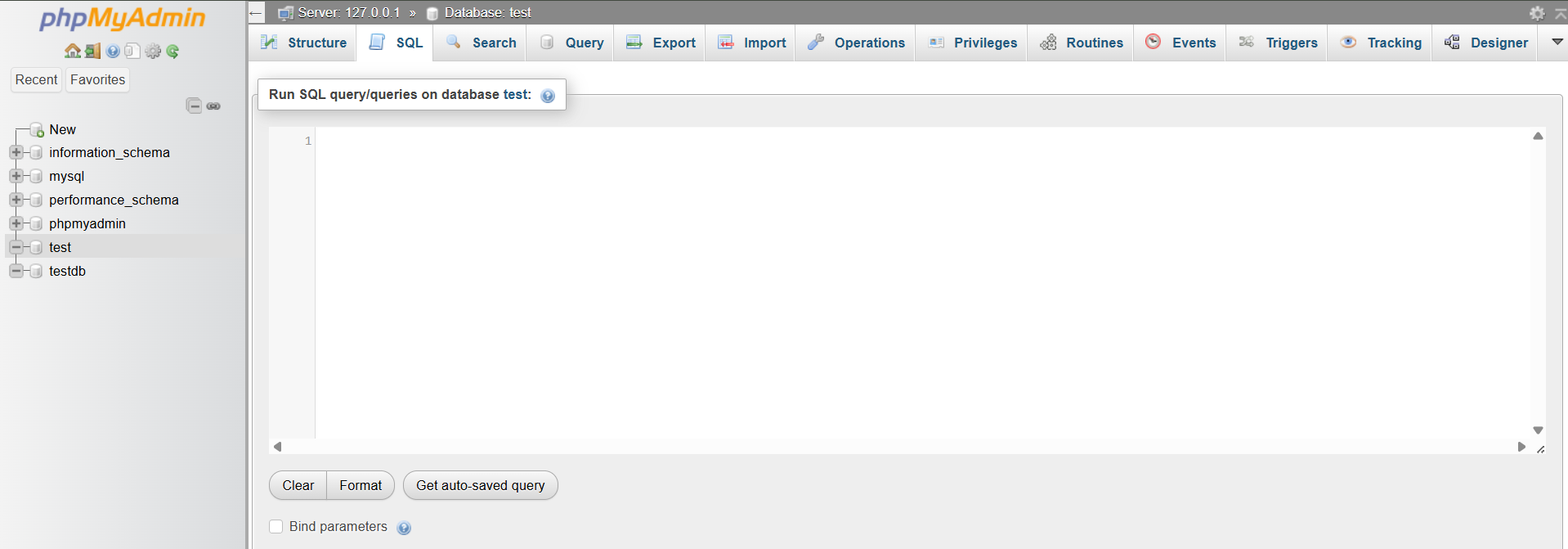
BEFORE CREATING A TABLE:
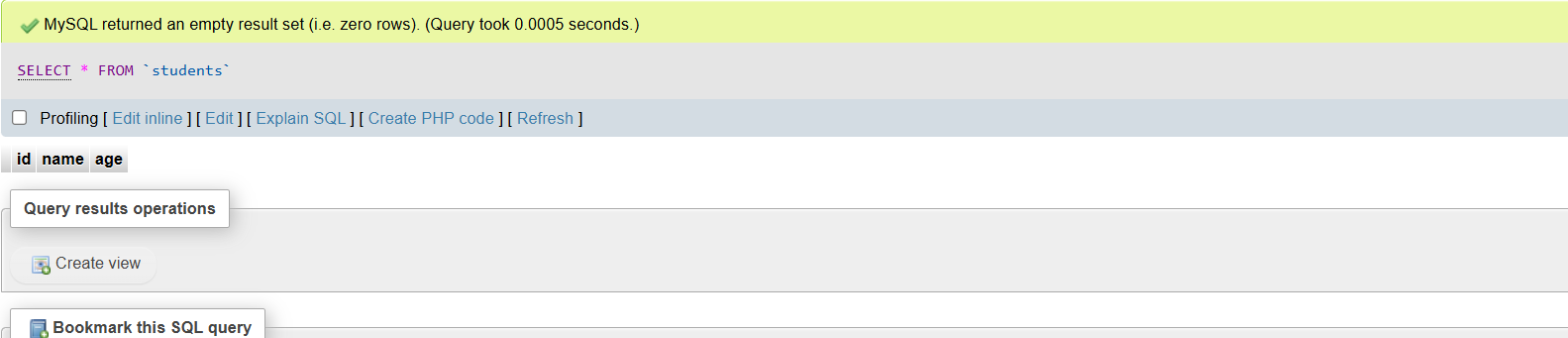
AFTER CREATING A TABLE:
✅ CREATE Operation (Insert)
import java.sql.*;

public class JDBCInsert {

    public static void main(String[] args) {
        try {
            // 1. Load the JDBC driver
            Class.forName("com.mysql.cj.jdbc.Driver");

            // 2. Connect to the database (update with actual credentials and database name)
            String url = "jdbc:mysql://localhost:3306/your_database_name";
            String user = "your_username";
            String password = "your_password";
            Connection con = DriverManager.getConnection(url, user, password);

            // 3. Prepare SQL INSERT statement
            String query = "INSERT INTO students (id, name, age) VALUES (?, ?, ?)";
            PreparedStatement stmt = con.prepareStatement(query);

            // 3.1 Set values
            stmt.setInt(1, 1);            // id
            stmt.setString(2, "Alice");   // name
            stmt.setInt(3, 20);           // age

            // 4. Execute query
            int rows = stmt.executeUpdate();
            System.out.println(rows + " row(s) inserted.");

            // 5. Close resources
            stmt.close();
            con.close();

        } catch (Exception e) {
            e.printStackTrace();
        }
    }
}
TABLE BEFORE INSERTING A ROW:
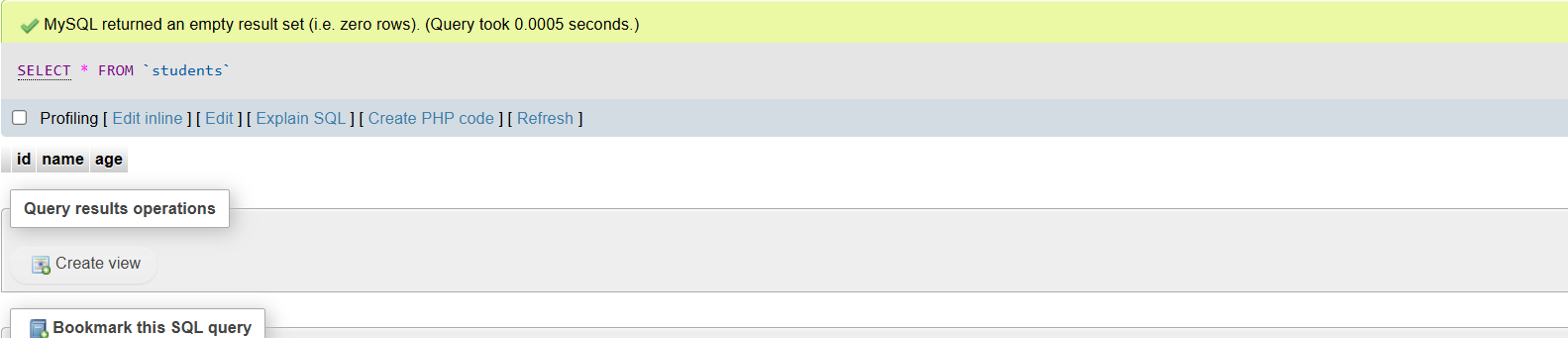
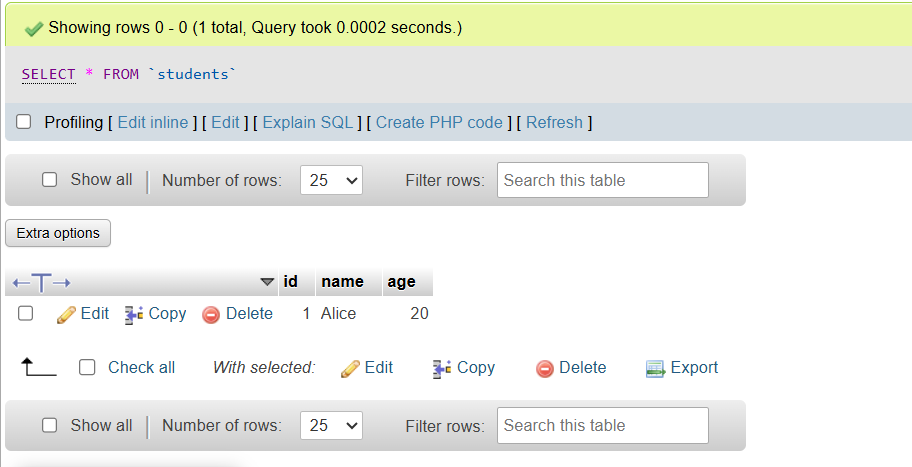
TABLE AFTER INSERTING A ROW:
🧠 Code Explanation: JDBCInsert.java
import java.sql.*;➤ Imports Java SQL package – includes
Connection,DriverManager,PreparedStatement, etc. used for database access.
public class JDBCInsert {➤ Declares a Java class named
JDBCInsert.
public static void main(String[] args)➤ The main method — entry point of the Java program.
Class.forName("com.mysql.cj.jdbc.Driver");➤ Loads the MySQL JDBC driver to enable communication between Java and MySQL database.
➤ Required for older Java versions — in newer ones, it often loads automatically.
String url = "jdbc:mysql://localhost:3306/your_database_name";➤ Sets the JDBC URL:
localhost→ Database is on your own machine.3306→ Default MySQL port.your_database_name→ Replace with your actual DB name.
String user = "your_username";➤ Replace with your MySQL username.
String password = "your_password";➤ Replace with your MySQL password.
Connection con = DriverManager.getConnection(url, user, password);➤ Establishes a connection to the MySQL database using the given URL, username, and password.
String query = "INSERT INTO students (id, name, age) VALUES (?, ?, ?)";➤ Prepares an SQL insert query with placeholders (
?) for parameters.
PreparedStatement stmt = con.prepareStatement(query);➤ Creates a PreparedStatement object — protects against SQL injection and allows dynamic data input.
stmt.setInt(1, 1);➤ Sets the 1st placeholder (
id) to value1.
stmt.setString(2, "Alice");➤ Sets the 2nd placeholder (
name) to"Alice".
stmt.setInt(3, 20);➤ Sets the 3rd placeholder (
age) to20.
int rows = stmt.executeUpdate();➤ Executes the SQL insert command.
➤ Returns the number of rows inserted (typically
1).
System.out.println(rows + " row(s) inserted.");➤ Prints confirmation in the console (e.g.,
1 row(s) inserted.).
stmt.close();➤ Closes the PreparedStatement object — frees memory.
con.close();➤ Closes the database connection — avoids memory leaks.
catch (Exception e) { e.printStackTrace(); }➤ Catches and prints any exceptions (like SQL errors, connection failures, etc.).
🔍 READ Operation (Select)
import java.sql.*;

public class ReadExample {
    public static void main(String[] args) throws Exception {
        // Connect to the database (update with your actual database name, username, and password)
        String url = "jdbc:mysql://localhost:3306/your_database_name";
        String user = "your_username";
        String password = "your_password";
        Connection con = DriverManager.getConnection(url, user, password);

        Statement stmt = con.createStatement();
        ResultSet rs = stmt.executeQuery("SELECT * FROM students");

        while (rs.next()) {
            System.out.println(rs.getInt("id") + " " + rs.getString("name") + " " + rs.getInt("age"));
        }

        rs.close();
        stmt.close();
        con.close();
    }
}
🧠 Code Explanation: ReadExample.java
import java.sql.*;➤ Imports all necessary JDBC classes:
Connection,DriverManager,Statement,ResultSet, etc. used for database operations.
public class ReadExample {➤ Declares a Java class named
ReadExample.
public static void main(String[] args) throws Exception {➤ Entry point of the program.
➤
throws Exceptionlets the program print errors (like SQL or connection issues) directly.
String url = "jdbc:mysql://localhost:3306/your_database_name";➤ JDBC URL used to connect to the database.
➤
localhost→ your own computer.➤
3306→ default MySQL port.➤ Replace
your_database_namewith your actual DB name.
String user = "your_username";➤ Replace with your MySQL username.
String password = "your_password";➤ Replace with your MySQL password.
Connection con = DriverManager.getConnection(url, user, password);➤ Establishes a connection to the database using the URL, username, and password.
Statement stmt = con.createStatement();➤ Creates a
Statementobject used to execute SQL queries.
ResultSet rs = stmt.executeQuery("SELECT * FROM students");➤ Executes the
SELECTquery.➤ Retrieves all records from the
studentstable.➤ Stores the result in a
ResultSet— a table-like object holding the data.
while (rs.next()) { ... }➤ Loops through the
ResultSet, one row at a time.➤
rs.next()returnstrueif there's another row, moves the cursor to that row.
System.out.println(rs.getInt("id") + " " + rs.getString("name") + " " + rs.getInt("age"));➤ Prints each student's:
id(integer)name(string)age(integer)➤ Column names must match those in your table.
rs.close();➤ Closes the
ResultSet— frees memory/resources.
stmt.close();➤ Closes the
Statementobject.
con.close();➤ Closes the connection to the database — prevents memory leaks and frees up connections.
✏️ UPDATE Operation
import java.sql.*;

public class UpdateExample {
    public static void main(String[] args) throws Exception {
        // 🔐 Connect to the database (replace with your actual DB details)
        String url = "jdbc:mysql://localhost:3306/your_database_name";
        String user = "your_username";
        String password = "your_password";

        Connection con = DriverManager.getConnection(url, user, password);

        // 📌 Prepare an SQL UPDATE statement
        PreparedStatement stmt = con.prepareStatement("UPDATE students SET age = ? WHERE id = ?");

        // ✏️ Set parameter values
        stmt.setInt(1, 23); // new age
        stmt.setInt(2, 1);  // student ID to update

        // ✅ Execute the update
        int rows = stmt.executeUpdate();
        System.out.println(rows + " row(s) updated.");

        // 🔒 Close resources
        stmt.close();
        con.close();
    }
}
TABLE BEFORE UPDATING:
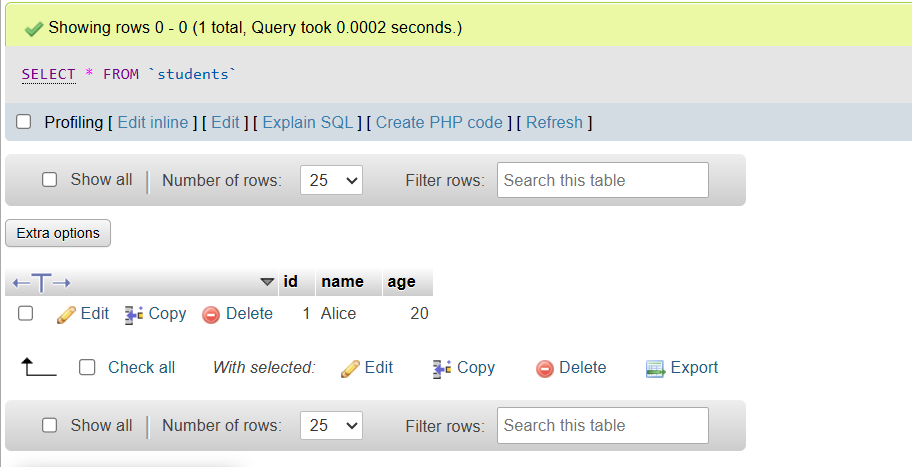
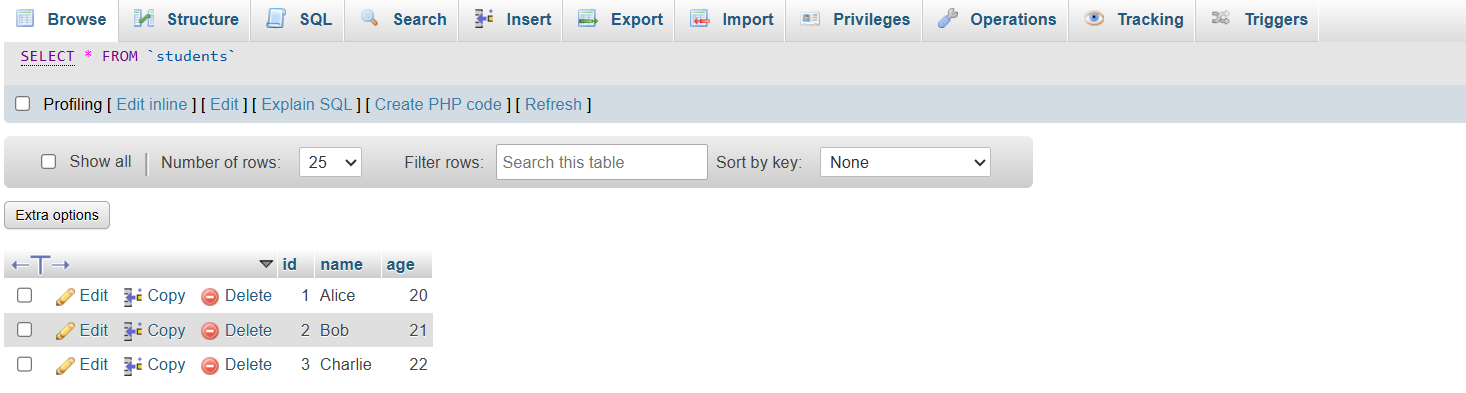
TABLE AFTER UPDATING:
🧠 Code Explanation:
import java.sql.*;➤ Imports all classes from the
java.sqlpackage (e.g.,Connection,PreparedStatement, etc.).
public class UpdateExample {➤ Defines a public class named
UpdateExample.
public static void main(String[] args) throws Exception {➤ Entry point of the Java program.
➤
throws Exceptionallows any SQL or connection error to be thrown.
String url = "jdbc:mysql://localhost:3306/your_database_name";➤ Defines the JDBC URL to connect to the local MySQL server.
➤ Replace
your_database_namewith your actual database name.
String user = "your_username";➤ Stores the database username.
String password = "your_password";➤ Stores the database password.
Connection con = DriverManager.getConnection(url, user, password);➤ Establishes a connection to the MySQL database using the given URL, username, and password.
PreparedStatement stmt = con.prepareStatement("UPDATE students SET age = ? WHERE id = ?");➤ Prepares an SQL query to update the
ageof a student where theidmatches.➤
?are placeholders for parameters to prevent SQL injection.
stmt.setInt(1, 23);➤ Sets the first
?in the query to value23(new age).stmt.setInt(2, 1);➤ Sets the second
?in the query to value1(student ID).
int rows = stmt.executeUpdate();➤ Executes the SQL update command.
➤ Returns the number of rows affected.
System.out.println(rows + " row(s) updated.");➤ Prints how many records were updated in the database.
stmt.close();➤ Closes the prepared statement to release resources.
con.close();➤ Closes the database connection.
❌ DELETE Operation
import java.sql.*;

public class DeleteExample {
    public static void main(String[] args) throws Exception {
        // Replace with your actual database URL, username, and password
        String url = "jdbc:mysql://localhost:3306/your_database_name";
        String user = "your_username";
        String password = "your_password";

        Connection con = DriverManager.getConnection(url, user, password);
        PreparedStatement stmt = con.prepareStatement("DELETE FROM students WHERE id = ?");

        stmt.setInt(1, 1);

        int rows = stmt.executeUpdate();
        System.out.println(rows + " row(s) deleted.");

        stmt.close();
        con.close();
    }
}
TABLE BEFORE DELETING:
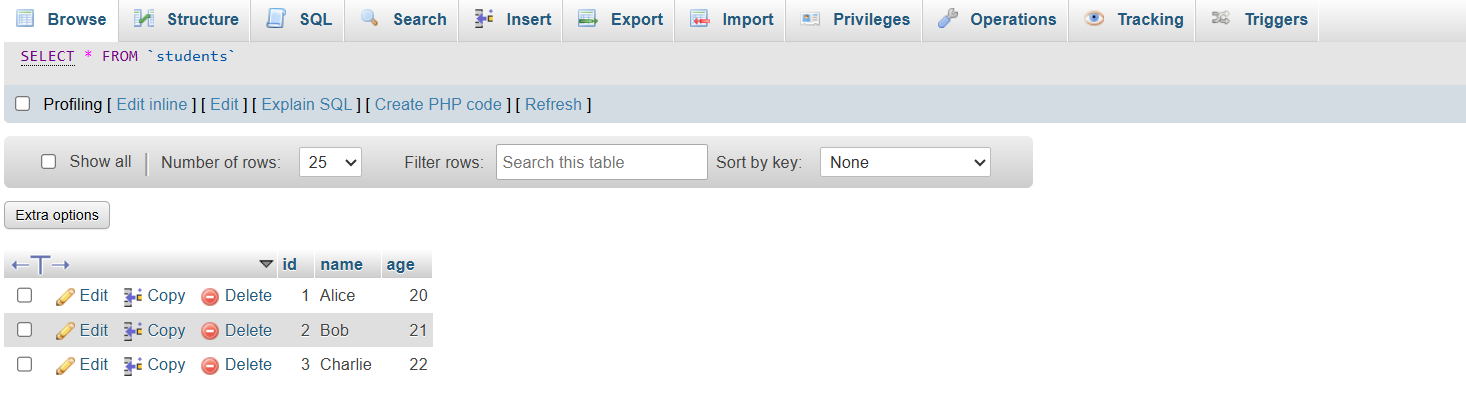

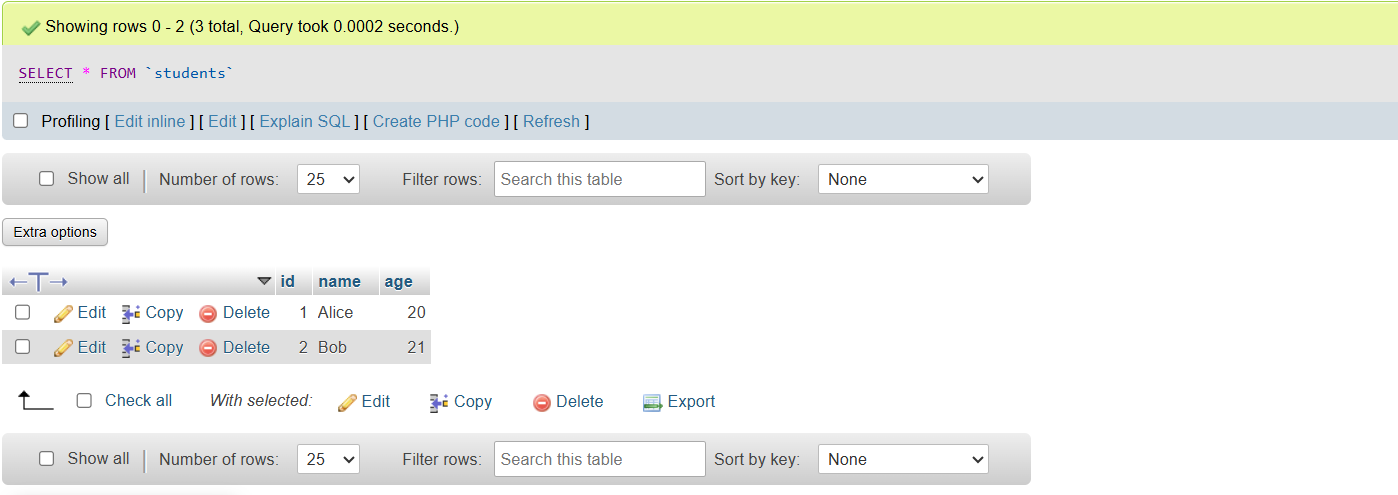
TABLE AFTER DELETING:
🧠 Explanation of the Code:
import java.sql.*;➤ Imports all JDBC classes needed for database access:
Connection,PreparedStatement,DriverManager, etc.
public class DeleteExample {➤ Declares the Java class named
DeleteExample.
public static void main(String[] args) throws Exception {➤ This is the entry point of the Java program.
➤
throws Exceptionallows the program to stop and show error messages if any exception occurs (like connection or SQL errors).
String url = "jdbc:mysql://localhost:3306/your_database_name";➤ Sets the URL for the MySQL database.
➤ Format:
jdbc:mysql://<host>:<port>/<database>➤ Example:
jdbc:mysql://localhost:3306/test
String user = "your_username";➤ Your MySQL database username
String password = "your_password";➤ Your MySQL password (leave it empty as
""if no password is set)
Connection con = DriverManager.getConnection(url, user, password);➤ Establishes the connection between your Java program and the MySQL database.
PreparedStatement stmt = con.prepareStatement("DELETE FROM students WHERE id = ?");➤ Prepares a DELETE SQL statement with a placeholder (
?) for dynamic data.➤ This avoids SQL injection and lets you pass values at runtime.
stmt.setInt(1, 1);➤ Replaces the 1st placeholder (
?) with the value1.➤ So now your SQL becomes:
DELETE FROM students WHERE id = 1
int rows = stmt.executeUpdate();➤ Executes the DELETE query.
➤ Returns the number of rows deleted, and stores it in
rows.
System.out.println(rows + " row(s) deleted.");➤ Prints how many student records were deleted from the database.
➤ Example output:
1 row(s) deleted.
stmt.close();➤ Closes the PreparedStatement to release system resources.
con.close();➤ Closes the database connection — essential to avoid memory leaks.