🔷 1. HEX (Hexadecimal)
✅ Example:
<!DOCTYPE html>
<html lang="en">
  <head>
    <meta charset="UTF-8" />
    <title>Hex Color Example</title>
    <style>
      .box {
        background-color: #ff5733;
        width: 200px;
        height: 100px;
        color: white;
        border-radius: 8px;
        margin: 50px auto;
      }
    </style>
  </head>
  <body>
    <div class="box">Background: #ff5733</div>
  </body>
</html>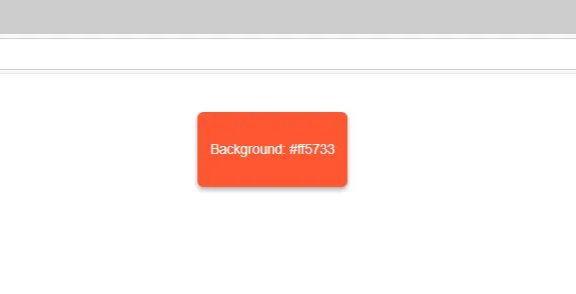
🧠 Explanation:
#ff5733 is a HEX code, commonly used in web design.
It starts with # followed by six hexadecimal digits (0-9, A-F).
It represents red, green, and blue values: ff (red), 57 (green), 33 (blue).
🔷 2. RGB (Red, Green, Blue)
✅ Example:
<!DOCTYPE html>
<html lang="en">
  <head>
    <meta charset="UTF-8" />
    <title>RGB Color Example</title>
    <style>
      .box {
        background-color: rgb(255, 87, 51);
        width: 200px;
        height: 100px;
        color: white;
        border-radius: 8px;
        margin: 50px auto;
      }
    </style>
  </head>
  <body>
    <div class="box">Background: rgb(255, 87, 51)</div>
  </body>
</html>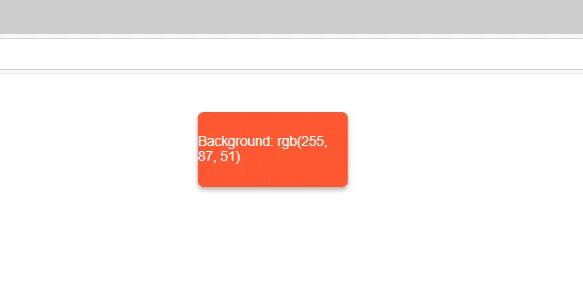
🧠 Explanation:
rgb() stands for Red, Green, Blue.
Values range from 0 to 255.
rgb(255, 87, 51) gives the same color as #ff5733.
🔷 3. HSL (Hue, Saturation, Lightness)
✅ Example:
<!DOCTYPE html>
<html lang="en">
  <head>
    <meta charset="UTF-8" />
    <title>HSL Color Example</title>
    <style>
      .box {
        background-color: hsl(14, 100%, 60%);
        width: 200px;
        height: 100px;
        color: white;
        border-radius: 8px;
        margin: 50px auto;
      }
    </style>
  </head>
  <body>
    <div class="box">Background: hsl(14, 100%, 60%)</div>
  </body>
</html>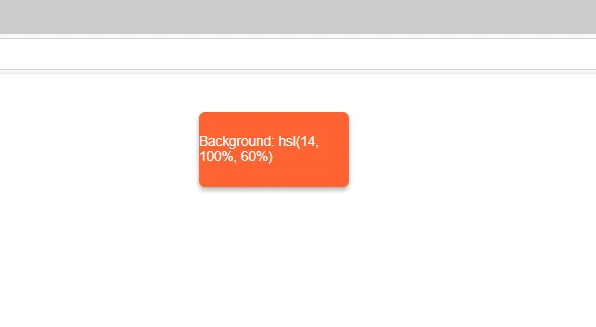
🧠 Explanation:
hsl() is more intuitive to adjust color shades.
14 → hue angle on a color wheel (0–360°).
100% → saturation (full color intensity).
60% → lightness (how light/dark the color is).
Easier to lighten/darken colors using the last value.
🔄 Comparison Table:
Format | Code | Description |
|---|---|---|
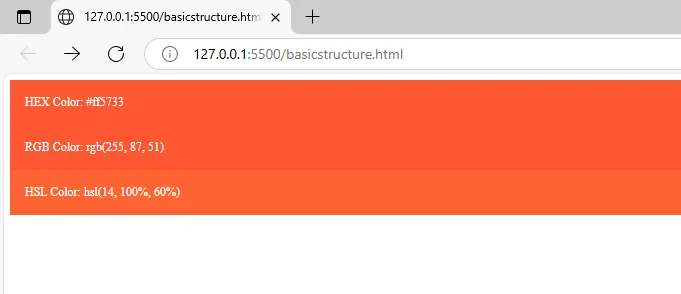
HEX | #ff5733 | Compact and widely used |
RGB | rgb(255, 87, 51) | Precise control using numbers |
HSL | hsl(14, 100%, 60%) | Easy to modify tone, lightness |
📌 Sample HTML + CSS to Try:
<!DOCTYPE html>
<html>
  <head>
    <style>
      .hex-box {
        background-color: #ff5733;
        padding: 20px;
        color: white;
      }

      .rgb-box {
        background-color: rgb(255, 87, 51);
        padding: 20px;
        color: white;
      }

      .hsl-box {
        background-color: hsl(14, 100%, 60%);
        padding: 20px;
        color: white;
      }
    </style>
  </head>
  <body>
    <div class="hex-box">HEX Color: #ff5733</div>
    <div class="rgb-box">RGB Color: rgb(255, 87, 51)</div>
    <div class="hsl-box">HSL Color: hsl(14, 100%, 60%)</div>
  </body>
</html>