🛠️ Initial Setup — Creating the Books Endpoint
In this phase, inside the FastAPI directory, you will create a new Python file called books2.py ✋
FastAPI/
 └── books2.py

#This file will define your first endpoint and initially return **an empty list**.
👉 You may delete the old books.py file or keep it for reference.
🤝 GET Endpoint for all books
At this stage, we define a GET endpoint responsible for retrieving all books.
🗂️ books2.py
from fastapi import FastAPI

app = FastAPI()

BOOKS = [] #empty list

# 👉 **GET endpoint** responsible for retrieving all books.
@app.get("/books")
async def read_all_books():
    return BOOKS
🔎 What This Code Does
Creates a FastAPI application instance
app = FastAPI()Defines an empty list called
BOOKSRegisters a GET endpoint at
/booksand Returns the contents of theBOOKSlistSince the list is empty, the response will be
[]Empty Array
▶️ Running the Application
Open your terminal and start the application:
uvicorn books2:app --reload✋ The --reload automatically restarts the server when changes are detected.
🌐 Verifying in the Browser
In your default browser, visit:
<http://127.0.0.1:8000/books>You should see: []
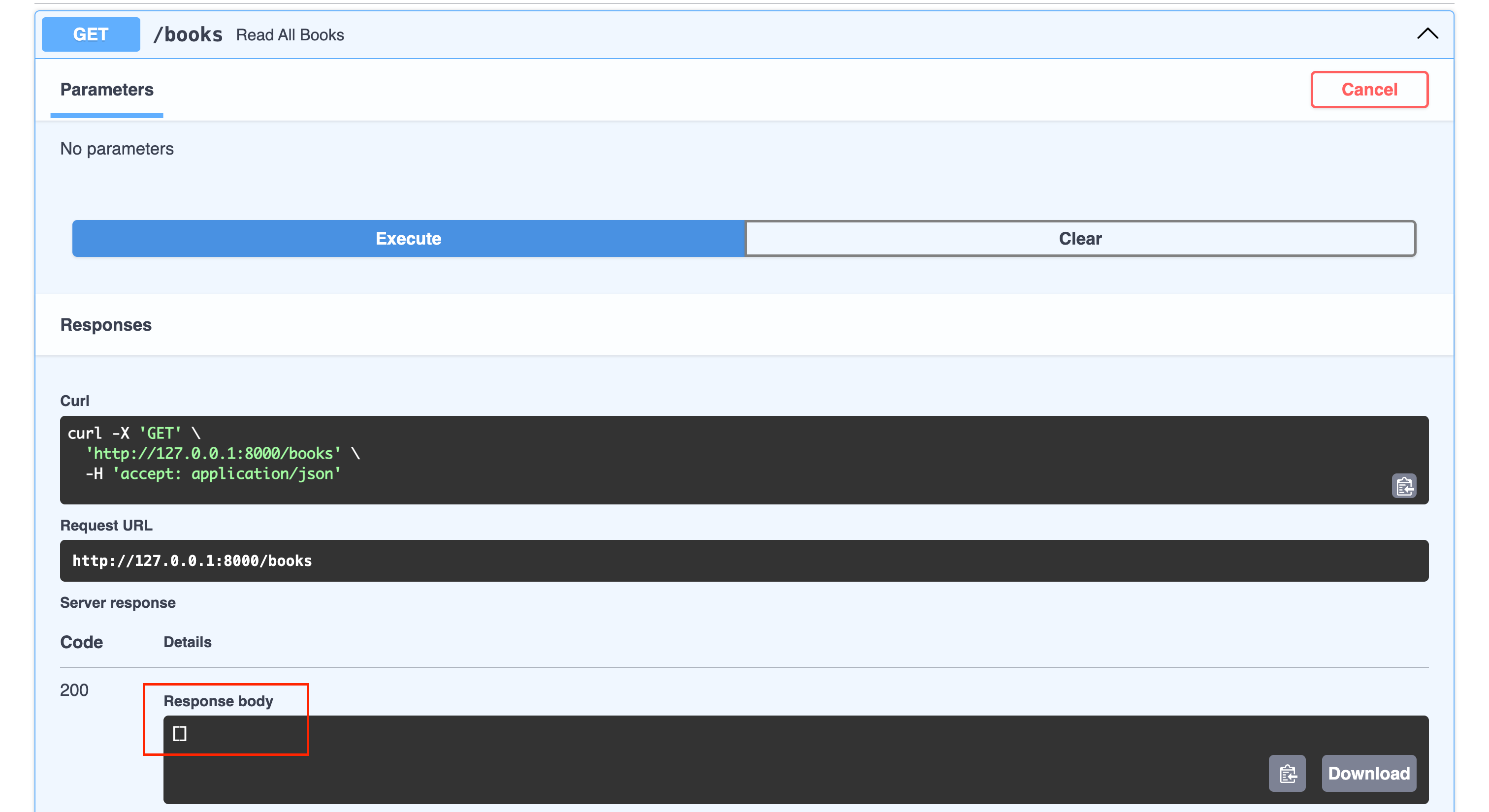
👉 This confirms your endpoint is working correctly.
🧱 Transition — From Dictionaries to Python Objects
In Project 1, books were simple dictionaries.
✋ In Project 2, books will become real Python objects using a dedicated class.
This approach provides:
🧩 Better structure
🏗️ Cleaner architecture
🔎 Improved readability
📈 Scalability for real-world applications
🧩 Defining the Book Class
Add the following class below your FastAPI instance:
🗂️ books2.py
class Book:
    id: int
    title: str
    author: str
    description: str
    rating: int
🔎 What This Does
Defines required attributes
Uses type hints for clarity
Establishes a structured model for each book
🛠️ Adding a Constructor
Now define the constructor to initialize book objects:
🗂️ books2.py
def __init__(self, id, title, author, description, rating):
    self.id = id
    self.title = title
    self.author = author
    self.description = description
    self.rating = rating
🧠 Key Concepts
__init__initializes each objectselfrefers to the current instanceValues passed into the class are assigned to object attributes
🧪 Populating the BOOKS List
Here is an example of adding a single book:
🗂️ books2.py
BOOKS = [
    (1, 'Computer Science Pro', 'codingwithrobby', 'A very nice book', 3)
]
To simulate a real dataset, create multiple books:
🗂️ books2.py
BOOKS = [
    Book(1, 'Computer Science Pro', 'codingwithrobby', 'A very nice book', 3),
    Book(2, 'Be Fast with FastAPI', 'codingwithrobby', 'A great book', 5),
    Book(3, 'Master Endpoints', 'codingwithrobby', 'An awesome book', 5),
    Book(4, 'HP1', 'Author 1', 'Book Description', 2),
    Book(5, 'HP2', 'Author 2', 'Book Description', 3),
    Book(6, 'HP3', 'Author 3', 'Book Description', 1)
]
👉 Now your /books endpoint will return a populated list.
▶️ Restarting (If Needed)
If auto-reload does not trigger, restart the server:
uvicorn books2:app --reload🌐browser
🌐 API Testing with Swagger UI
Navigate in your default browser:
<http://127.0.0.1:8000/docs>🌐browser
🗂️ books2.py
from fastapi import FastAPI

app = FastAPI()

class Book:
    id: int
    title: str
    author: str
    description: str
    rating: int

    def __init__(self, id, title, author, description, rating):
        self.id = id
        self.title = title
        self.author = author
        self.description = description
        self.rating = rating

BOOKS = [
    Book(1, 'Computer Science Pro', 'codingwithrobby', 'A very nice book', 3),
    Book(2, 'Be Fast with FastAPI', 'codingwithrobby', 'A great book', 5),
    Book(3, 'Master Endpoints', 'codingwithrobby', 'An awesome book', 5),
    Book(4, 'HP1', 'Author 1', 'Book Description', 2),
    Book(5, 'HP2', 'Author 2', 'Book Description', 3),
    Book(6, 'HP3', 'Author 3', 'Book Description', 1)
]

@app.get("/books")
async def read_all_books():
    return BOOKS