🔒 Hashing Passwords in FastAPI — Securing User Data
In the previous lesson, we implemented the user creation endpoint that accepted plain-text passwords. Although it worked, storing passwords in plain text is highly insecure.
In this lesson, we’ll improve security by hashing passwords before saving them to the database.
1️⃣ Why Hash Passwords?
When a user sends a password like test1234, storing it in plain text is unsafe because:
Database leaks expose real passwords
Hackers can reuse passwords on other sites
No protection against insider access
Instead, we hash passwords using bcrypt.
Input:
test1234Output:
$2b$12$...(a long, randomized string)
Hashes are one-way transformations. We can verify a password by hashing the user input and comparing it to the stored hash.
2️⃣ Install Dependencies
We need two Python packages:
pip install passlib
pip install bcrypt==4.0.1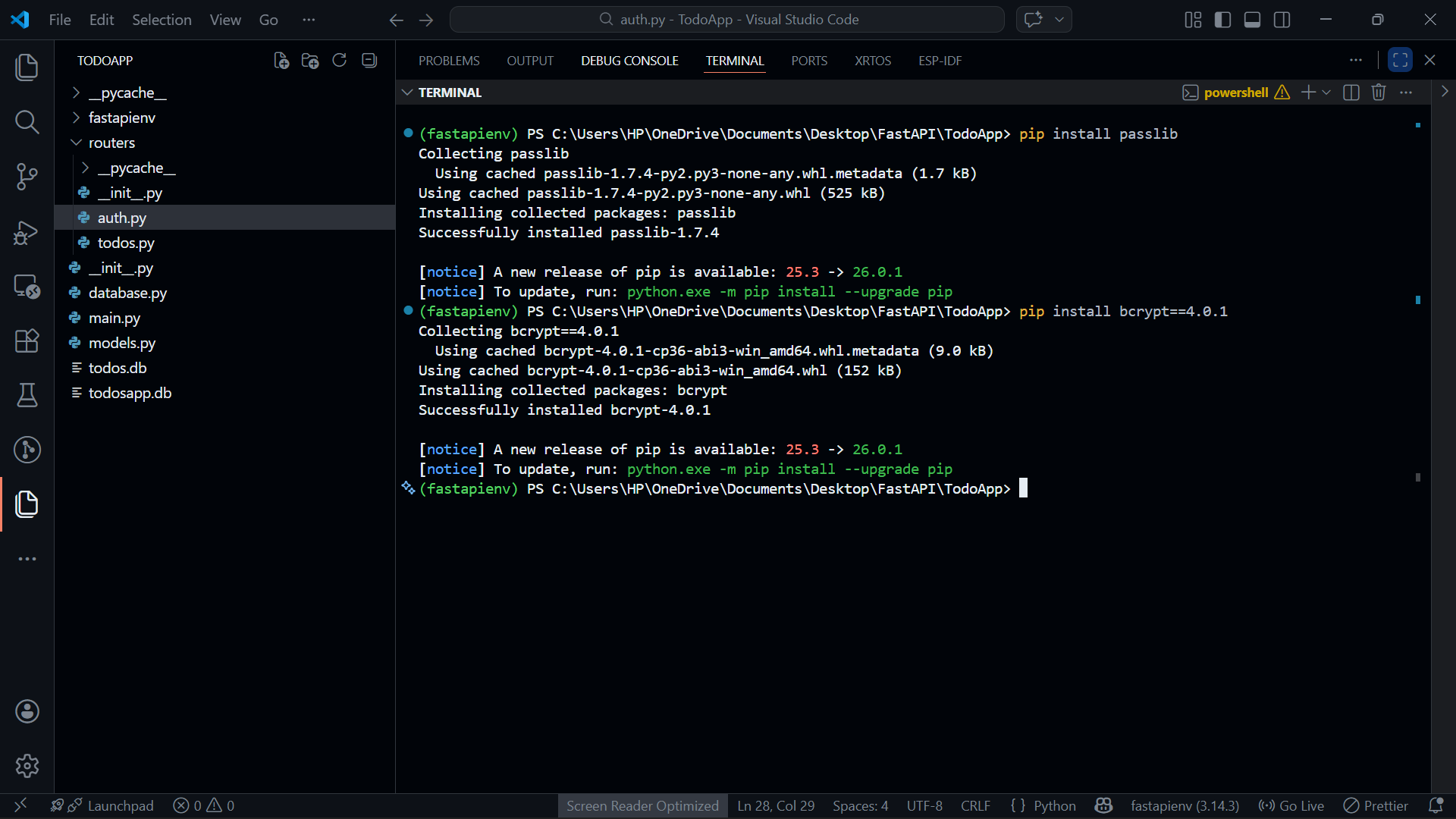
⚠ Important: Make sure you install bcrypt 4.0.1 — other versions may cause compatibility issues with Passlib.
Make sure you install the packages from the TodoApp project directory in your terminal.
3️⃣ Import CryptContext
We will use Passlib's CryptContext to handle hashing:
🗂️ auth.py
from fastapi import APIRouter
from pydantic import BaseModel
from models import Users
from passlib.context import CryptContext

router = APIRouter()

# Initialize bcrypt context
bcrypt_context = CryptContext(schemes=["bcrypt"], deprecated="auto")schemes=["bcrypt"]→ specifies which hashing algorithm to usedeprecated="auto"→ ensures backward compatibility if the algorithm ever changes
4️⃣ Hash the Password
Inside the create_user endpoint, we hash the password before creating the user object:
🗂️ auth.py
@router.post("/auth/")
async def create_user(create_user_request: CreateUserRequest):

    # Create SQLAlchemy user model
    create_user_model = Users(
        email=create_user_request.email,
        username=create_user_request.username,
        first_name=create_user_request.first_name,
        last_name=create_user_request.last_name,
        role=create_user_request.role,
        hashed_password=bcrypt_context.hash(create_user_request.password),
        is_active=True
    )

    return create_user_model
✅ Key points:
bcrypt_context.hash()generates a one-way hashThe database never sees the plain password
When a user logs in, we will rehash the input and compare
6️⃣ Test the Endpoint
Start your server:
uvicorn main:app --reloadOpen Swagger UI (
/docs)Use the POST
/auth/endpoint to create a userObserve that
hashed_passwordis now a long randomized string
This confirms that passwords are no longer stored as plain text.
🗂️ routers/auth.py
from fastapi import APIRouter
from models import Users
from pydantic import BaseModel
from passlib.context import CryptContext

router = APIRouter()

bcrypt_context = CryptContext(schemes=["bcrypt"], deprecated="auto")

class CreateUserRequest(BaseModel):
    username: str
    email: str
    first_name: str
    last_name: str
    password: str
    role: str

@router.post("/auth/")
async def create_user(create_user_request: CreateUserRequest):

    create_user_model = Users(
        email=create_user_request.email,
        username=create_user_request.username,
        first_name=create_user_request.first_name,
        last_name=create_user_request.last_name,
        role=create_user_request.role,
        hashed_password=bcrypt_context.hash(create_user_request.password),
        is_active=True
    )

    return create_user_model
No Other Change