➕ Creating a New Todo (POST Request)
In the previous lesson, we built an endpoint to retrieve a single Todo by its todo_id.
Now we move to the next core backend concept:
👉 Creating and saving a new Todo using a POST request.
To implement this properly, we need:
A Pydantic request model
Proper field validation
A POST endpoint
Clean database session handling
This is where input validation and database persistence come together.
🧾 Step 1: Creating the Pydantic Request Model
Before defining the POST endpoint, we must define the structure of the request body.
Right below our database dependency, create a new Pydantic model.
Make sure BaseModel is imported.
🗂️ main.py
from typing import Annotated
from pydantic import BaseModel
from sqlalchemy.orm import Session
from fastapi import FastAPI, Depends
from starlette import status

import models
from models import Todos
from database import SessionLocal, engine

app = FastAPI()

models.Base.metadata.create_all(bind=engine)

def get_db():
    db = SessionLocal()
    try:
        yield db
    finally:
        db.close()

db_dependency = Annotated[Session, Depends(get_db)]

class TodoRequest(BaseModel):
		pass
At this stage, we’ve defined the structure — but no fields yet.
🏗️ Step 2: Defining Request Fields
Now we define what data the client must send in the request body.
🗂️ main.py
class TodoRequest(BaseModel):
    title: str
    description: str
    priority: int
    complete: bool
These fields represent the exact data required to create a Todo.
🗄️ Step 3: Comparing With the Database Model
Inside models.py, our table looks like this:
🗂️ models.py
class Todos(Base):
    __tablename__ = 'todos'

    id = Column(Integer, primary_key=True, index=True)
    title = Column(String)
    description = Column(String)
    priority = Column(Integer)
    complete = Column(Boolean, default=False)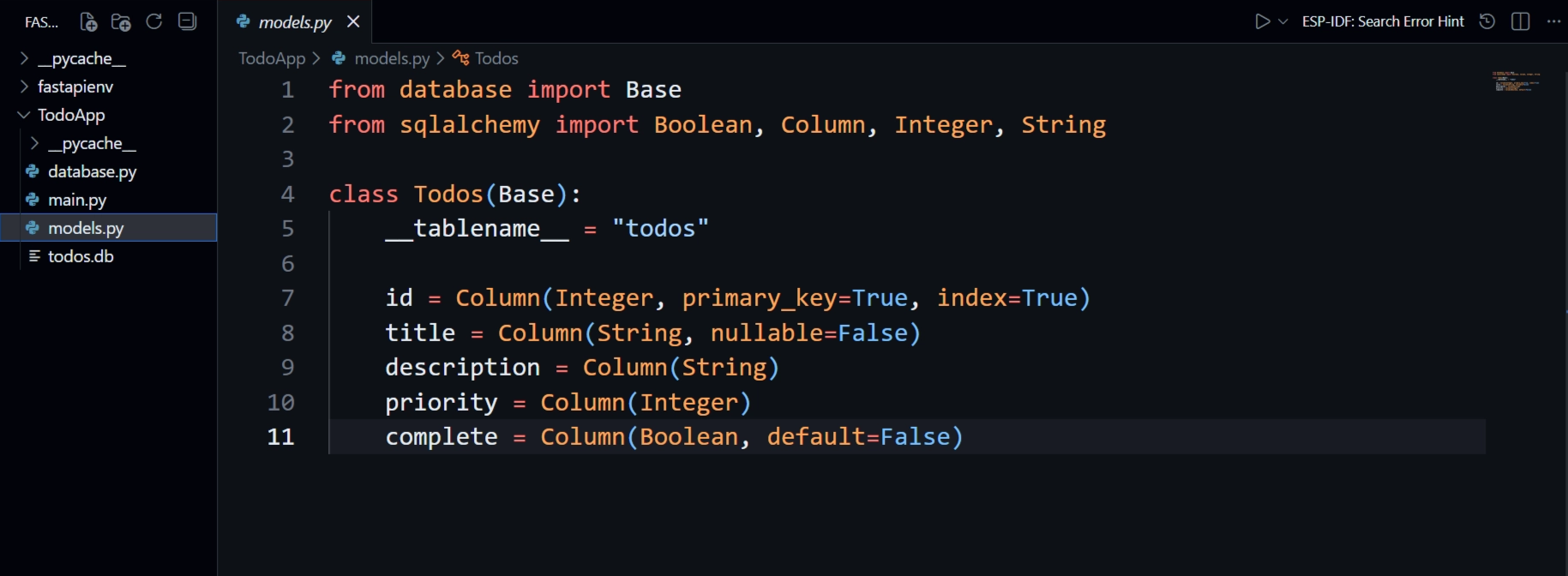
🔎 Important Observation
We did not include id in TodoRequest.
Why?
idis the primary keyIt auto-increments
SQLAlchemy generates it automatically
The client should never control primary keys
When a new record is inserted, SQLAlchemy assigns the ID for us.
This is critical backend design practice.
✅ Step 4: Adding Field Validation
Now we improve the request model using Pydantic’s Field validation.
First, import it:
🗂️ main.py
from pydantic import BaseModel, FieldNow update the model:
🗂️ main.py
class TodoRequest(BaseModel):
    title: str = Field(min_length=3)
    description: str = Field(min_length=3, max_length=100)
    priority: int = Field(gt=0, lt=6)
    complete: bool
🔎 What These Rules Enforce
title→ Minimum 3 charactersdescription→ Between 3 and 100 characterspriority→ Must be between 1 and 5complete→ Must be a boolean
If any validation fails, FastAPI automatically returns:
422 Unprocessable EntityValidation happens before your endpoint logic runs.
🚀 Step 5: Creating the POST Endpoint
Now we can implement the POST request.
🗂️ main.py
@app.post("/todo/", status_code=status.HTTP_201_CREATED)
async def create_todo(db: db_dependency, todo_request: TodoRequest):
    todo_model = Todos(**todo_request.model_dump())
    db.add(todo_model)
    db.commit()
This is the moment where data moves from request → database.
🧠 Deep Breakdown of What’s Happening
🔹 todo_request.model_dump()
Converts the validated Pydantic model into a safe dictionary.
🔹 Todos(**data)
Unpacks the dictionary to create a SQLAlchemy model instance.
🔹 db.add(todo_model)
Adds the object to the session (marks for insertion).
🔹 db.commit()
Saves the transaction permanently to the database.
Without commit(), data is not stored.
This is how SQLAlchemy transactions work internally.
🌐 Testing the Endpoint
Start the server:
uvicorn main:app --reloadThen open:
/docsYou should now see:
GET
/GET
/todo/{todo_id}POST
/todo/
Click POST /todo/, provide a request body, and execute.
If validation passes → the Todo is saved.
🗂️ main.py
from typing import Annotated
from pydantic import BaseModel, Field
from sqlalchemy.orm import Session
from fastapi import FastAPI, Path, Depends, HTTPException
from starlette import status

import models
from models import Todos
from database import engine, SessionLocal

app = FastAPI()

models.Base.metadata.create_all(bind=engine)

def get_db():
    db = SessionLocal()
    try:
        yield db
    finally:
        db.close()

db_dependency = Annotated[Session, Depends(get_db)]

class TodoRequest(BaseModel):
    title: str = Field(min_length=3)
    description: str = Field(min_length=3, max_length=100)
    priority: int = Field(gt=0, lt=6)
    complete: bool

@app.get("/", status_code=status.HTTP_200_OK)
async def read_all(db: db_dependency):
    return db.query(Todos).all()

@app.get("/todo/{todo_id}", status_code=status.HTTP_200_OK)
async def read_todo(db: db_dependency, todo_id: int = Path(gt=0)):
    todo_model = db.query(Todos).filter(Todos.id == todo_id).first()
    if todo_model is not None:
        return todo_model
    else:
        raise HTTPException(status_code=404, detail='Todo Not Found')

@app.post("/todo/", status_code=status.HTTP_201_CREATED)
async def create_todo(db: db_dependency, todo_request: TodoRequest):
    todo_model = Todos(**todo_request.model_dump())
    db.add(todo_model)
    db.commit()
No Changes in models.py and database.py