📡 What Is an API?
In this context, an API (Application Programming Interface) is a service from which we can request data. Here, the goal is to let the client request product data for the "Node Farm" project.
(A deeper explanation of APIs comes in a later section of the course — this is a practical introduction.)
🗂️ Step 1: Understanding the Data Source (JSON)
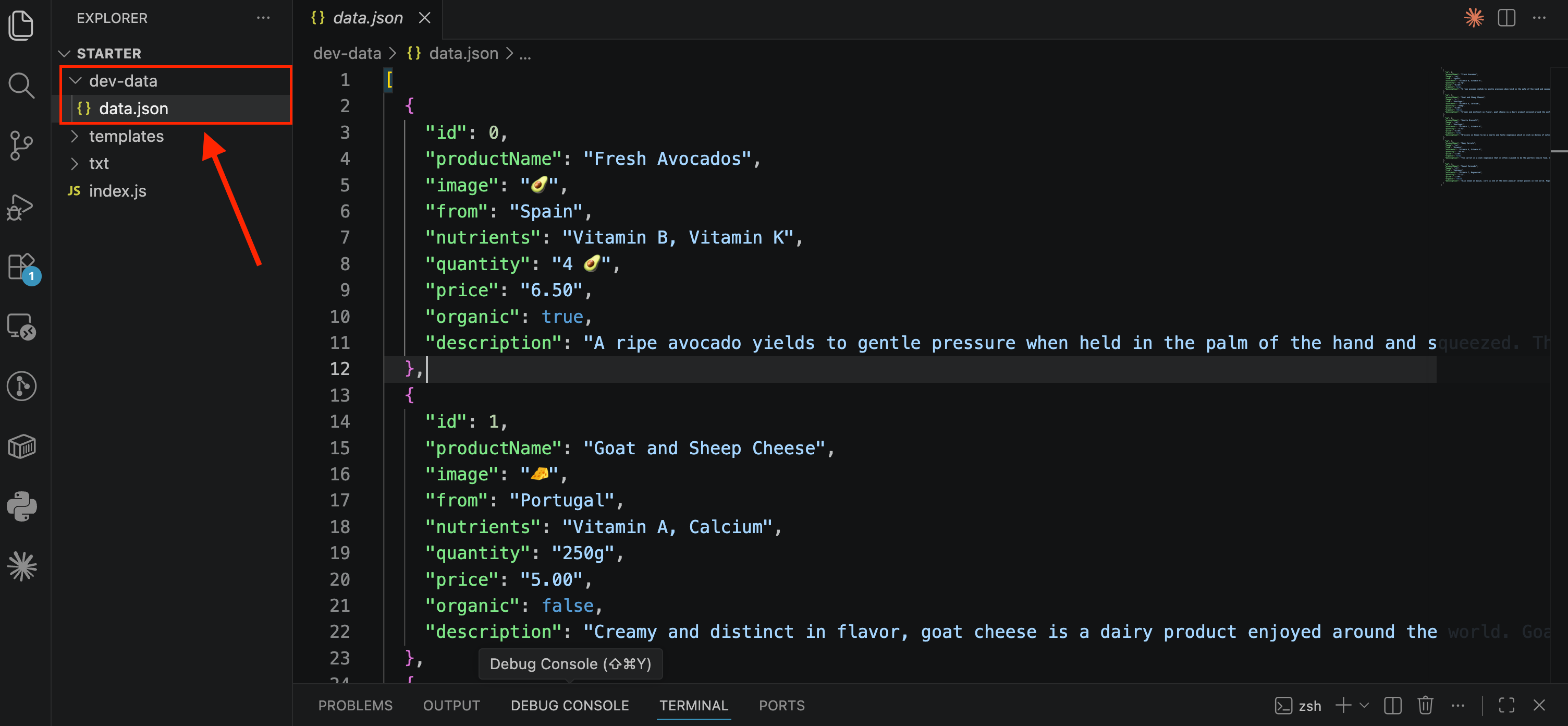
📁 There's a file called
data.jsoninside adev-datafolder.📝 JSON is a text format similar to JavaScript objects/arrays.
📦 It contains an array of five product objects, each with properties like
id,productName,image, etc.⚠️ JSON rule: all keys must be strings (in quotes).
This is the data the API will send back to the client when requested.
🛣️ Step 2: Adding a New Route (/api)
In the routing logic (from the previous note), add a new condition:
else if (pathName === '/api') {
  res.end('API');
}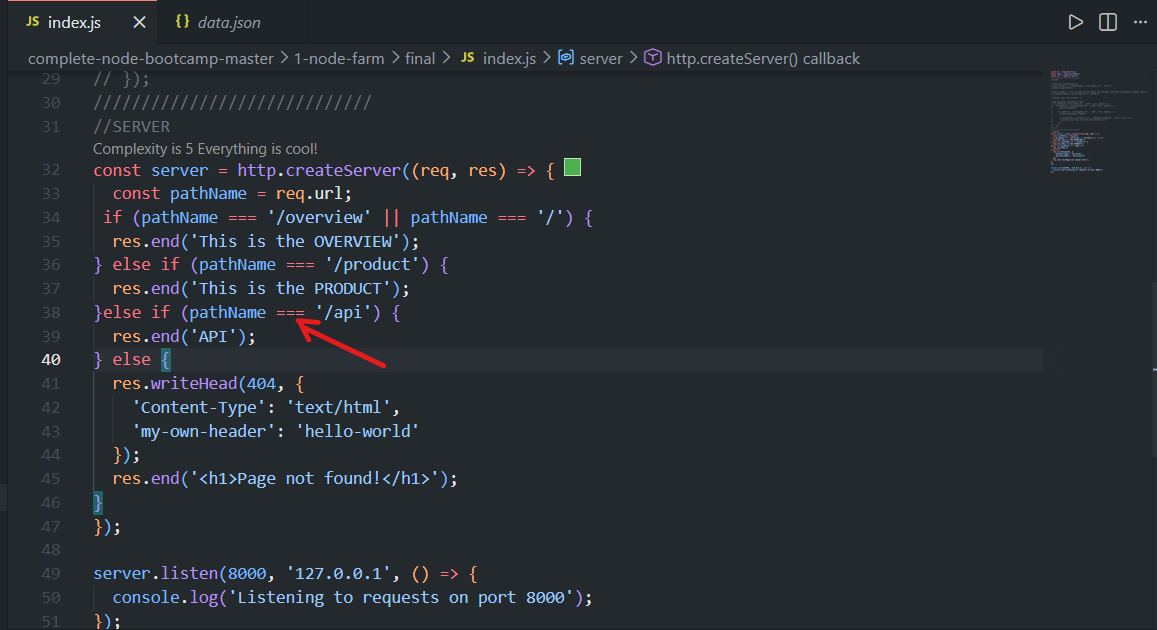
For now, this is just a placeholder response — it will be replaced with real data shortly.
📖 Step 3: Reading the JSON File
📍 Why Use __dirname Instead of .
Previously, we used . as shorthand for a folder path. But there's a catch:
📁
.means "the folder you rannodefrom" — and that can change depending on where you're standing in the terminal.📌
__dirnamealways means "the folder where this script file actually lives" — no matter where you ran the command from.
Example:
Say your project looks like this:
project/
 ├── index.js
 └── dev-data/
      └── data.json
If you run node index.js from inside the project folder, . and __dirname point to the same place — so both work fine.
But if you run the same command from outside that folder (say, from your Desktop):
node project/index.js.now refers to your Desktop, not theprojectfolder — so./dev-data/data.jsonwould look in the wrong place and fail.__dirnamestill correctly points to theprojectfolder, since that's whereindex.jsactually lives — so${__dirname}/dev-data/data.jsonworks no matter what.
That's why __dirname is the safer, more reliable choice.
✅ Best practice:
Use __dirname instead of . for reliable file paths.
const data = fs.readFileSync(`${__dirname}/dev-data/data.json`, 'utf-8');💡 One exception: The
require()function (used to import modules) still treats.as the current file's directory — we'll cover this later when building custom modules.
📦 Step 4: Parsing JSON into JavaScript
JSON data read from a file is just a string — to use it as an actual JavaScript object/array, use:
const dataObject = JSON.parse(data);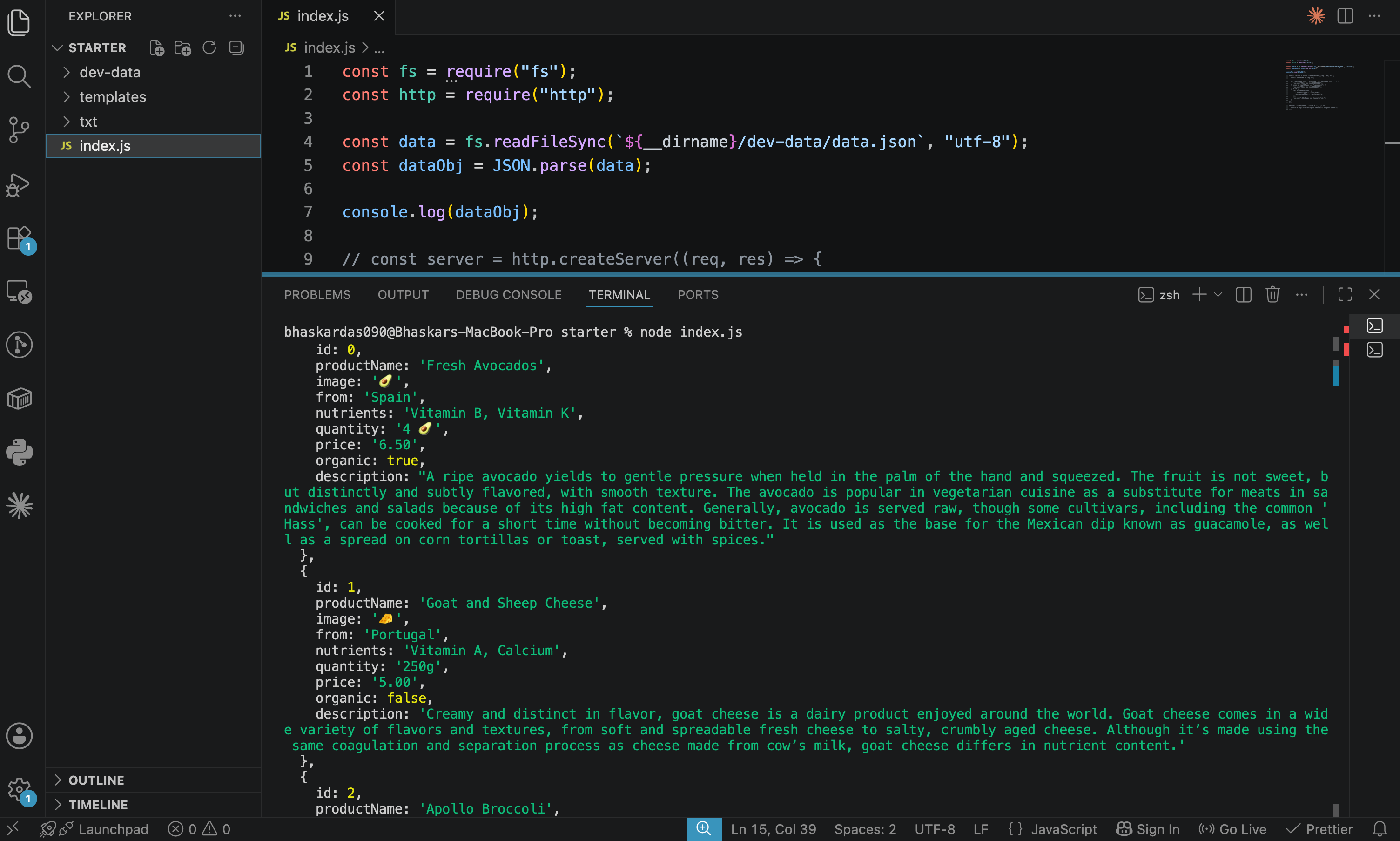
🔄
JSON.parse()converts a JSON string into a real JavaScript object or array.🔍 You can then
console.log(dataObject)to inspect it — it will show a proper JavaScript object matching the structure of the JSON file.
🌐 Step 5: Sending the Data as a Response
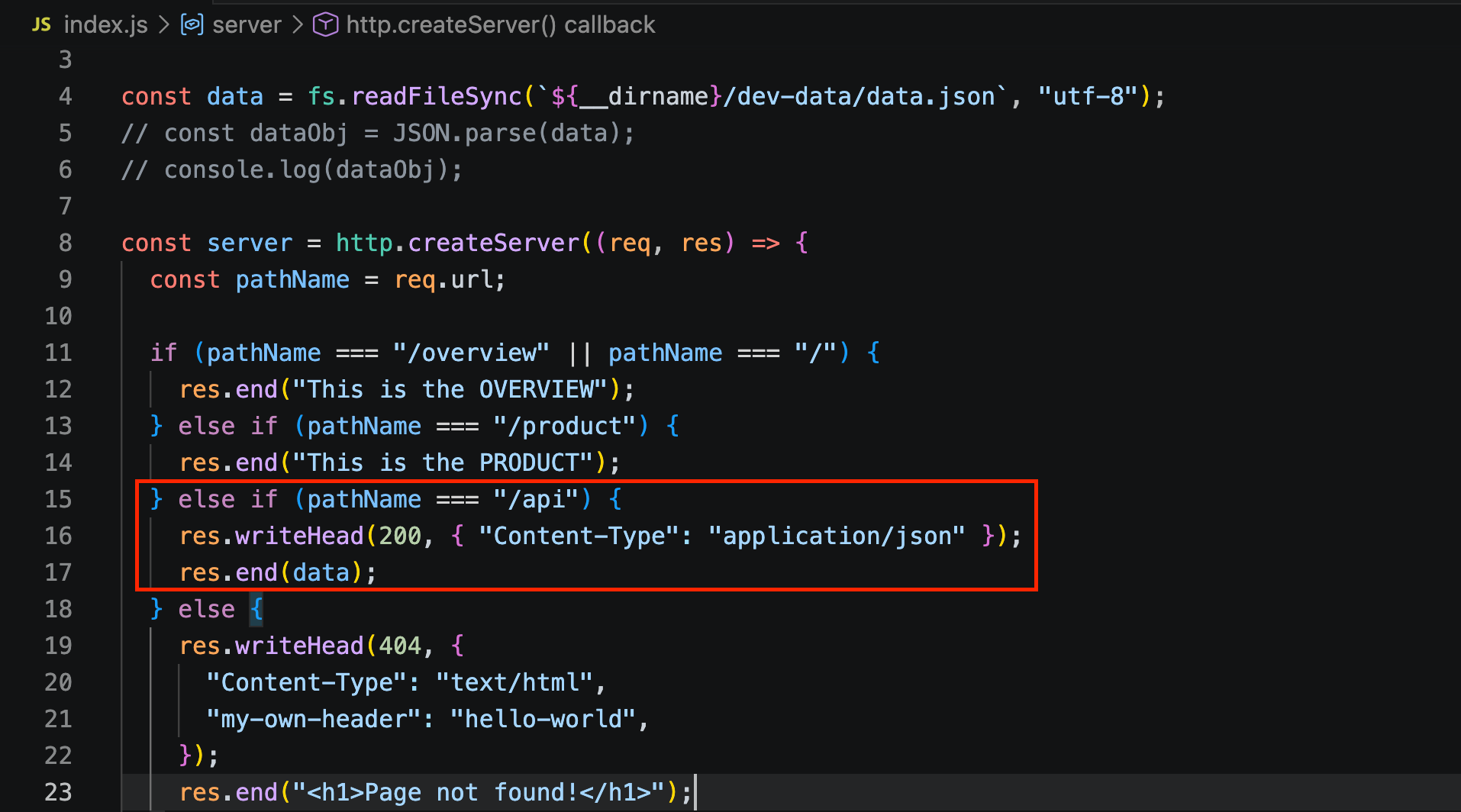
To send the API response with the correct headers:
const data = fs.readFileSync(`${__dirname}/dev-data/data.json`, "utf-8");
// const dataObj = JSON.parse(data);
// console.log(dataObj);

......

else if (pathName === '/api') {
  res.writeHead(200, { 'Content-Type': 'application/json' });
  res.end(data);
}
📌 Key Points
res.end()only accepts a string — so we send the rawdata(the original JSON text) as-is, notdataObj(the parsed JavaScript version).Set
Content-Typetoapplication/json(instead oftext/html) so the browser knows to treat the response as JSON.Status code
200means "OK" — a successful response.
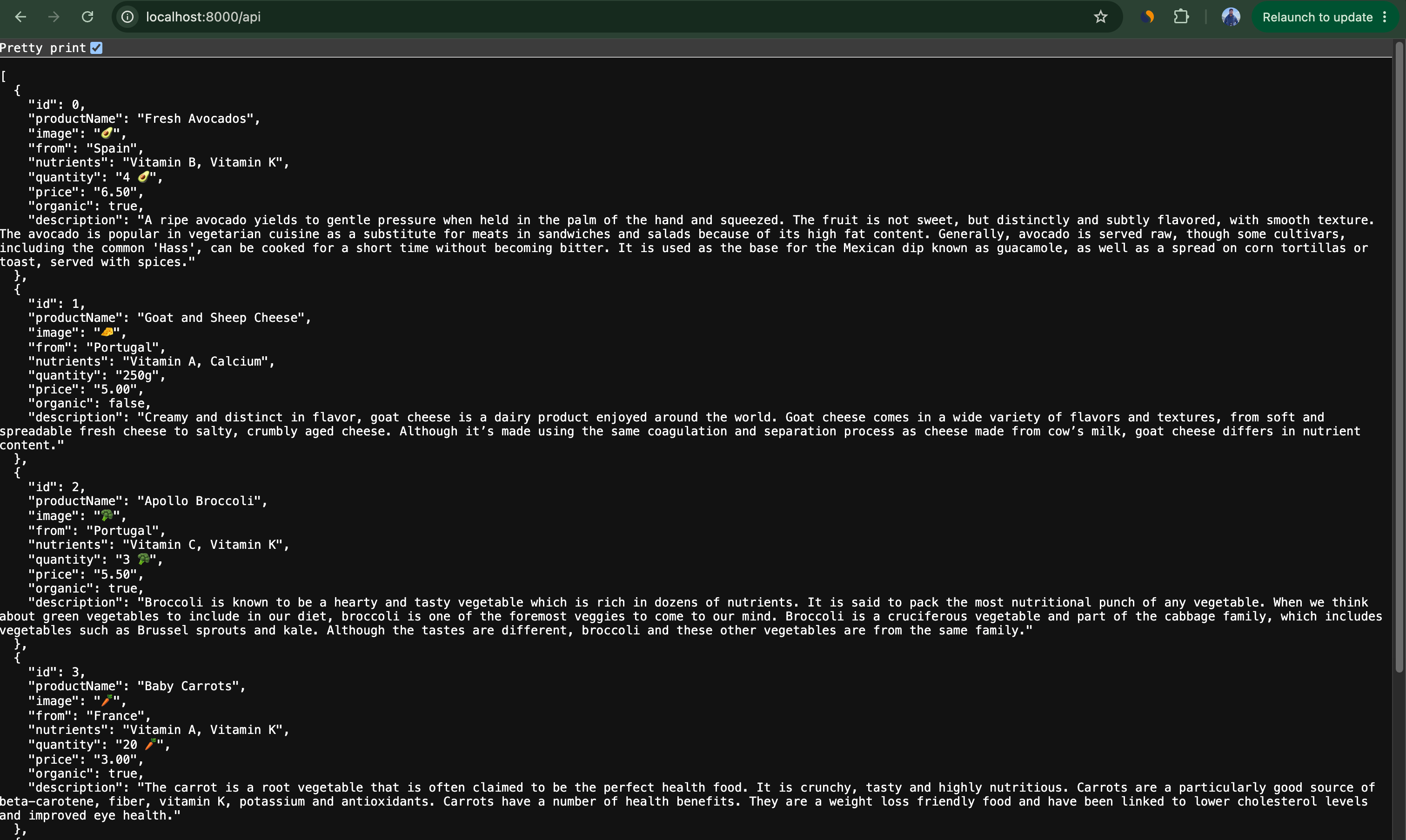
Test by restarting the server and visiting: localhost:8000/api
This will display all 5 products' data as JSON in the browser
⚡ Reading the File Only Once
Why the File-Reading Code Sits Outside the Server Callback
const data = fs.readFileSync(`${__dirname}/dev-data/data.json`, 'utf-8');
const dataObj = JSON.parse(data);

const server = http.createServer((req, res) => {
  const pathName = req.url;

  if (pathName === '/overview' || pathName === '/') {
    res.end('This is the OVERVIEW');
  } else if (pathName === '/product') {
    res.end('This is the PRODUCT');
  } else if (pathName === '/api') {
    res.writeHead(200, { 'Content-Type': 'application/json' });
    res.end(data);
  } else {
    res.writeHead(404, { 'Content-Type': 'text/html' });
    res.end('<h1>Page not found!</h1>');
  }
});

server.listen(8000, '127.0.0.1', () => {
  console.log('Listening to requests on port 8000');
});
📌
fs.readFileSync(...)sits outsidehttp.createServer(), at the top level.⚠️ If it were inside the callback, the file would be re-read on every
/apirequest — wasteful, since the data never changes.} else if (pathName === '/api') { const data = fs.readFileSync(`${__dirname}/dev-data/data.json`, 'utf-8'); const dataObj = JSON.parse(data); res.writeHead(200, { 'Content-Type': 'application/json' }); res.end(data); } else {✅ Kept at the top level, it's read just once, at startup. Every request after that reuses the same
dataalready in memory.
🤔 Why readFileSync Here?
This line runs only once, at startup — not per request — so a brief blocking pause causes no harm.
Could We Use Async Instead?
Technically yes, but it's trickier: since async doesn't wait,
server.listen()could run beforedatafinishes loading, causing errors on early requests.You'd need to nest
server.listen()inside the async callback to avoid that.Since blocking briefly at startup is harmless anyway, sync is simpler here.
const fs = require('fs');
const http = require('http');
const url = require('url');
////////////////////////////
//FILES

//Blocking, Synchronous way
//const textIn = fs.readFileSync('./txt/input.txt', 'utf-8');
//console.log(textIn);

//const textOut = `This is what we know about the avocado: ${textIn}.\nCreated on ${Date.now()}`;
//fs.writeFileSync('./txt/output.txt', textOut);

//console.log('File written!');

//Non-blocking, Asynchronous way
// fs.readFile('./txt/start.txt', 'utf8', (err, data1) => {
//   fs.readFile(`./txt/${data1}.txt`, 'utf8', (err, data2) => {
//     console.log(data2);

//     fs.readFile('./txt/append.txt', 'utf8', (err, data3) => {
//       console.log(data2, data3);

//       fs.writeFile('./txt/final.txt', `${data2}\n${data3}`, 'utf8', (err) => {
//         console.log('Your file has been written 🎉');
//       });
//     });
//   });
// });
/////////////////////////////
//SERVER
const data = fs.readFileSync(`${__dirname}/dev-data/data.json`, 'utf-8');
const dataObj = JSON.parse(data);

const server = http.createServer((req, res) => {
  const pathName = req.url;

  if (pathName === '/overview' || pathName === '/') {
    res.end('This is the OVERVIEW');
  } else if (pathName === '/product') {
    res.end('This is the PRODUCT');
  } else if (pathName === '/api') {
    res.writeHead(200, { 'Content-Type': 'application/json' });
    res.end(data);
  } else {
    res.writeHead(404, { 'Content-Type': 'text/html' });
    res.end('<h1>Page not found!</h1>');
  }
});

server.listen(8000, '127.0.0.1', () => {
  console.log('Listening to requests on port 8000');
});