🤔 What Are Network Issues?
A network issue is any problem that:
Disrupts communication ❌
Slows down data transfer 🐌
Causes disconnection 🔌
Reduces performance 📉
📌 These issues can occur due to hardware, software, configuration, or traffic problems.
🧠 Simple Definition
📌 Common network issues are frequent problems that affect network connectivity, speed, reliability, and performance.
🧠 One-Line Understanding
Network issues = “Why is my network slow, unstable, or not working?”
🧠 Real-Life Analogy
🚗 Car Problems
No fuel → car won’t start
Flat tyre → slow speed
Engine issue → breakdown
👉 Networks behave the same way:
Cable issue → no connection
Congestion → slow network
Misconfiguration → failure
🎯 Why Understanding Network Issues Is Important
Knowing common issues helps to:
🔍 Diagnose problems quickly
🛠️ Fix issues efficiently
⏱️ Reduce downtime
📊 Improve performance
📌 This is core knowledge for network administrators.
🧩 Classification of Common Network Issues
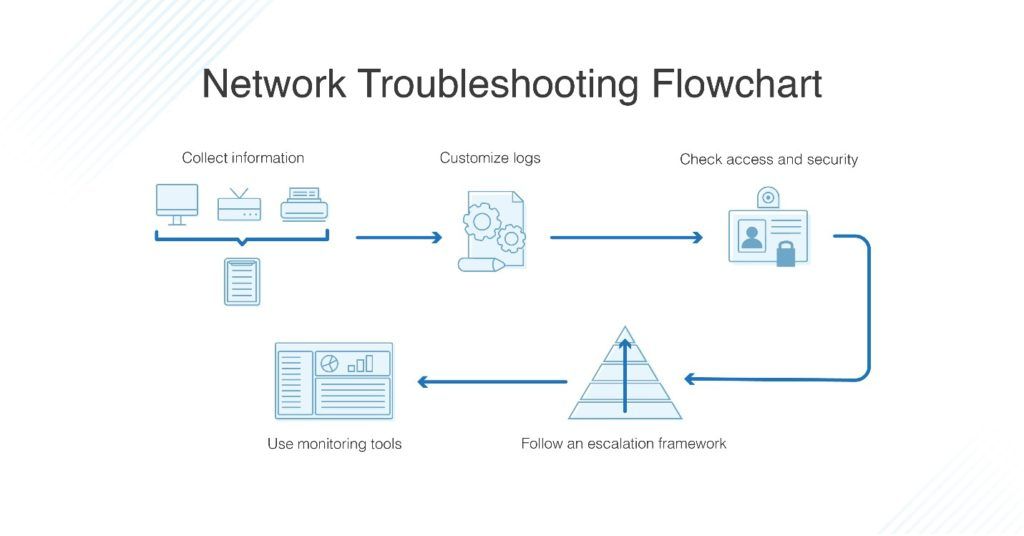
Network issues can be grouped into:
1️⃣ Connectivity Issues
2️⃣ Performance Issues
3️⃣ Configuration Issues
4️⃣ Hardware Issues
5️⃣ Security Issues
🔌 1. Connectivity Issues
🧠 Explanation
Device cannot connect to network at all
🔍 Possible Causes
Cable unplugged
Wi-Fi disabled
Network adapter issue
🛠️ Troubleshooting
Check physical connections
Enable network interface
Use Ping (localhost / gateway)
🧠 Explanation
LAN is working
Internet is not reachable
🔍 Possible Causes
DNS failure
Gateway/router issue
ISP outage
🛠️ Troubleshooting
Ping gateway
Ping public IP (8.8.8.8)
Check DNS settings
🐌 2. Performance Issues
🧠 Explanation
Data transfers take too long
🔍 Possible Causes
Network congestion
Limited bandwidth
Heavy downloads
🛠️ Troubleshooting
Check throughput
Use bandwidth monitoring tools
Apply QoS
🧠 Explanation
Noticeable lag in communication
🔍 Possible Causes
Long-distance routing
Congestion
Slow devices
🛠️ Troubleshooting
Use Ping to measure delay
Use Traceroute to locate delay
🧠 Explanation
Uneven packet arrival times
🔍 Possible Causes
Congestion
No QoS for real-time traffic
🛠️ Troubleshooting
Enable QoS
Use jitter buffers
🧠 Explanation
Some packets do not reach destination
🔍 Possible Causes
Congestion
Buffer overflow
Wireless interference
🛠️ Troubleshooting
Ping to detect loss
Reduce congestion
Upgrade hardware
⚙️ 3. Configuration Issues
🧠 Explanation
Two devices have same IP address
🔍 Possible Causes
Manual IP configuration
DHCP misconfiguration
🛠️ Troubleshooting
Use DHCP
Release & renew IP
Assign unique IPs
🧠 Explanation
Device cannot reach other networks
🔍 Possible Causes
Wrong network settings
🛠️ Troubleshooting
Verify IP configuration
Check subnet and gateway
🧠 Explanation
Websites not opening by name
IP works, domain doesn’t
🔍 Possible Causes
DNS server down
Wrong DNS address
🛠️ Troubleshooting
Use public DNS (8.8.8.8)
Flush DNS cache
🧱 4. Hardware Issues
🧠 Explanation
Router/switch not working properly
🔍 Possible Causes
Old hardware
Overheating
Power issues
🛠️ Troubleshooting
Restart device
Check LEDs
Replace hardware
🧠 Explanation
Intermittent or no connectivity
🔍 Possible Causes
Damaged cable
Loose connectors
🛠️ Troubleshooting
Replace cable
Check port status
🛡️ 5. Security-Related Issues
🧠 Explanation
Legitimate traffic blocked
🔍 Possible Causes
Incorrect firewall rules
🛠️ Troubleshooting
Review firewall policies
Allow required ports
🧠 Explanation
Network slows down unexpectedly
🔍 Possible Causes
Infected device
Unauthorized users
🛠️ Troubleshooting
Scan systems
Monitor traffic
Secure access
⚖️ Issue → Symptom → Tool Mapping
Issue | Symptom | Tool |
|---|---|---|
No connectivity | No reply | Ping |
Slow speed | Low throughput | Bandwidth tools |
High delay | Lag | Ping |
Path issue | Unknown route | Traceroute |
Device overload | High CPU | SNMP |
🧠 Systematic Troubleshooting Approach
📌 Follow this order:
1️⃣ Check physical layer (cables, power)
2️⃣ Check IP configuration
3️⃣ Test connectivity (Ping)
4️⃣ Trace path (Traceroute)
5️⃣ Monitor performance (SNMP, tools)
👉 Bottom-up approach (OSI-based) ✔️
🧠 Memory Tricks
No net? → Check cable 🔌
Slow net? → Check congestion 🚦
No website? → Check DNS 🌐
Lag call? → Check jitter 🔄
⭐ One-Line Summary
🔹 Common network issues include connectivity failures, performance degradation, configuration errors, hardware faults, and security problems, all of which can be diagnosed using proper tools and methods.