In this section, we’re going to practice using IAM Roles by creating one ourselves.
📍 Step 1: Navigate to Roles
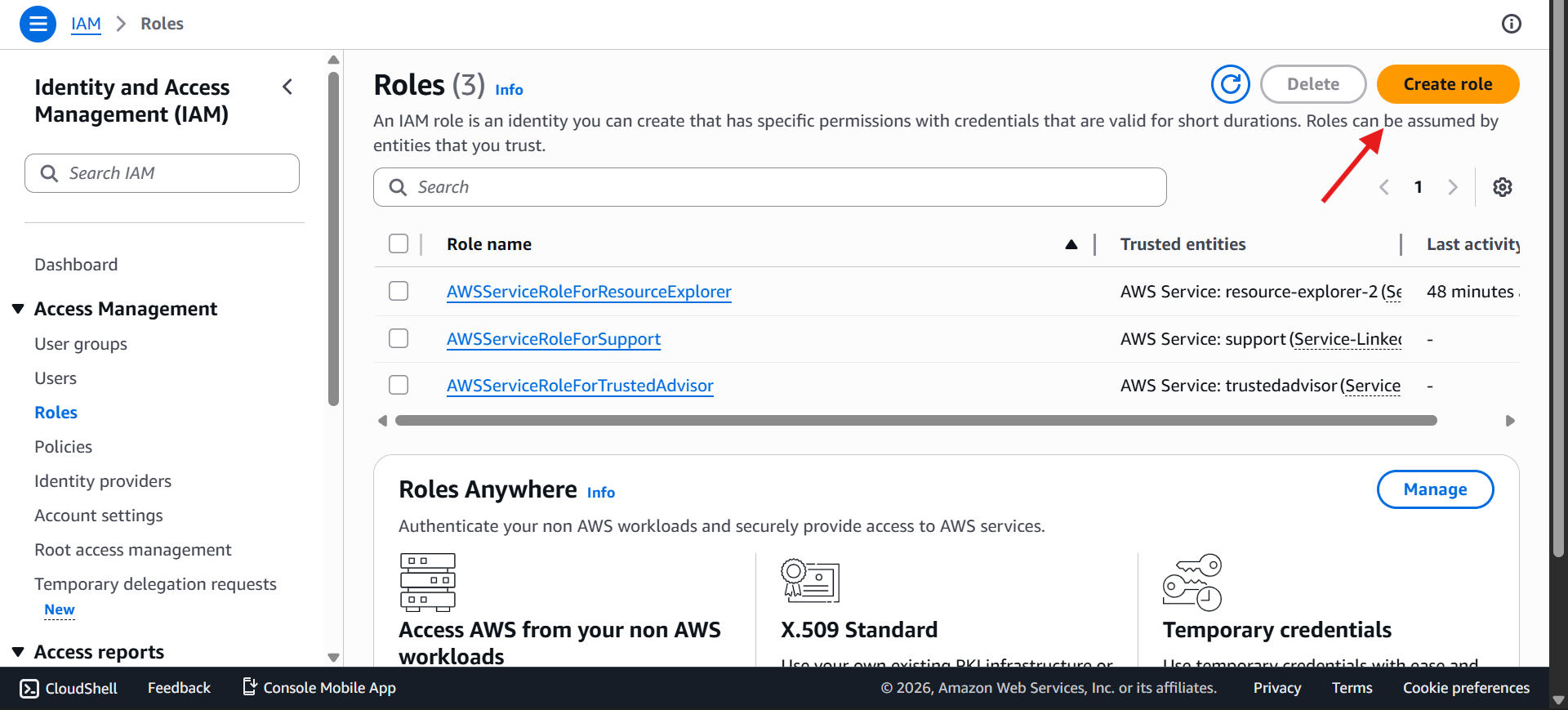
Start in the IAM dashboard, then click Roles in the left sidebar.
You'll likely see a few roles already listed — could be two, could be more, depending on what's been set up.
💡 That’s completely normal — AWS may create some by default
➕ Step 2: Start Creating a New Role
Now, we’re going to create our own role.
👉 Reminder: A role is a way to give AWS entities permissions to perform actions
Click on Create role
🧩 Step 3: Choose Role Type
You’ll now see different types of roles you can create.
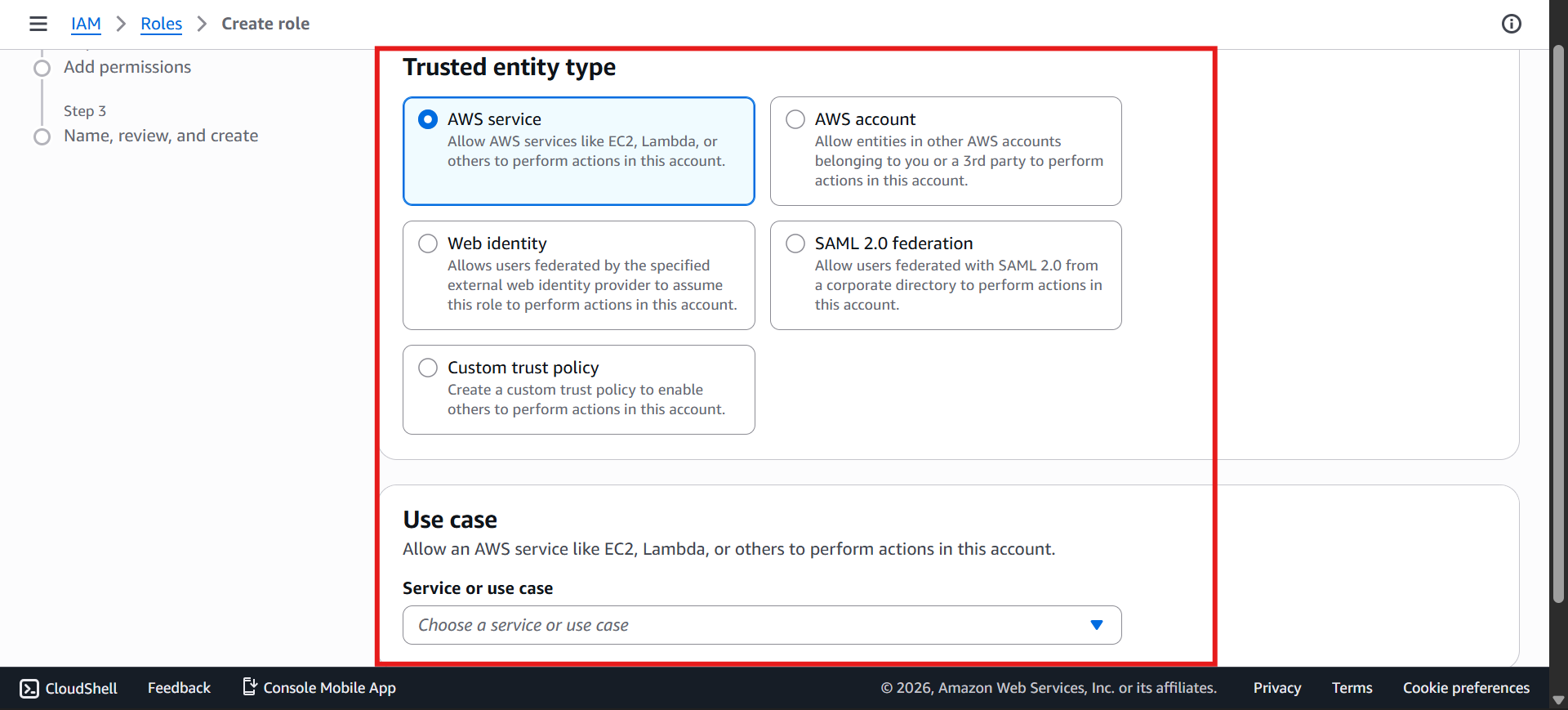
There are multiple options available
But for this hands-on (and for the exam), we focus on: ✅ AWS Service
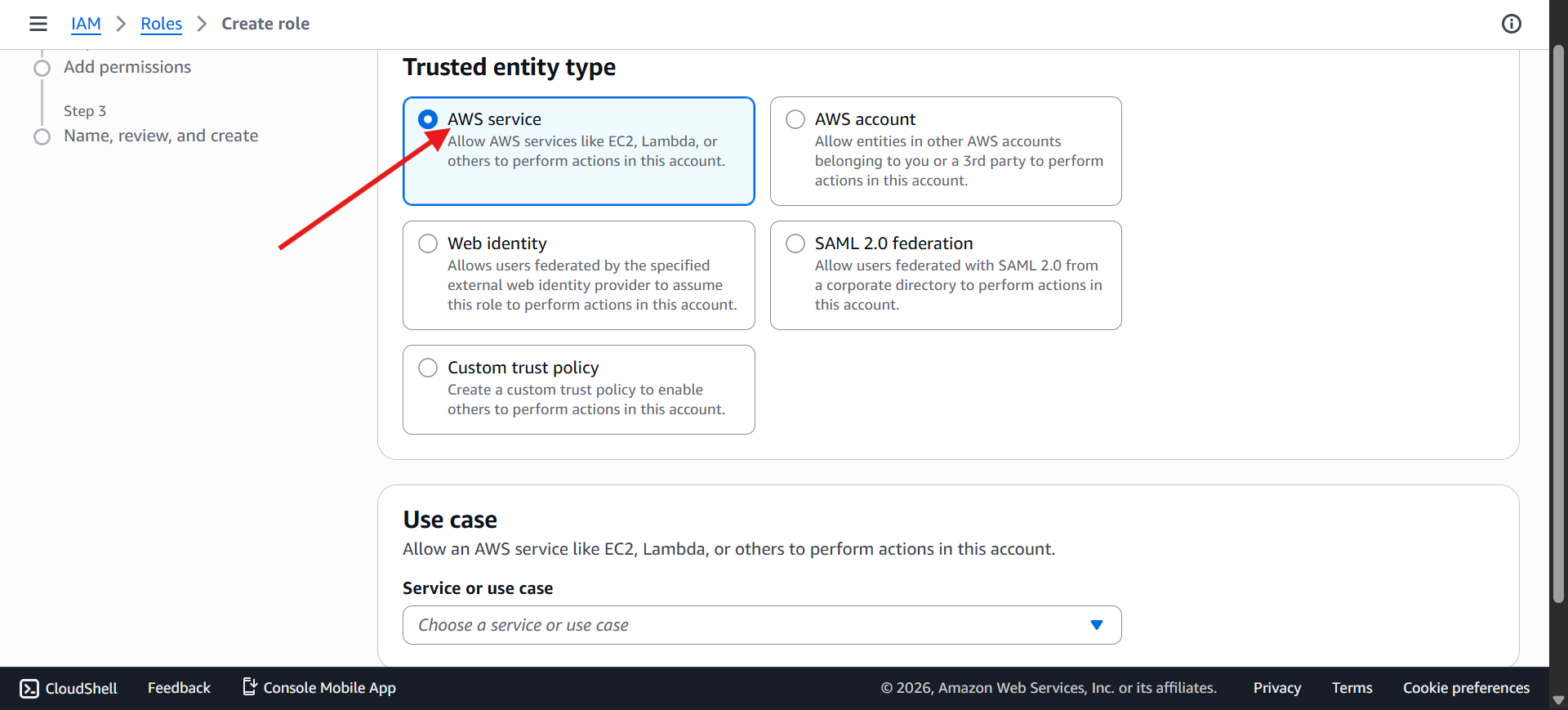
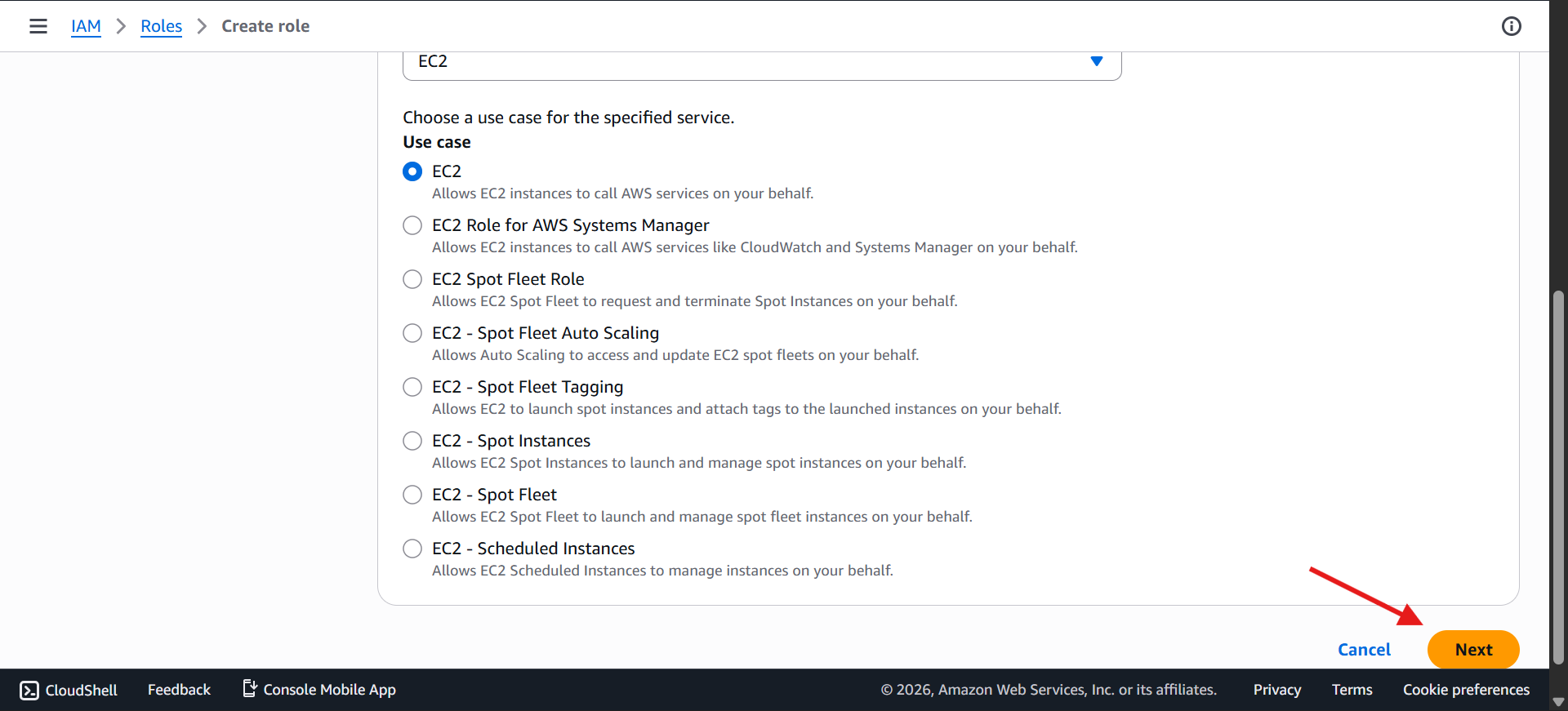
⚙️ Step 4: Select the Service (EC2)
Next, pick the service that'll use this role. You'll see common ones listed — EC2, Lambda, and several others.
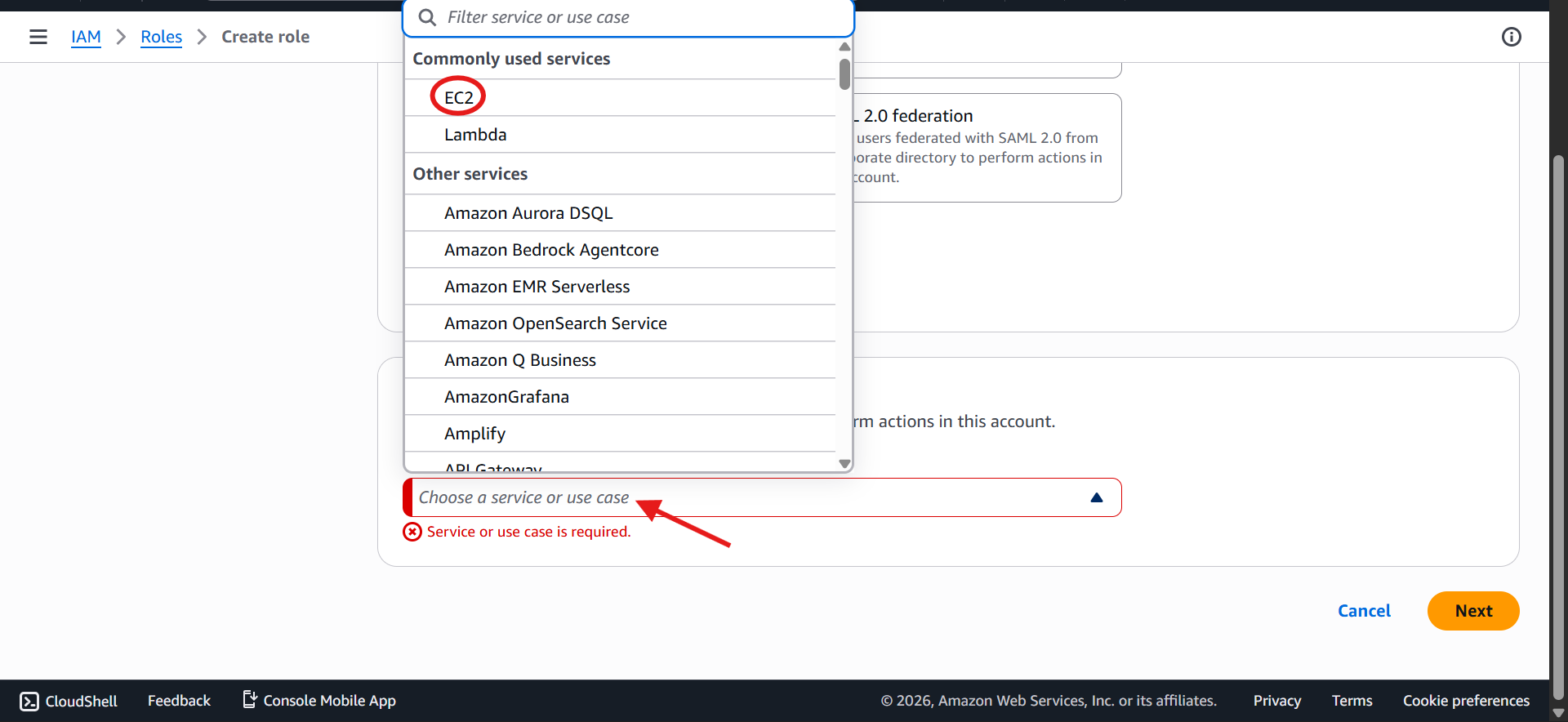
For this example: select EC2, use case EC2. Ignore the rest for now.
Click Next
🔐 Step 5: Attach Permissions (Policy)
Now that we’re creating a role for EC2: 👉 We need to assign permissions
Attach the policy: IAMReadOnlyAccess
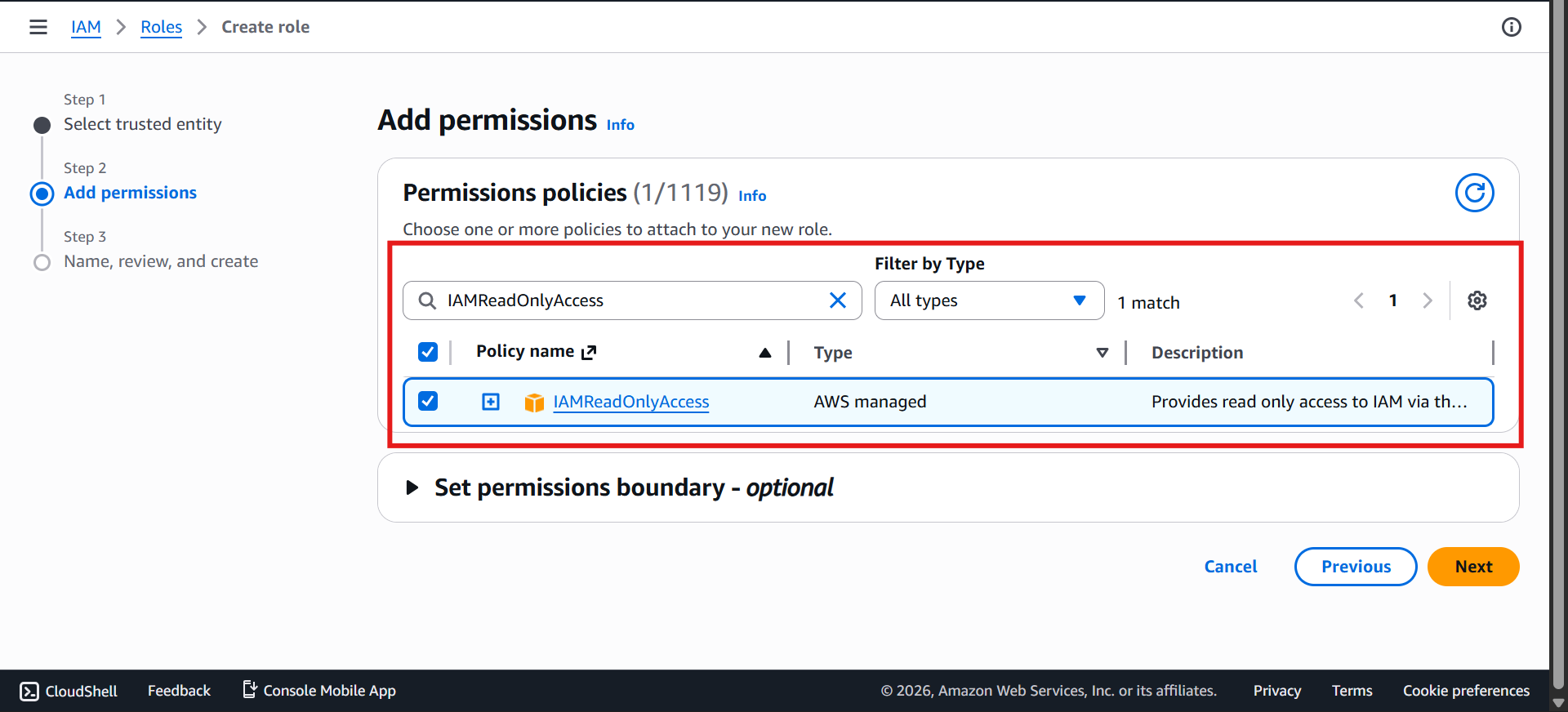
💡 This allows the EC2 instance to:
Read information from IAM
But not modify anything
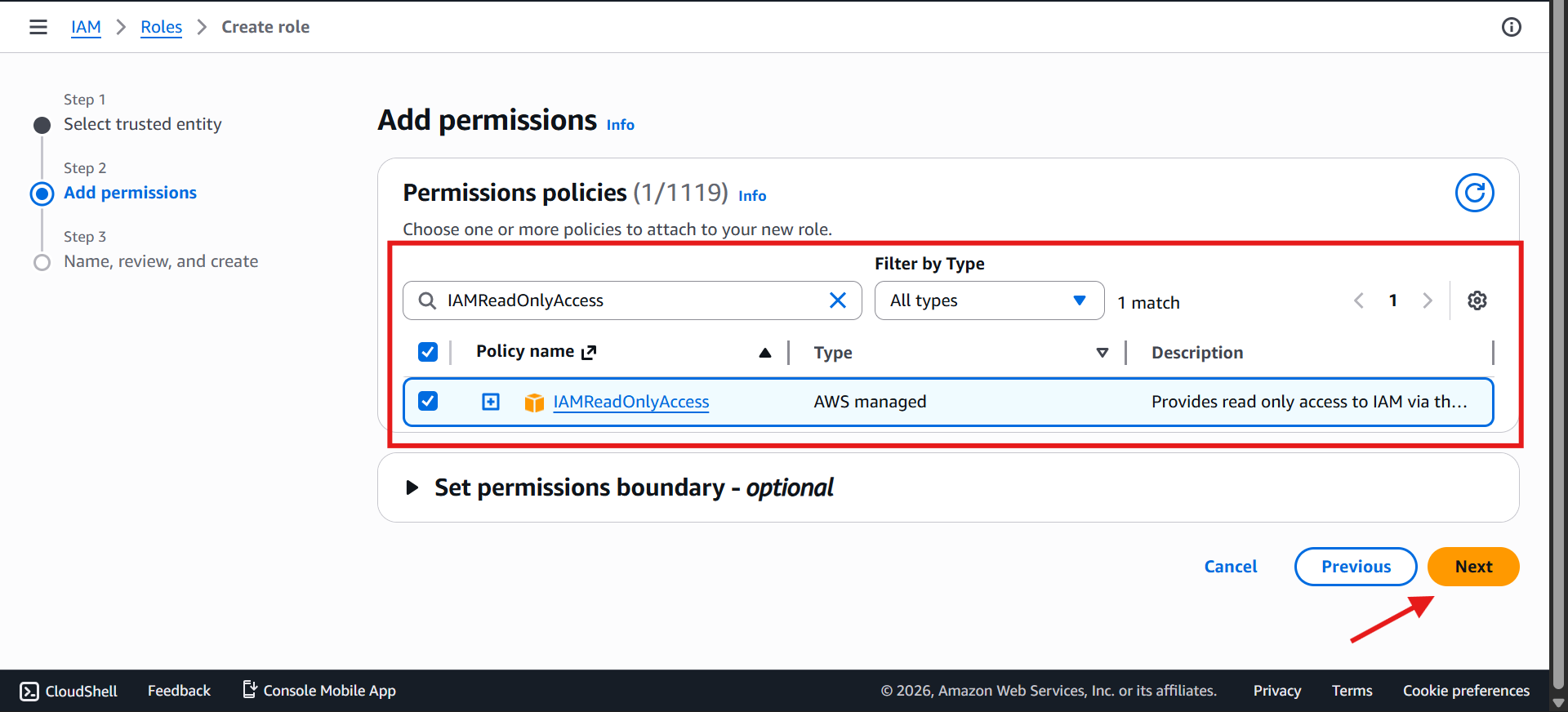
Click Next
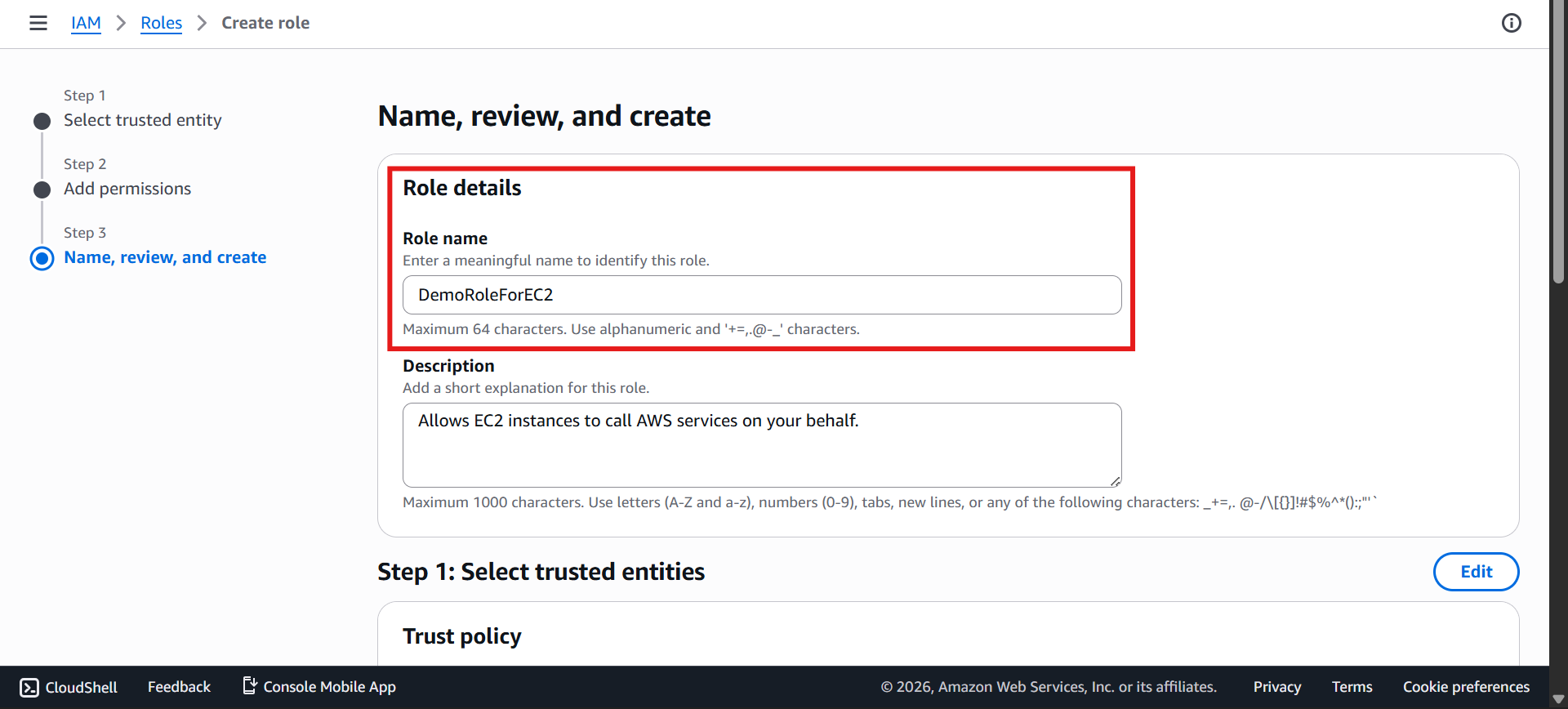
🏷️ Step 6: Name the Role
Now, give your role a name.
👉 Example: DemoRoleForEC2
🤝 Step 7: Review Trusted Entity
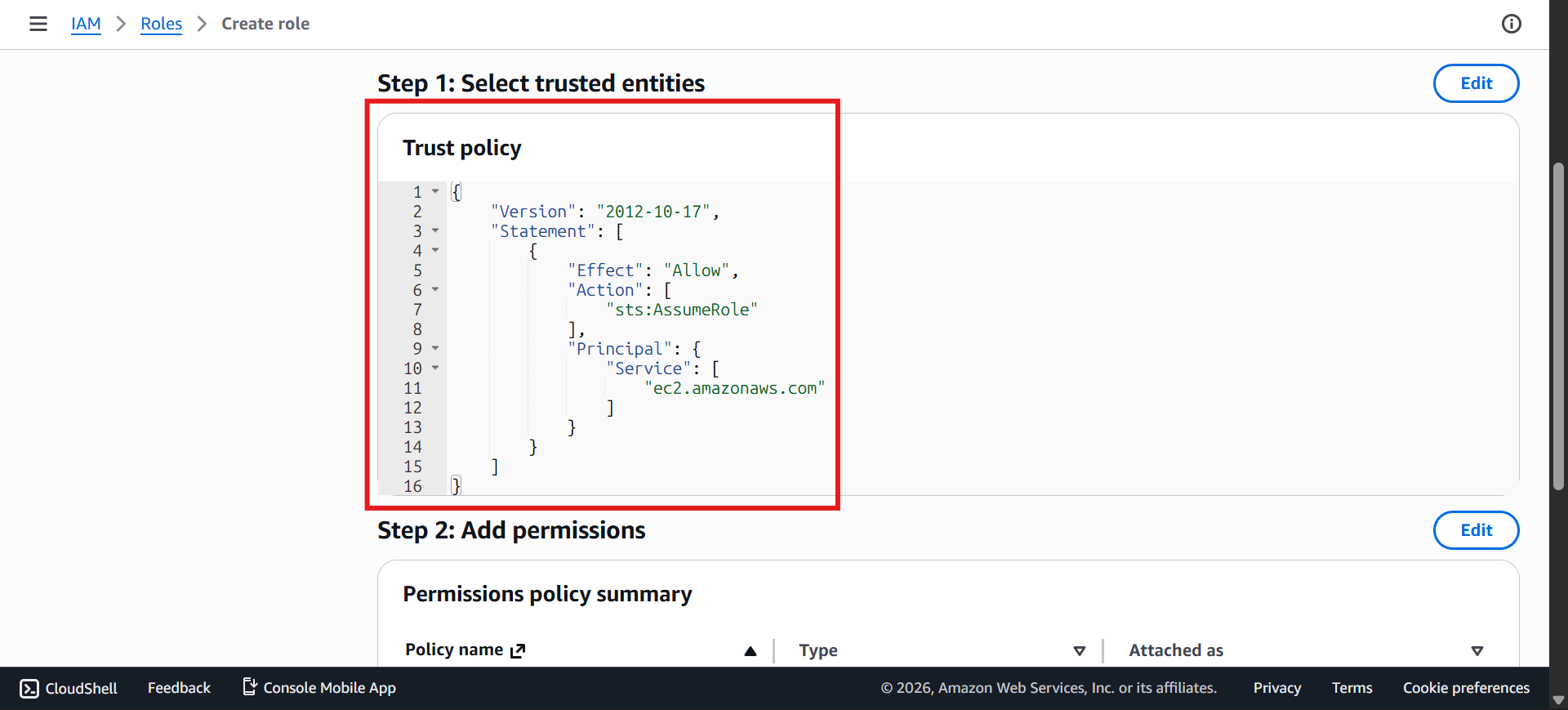
You'll now see trusted entities — this defines who's allowed to actually assume the role.
In this case, it's trusted by EC2. That's what makes this an EC2 role specifically — not just any role, one EC2 is permitted to use.
✅ Step 8: Review & Create
Before creating the role:
Verify the permissions: IAMReadOnlyAccess is attached
👉 Then click: Create role
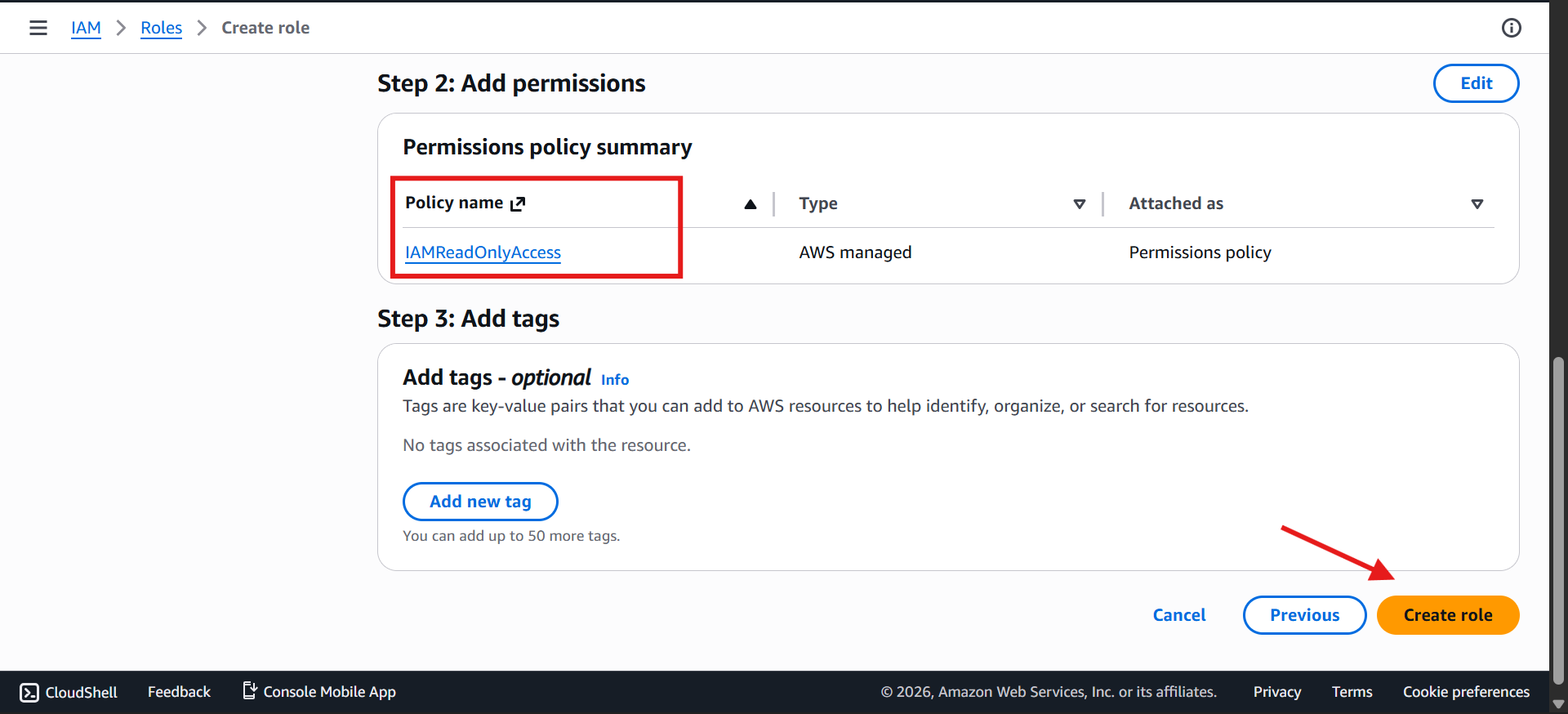
🎉 Step 9: Role Created
Your role is now created.
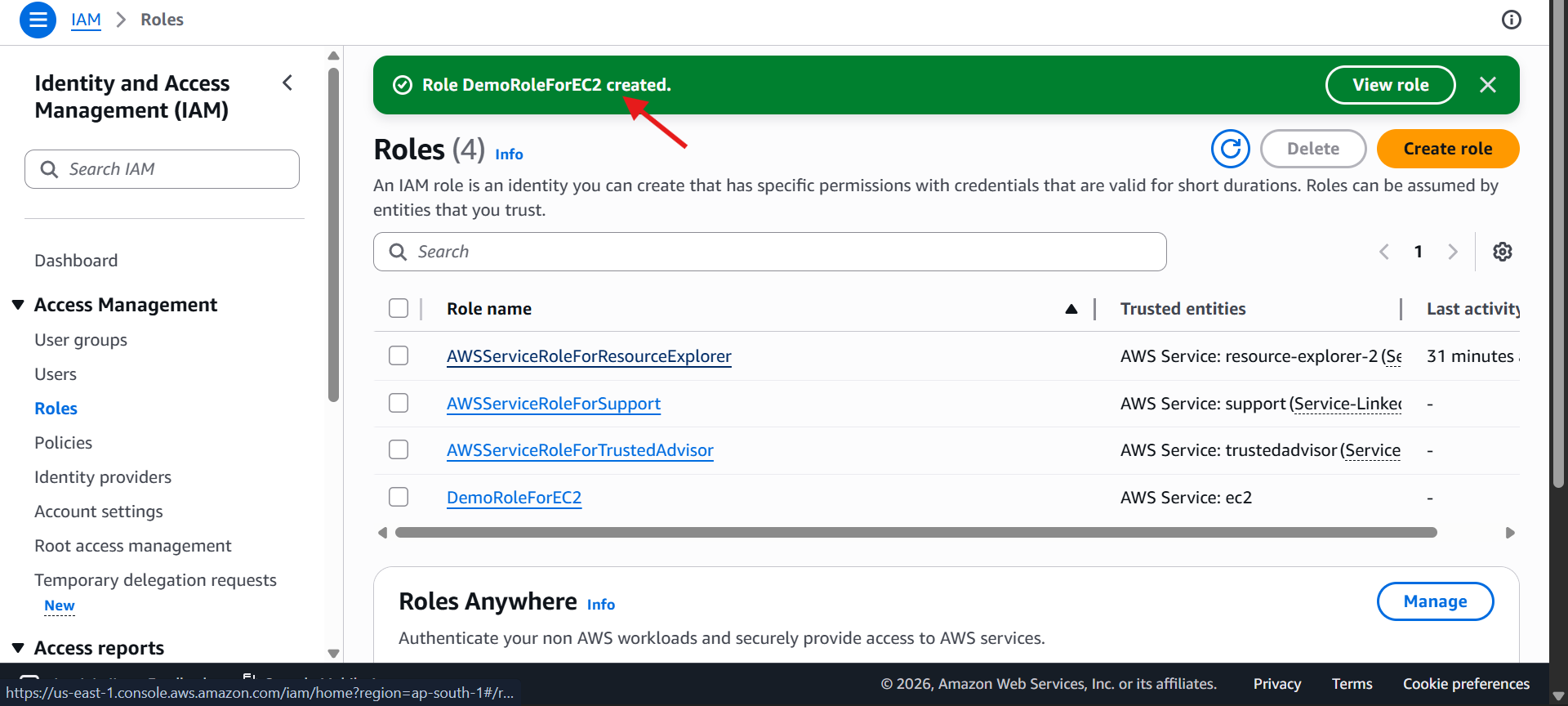
It will appear in your roles list
You can click on it to verify: Permissions and Configuration
🧐 When Will We Use This Role?
At this stage:
We have created the role
But we won’t use it just yet
👉 We will use it later in the EC2 section