📊 Generating and Reading a Credentials Report
Let's generate the report and see what it actually tells us.
Step 1: Generate It
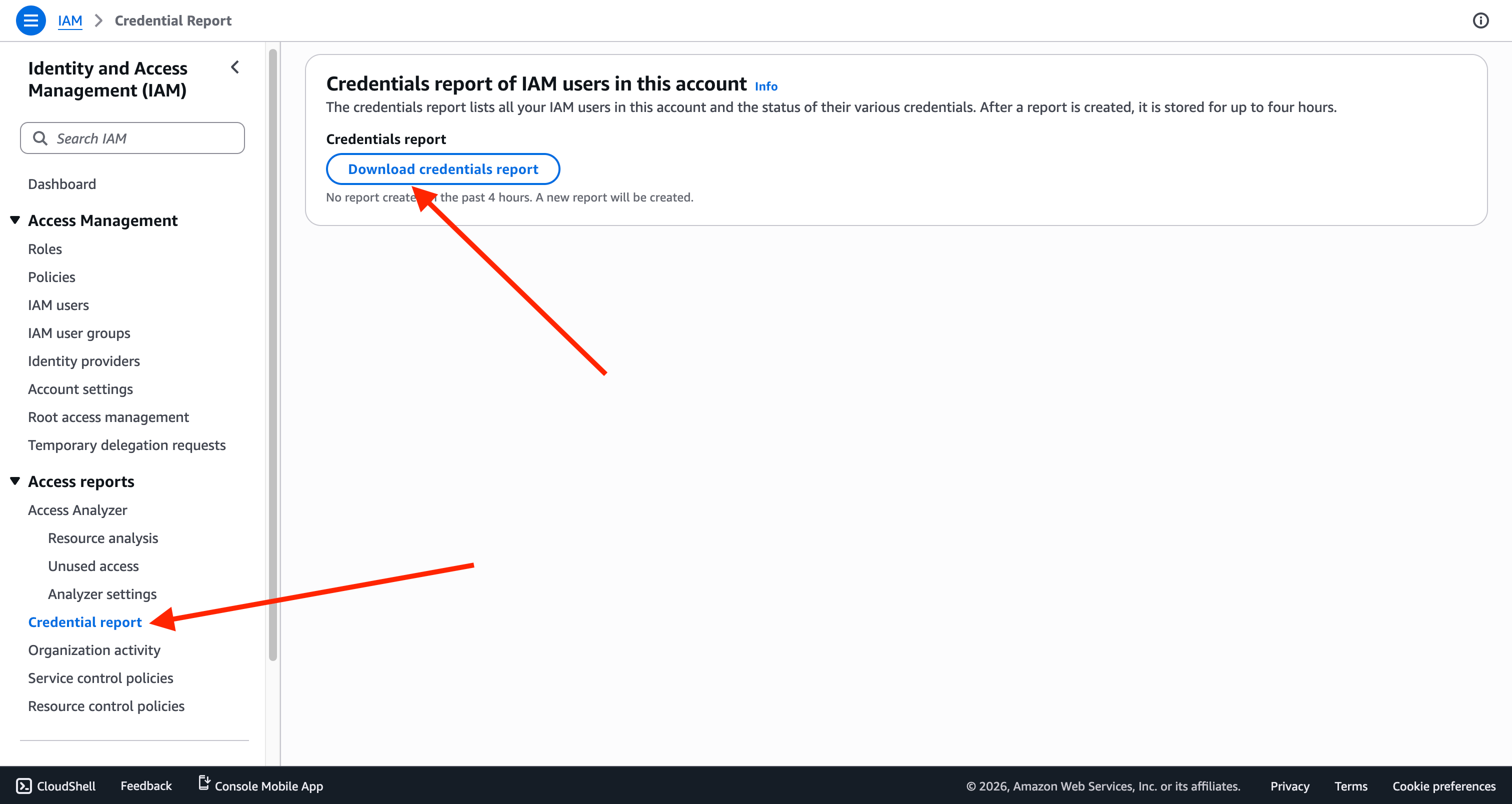
IAM dashboard → Credential report → Download credential report
This produces a CSV.
Step 2: Read the CSV
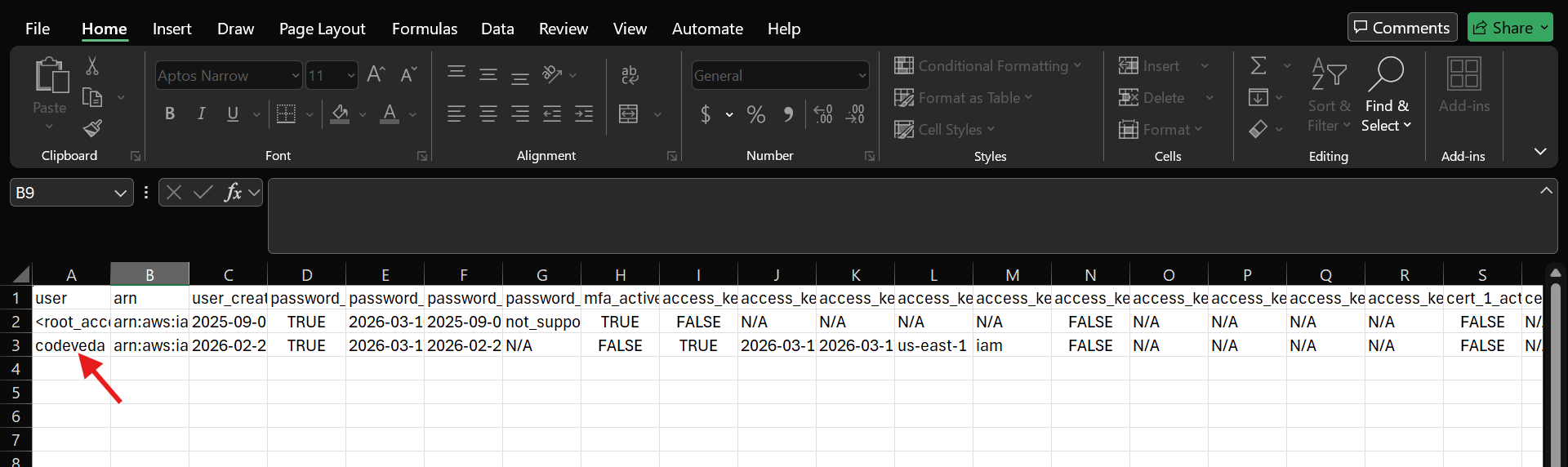
Open it up. In this training account, there are two entries: the root account and an IAM user (codeveda).
What's in the report:
📅 When the account was created
🔐 Whether a password is enabled
🕒 Last password use
🔁 Last password change
🔄 Password rotation status
🔑 Whether MFA is on
🗝️ Access key details — creation, rotation, last use
What it shows here:
Root has MFA on ✅ — the IAM user doesn't ❌
The IAM user has access keys; root doesn't
Why this matters: one report, and you can spot dormant accounts, missing MFA, and stale credentials at a glance.
Step 3: Access Advisor
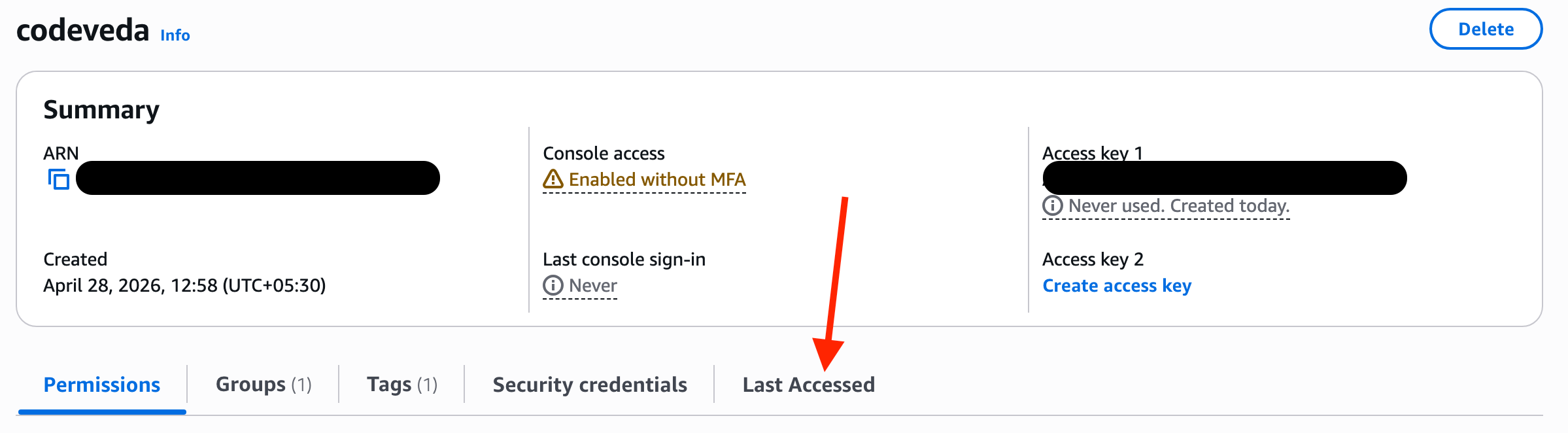
The second tool. IAM → Users → select codeveda → Access Advisor (or "Last Accessed").
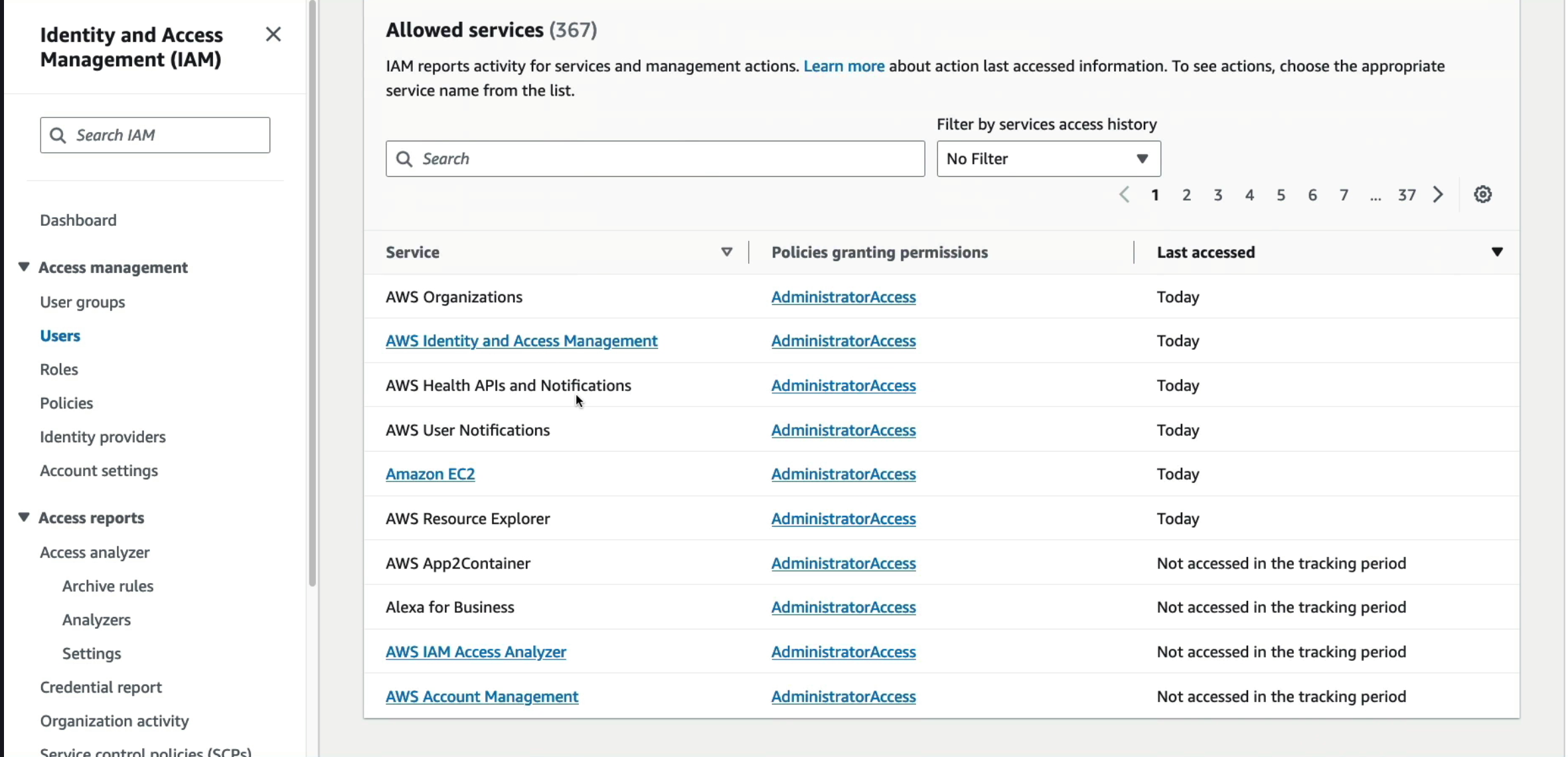
This shows every AWS service the user can access, alongside when each was last actually used.
The insight it surfaces: a user might have access to a dozen services but only touch two or three of them. That gap is exactly what to trim — if someone only uses EC2, there's no reason they still have standing access to everything else.