🧹 Cleanup Checklist: AWS Free Tier Resources
❓ Why Bother Cleaning Up?
Even on the free tier, it's good practice to:
Avoid unnecessary resource usage
Prevent surprise charges in other regions
Keep your account organized
🖥️ Check What's Running
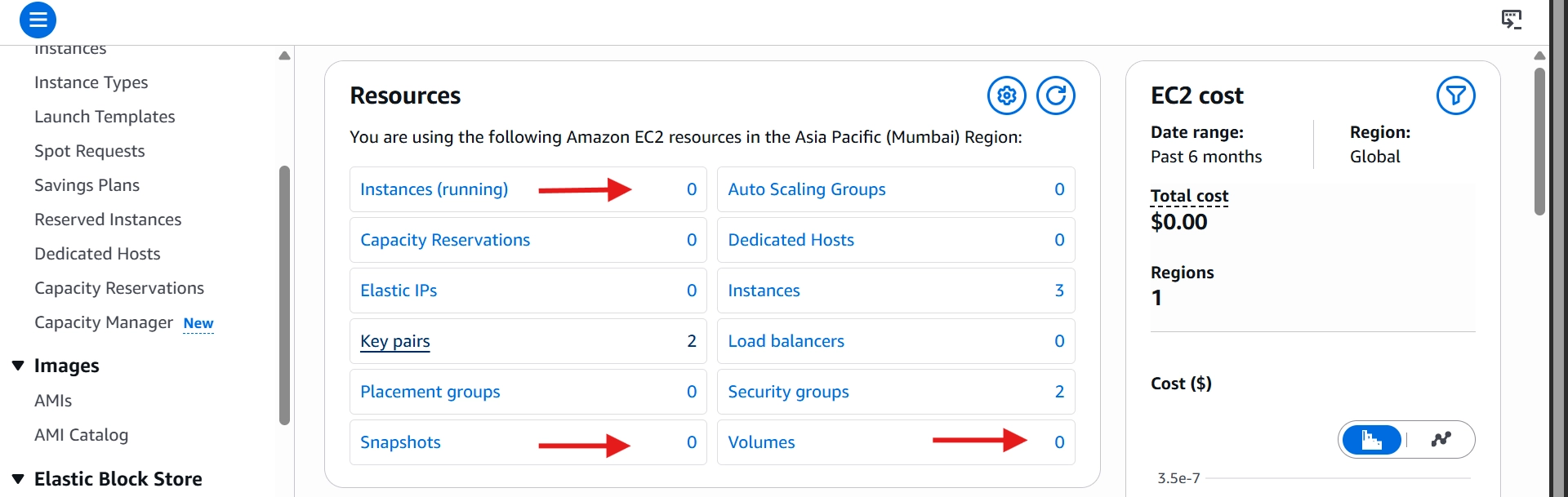
Go to the EC2 Dashboard and review resources in your current region:
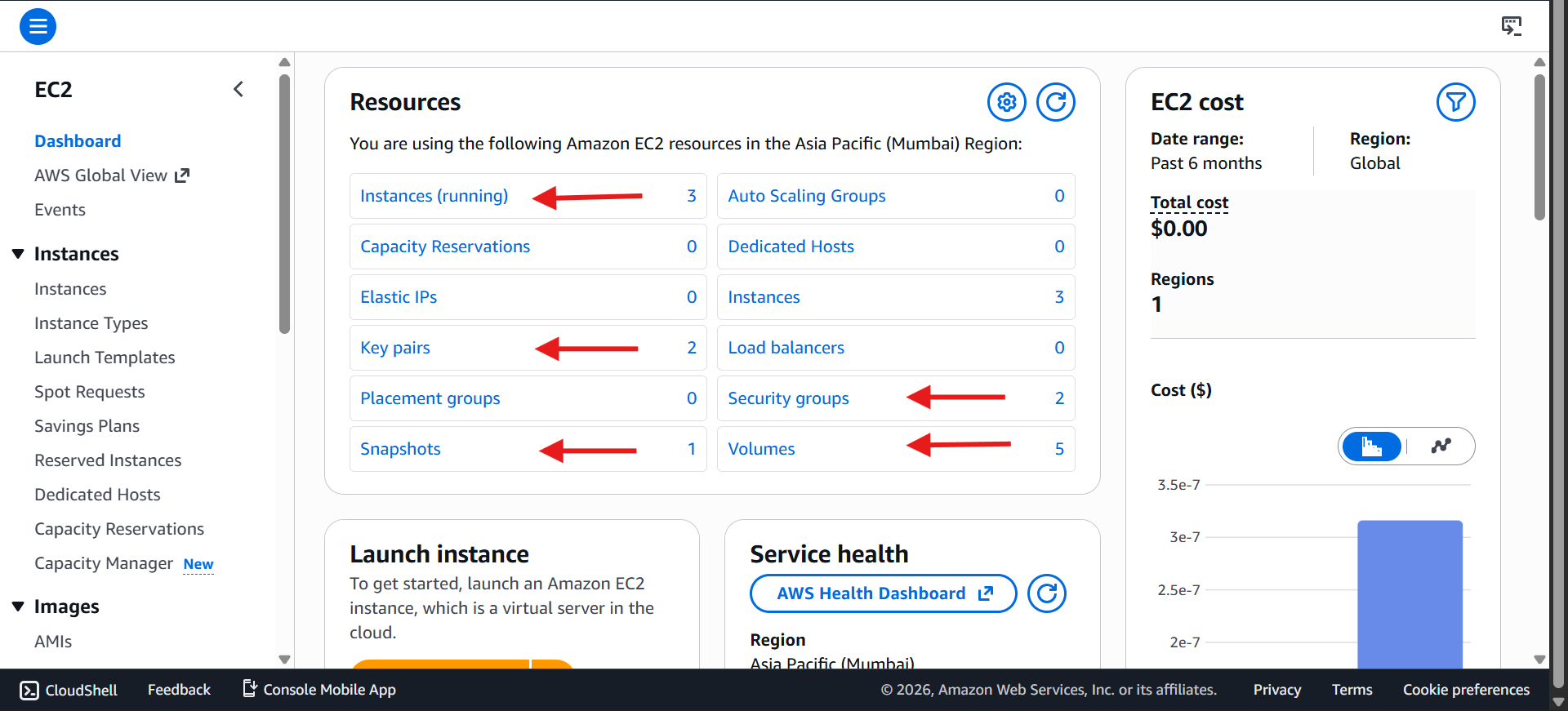
Instances 💻
EBS Volumes 💽
Snapshots 📸
Key pairs 🔑
Security groups 🛡️
💡 Key pairs and security groups are free — no need to delete them. But if you wish you can do it.
✅ These numbers can be different for you
⚡ Terminate EC2 Instances
Select all instances
Right-click → Terminate
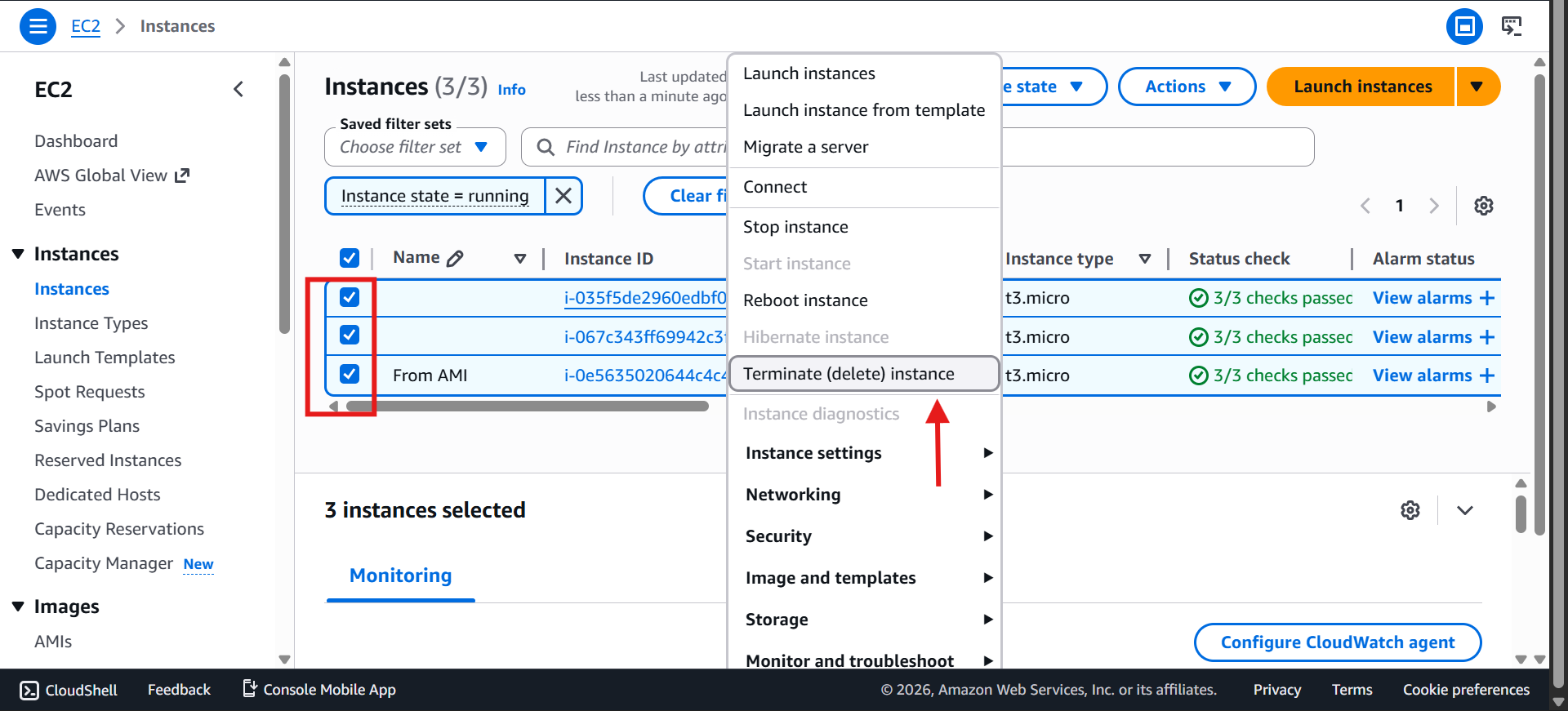
Confirm
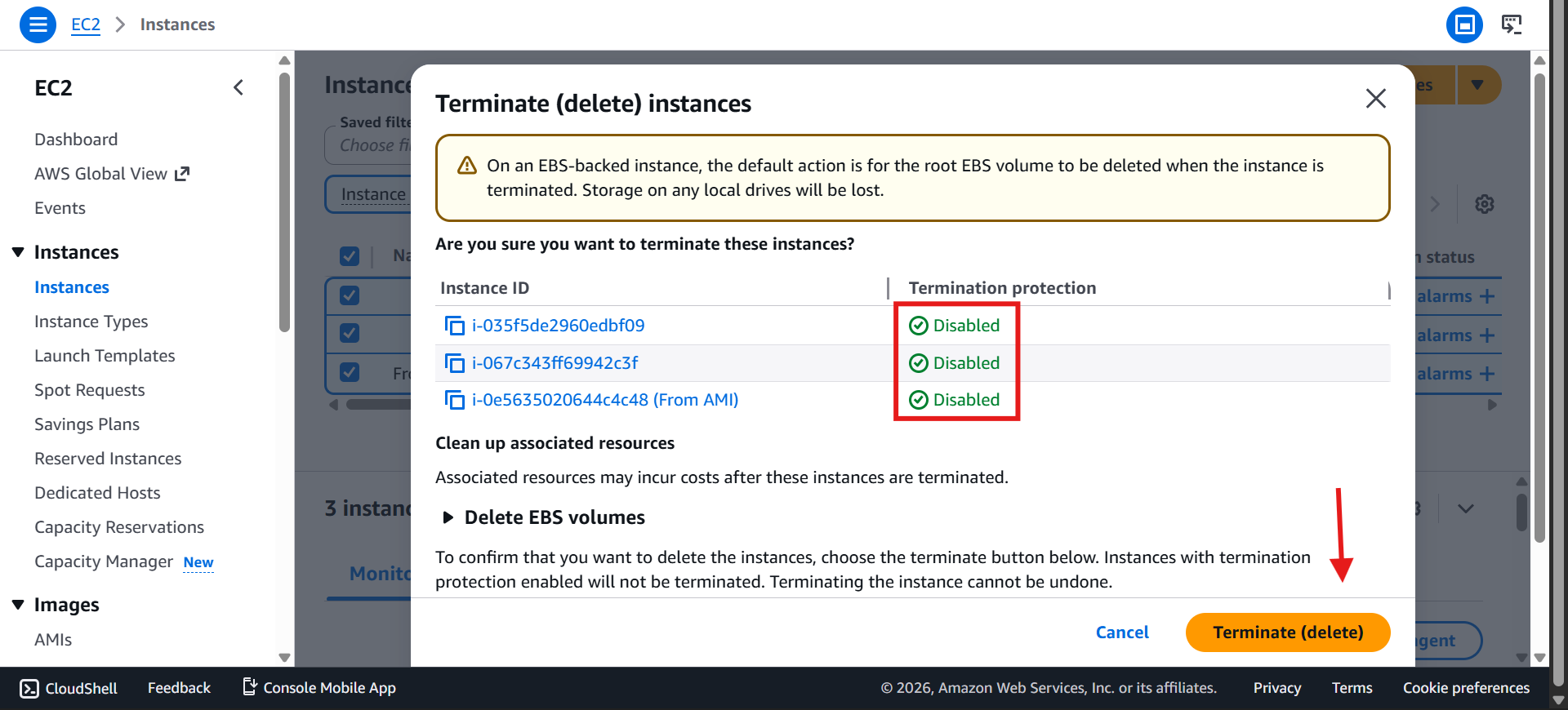
Root EBS volumes attached to these instances are deleted automatically.
Your number of instances might be different — just delete whatever's showing on your end.
💽 Delete Leftover EBS Volumes
Find any volumes not attached to an instance
Select → Actions → Delete Volume
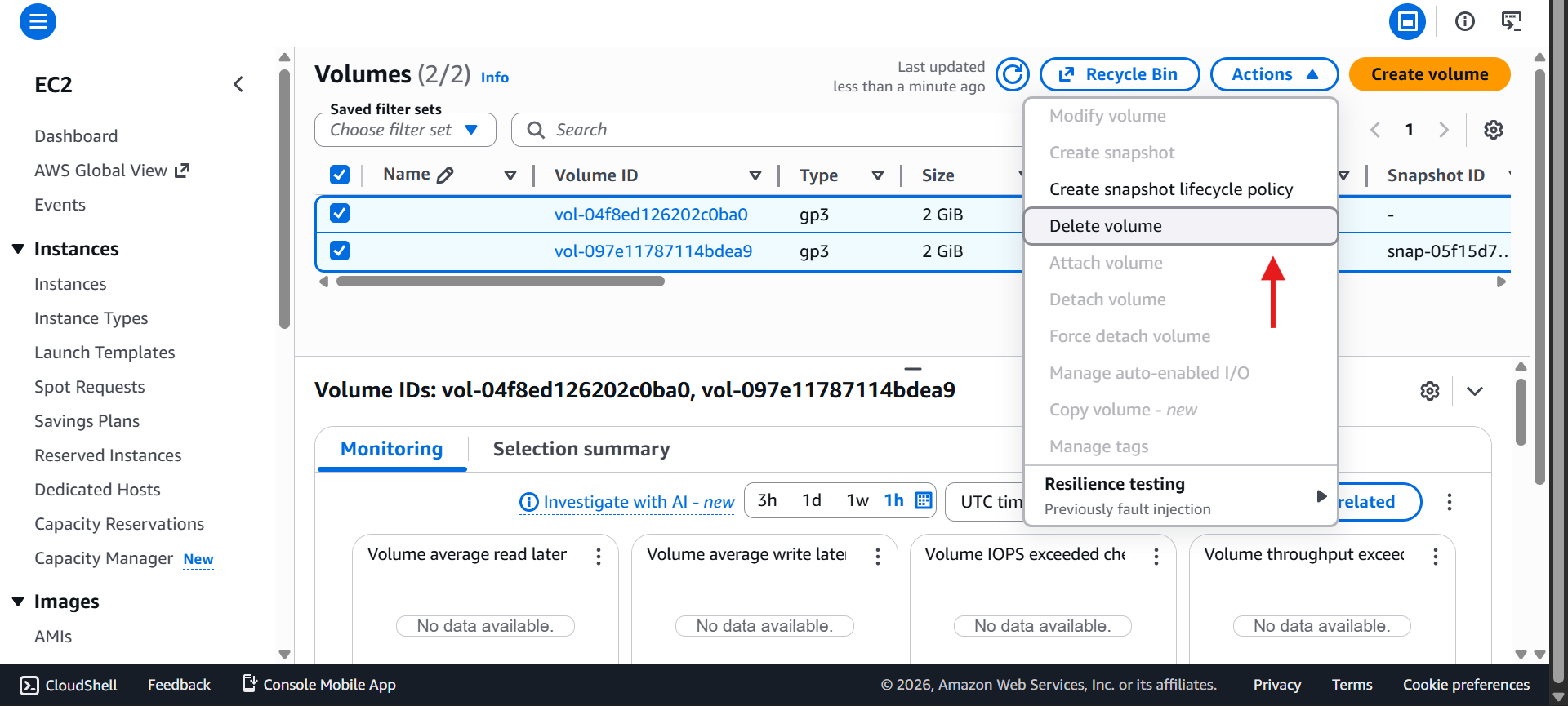
Confirm deletion ✅
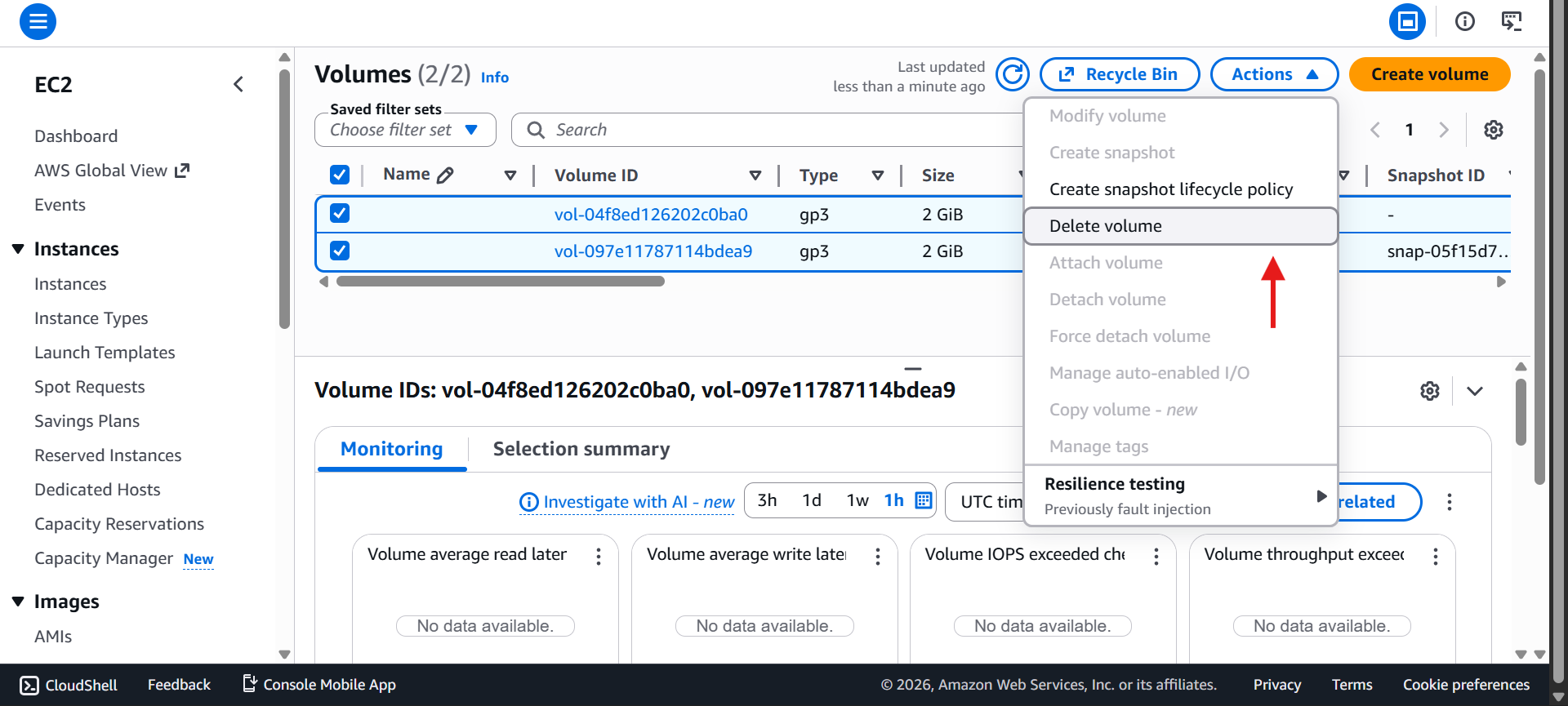
📸 Delete Snapshots
Go to Snapshots
Select unneeded ones → Actions → Delete Snapshot
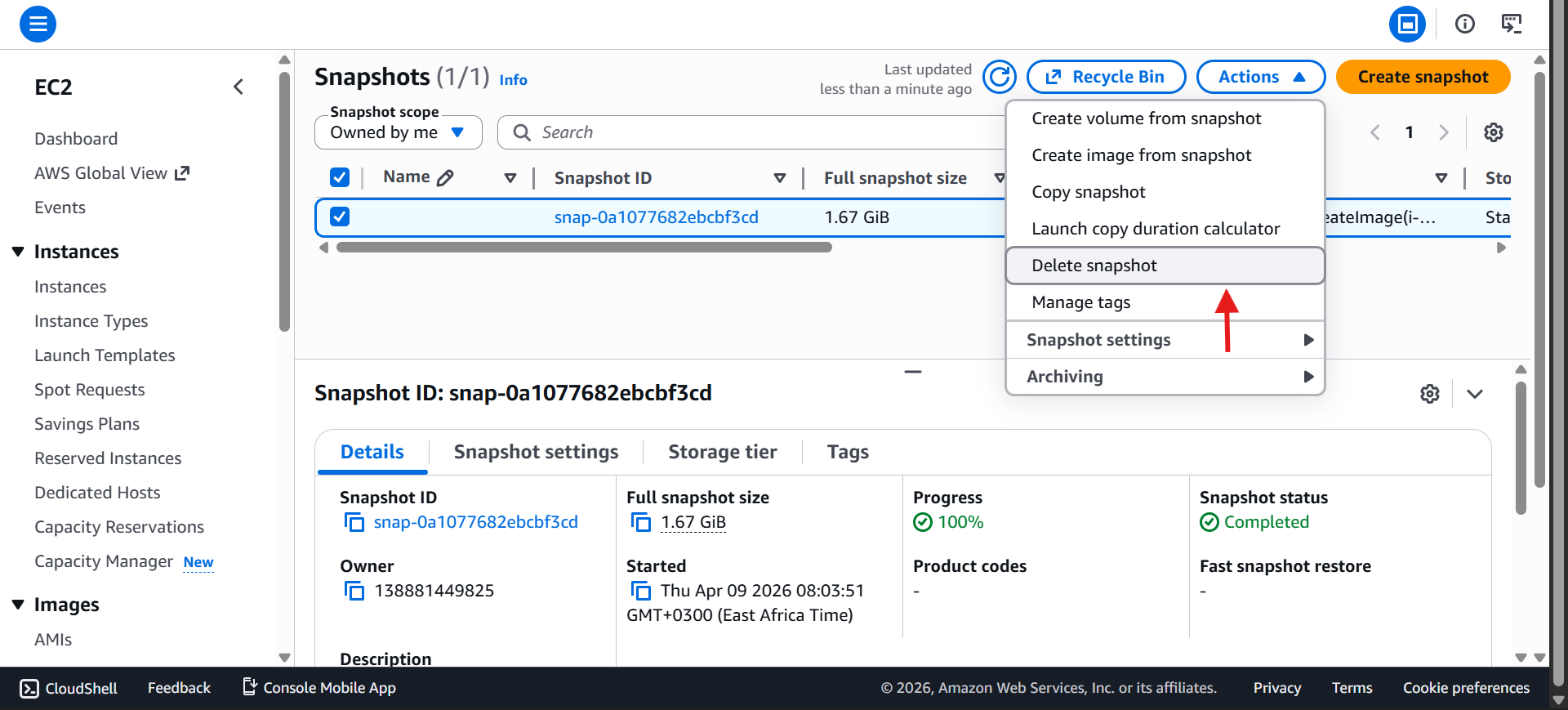
If a snapshot won't delete, it's likely still linked to an AMI

🖥️ Deregister AMIs
Go to AMIs
Select → Deregister
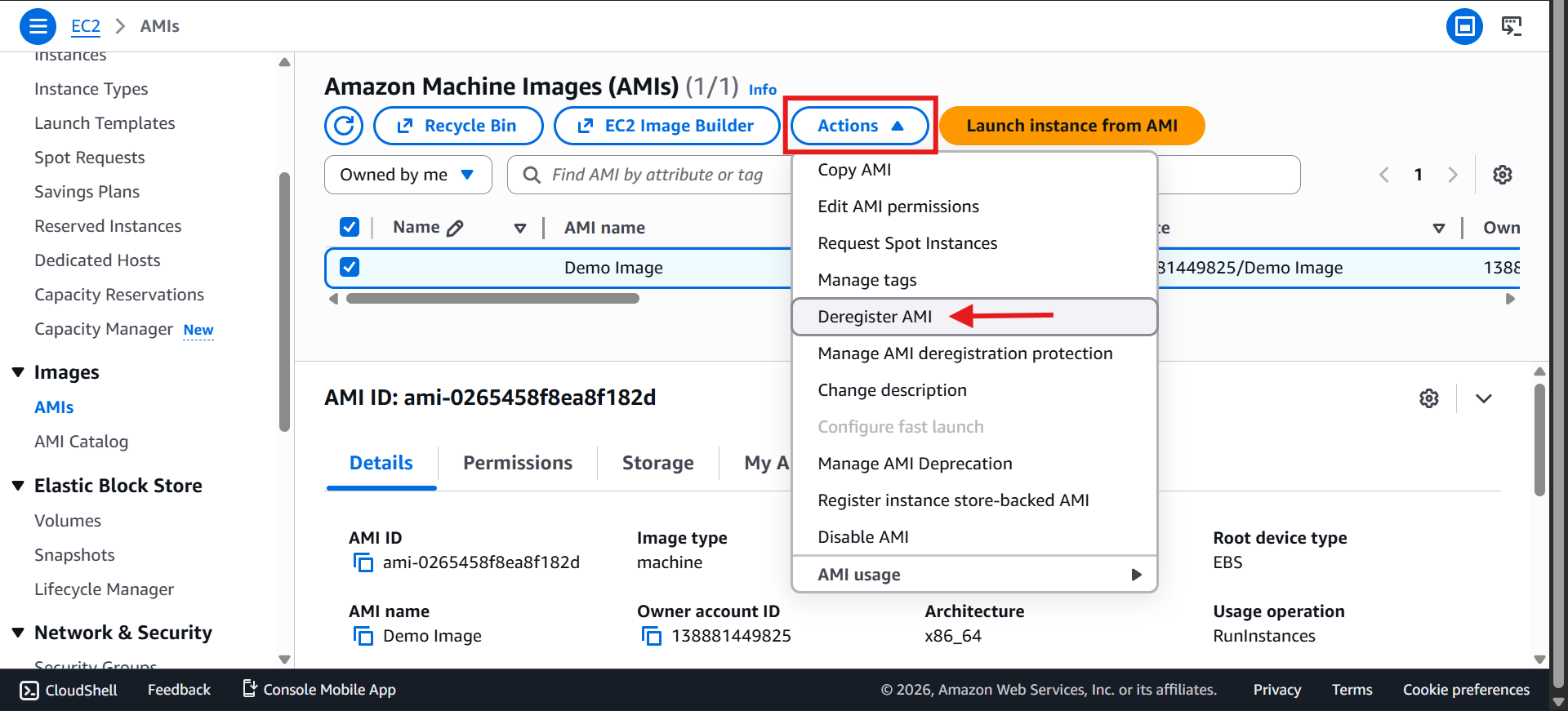
Confirm
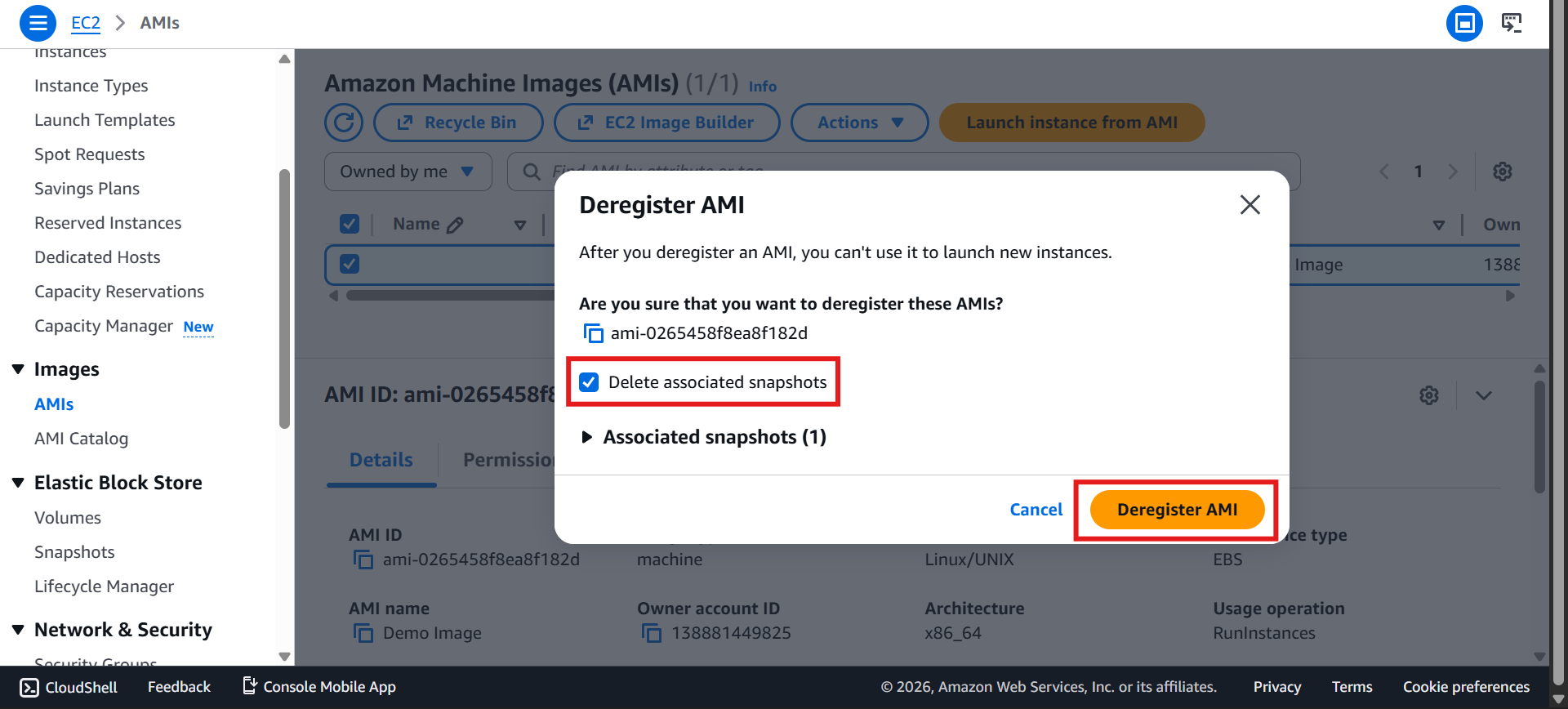
Head back to Snapshots — the previously blocked one should now delete
✅ Final Check
Your account should now show:
Instances: none running
EBS Volumes: none left
Snapshots: empty
AMIs: empty
Key pairs & Security groups: fine to keep (free)
Refresh the EC2 dashboard to confirm everything's clean.
🤝 Quick Reference
Resource | Action | Note |
|---|---|---|
💻 EC2 Instances | Terminate | Deletes attached root volumes |
💽 EBS Volumes | Delete | Check for unattached ones |
📸 Snapshots | Delete | Deregister linked AMIs first if blocked |
🖥️ AMIs | Deregister | Frees up linked snapshots |
🔑 Key Pairs | Keep (optional) | Free, safe to leave |
🛡️ Security Groups | Keep (optional) | Free, safe to leave |
💡 Exam Tip
Cleaning up avoids unnecessary costs and keeps your account tidy
Remember the dependency order: Instances → EBS → Snapshots → AMIs
Check resources across all regions, not just the default one