💰 AWS Billing & Budget Management
In this lecture, we’ll learn how to:
Access billing information as an IAM user
Enable IAM billing access
View detailed billing breakdowns
Track free tier usage
Create budgets and alarms
This is essential to avoid unexpected costs while using AWS.
🔹 Step 1: Access Billing Console
Click on your account name in the top-right corner.
Select
Billing and Cost Management.
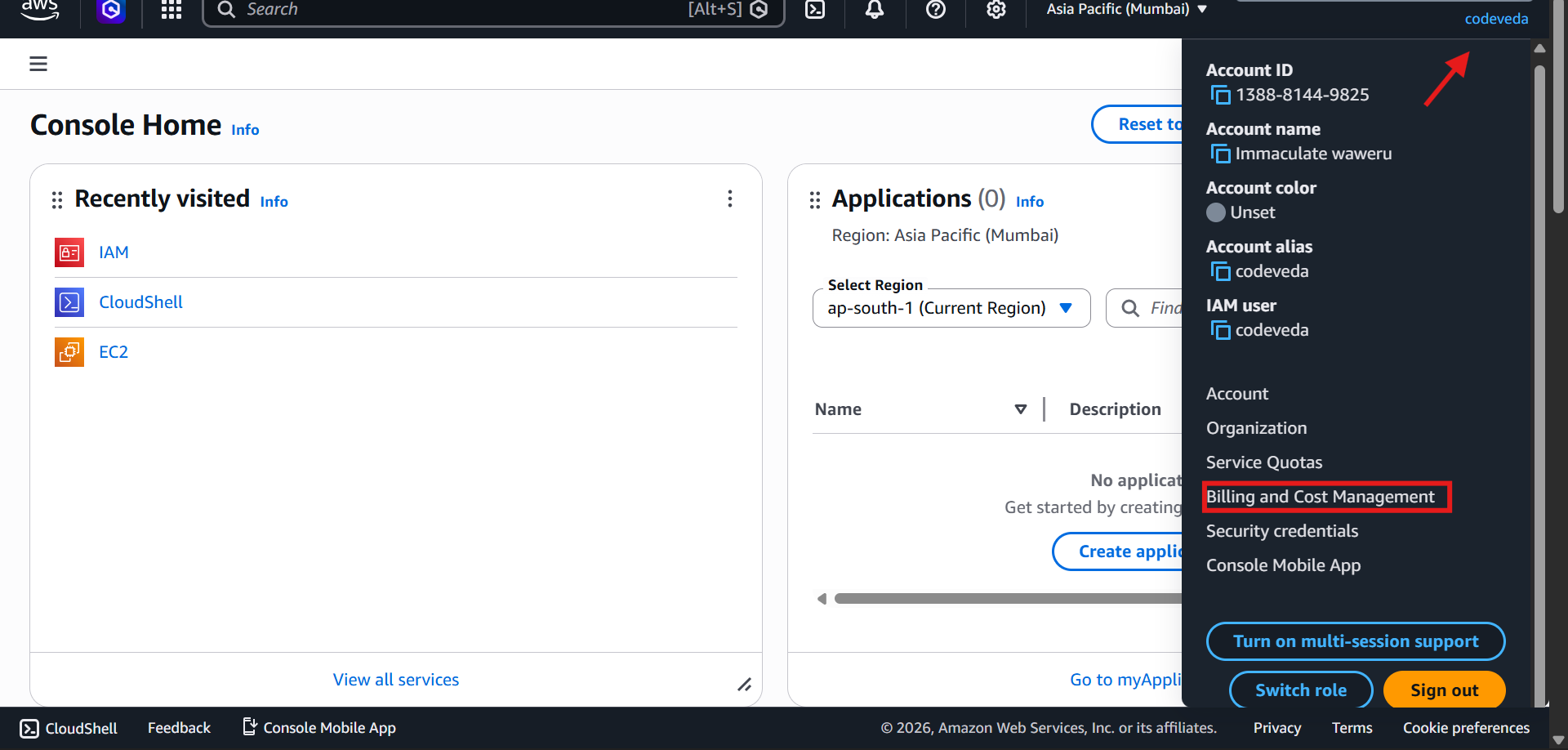
⚠️ Note: If you are logged in as an IAM user, you might see Access Denied, even with administrative access.
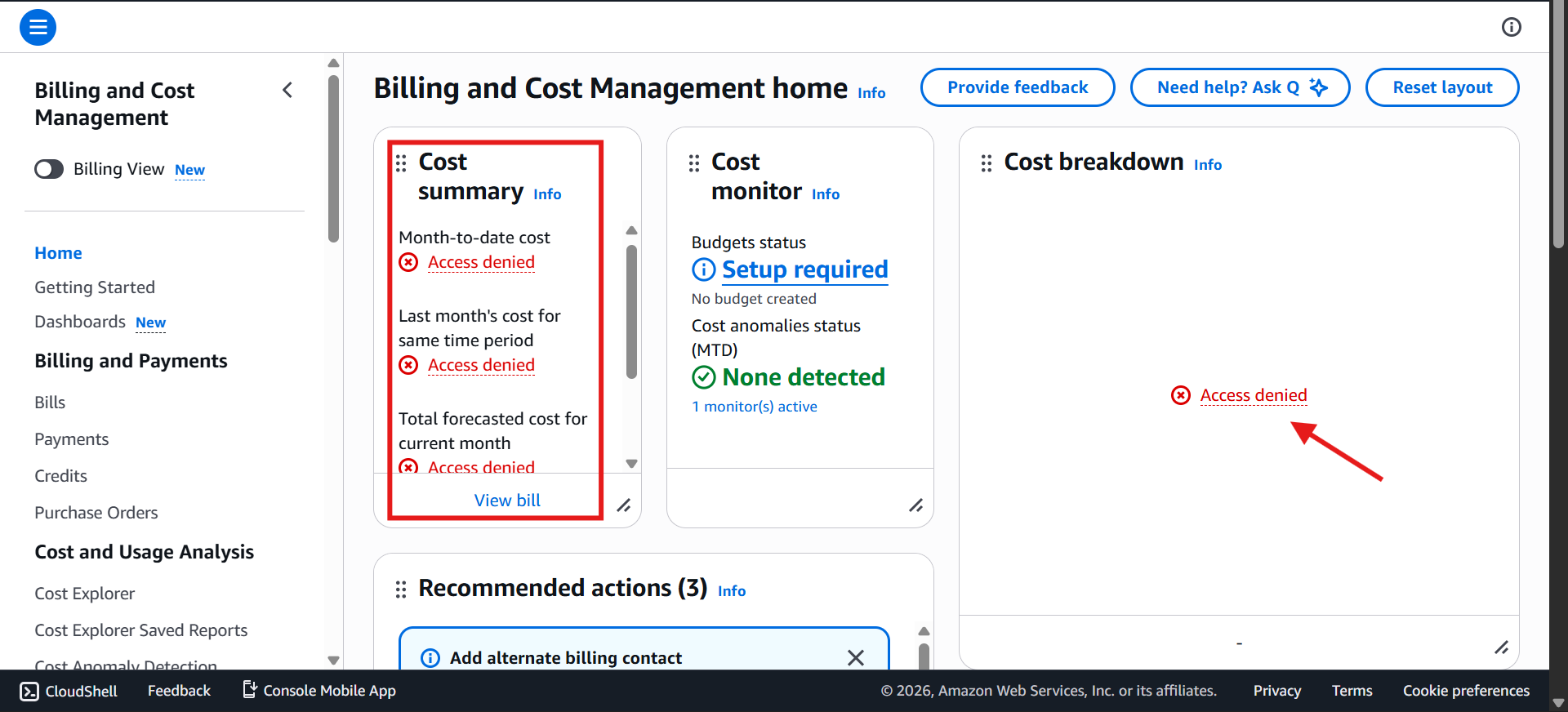
🔹 Step 2: Enable IAM Access to Billing
Log in to your root account.
Go to Accounts → IAM user and role access to billing information.
Activate IAM access for billing.
Once activated, IAM users with administrative access can see billing data.
🔹 Step 3: Explore the Billing Dashboard
Month-to-date cost
Forecasted cost for current month
Last month's total cost
Cost breakdown by service
Scroll down in the Bills section to see charges by service.
This section allows you to understand exactly what is costing money.
🔹 Step 5: Monitor Free Tier Usage
On the left menu, click Free Tier.
See:
Current usage
Forecasted usage
Free tier limit
If forecasted usage goes above free tier, costs turn red.
Always turn off unused resources to avoid charges.
🔹 Step 6: Create a Budget
Go to Budgets → Create Budget → Simplified Template
Examples:
Budget name:
My Zero Spend BudgetEmail recipient:
codeveda@example.comAlert when spend reaches $0.01
Budget: $10/month or your own monthy budget (20$, 50, 100$)
Alerts when actual or forecasted spend reaches thresholds (e.g., 85%, 100%)
Up to 3 email recipients
Helps prevent unexpected charges, even if you make a mistake.
🔹 Key Takeaways
IAM users need billing access enabled by the root account
Billing console shows costs, forecasts, and free tier usage
Break down bills by service to understand charges
Set budgets and alerts to avoid overspending
Always monitor free tier usage