🔗 Amazon Neptune
Some data is highly connected — think social networks, recommendations, fraud detection — where relationships matter as much as the data itself.
Neptune is AWS's fully managed graph database, built to store and query highly connected data across millions or billions of items.
📌 When to Use Neptune
When relationships between records matter as much as the records themselves — connected data, at scale.
🎯 Exam Tip
✅ Neptune = fully managed graph database
✅ Built for highly connected datasets
✅ Use cases: social networks, recommendations, fraud detection, knowledge graphs
✅ "Graph database" → Neptune
🧠 Core Idea
Traditional databases excel at rows, documents, or key-value pairs. But some apps care more about the relationships between data than the records themselves — that's where graph databases come in.
A graph database stores nodes (the data) and edges (the relationships) — much faster for answering questions involving complex connections.
🌐 Example: Social Network
Users have friends, create posts, comment, like, and share — all connected objects.
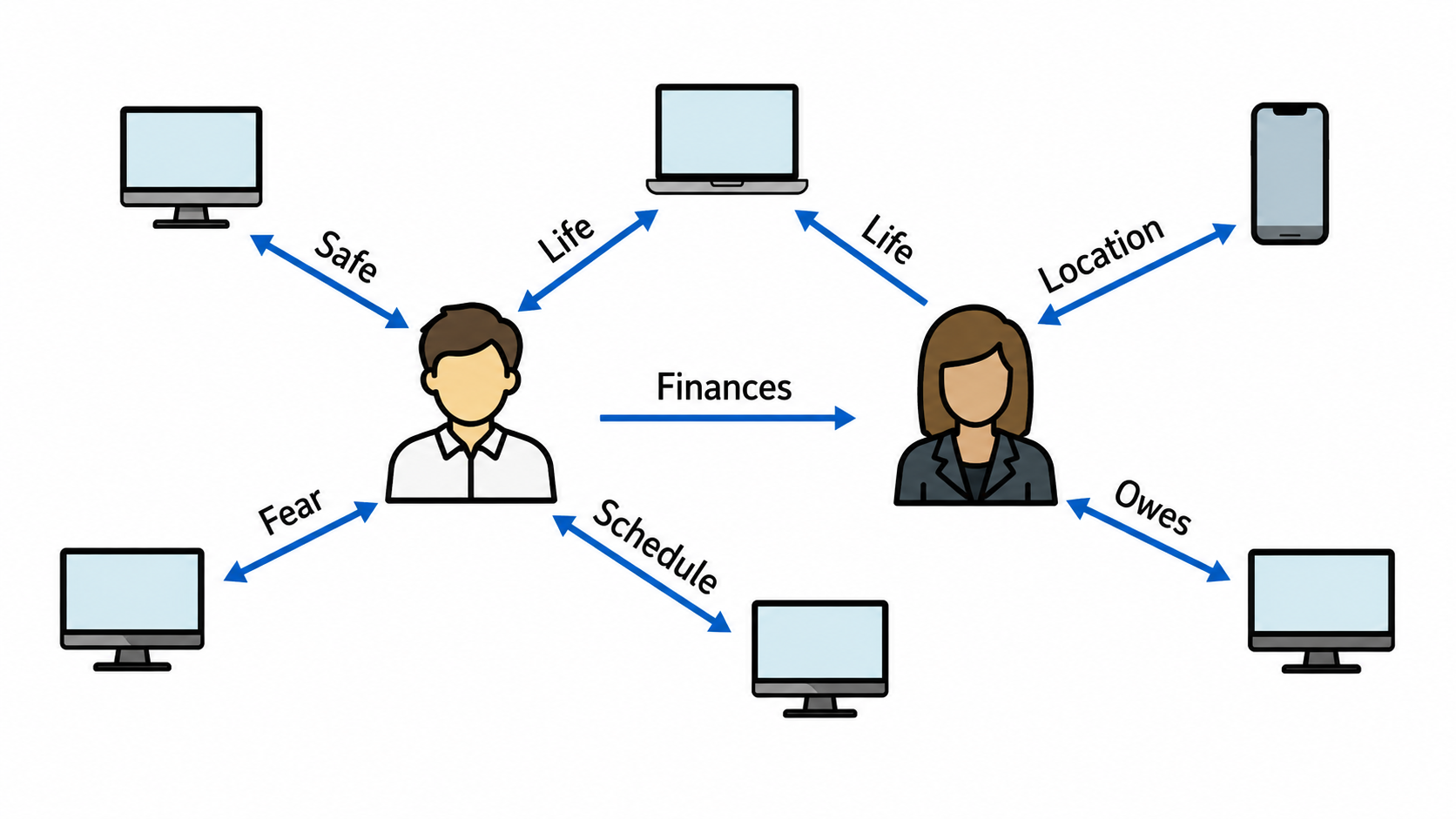
Instead of repeated table joins, Neptune stores these relationships natively — faster and more natural to query.
⚡ Why a Graph Database?
Questions like "which friends-of-friends like this product?" or "how are these two people connected?" get complex fast in traditional databases. Neptune is purpose-built for exactly this kind of relationship query.
⚙️ Key Features
✅ Fully managed by AWS
✅ Purpose-built for graph data
✅ Optimized for complex relationship queries
✅ Highly available
✅ Fast query performance
✅ Handles very large graph datasets
Auto-replicated across three Availability Zones, plus support for up to 15 read replicas for more concurrent reads and better performance.
<div class="infographic-neptune">
  <style>
    .infographic-neptune {
      --ink:        #1a1a1a;
      --ink-soft:   #5c5c5c;
      --paper:      #ffffff;
      --paper-alt:  #f0ece4;
      --accent:     #2563eb;
      --accent-soft:#e3ebfd;
      --line:       #ddd6c9;
      --display-font: 'Fraunces', Georgia, serif;
      --body-font: 'Inter', -apple-system, sans-serif;
      max-width: 880px;
      margin: 0 auto;
      box-sizing: border-box;
      font-family: var(--body-font);
      color: var(--ink);
      background: var(--paper);
    }
    .infographic-neptune[data-theme="dark"] {
      --ink:        #e8e6e1;
      --ink-soft:   #9a968c;
      --paper:      #121212;
      --paper-alt:  #1e1e26;
      --accent:     #5b8def;
      --accent-soft:#202942;
      --line:       #2c313d;
    }
    .infographic-neptune * { box-sizing: border-box; }
    .infographic-neptune .np-inner { padding: clamp(1.25rem, 5vw, 3rem) clamp(1rem, 4vw, 2rem); }

    .infographic-neptune h2 {
      font-family: var(--display-font);
      font-weight: 600;
      font-size: clamp(1.4rem, 3.5vw, 1.9rem);
      margin: 0 0 0.25rem;
      letter-spacing: -0.01em;
    }
    .infographic-neptune .np-sub {
      color: var(--ink-soft);
      font-size: 0.92rem;
      margin: 0 0 2rem;
    }

    /* --- hub (Neptune) --- */
    .infographic-neptune .np-hub {
      background: var(--paper-alt);
      border: 1px solid var(--line);
      border-top: 3px solid var(--accent);
      padding: 1.1rem 1.25rem;
      display: flex;
      align-items: center;
      gap: 1rem;
      cursor: pointer;
      font: inherit;
      color: var(--ink);
      width: 100%;
      text-align: left;
      margin: 0 auto;
      max-width: 420px;
    }
    .infographic-neptune .np-hub svg {
      width: 34px; height: 34px; flex-shrink: 0;
      stroke: var(--accent); fill: none; stroke-width: 1.5;
      stroke-linecap: round; stroke-linejoin: round;
    }
    .infographic-neptune .np-hub-title {
      font-family: var(--display-font);
      font-size: 1.15rem;
      font-weight: 600;
    }
    .infographic-neptune .np-hub-tag {
      font-size: 0.78rem;
      color: var(--accent);
      font-weight: 600;
      text-transform: uppercase;
      letter-spacing: 0.03em;
      margin-top: 0.15rem;
    }
    .infographic-neptune .np-hub-detail {
      display: none;
      margin-top: 0.6rem;
      font-size: 0.85rem;
      color: var(--ink-soft);
    }
    .infographic-neptune .np-hub.is-open .np-hub-detail { display: block; }
    .infographic-neptune .np-hub-text { flex: 1; }

    /* --- branch connector (SVG lines fanning down to 3 AZs) --- */
    .infographic-neptune .np-branch {
      display: block;
      width: 100%;
      max-width: 420px;
      margin: 0 auto;
      height: 46px;
    }
    .infographic-neptune .np-branch path {
      fill: none;
      stroke: var(--line);
      stroke-width: 1.6;
      transition: stroke 0.15s;
    }
    .infographic-neptune .np-branch path.is-lit { stroke: var(--accent); }

    /* --- AZ row --- */
    .infographic-neptune .np-row {
      display: grid;
      grid-template-columns: repeat(3, 1fr);
      gap: 0.6rem;
    }
    @media (max-width: 480px) {
      .infographic-neptune .np-row { grid-template-columns: 1fr; }
      .infographic-neptune .np-branch { display: none; }
    }

    .infographic-neptune .np-item {
      background: var(--paper-alt);
      border: 1px solid var(--line);
      border-top: 3px solid transparent;
      padding: 0.9rem 0.6rem 0.75rem;
      cursor: pointer;
      font: inherit;
      color: var(--ink);
      display: flex;
      flex-direction: column;
      align-items: center;
      gap: 0.4rem;
      text-align: center;
      transition: border-color 0.15s, background 0.15s;
    }
    .infographic-neptune .np-item:hover { border-top-color: var(--line); }
    .infographic-neptune .np-item.is-active {
      border-top-color: var(--accent);
      background: var(--accent-soft);
    }
    .infographic-neptune .np-item svg {
      width: 26px; height: 26px;
      stroke: var(--ink);
      fill: none;
      stroke-width: 1.6;
      stroke-linecap: round;
      stroke-linejoin: round;
      transition: stroke 0.15s;
    }
    .infographic-neptune .np-item.is-active svg { stroke: var(--accent); }
    .infographic-neptune .np-item .np-label {
      font-size: 0.82rem;
      font-weight: 600;
      line-height: 1.15;
    }

    .infographic-neptune .np-caption {
      min-height: 2.6rem;
      display: flex;
      align-items: center;
      justify-content: center;
      text-align: center;
      font-size: 0.85rem;
      color: var(--ink-soft);
      padding: 0.75rem 1rem 0;
    }
    .infographic-neptune .np-caption.is-set { color: var(--ink); }
    .infographic-neptune .np-caption strong { color: var(--accent); font-weight: 600; }

    @media (prefers-reduced-motion: reduce) {
      .infographic-neptune *, .infographic-neptune *::before, .infographic-neptune *::after {
        transition-duration: 0.001ms !important;
      }
    }
  </style>

  <div class="np-inner">
    <button class="np-hub" id="npHub">
      <svg viewBox="0 0 24 24"><circle cx="12" cy="5" r="2.2"/><circle cx="5" cy="19" r="2.2"/><circle cx="19" cy="19" r="2.2"/><path d="M12 7.2V14M12 14L6.6 17.2M12 14l5.4 3.2"/></svg>
      <div class="np-hub-text">
        <div class="np-hub-title">Amazon Neptune</div>
        <div class="np-hub-tag">Managed graph database</div>
        <div class="np-hub-detail">A single logical cluster, replicated across zones so no one data center is a single point of failure.</div>
      </div>
    </button>

    <svg class="np-branch" viewBox="0 0 420 46" preserveAspectRatio="none" id="npBranchSvg">
      <path id="npBranchA" d="M210 0 V14 H70 V46"/>
      <path id="npBranchB" d="M210 0 V46"/>
      <path id="npBranchC" d="M210 0 V14 H350 V46"/>
    </svg>

    <div class="np-row" id="npAZs">
      <button class="np-item" data-detail="Primary instance — handles all writes for the cluster.">
        <svg viewBox="0 0 24 24"><rect x="3" y="4" width="18" height="16" rx="1"/><path d="M3 9h18"/><circle cx="7" cy="6.5" r="0.6" fill="currentColor" stroke="none"/></svg>
        <span class="np-label">AZ A</span>
      </button>
      <button class="np-item" data-detail="Read replica — kept in sync for near-instant failover.">
        <svg viewBox="0 0 24 24"><rect x="3" y="4" width="18" height="16" rx="1"/><path d="M3 9h18"/><circle cx="7" cy="6.5" r="0.6" fill="currentColor" stroke="none"/></svg>
        <span class="np-label">AZ B</span>
      </button>
      <button class="np-item" data-detail="Read replica — spreads read traffic and adds resilience.">
        <svg viewBox="0 0 24 24"><rect x="3" y="4" width="18" height="16" rx="1"/><path d="M3 9h18"/><circle cx="7" cy="6.5" r="0.6" fill="currentColor" stroke="none"/></svg>
        <span class="np-label">AZ C</span>
      </button>
    </div>

    <div class="np-caption" id="npCaption">Click a zone above to see its role in the cluster.</div>
  </div>

  <script>
    (function () {
      // --- dark mode detection (must run first) ---
      var wrapper = document.currentScript.closest('.infographic-neptune')
        || document.querySelector('.infographic-neptune');
      var bodyAttr = document.body.getAttribute('data-darkmode');
      var dark;
      if (bodyAttr === 'true') {
        dark = true;
      } else if (bodyAttr === 'false') {
        dark = false;
      } else {
        var match = document.cookie.match(/(?:^|;\s*)darkMode=([^;]+)/);
        dark = match ? match[1] === 'true' : false;
      }
      if (dark) wrapper.setAttribute('data-theme', 'dark');

      var caption = wrapper.querySelector('#npCaption');
      var branchPaths = {
        0: wrapper.querySelector('#npBranchA'),
        1: wrapper.querySelector('#npBranchB'),
        2: wrapper.querySelector('#npBranchC')
      };
      var items = Array.prototype.slice.call(wrapper.querySelectorAll('#npAZs .np-item'));

      items.forEach(function (item, idx) {
        item.addEventListener('click', function () {
          var wasActive = item.classList.contains('is-active');
          items.forEach(function (i) { i.classList.remove('is-active'); });
          Object.keys(branchPaths).forEach(function (k) { branchPaths[k].classList.remove('is-lit'); });

          if (!wasActive) {
            item.classList.add('is-active');
            branchPaths[idx].classList.add('is-lit');
            caption.innerHTML = '<strong>' + item.querySelector('.np-label').textContent + ':</strong> ' + item.getAttribute('data-detail');
            caption.classList.add('is-set');
          } else {
            caption.textContent = 'Click a zone above to see its role in the cluster.';
            caption.classList.remove('is-set');
          }
        });
      });

      var hub = wrapper.querySelector('#npHub');
      hub.addEventListener('click', function () {
        hub.classList.toggle('is-open');
      });
    })();
  </script>
</div>
Stores billions of relationships, runs complex graph queries, and returns results in milliseconds — built for apps that need fast relationship answers.
🌐 Social networks — users, posts, comments, likes, shares
📚 Knowledge graphs — interconnected info, like Wikipedia's linked articles
🔍 Fraud detection — spotting suspicious links between accounts/transactions/devices
🎯 Recommendation engines — suggesting content based on user-item relationships
📝 Summary
🔗 Neptune = AWS's fully managed graph database
🧠 Built for highly connected data
🕸️ Stores nodes + edges (data + relationships)
🌍 Auto-replicated across 3 AZs, up to 15 read replicas
🚀 Handles billions of relationships with millisecond performance
🎯 Use cases: social networks, knowledge graphs, fraud detection, recommendations
🎯 Exam takeaway: "Graph database" or "highly connected data" → Amazon Neptune